5 Best MarkUp.io Alternatives in 2026
Compare five Markup.io alternatives for website and creative review. Check current pricing, monthly review allowances, staging access, and client workflows.

The hands-on observations and screenshots below come from our original evaluation. This update corrects product facts and cited documentation; it does not represent a new product test.
MarkUp.io is a canvas-based review tool popular with agencies and freelancers reviewing client work on WordPress, Squarespace, and Webflow sites. The interaction model is straightforward, the canvas pattern is easy for non-technical clients to pick up, and the product has been around long enough to feel familiar to most agencies who use it.
Markup.io's pricing, checked September 14, 2026, lists Pro from $79/month for 50 MarkUps per month with unlimited users. Higher allowances and a Business tier are available. A 14-day trial is now advertised; check the current signup terms rather than relying on our previous card-required evaluation.
Shortlist an alternative if you need a different monthly allowance, a review flow that works on your actual staging site, or a closer fit with your delivery tools.
Most teams leaving MarkUp.io still want to keep the things that made it work in the first place. Not every alternative ships all three, but at least one of the following should line up with what you actually liked:
- Easy for clients — no login required
- A working Chrome extension
- A tested, reliable tool that has been around long enough to trust
Test the alternatives below against the review task you need to complete, using their current plans and permissions.
One quick disambiguation before the list: MarkUp.io and Marker.io are two different products that get mixed up constantly. If you are actually evaluating the bug-reporting tool with the browser extension, read Markup.io vs Marker.io first.
Simple Commenter#
Built for: Agencies · Freelancers · QA teams · SaaS teams
Best for: Pick Simple Commenter if MarkUp.io's price increase pushed you away and you want more than an iframe: live-site feedback, no-signup reviewers, integrations, and a tool that keeps moving.
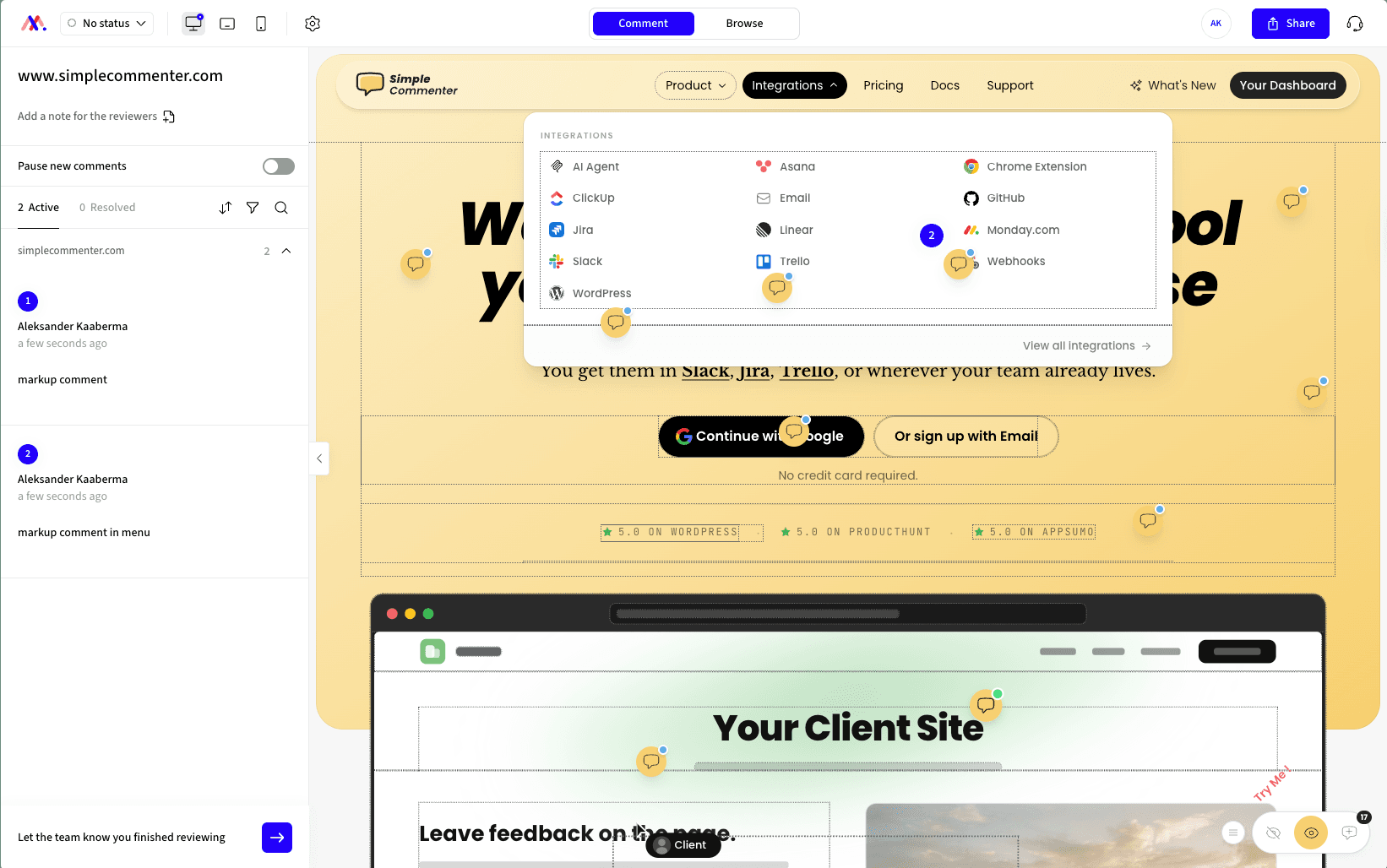
The premise behind Simple Commenter is straightforward: a non-technical client should be able to leave feedback on a website without creating an account, installing software, or learning a new tool. Click a spot, type a comment, done — no signup, no extension, no tutorial. If MarkUp.io became too expensive for a workflow that still feels boxed into iframe review, this is the alternative to shortlist first.
When a project needs more structure, clients can sign up in two clicks or get invited into a dedicated client portal. From there, each comment they leave is named, threaded, and they're pinged the moment you reply. Same low-friction surface, but with the structure a reviewer needs once a project is in motion.
On the team side, members log in to a shared dashboard where comments flow into the rest of your stack. Integrations cover Slack, Trello, Asana, ClickUp, Linear, Jira, Monday, GitHub, email, and outbound or inbound webhooks — plus a native MCP server that lets Claude Code, Cursor, and other AI agents fetch and reply to comments directly. Choose Simple Commenter when you want the feedback tool to keep updating around your workflow instead of stopping at "here is a framed page where people can comment."
The widget runs on every kind of page: marketing sites, SaaS apps behind authentication, staging environments, and WordPress. Choose the reviewer access mode for the project. Reviewers still need permission to open an authenticated site; SSO availability depends on the plan and setup.
The WordPress plugin lets your team manage comments, replies, members, and settings inside WP admin. That makes it useful when WordPress is already where your team works. Compare the actual management workflow, not just whether a tool has an installation plugin.

Key features:
- No-signup commenting — clients pin and reply without creating an account
- Optional client portal with invitations, named comments, and reply notifications
- Script-based widget that works on SaaS apps, staging, and marketing sites
- Reviewer access options for public feedback and private client projects
- WordPress plugin with full in-WP management of comments, members, replies, and settings
- Integrations with Slack, Trello, Asana, ClickUp, Linear, Jira, Monday, GitHub, email, and webhooks
- Read, search, organize, and export feedback with your AI through the MCP integration
- Chrome extension for reviewing sites you do not own
- Automatic screenshots, file attachments, PDF and image review
- Boards for organizing comments by status and routing incoming feedback
Pricing:
See the current plans and prices for your currency and billing period. Pro includes three team members with paid extra seats; Agency includes unlimited team members and white-label features. Clients do not need paid seats. SAML SSO is an optional paid Agency add-on or part of a tailored Enterprise agreement. A 14-day free trial is available without a credit card.
Pros:
- Lowest client friction in the category — no signup, no install, no tutorial
- Optional client portal when you do want named, notified, structured feedback
- Works on every page type: marketing, SaaS behind auth, staging, WordPress
- Manage comments, replies, members, and settings inside WordPress
- Reviewer access can be configured for the project; SSO depends on the selected plan and setup
- Clients do not need paid team seats; check the team allowance on your selected plan
Cons:
- Newer to the market than BugHerd or Marker.io, so the integration list is still expanding
Reviews:
Simple Commenter holds a 5.0 average across Product Hunt and AppSumo, with 600+ agencies, freelancers, and enterprises running it in production. The recurring theme across customer reviews is the no-signup flow — variations of "finally, a feedback tool my clients actually enjoy" and "life changed in under 5 minutes" show up across dozens of testimonials. Web professionals who switched over from Markup, Pastel, and BugHerd consistently describe how much faster review cycles run once the login step disappears; one Jim Langman review walks through a stalled year-long project that launched three weeks after Simple Commenter was added. Simple Commenter now includes boards for organizing feedback. Support response time is the second-most-praised aspect — "fixed my issue in literal seconds from emailing them" is a phrase that comes up verbatim in multiple reviews.
Feedbucket#
Built for: Agencies · QA teams · SaaS teams · In-house product teams
Best for: Pick Feedbucket if the iframe model is the real problem and you want a script-based tool with strong integrations into the project management software your team already uses.
Feedbucket installs via a script, with one-click installers for WordPress and Shopify. Script-based install is the most flexible loading method on this list, and Feedbucket nails it. If you are leaving MarkUp.io because you want something more reliable than iframe review, but you still want feedback to land in Jira, Trello, Asana, or another existing tracker, Feedbucket is the most direct fit. The WordPress plugin is a clean script installer and nothing more — there is no in-plugin dashboard to manage members or settings, which is a deliberate trade-off. The contrast is Simple Commenter, where the WordPress plugin lets you manage comments, members, and settings from inside the WP admin.
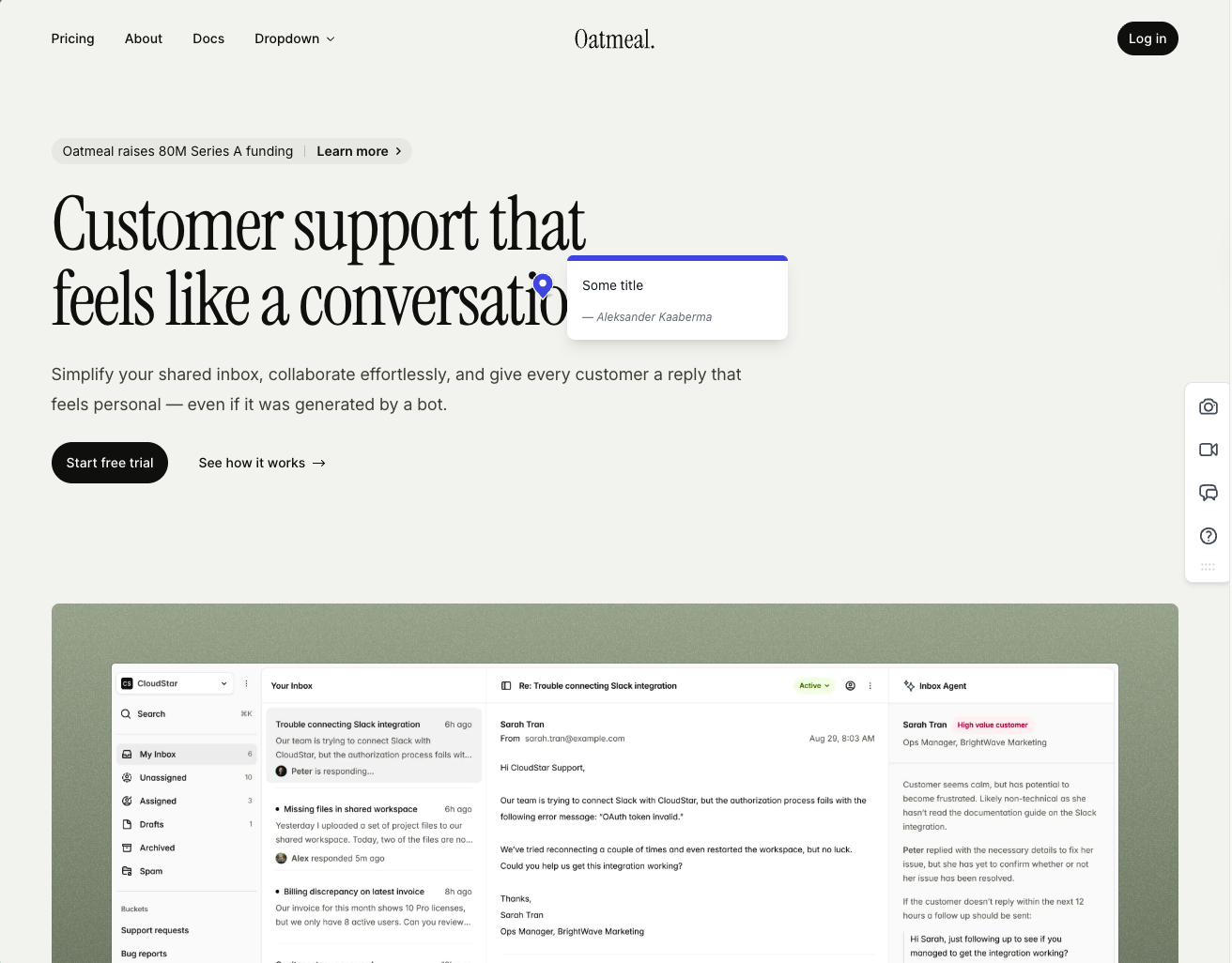
Onboarding is one of the smoother flows we tested. Clients don't need to sign up, every comment ships with an automatic screenshot, and those screenshots are pinned exactly where the comment was placed.
The integration pool is one of the strongest on this shortlist. Almost every project management tool you would want to pipe feedback into is supported, and the whole workflow is built around that. Feedbucket positions itself as the layer between your website and your PM tool of choice, not a replacement for either. The dashboard reflects that — you can filter comments by tags and page, but there is no native priority, ordering, or board view. If you live inside Jira or Trello, that is fine. If you wanted Feedbucket to be your home for triaging feedback, it is going to feel thin.
The one quirk that comes up in user reviews — and matched our testing — is that every comment requires a title by default. It is an annoying extra step for clients who just want to drop a quick note about a misaligned button.
A few other limits worth knowing: customization is light unless you upgrade, and if your stack is built on WordPress, Simple Commenter offers a deeper plugin experience with member, settings, and integration management inside the WP admin. Outside of those nitpicks, this is one of the most functionally complete tools we have tested — fair price, accurate screenshots, and a real integration story.
Key features:
- Script-based installation with one-click installers for WordPress, Shopify, and other major platforms
- Automatic screenshot capture, pinned exactly where the comment was placed
- Video feedback and screen recordings on every plan
- Wide integration pool covering most major PM tools
- No client signup required, guests can comment via a link
Pricing:
- Pro $39/mo (5 team members, unlimited reporters, screenshot and video feedback, integrations)
- Business $89/mo (25 team members, console logs, JavaScript API, custom branding, custom metadata, data export)
- Enterprise $259/mo (dedicated success manager, priority support, pay by invoice, SSO coming soon)
- 20% discount on yearly billing
- 14-day free trial, no credit card required
Pros:
- Clients don't need to sign up to leave feedback
- Screenshots are accurate, pinned to the right spot, and generated quickly
- Wide integration pool with pretty much every PM tool you'd want
- One-click installers for WordPress, Shopify, and other CMS platforms
- 14-day trial with no credit card asked up front
- Fair price for the feature set
- Developed in EU
Cons:
- Title field is mandatory by default on every comment (can be turned off, but it is on out of the box)
- Native dashboard is limited: filter by tags and page only, no priority or ordering
- WordPress plugin is a pure script installer with no member or settings management inside WP
- Customization options are light unless you upgrade to Business
- Built around piping feedback into a PM tool, not as a standalone home for triaging
Reviews:
Public reviews lean strongly positive and match what we saw in testing. Users consistently flag two things: the no-signup flow for clients, and how reliable the tool feels day-to-day. The "bug-free" experience comes up often, which is rarer in this category than you would expect. Integration depth is the other recurring praise — teams already living in Jira, Trello, or Asana describe Feedbucket as the missing layer between their site and their tracker. The criticism is light and tends to land on the same nitpicks we ran into: the thin dashboard and the limited customization on lower tiers.
Pastel#
Built for: Freelancers
Best for: Pick Pastel if you are fine with iframe-style review and mainly want a cheaper MarkUp.io-like option for static design deliverables.
Pastel has been around since 2016, which makes it the senior tool on this shortlist. That tenure cuts both ways. The product is mature and the UI is polished, but the workflow has not kept up with what website feedback means today. Reviews say it works once you have a canvas set up, and that is technically true — the harder question is whether the workflow Pastel forces you into is the one you actually want. Choose Pastel when you still want the familiar canvas-based review pattern and you are mostly trying to avoid MarkUp.io's higher entry price.
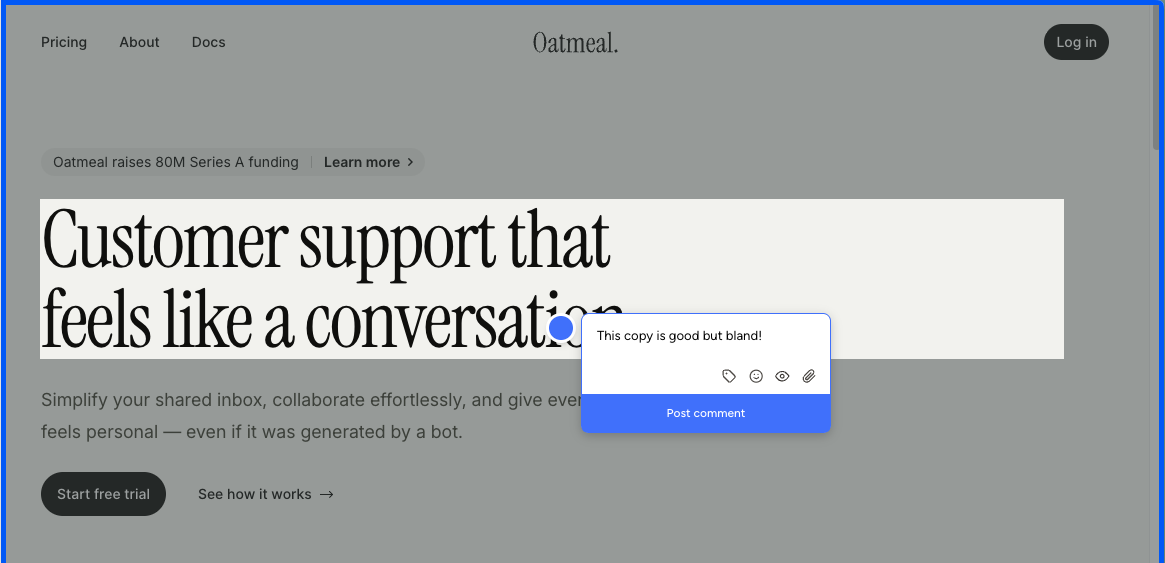
Setup is the easy part. Paste a script tag into your site or use the Chrome extension, and Pastel spins up a "canvas" — a Pastel-hosted URL framing a snapshot of your site. Reviewers leave comments inside that canvas, not on your live site. The Chrome extension does not change this; it only generates a new canvas from whatever page you are on. There is no on-page commenting like BugHerd or Simple Commenter offer.
The iframe model carries a cost most teams only notice after committing: you cannot submit feedback from a real mobile device. Mobile review happens through a desktop-emulated viewport inside Pastel, and anyone who has spent time on QA knows emulated mobile and real mobile behave differently — touch handlers fire differently, fixed positioning misbehaves, modals jump around, and a real share of the bugs you want clients to flag will never surface in the emulator. For a website feedback tool in 2026, that is a hard limitation.
The free tier has another constraint that is easy to miss until you trip on it: a 72-hour commenting window. Once you share a canvas, comments automatically close after three days. Some teams can lean on this as a forcing function for clients who would otherwise drag review cycles out for weeks. For most teams, it just means spinning up a fresh canvas every time a stakeholder needs another day.
Pricing reinforces the gap. Free Forever is generous on guest reviewers but capped at 1 active canvas plus the 72-hour window. Pro at $35/mo bumps you to 3 canvases and 2 users, and that is essentially everything you get — no integrations, no webhooks, no Trello, Asana, Jira, or Zapier. Those are locked to Team at $119/mo. At the $35/mo price point, you can find tools that include integrations, embed on the live site, and let clients comment from a real phone. Pastel is asking the same money for noticeably less.
Key features:
- Iframe-based feedback canvases hosted on Pastel
- Asset feedback on images and PDFs, not just live websites
- Script-tag installation
- Chrome extension to spin up new canvases
- File attachments and user mentions in comments
- Unlimited guest reviewers on every plan
- Project spaces, labels, and private comments
Pricing:
- Free Forever $0/mo (1 user, 1 active canvas, 72-hour commenting window, unlimited guest reviewers, 2 GB video)
- Pro $35/mo (2 users, 3 active canvases, CSV export, 100 GB video, no integrations)
- Team $119/mo (starts at 5 users, $24/user after, unlimited canvases, Trello/Asana/Jira/Zapier/webhook integrations, 500 GB video)
- Enterprise $450/mo (starts at 10 users, $45/user after, SAML SSO, SOC 2 report)
- 14-day free trial on all paid plans
Pros:
- Pin comments on images and PDFs, not just live sites
- Mature product, around since 2016
- Fast setup with a simple script tag
- Unlimited guest reviewers on every plan
Cons:
- Iframe-only feedback: reviewers comment on a Pastel-hosted snapshot, not your live site
- No real-device mobile feedback. Mobile review is a desktop-emulated viewport, which behaves differently from an actual phone
- 72-hour commenting window on the free tier closes comments automatically after three days
- Chrome extension only creates new canvases; it is not an on-page commenting tool
- Integrations are locked to the $119/mo Team tier; nothing on Pro
- Pro tier feels thin at $35/mo against tools at the same price that include integrations and live-site embedding
- Hard 3-canvas cap on Pro means active projects compete for slots
Reviews:
Pastel reviews tend to skew positive on the basics. Setup is fast, the canvas concept is easy to understand, and once a reviewer is inside the canvas the commenting itself is fine. The criticism shows up around the edges of that workflow. Clients balk at opening a separate tool to leave feedback. Stakeholders who do not review within 72 hours on Free hit a closed canvas and need a fresh link. Anyone trying to test on a real phone gets funneled into a desktop-emulated viewport. None of these are dealbreakers for solo creators reviewing static deliverables, but they stack up quickly for teams running live-site review cycles in 2026.
Huddlekit#
Built for: Agencies · Freelancers
Best for: Pick Huddlekit if MarkUp.io's new price is the issue, you are still comfortable with iframe review, and responsive marketing-site checks matter more than deep integrations.
Huddlekit launched in 2025 and the team has been shipping fast. Installation is one of the smoothest we tested — the iframe loaded cleanly, we were up and running in minutes, and we ran into very few bugs across testing. For a tool this new, that level of polish stands out. If you are not rejecting MarkUp.io's iframe model itself and mainly want a lower-cost tool that feels actively maintained, Huddlekit belongs on the shortlist.
The standout feature is the four-screen responsive canvas. Huddlekit lets you view a project at mobile, tablet, laptop, and desktop sizes side by side, all in a single view. None of the other iframe tools on this list ship anything close. For agencies working on marketing websites, where mobile-responsive testing is genuinely critical, this is a real differentiator — you catch a misaligned hero on mobile and a stretched headline on desktop in the same review pass, without bouncing between viewports.
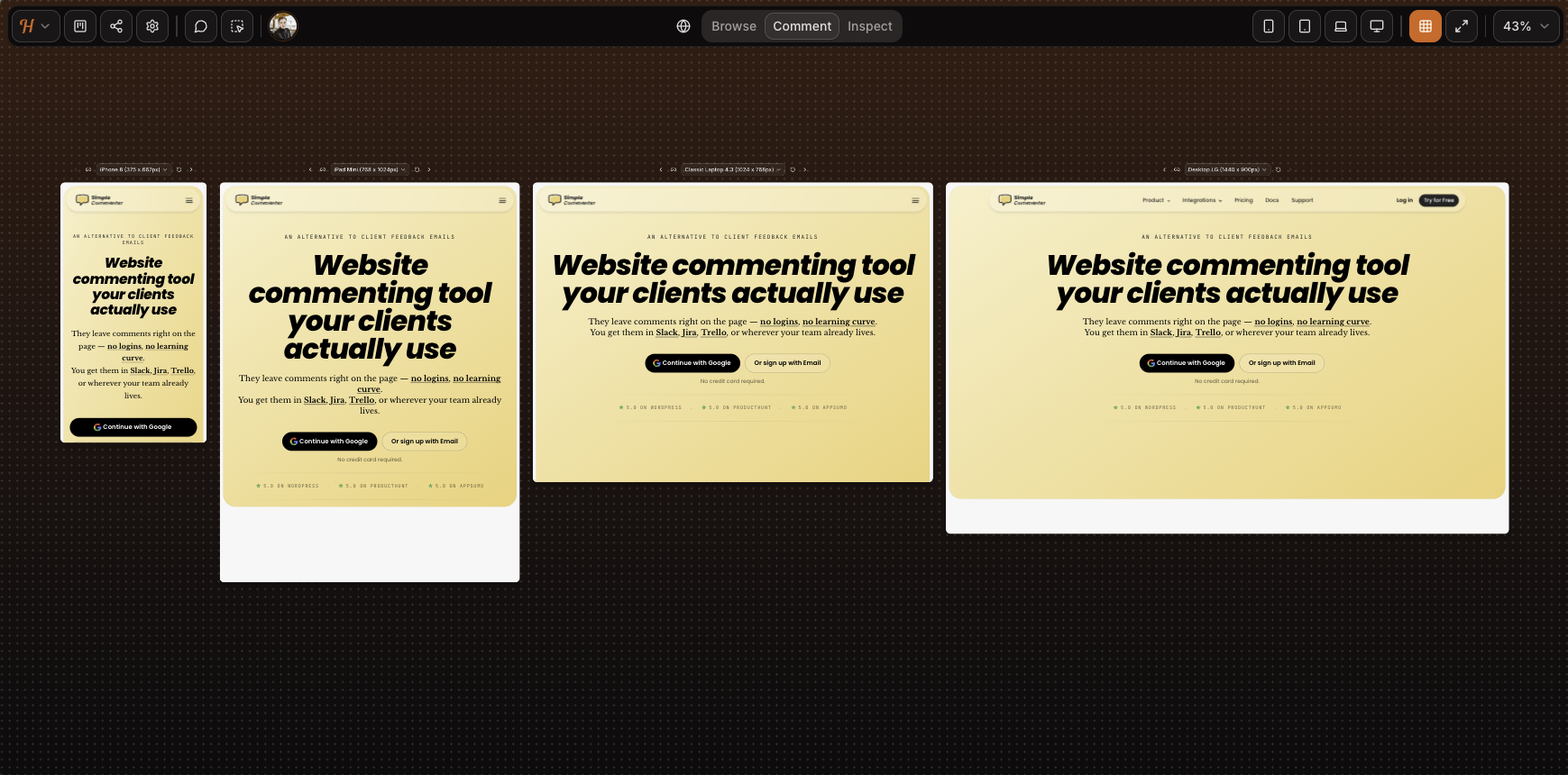
The iframe trade-offs covered across the rest of this shortlist still apply. Mobile feedback runs through a desktop-emulated viewport rather than a real device — as you can see from the screenshot, the SVG animation on our homepage is missing entirely. Complex authenticated apps will not load inside the canvas, and although iframe tools can sometimes be configured to get past Basic Auth, Huddlekit does not support that flow yet — our test page behind auth would not load. If you are reviewing a marketing site or a CMS-built page on WordPress, Squarespace, or Webflow, the iframe is fine. For a SaaS product or anything authenticated, expect the friction.
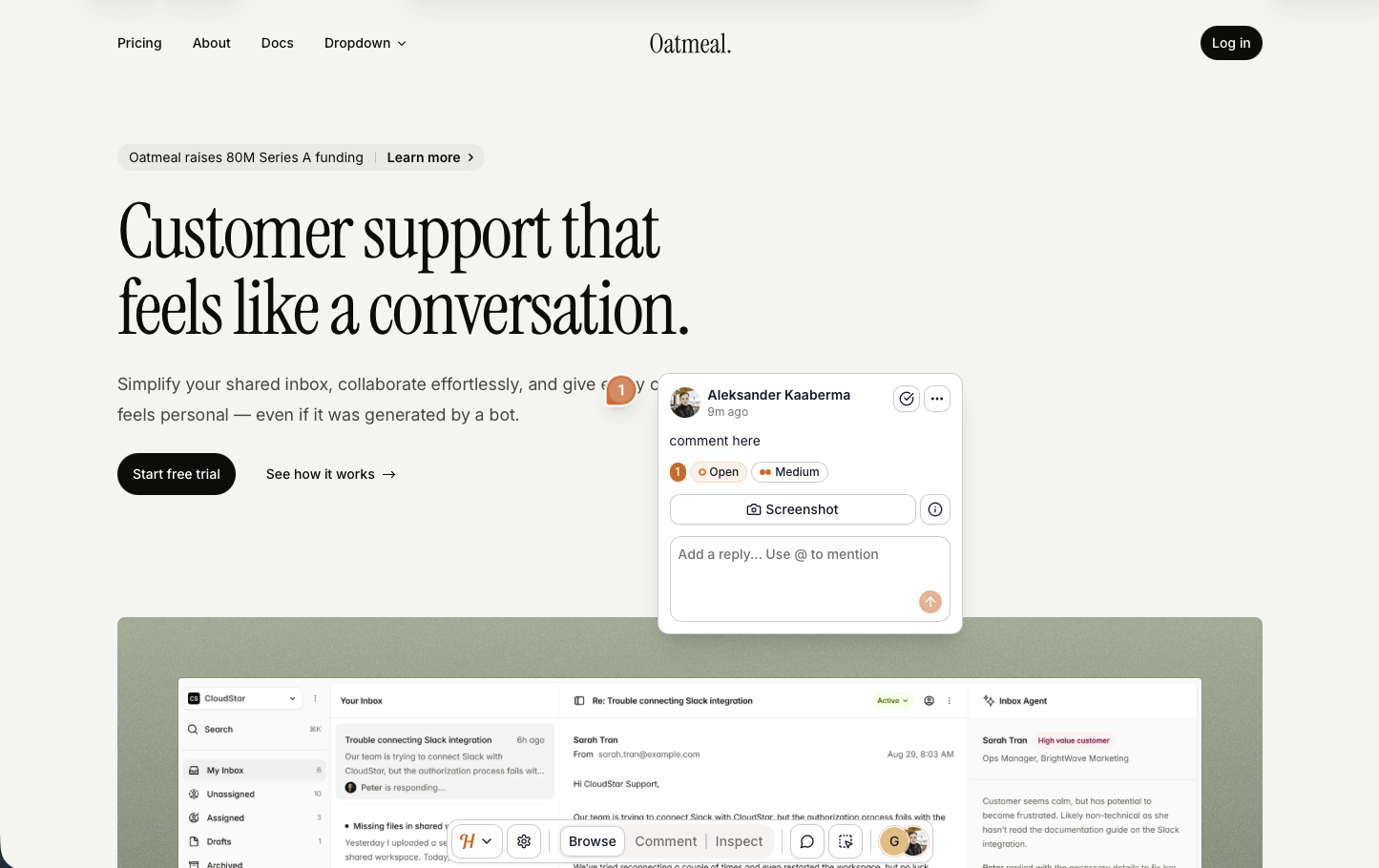
Script loading is the second install path, currently in beta. On our test pages it worked really well: setup was clean, every comment got an automatic screenshot, and — crucially — the screenshot was captured from the actual spot where the comment was placed, a real gap on tools like Markup where the screenshot can land on the wrong part of the page. It is close to coming out of beta. The remaining rough edges show up on more complex elements like dropdowns and drawers.
Sharing is straightforward on either install path. The iframe gives you a public link; the script flow on a live site is parameter-only. Neither path adds login-gated access — anyone with the link can open the project and read existing feedback. Leaving a comment is the only gated step, and Huddlekit asks for a name and email rather than a full account. Lightweight, but not anonymous.
Email-based auto-association also means anyone who knows a team email address can comment as that member. For freelancers and small agencies, that is a fine simplicity-for-security trade. For larger corporations that need login-gated access, audit trails, or control over who can see feedback at all, it falls short. The pricing tiers capping at 15 team members signal that enterprise is not the target.
The integration story is the other gap — there are no integrations live yet. The marketing leans into this positioning, pitching explicitly against a "screenshot-and-Slack workflow." The kanban board doubles down on the same idea: Huddlekit is trying to be your PM tool, not pipe into one. That works for teams with no existing tracker. Most agencies and larger companies already live in Jira, Trello, or ClickUp, and managing feedback in a second tool with no two-way sync is a real ask.
There is no white-labeling on any tier either. Every comment, shared link, and dashboard view carries the Huddlekit logo, which is a real consideration for agencies handing work to clients under their own branding.
Key features:
- Iframe-based feedback with script loading in beta
- Four-screen responsive view (mobile, tablet, laptop, desktop side by side)
- Media commenting (images, PDFs, video) alongside web pages
- Automatic screenshot on every comment
- Kanban board, comment pausing, private comments, inspect mode on every paid tier
- Public-mode widget loading for live-site feedback
- Forever free tier suited to solo work
Pricing:
- Free tier (3 team members, 1 project, 100 MB storage, 2 MB image/PDF, 10 MB video), suited for solo and side projects
- Pro $19/mo, $190/year (3 team members, unlimited projects, unlimited guests, 5 GB storage, unlimited custom tags, 50 MB image/PDF, 500 MB video)
- Team $39/mo, $390/year (15 team members, unlimited projects, unlimited guests, 50 GB storage, unlimited custom tags, 250 MB image/PDF, 2 GB video)
- Two months free on yearly billing
Pros:
- Smooth installation and a polished feel for a tool this new, with very few bugs in our testing
- Four-screen responsive view (mobile, tablet, laptop, desktop side by side) is unique to Huddlekit in this category
- Script loading works well even in beta, with screenshots captured from the correct spot — better than several incumbents we tested
- Forever free tier, genuinely usable for solo work
- Public-mode widget is a clean fit for live-site feedback collection
- Automatic screenshot on every comment
- Kanban, comment pausing, private comments, and inspect mode included from Pro
- Active development cadence
- Simple sharing on either install path
Cons:
- Iframe model breaks on Basic Auth, authenticated SaaS, and pages that refuse to render in iframes
- Mobile feedback is desktop-emulated, not real-device
- Anyone with the link can open the project and read existing feedback — no view-level access control, gating only kicks in when leaving a comment
- Every comment requires a name and email, so there is no fully anonymous flow
- No integrations
- No white-label or custom branding on any tier
- Security model is not a fit for enterprise compliance needs
- No third-party reviews on G2, Capterra, or Product Hunt yet to verify the tool's rating
Reviews:
The Huddlekit site shows a 5/5 rating, but we could not find any third-party reviews on G2, Capterra, or Product Hunt to triangulate against. The on-page testimonials line up with what we saw in testing — a clean iframe experience, fast iteration, and a viable alternative to Markup.io, Pastel, and Ruttl for asset review on simple sites.
The same caveat as BugSmash applies: a full assessment has to wait until subscriber reviews land on G2 or Capterra. For starters though, Huddlekit looks promising — the same iframe feature set as the incumbents, an active development cadence, and a script-loading path that already outperforms several of them in our testing. The beta label is not a reason to hold off; it is already good enough to lean on, which puts Huddlekit in the more versatile install category we recommend.
BugSmash#
Built for: Freelancers · Agencies
Best for: Pick BugSmash if MarkUp.io's price increase made you look elsewhere and you want a cheaper iframe-style tool with broader asset support.
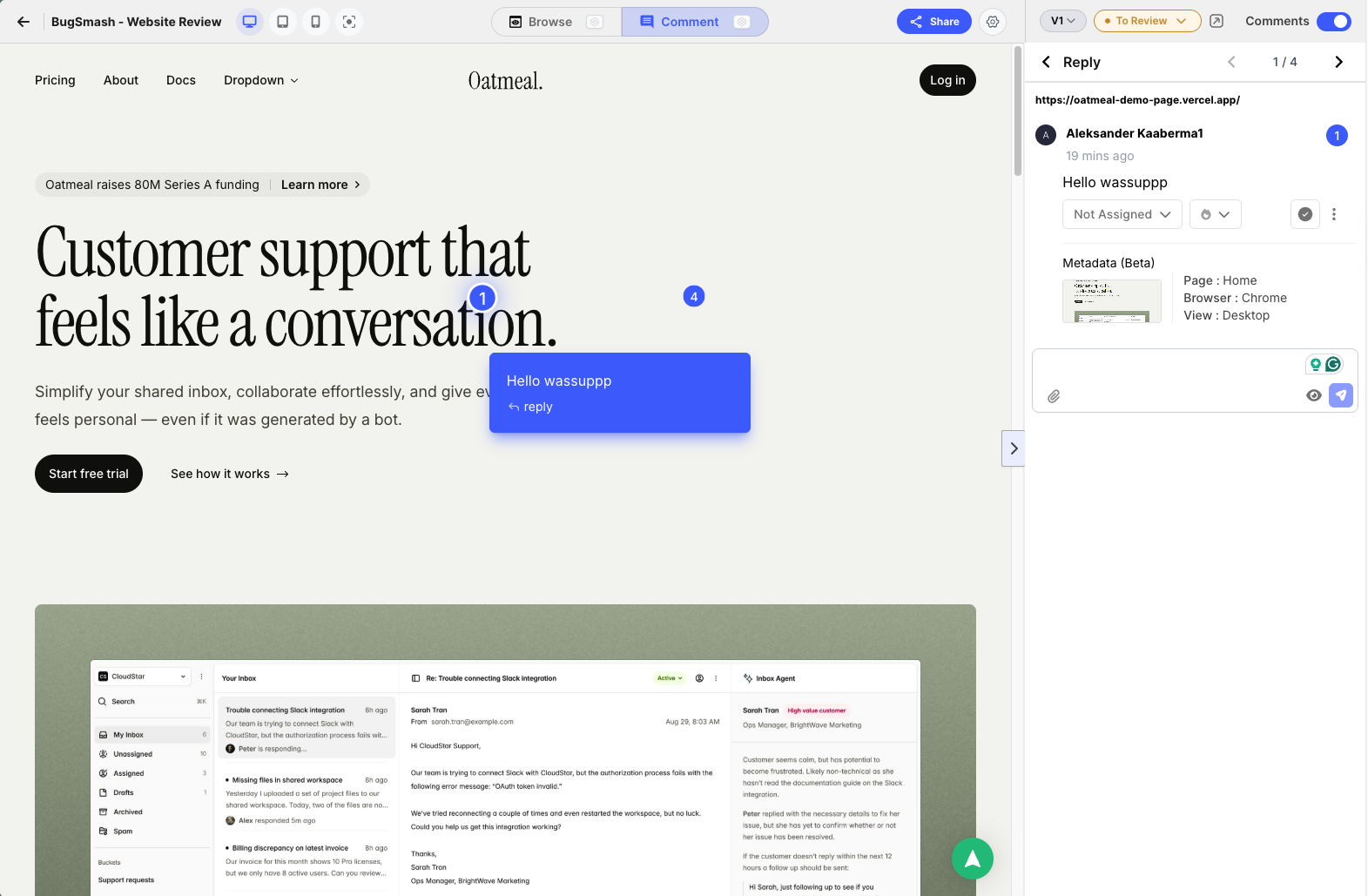
BugSmash is one of the newer entrants on this list, launched in 2025, and despite the name overlap with BugHerd it is a different category of tool entirely. It sits much closer to Pastel, Markup.io, and Ruttl — an iframe-style review tool where reviewers comment on a BugSmash-hosted snapshot of your asset, not on your live website. Choose it when the old MarkUp.io workflow was good enough, the new pricing is not, and you also review PDFs, images, videos, audio, or Figma frames.
The iframe model carries the trade-offs we have covered across the other reviews. Static marketing pages and design files load fine. Sites behind Basic Auth, pages that refuse to render inside an iframe, and complex authenticated SaaS apps will not. Mobile feedback runs through a desktop-emulated viewport, which behaves differently from a real phone. If your review work is mostly static pages and design files, the iframe is fine. If it is a real product, expect to bump into walls.
What sets BugSmash apart inside this group is its scope. It is not just a website feedback tool — you can pin comments on websites, design files, PDFs, images, videos, audio, and mobile app screens, all from the same dashboard. The Figma plugin is the standout: export design frames directly from Figma into a BugSmash project, no manual screenshot juggling. None of the other iframe-style competitors on this list ship a Figma plugin.
The friction that shows up in testing is account-gated commenting. The hosted iframe URL can be public, but anyone who wants to leave a comment has to sign up first. That breaks one of the patterns clients quietly love about tools in the Pastel and Markup category — drop a link, leave a note. With BugSmash, the link drop comes paired with a "create an account" wall. Script-based tools like Feedbucket and Simple Commenter push this even further: share a preview link to your actual site and the reviewer never has to know a feedback tool is involved.
If you are weighing Markup.io, Pastel, or Ruttl for design and asset review, BugSmash is worth a look — same iframe model, broader asset support, the only Figma plugin in the bunch, and a free tier that actually works.
Key features:
- Iframe-based feedback on websites, plus dedicated commenting on PDFs, images, videos, audio, and mobile app screens
- Figma plugin to export design frames directly into BugSmash projects
- Automatic screenshot on every comment
- AI review summaries (limit varies by plan)
- Slack and ClickUp integrations on Starter; full integration list on Team
Pricing:
- Free $0/mo (2 projects, 2 members, unlimited guest reviewers, 5 GB storage, 2 AI reviews)
- Starter $19/mo (50 projects, 2 members and 5 external collaborators, 50 GB storage, 20 AI reviews/month, Slack and ClickUp)
- Team $59/mo (unlimited projects, members, and collaborators, 300 GB storage, unlimited AI reviews, custom branding with subdomain/name/logo, all integrations)
- Enterprise $299/mo (multiple workspaces, 1 TB storage, custom domain, API access, SSO)
- 30% off on annual billing
- 7-day free trial on paid plans
Pros:
- Broader asset support than any other iframe tool on this list (web, PDF, image, video, audio, mobile app)
- Figma plugin is unique among iframe-style competitors
- Free tier is genuinely usable, not a trial-in-disguise
- Automatic screenshot on every comment
- Custom branding on the Team tier without an enterprise upgrade
Cons:
- Iframe-only commenting: reviewers leave feedback on a BugSmash-hosted snapshot, not your live site
- Anyone leaving a comment has to sign up — no anonymous guest commenting
- Sites behind Basic Auth and pages that refuse to load in iframes are out of scope
- No real-device mobile feedback, only desktop-emulated viewports
- Slim integration list on lower tiers (Slack and ClickUp on Starter; full list locked to Team)
- AI review limits on every tier below Team
- Small public review base outside of AppSumo
Reviews:
The bulk of public reviews live on AppSumo, where BugSmash ran a lifetime-deal campaign during launch. Reviewers consistently frame it as a strong alternative to Markup.io and Pastel and praise the support team for fixing reported bugs within a day or two — a contrast they explicitly draw against the larger incumbents in the category. One representative quote: "It's new, so there may still be a few bugs to squash, but when I've found one I reported it and it got fixed within a day or two, which is more than I can say for the larger companies that BugSmash competes against."
The honest caveat is that a full assessment will have to wait until subscriber reviews start landing on G2 or Capterra. AppSumo reviewers paid a one-time lifetime fee, not the current $19 to $59 monthly subscription, so the price-to-value math in their reviews does not translate to teams signing up today. For now, BugSmash looks promising — the product itself, the responsiveness of the team, and the early sentiment all point in the right direction.
Which one should you pick?#
If you are leaving because MarkUp.io got too expensive, start with Simple Commenter, Huddlekit, or BugSmash. If you want to move beyond iframe review and get stronger integrations, start with Simple Commenter or Feedbucket. If you are happy with iframe installation and only want a cheaper version of the same basic workflow, compare Pastel and Huddlekit first.
MarkUp.io pricing in 2026: what changed#
The pricing change in 2025 is the reason most people land on this page, so here is the before and after in one place:
- Free plan: available before 2025 → retired, no free tier today
- Pro: $29/mo before 2025 → $79/mo now
- Current trial: a 14-day trial is advertised; verify signup terms.
The current offer has moved beyond the old single-Pro-plan description. Compare the monthly MarkUp allowance and workflow before deciding whether a lower entry price is a better fit. Historical prices above describe the earlier change, not every current plan.
Frequently asked questions#
Is MarkUp.io still free?#
Markup.io's current pricing page does not list a permanent free plan, but it advertises a 14-day trial. Pro starts at $79/month with 50 MarkUps per month and unlimited users. Check the current trial and billing terms before signing up.
What is the best alternative to MarkUp.io for visual website feedback and client approvals?#
For client approvals specifically, Simple Commenter is the strongest fit on this list: clients pin comments directly on the live website without creating an account, replies are threaded, and reviewers get notified when something is resolved, which is the approval loop MarkUp.io handled inside its iframe canvas. If your priority is project-management integrations instead, shortlist Feedbucket. If you want the cheapest like-for-like iframe workflow, compare Pastel and Huddlekit.
Found this useful? Add us as a preferred source and Google will show you more of our guides in Search and AI Overviews.