13 Best Website Feedback Tools & Software (2026)
An in-depth comparison of the 13 best website feedback tools for agencies, freelancers, QA and product teams, and SaaS startups: pricing, pros, cons, and fit.

Choosing the right website feedback tool can feel overwhelming. You are faced with dozens of options, from simple click-and-comment widgets to bug-tracking systems that try to replace project management tools like Jira or Monday. Some are built for pure website feedback. Others are pitched as professional review platforms with client logins and deep integrations. A few try to do everything at once and end up bloated.
This guide cuts through the noise. We reviewed 13 of the most popular website feedback tools and software platforms and grouped them by who they are actually built for: agencies, QA teams, freelancers, SaaS teams, and in-house product teams. Each review follows the same format so you can compare honestly.
The goal is simple. Help you pick the right tool for your specific use case, not just the one with the best marketing.
A quick note on language: throughout the article I use the word "client" for the end user giving feedback. For agencies that literally means a client. For in-house teams it means a colleague, a stakeholder, or a QA tester. If you see "client," read it as "anyone reviewing the site."
We visited every site on this list, tested the onboarding flows, and pulled real pricing where we could (no "contact us" guesswork). You will also find our own tool, Simple Commenter, in the lineup.
Before running a trial, choose a real review task. Use the website project plan to name the owner and deadline, the website QA testing guide and QA checklist to define the checks, and the bug report template to judge the reports you receive. For client sign-off, follow the approval workflow. A tool is easier to evaluate when the whole team reviews the same task.
What is a website feedback tool (and what should you look for)?#
A website feedback tool (you will also see the category called website feedback software, website commenting tools, website annotation tools, or visual feedback software) lets anyone pin a comment to a specific spot on a page and delivers that feedback to your team exactly as the reviewer saw it. The right tool also makes it dead simple for the client to start. No accounts, no downloads, no tutorials.
Every good tool is balancing two things: context and friction.
Context means the comment is anchored to a URL, a screen size, a browser, and ideally a screenshot. There's no guessing what the reviewer meant, and you always know who said it. Friction means the reviewer shouldn't need to create an account, install anything, or sit through a 10-step onboarding before they can leave a note.
The tricky part is that reducing one often comes at the cost of the other. Skip the login and feedback flows faster, but now you don't know who left it, and you can't notify them when you reply. Require a Chrome extension, and it feels heavy, but you unlock native screenshot capture that works automatically.
Website feedback tools generally fall into three technical categories:
- Script loading: a small snippet added to your site. Lightest friction for reviewers, but requires someone to install the script, and features like screenshots and screen recording aren't native. (WordPress and other plugins as well are considered script, you're just using the plugin to automatically implement the script on your site.)
- Iframe or proxy: the tool loads your site inside its own canvas. No code changes needed, but some sites refuse to load in iframes.
- Browser extension: reviewers install a Chrome or Firefox extension that overlays the feedback layer. Works on any site, including staging and authenticated pages, but asks reviewers to install something first.
Beyond the basic comment-on-a-page feature, here is a checklist of things that matter when you shortlist:
- Integrations with your stack (Jira, Trello, Asana, Slack, Linear, Monday, ClickUp)
- Team member access and role permissions
- Client or reviewer access (do they need to log in, or can they comment as a guest?)
- Authorized access for staging sites, password-protected pages, or authenticated flows
- Token-based or domain-restricted script loading for security
- Automatic screenshot capture and annotation
- File uploads (so reviewers can attach mockups, logs, screen recordings)
- Support quality and response times
- Data residency (EU vs US hosting, GDPR compliance)
Not every tool checks every box. The right combination depends on whether you are an agency juggling client projects, a SaaS team running QA, or a 1,000-person enterprise with a compliance team. Before you shortlist, think about the trade-offs.
- Script is the most versatile loading method. It gives you the most flexibility for sharing with clients, working on staging sites behind authentication, and choosing between login or no-login flows. The downside is you lose Chrome extension-native features like automatic screenshots. But feedback can be given on any device. If they can access the site, they can leave feedback. Best for all types of pages: dynamic apps, large documentation sites, and everything in between.
- Extension can offer the most features, but onboarding new clients gets cumbersome. It works well if you have an established team that's already set up. The unique advantage is you can give feedback on websites you don't own or have access to, like a competitor's site or a public wiki.
- Iframe is good for static sites that don't require a login. It struggles with pages behind authentication. Best for static marketing or product pages, not complex SaaS.
Before we get to the list, one thing. "Website feedback" can mean a lot of things, and most "best of" lists lump in tools that don't belong. This list is strictly about visual website feedback: a client opens your site, clicks a spot, and leaves a comment. No user surveys, no behaviour or session monitoring.
The 13 best website feedback tools, compared#
Simple Commenter#
Built for: Agencies · Freelancers · QA teams · SaaS teams
Best for: Agencies and SaaS teams who want non-technical reviewers to comment without signing up, while still giving the team a real dashboard, integrations, and a deep WordPress story.
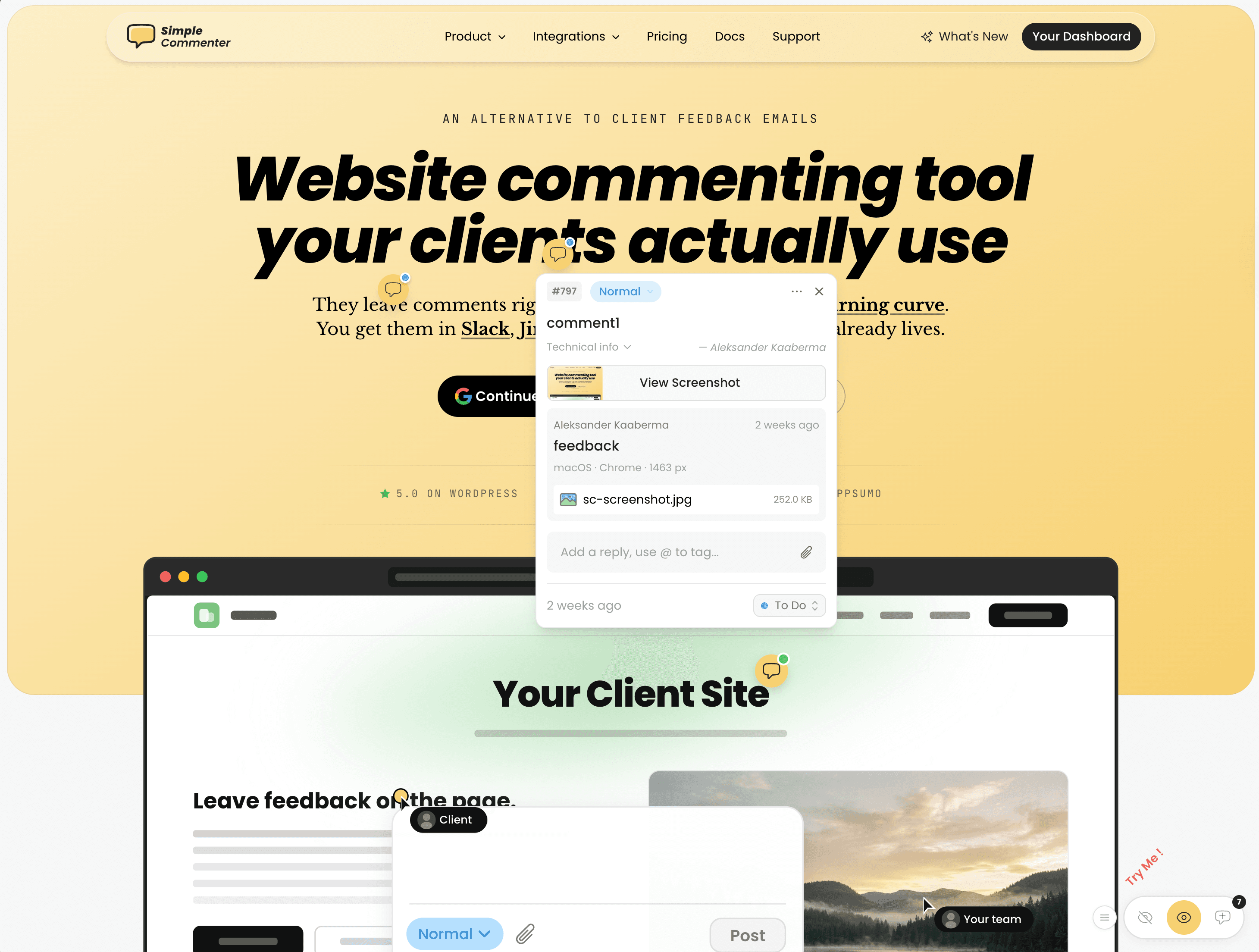
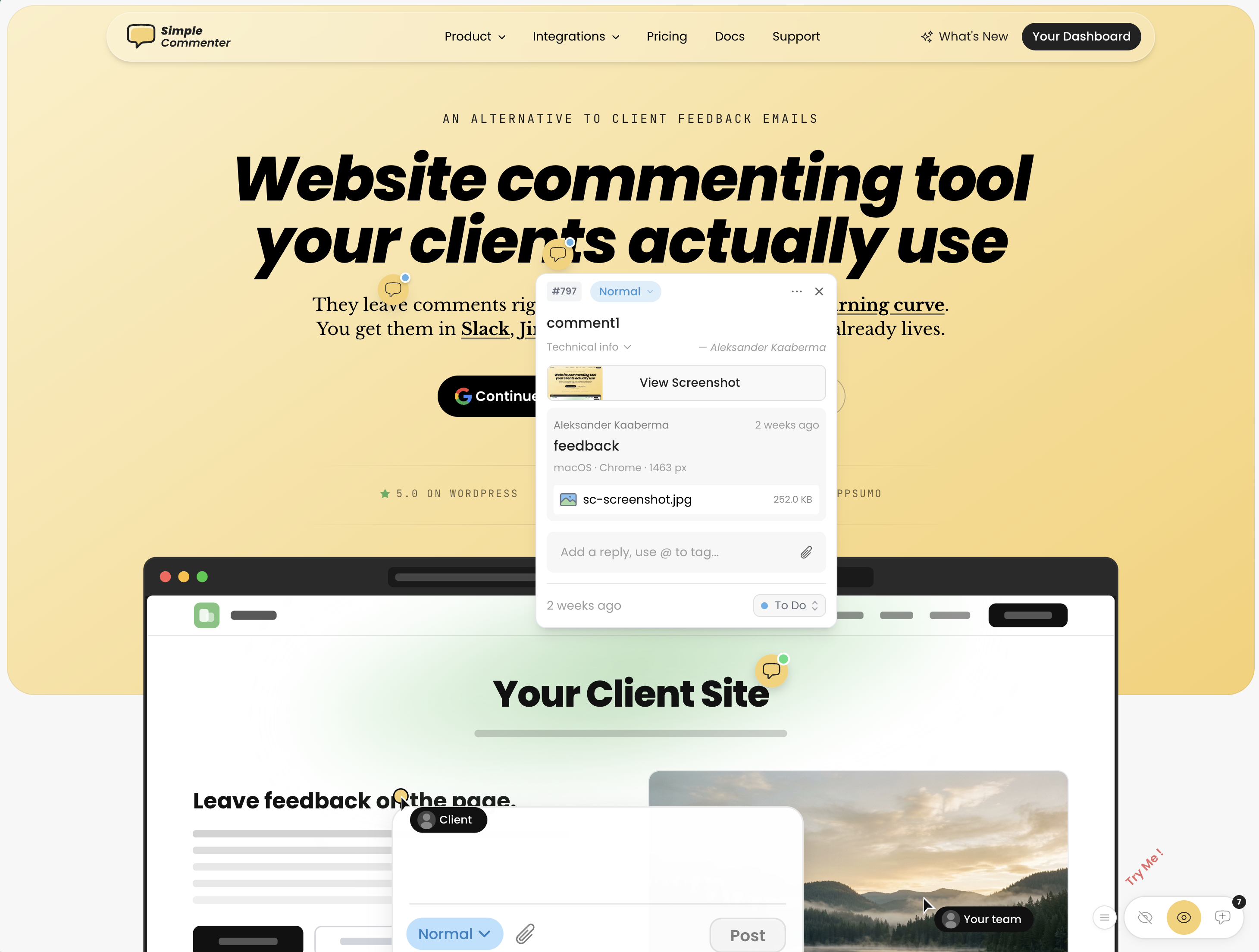
Simple Commenter started from one premise: a non-technical client should be able to leave feedback on a website without signing up, installing anything, or learning a new tool. Click a spot, type a comment, done. No account, no extension, no tutorial. Every other feature on the platform was built on top of that foundation.
For projects that need more structure, clients can sign up in two clicks or be invited into a dedicated client portal. Once invited, every comment they leave is named, threaded, and they get notified the moment you reply. Same low-friction surface, with the structure your reviewer needs once a project is in motion.
For the team side, members log in to a shared dashboard where comments pipe into the rest of your stack. Integrations cover Slack, Trello, Asana, ClickUp, Linear, Jira, Monday, GitHub, email, and outbound or inbound webhooks, plus a native MCP server that lets Claude Code, Cursor, and other AI agents pull and reply to comments directly.
The feedback widget runs on every kind of page — marketing sites, SaaS apps behind authentication, staging environments, and WordPress. Access scales with the use case: open for public review, token-gated for staging, login-gated for client work, or SSO auto-login for SaaS teams where internal reviewers are already signed into the product.
The WordPress plugin is the standout feature. Every other "WordPress feedback tool" on this list — Feedbucket, Userback, Marker.io, BugHerd, SureFeedback — is a script installer wearing a plugin badge. They paste a <script> tag into your site header and call it WordPress integration. Simple Commenter is the only tool here that lets you manage comments, replies, members, and settings entirely inside WP admin. If your team lives in WordPress, you never leave it.
Key features:
- No-signup commenting — clients pin and reply without creating an account
- Optional client portal with invitations, named comments, and reply notifications
- Script-based widget that works on SaaS apps, staging, and marketing sites
- Three access modes — open, token-gated, login-gated — plus SSO with auto-login from your own site
- WordPress plugin with full in-WP management of comments, members, replies, and settings
- Integrations with Slack, Trello, Asana, ClickUp, Linear, Jira, Monday, GitHub, email, and webhooks
- Native MCP server so Claude Code and Cursor can fetch and reply to comments
- Chrome extension for reviewing sites you do not own
- Automatic screenshots, file attachments, PDF and image review
Pricing:
- 14-day free trial, no credit card required
- Agency $34.99/mo (10 users, integrations, automatic screenshots, custom themes, 50 GB storage, 500 MB per file)
- Business $149.99/mo (25 users, 500 GB storage, 5 GB per file, SSO, custom domain, custom email domain, whitelisting, priority support)
- Enterprise custom (unlimited users and projects, SSO/SAML, advanced permissions, dedicated CSM, API user provisioning, SLA)
- 2 months free on annual billing
Pros:
- Lowest client friction in the category — no signup, no install, no tutorial
- Optional client portal when you do want named, notified, structured feedback
- Works on every page type: marketing, SaaS behind auth, staging, WordPress
- Only tool on this list with native in-WP comment management
- SSO and auto-login from your own site — internal reviewers never see a separate login
- Per-plan seats instead of per-seat pricing — adding clients does not raise the bill
Cons:
- Lacks full project management features like boards or kanban — feedback flows into your existing PM tool instead
- Newer to the market than BugHerd or Marker.io, so the integration list is still expanding
Reviews:
Simple Commenter has a 5.0 average across Product Hunt and AppSumo, with 600+ agencies, freelancers, and enterprises using it in production. The most repeated theme in customer reviews is the no-signup flow — variations of "finally, a feedback tool my clients actually enjoy" and "life changed in under 5 minutes" come up across dozens of testimonials. Web professionals who switched from Markup, Pastel, and BugHerd consistently mention how much faster client review cycles run once the login step is gone — one Jim Langman review describes a stalled year-long project that launched three weeks after Simple Commenter was added. The most common request is a kanban-style board, which matches the trade-off above: Simple Commenter is a feedback widget, not a PM tool. Support response time is the second-most-praised aspect; "fixed my issue in literal seconds from emailing them" is a phrase that shows up in multiple reviews verbatim.
BugHerd#
Built for: QA teams · In-house product teams
Best for: Agencies and teams that want a kanban-style feedback board with automatic screenshots and strong two-way integrations.
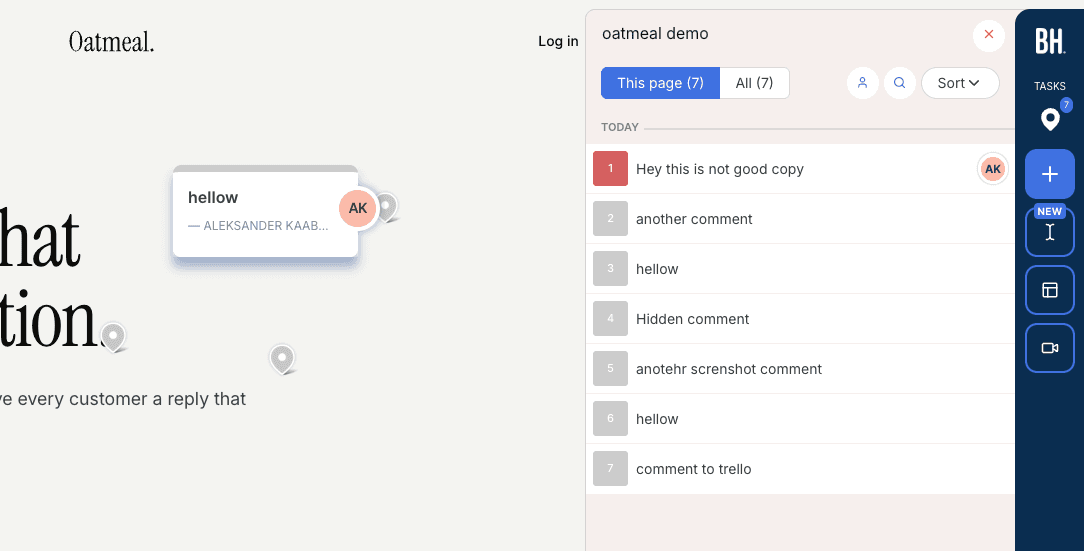
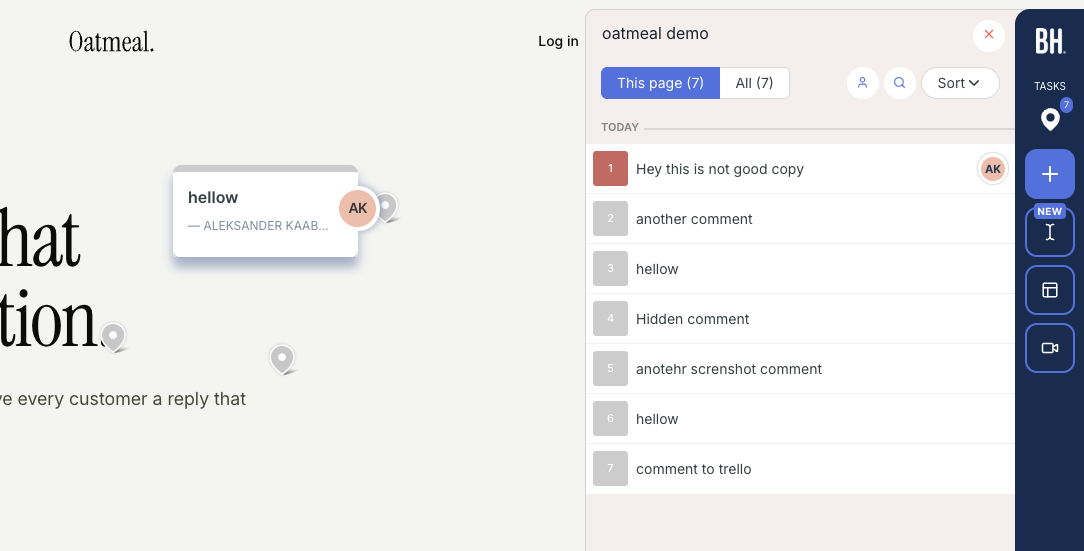
BugHerd installs via a script snippet, Chrome extension, or WordPress plugin. Onboarding is smooth and doesn't ask you to configure access rules upfront. If you open a project from the app, you're automatically logged in to the widget, no separate login needed.
Every comment comes with an automatic screenshot plus technical details (browser, screen size, OS). The feedback board uses a kanban layout, so comments double as trackable tickets you can assign to team members. Integrations are solid, with two-way syncs available for Jira, Asana, Linear, ClickUp, and Monday (on Premium and above).
One important distinction: BugHerd has a "public feedback" option, but that's meant for anonymous site visitors, not your clients or team. For clients and internal reviewers to leave feedback, they need to log in through BugHerd's hub first. You can't just send someone a link to your staging site and have them start commenting right away. This could be a dealbreaker for teams that rely on internal reviews, where you want stakeholders to visit the page and leave feedback without touching the feedback tool itself.
The widget is also heavily BugHerd-branded, so your clients will know they're using a third-party tool.
Key features:
- Automatic screenshot and technical metadata on every comment
- Kanban-style feedback board with task assignment
- Two-way integrations (Jira, Asana, Linear, ClickUp, Monday)
- Script, Chrome extension, and WordPress plugin installation
Pricing:
- Standard $50/mo (5 members, $8 per additional)
- Studio $80/mo (10 members, adds video feedback)
- Premium $150/mo (25 members, premium integrations, custom branding)
- Deluxe $250/mo (50 members, 150 GB storage)
- Custom plan available with dedicated success manager and SLA
Pros:
- Automatic screenshots with every comment, no extra steps
- Kanban board makes it easy to track and assign feedback
- Strong two-way integrations with major project management tools
- Clients don't need to create an account
- Smooth onboarding, quick to get started
Cons:
- Clients and reviewers must log in through BugHerd's hub before they can leave feedback on your site
- Heavily branded widget, no white-labeling until Premium
- Per-seat pricing adds up quickly for larger teams
Reviews:
BugHerd has 179 reviews on G2 with an average rating of 4.7/5. Users consistently praise how easy it is to use and appreciate the automatic screenshots and technical details attached to every comment. The kanban-style ticket board and team member assignment are frequently mentioned as standout features. On the downside, reviewers note that per-seat pricing can get expensive as teams grow. While the tool is simple overall, some users mention that clients need a small amount of guidance when first getting started.
One thing BugHerd has nailed is automatic screenshots. As we mentioned, this can't be done natively in the browser, so getting it right is harder than it looks. Not only does every comment get a screenshot automatically, but if a client leaves a comment inside an open dropdown, the screenshot captures that dropdown in its open state.
If BugHerd is the tool you are trying to replace, we compared its five strongest competitors in the best BugHerd alternatives guide.
Marker.io#
Pricing and reviewer roles below were checked on September 14, 2026. The hands-on observations remain from our original review.
Built for: SaaS teams · In-house product teams · QA teams
Best for: Product teams and SaaS companies running internal QA who need deep debugging data.
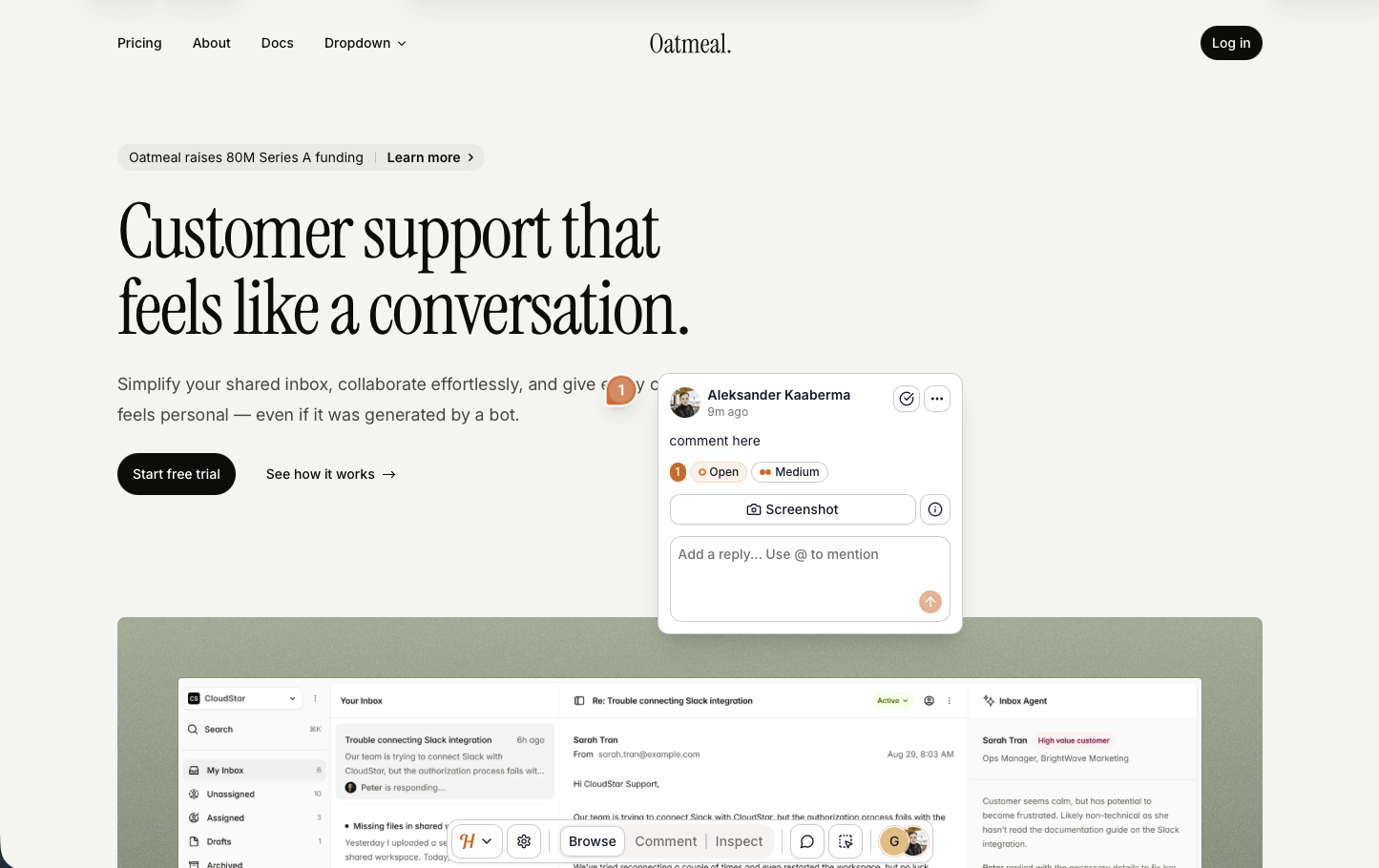
Marker.io installs via a script snippet, Chrome extension, npm package, or a CMS plugin (WordPress, Drupal, Webflow, Shopify, and more). Onboarding is one of the best we tested. It asks for your integrations up front, which is a telling signal. Marker.io is not trying to replace your project management tool. It is trying to be the middle-man between your website and PM tool.
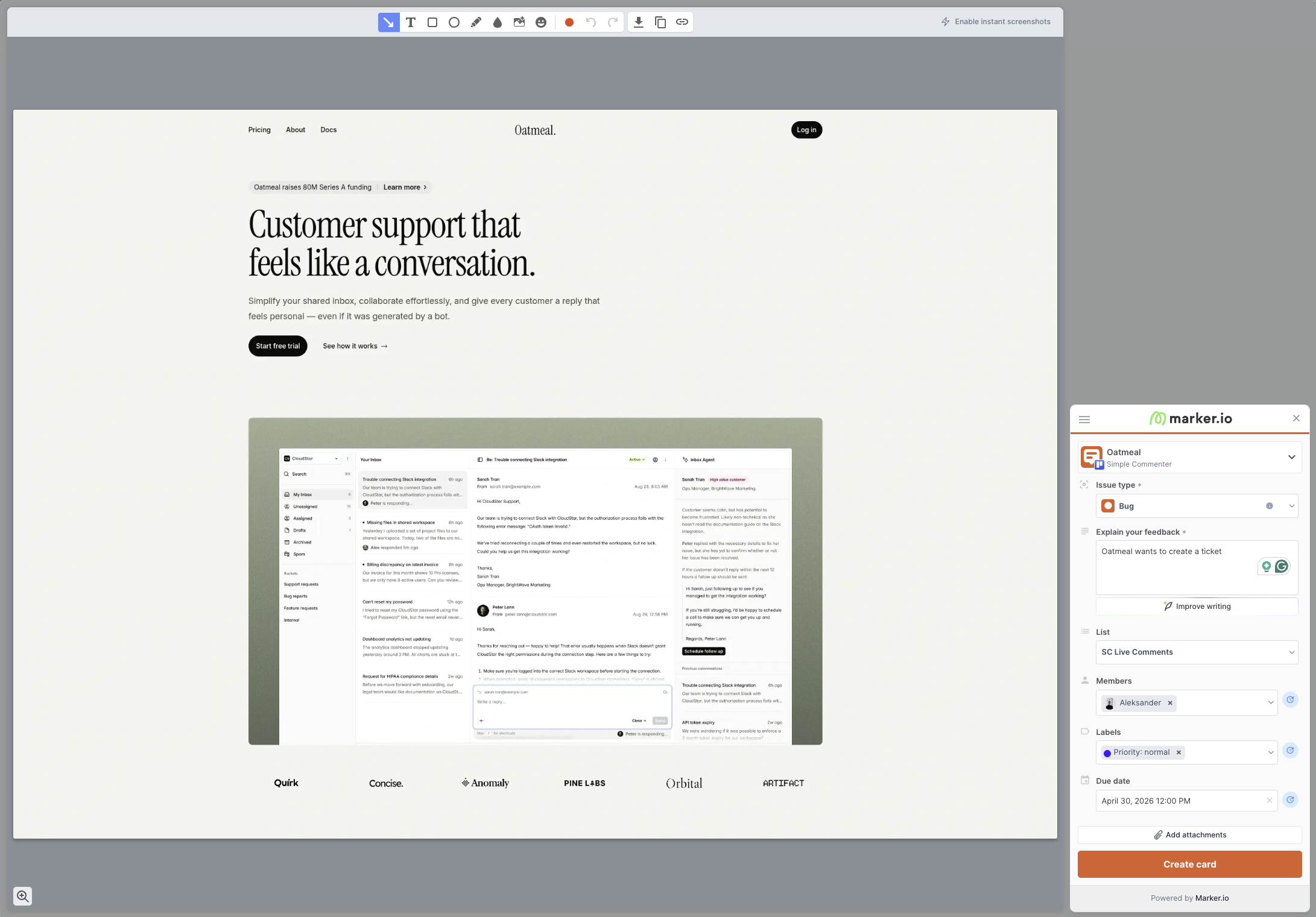
That framing matters, because Marker.io is not really a "comment on a website" tool. Every piece of feedback is a screenshot that becomes a card in Jira, Linear, Asana, or whatever PM tool you have connected. There are no pins on the page. No conversation threads anchored to a button. You open the widget, capture the screen, fill out what looks like a ticket form, and it lands in the tracker. That is the whole flow.
What makes it powerful is what is attached to that ticket. Reports can include screenshots, browser details, console logs, and network requests, depending on the plan and enabled capture settings. Reviewers still need to explain the reproduction steps. When a non-technical marketer says "this page is broken," your developer gets the failed API call, the JavaScript error, and the exact browser environment in one place. That is the real pitch: Marker.io exists to make bug reports that developers want to receive.
This shows in the target audience. Marker.io is built for larger brands and in-house product teams, the kind with one centralized dev team supporting hundreds of pages across multiple markets. Their case studies lean on names like L'Oréal, and it is easy to see why. When a regional marketing team reports a broken button, the alternative to Marker.io is a back-and-forth investigation that burns a day. Marker.io turns that into a ticket with the logs already attached.
Marker.io supports several reviewer roles. Its roles documentation says an open widget can accept reports without an account; reporters, guests, and paid team members have different access. Evaluate the client's ability to read replies and see other feedback. Agencies should also check the separate Agency plan before calculating a multi-project bill.
Custom theming is limited to button and widget color, and because reviewers cannot see existing tickets on the page, you lose the real-time visibility that prevents duplicate reports. Marker.io also does not support asset feedback, so images, PDFs, videos, and other static files are out of scope. It is strictly for live web pages.
Key features:
- Screenshot and browser context capture, with developer tools on eligible plans
- Two-way integrations with Jira, Linear, Asana, Trello, ClickUp, Monday, and more
- Installation via script, Chrome extension, npm package, and CMS plugins (WordPress, Drupal, Webflow, Shopify)
- Enterprise-grade security: SSO SAML, audit logs, sensitive data masking, SOC 2 Type 2
Pricing:
- Starter $39/mo billed annually or $59 monthly (3 team users; check project allowances)
- Team $149/mo billed annually or $199 monthly (15 team users, issue sync, replay, developer tools)
- Business custom (unlimited seats and websites, premium integrations, SSO SAML, audit logs)
- Agency $129/mo or $99/mo billed annually (15 members, 50 active websites, 50 guests, conditions apply)
- 15-day free trial, no credit card required
Pros:
- Detailed debugging context on plans that include developer tools
- Integrations-first onboarding that does not try to replace your PM tool
- Installation plugins for almost every major CMS
- Strong screenshot and annotation tooling
- Serious enterprise features (SSO SAML, audit logs, SOC 2 Type 2, sensitive data masking)
Cons:
- Reporter, guest, and team access differ; test the permissions needed for shared client review
- No pinned comments on the page, every piece of feedback is a new ticket, not a conversation
- Reviewers cannot see existing tickets on the page, which leads to duplicate reports
- No asset feedback (images, PDFs, videos), live web pages only
- Custom branding limited to button and widget color
- Per-seat pricing gets expensive fast for multi-client setups unless you qualify for the Agency plan
Reviews:
Marker.io's public case studies are a good window into the target user. L'Oréal credits it with making feedback dramatically easier across hundreds of websites, which is exactly the centralized-dev-team, many-markets pattern Marker.io is built around. G2 reviewers consistently praise the quality of the captured debugging data and how easy it is for non-technical stakeholders to report bugs developers can actually act on.
The recurring criticism is fit. Smaller teams and agencies say it feels like overkill, and several reviews flag the lack of real-time issue visibility on the page. Because reviewers cannot see existing tickets, multiple people file the same bug on the same page. If you are a team of three testing a landing page, that is friction. If you are a global brand with hundreds of sites, the trade-off is worth it.
Shopping for a replacement rather than a first tool? See the best Marker.io alternatives, or the head-to-head Marker.io vs BugHerd comparison.
Markup.io#
Built for: Agencies · Freelancers
Best for: Design agencies evaluating a hosted website review or browser-extension workflow.
Our original evaluation used a paid account. Markup.io's current pricing now advertises a 14-day trial, so that historical signup experience should not be treated as the current trial terms. Pricing was checked on September 14, 2026; the product observations below come from our original test.
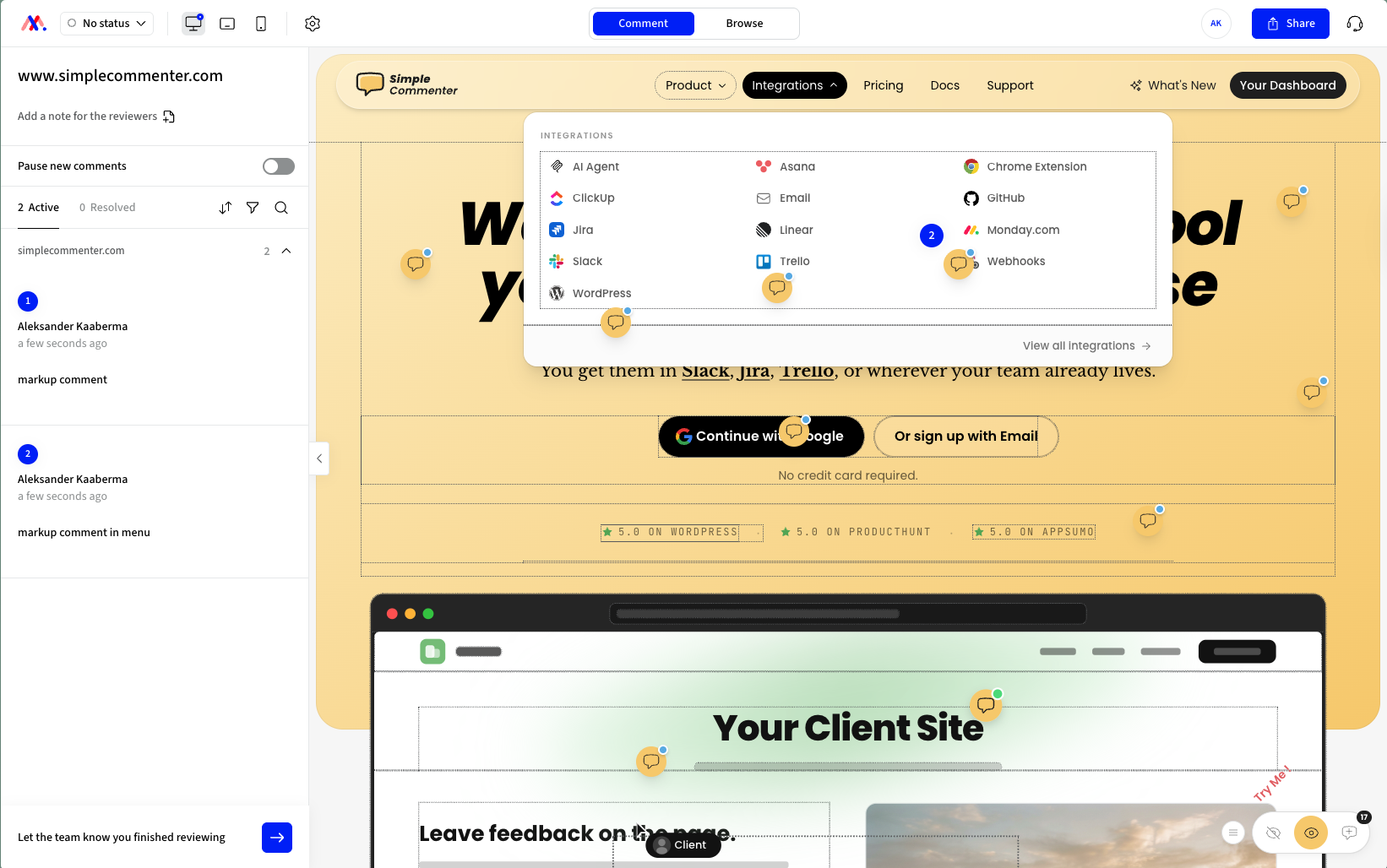
Installation has two paths. The first is the proxy: paste a URL into Markup.io and it serves your site through a Markup-hosted address that reviewers comment on. Convenient because there is no script to embed, but the catch is that any site protected by Basic Auth will not load through the proxy.
The second is the Chrome extension, which works on the live page and is the better of the two experiences. It does have a visible bug: hovering on the page draws a border around every div under the cursor. That said, it is a more useful extension than the ones from Pastel and Volley. Markup's extension is a full overlay that makes the live site commentable, where Pastel and Volley only use the extension to spin up a new project.
The downside is one we've seen across reviews of every Chrome-extension-first tool: onboarding clients is hard. Asking a stakeholder to install a browser extension before they can leave a single comment is friction most clients won't push through. And there is no mobile feedback path, since the extension only runs on desktop Chrome.
Every comment is supposed to come with an automatic screenshot, but in our testing the screenshot was captured from a totally different spot than the comment was placed. That is not a small bug for a tool whose main capture format is a screenshot.
In our original review, integrations included Zapier, Slack, Microsoft Teams, and Loom. Check the current native integration and export options for the tracker you use.
Pro now starts at $79/mo for 50 MarkUps per month with unlimited users. Higher allowances and a Business tier are available. The relevant limit is review volume as well as the number of people invited.
Key features:
- Proxy-based review (no script required) plus a Chrome extension for live-page commenting
- Automatic screenshot on every comment
- Unlimited users, with MarkUp allowances varying by plan
- Folders, shareable links, and basic workspace management
- Loom integration for video and screen recordings inside comments
Pricing:
- Pro from $79/mo (50 MarkUps per month, unlimited users)
- Higher allowances and Business plans available
- 14-day trial advertised; check current signup terms
Pros:
- Flat pricing with unlimited users, no per-seat scaling
- Two install paths: proxy (no script) or Chrome extension
- Loom integration ships out of the box
Cons:
- The entry plan limits monthly MarkUp volume
- Screenshots captured from the wrong spot on the page in our testing
- Our original extension test showed distracting hover outlines; verify the current version
- Proxy mode does not work on sites behind Basic Auth
- Check the current integration catalog against the tracker you need
- Bare-bones dashboard with limited settings
- $79/mo entry price is steep for smaller teams compared to alternatives at $29–$39
Reviews:
Public reviews on G2 skew positive overall, and the recurring praise lands on the same handful of things: ease of use, the self-service setup with no sales call, and how quickly non-technical clients pick the tool up the first time they use it. Agencies and freelance designers in particular describe it as the kind of tool you can hand to a client and trust them to leave useful, in-context feedback. Reviewers also call out the rich-text commenting, shareable links, and the ability to review across desktop, tablet, and mobile inside the browser as features that keep them on the platform.
Older reviews can describe retired plans or previous releases. For a current decision, confirm the trial terms, MarkUp allowance, export behavior, and your actual staging site's compatibility. Retest the screenshot placement issues we observed before treating them as a reason to reject the tool.
If the retired free plan or the $79/mo price is what brought you here, the best MarkUp.io alternatives guide covers the five tools worth shortlisting instead.
Volley#
Built for: Freelancers (force-fit, see review)
Best for: Public-facing live sites collecting feedback from visitors. Less suited for client review rounds or staging-site QA.
Volley installs via a script snippet or Chrome extension. Setup script installations is straightforward. But we wasnt able to get the chrome extension working. The reviews state as well that it could be buggy to setup. But should work fine once setup.
The tool has been around since 2020, but it shows: the feature set has not kept up with newer entrants, and the integration pool is short. ClickUp, Jira, Trello, and Slack make up the full list.
The bigger limitation is that comments can only be created on the page, not viewed there. Reviewers drop a pin with a screenshot, but to read the discussion or see what others have already flagged, they have to open the dashboard. That breaks one of the most useful patterns in this category: real-time on-page visibility that prevents two reviewers from filing the same issue. If a stakeholder sees the broken button, leaves a comment, and your next reviewer sees the same broken button, you will get the same comment twice.
That decision shapes who this tool actually fits. Volley is positioned as a website feedback tool for client work, but the workflow is closer to a bug-reporting tool meant for internal teams. It looks a lot like Marker.io: capture feedback on a live site, work in the dashboard. The catch is Volley lacks the integration depth and debugging metadata that makes Marker.io a fit for in-house product teams. It lands awkwardly between the two.
A small but real friction: the free trial requires a credit card despite the "no commitment" copy on the signup page. Not unusual in this space, but worth knowing before you hand over your card.
We also hit a stop sign during testing. The Chrome extension errored out when we tried to create a project, so we never got past initial setup on that path. Could be a temporary glitch, but it is the kind of bug a tool that has slowed down on iteration tends to leave in.
Pricing is the cleanest part of the offer. One plan at $29/mo, no per-seat tiering, no upgrade path that quietly doubles your bill. For a team that just wants to stand up visitor feedback on a public site without thinking about pricing tiers, that is genuinely a strength.
Key features:
- Script snippet and Chrome extension installation
- Automatic screenshot on every comment
- Dashboard-based comment management
- Single flat pricing tier
Pricing:
- $29/mo single plan
- Free trial requires a credit card
Pros:
- Simple, single-tier pricing with no per-seat math
- Easy installation via script or Chrome extension
- Automatic screenshot on every comment
Cons:
- Comments can only be viewed in the dashboard, not on the page
- Without on-page visibility, multiple reviewers tend to file the same issue
- Short integration list (ClickUp, Jira, Trello, Slack)
- Free trial asks for a credit card despite "no commitment" messaging
- Chrome extension errored out when creating a project during our test
- Feature set feels frozen since launch in 2020, missing modern essentials like on-page comment management
Reviews:
Reviews skew positive on the basics. Users say it works as a feedback tool, installation is easy, and the screenshot capture is reliable. The catch is that most of the public reviews date back to 2021, around the tool's first wave of adoption, and they have not been refreshed in any meaningful way. The recurring criticism in the more recent feedback is the dashboard itself. Reviewers want filtering, sorting, and basic triage features that other tools in this list ship by default. That tracks with our own test, where the Chrome extension blocked us from creating a project at all. Combined with the short integration list and dashboard-only comment view, Volley reads like a tool that found its early users and stopped iterating.
Pastel#
Built for: Freelancers
Best for: Solo creators reviewing static design deliverables. Hard to recommend for live-website feedback in 2026.
Pastel has been around since 2016, which makes it the senior tool on this list. That tenure cuts both ways. The product is mature and the UI is polished, but the workflow has not kept up with what website feedback actually means today. Reviews say it works once you have a canvas set up, and that is technically true. The harder question is whether the workflow Pastel forces you into is one you actually want.
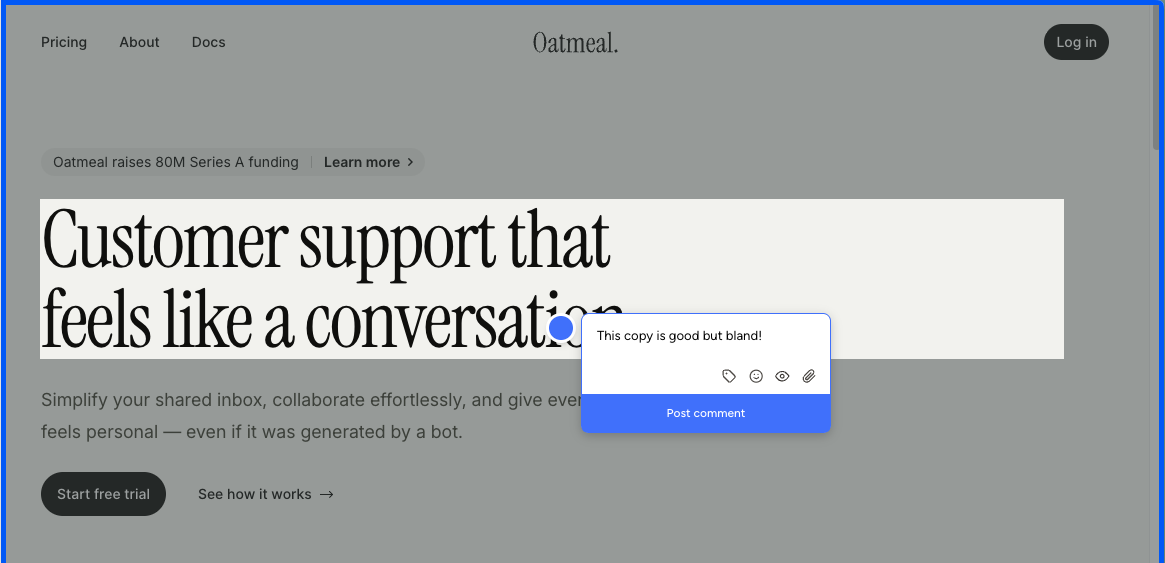
Setup is the easy part. Paste a script tag into your site or use the Chrome extension, and Pastel generates a "canvas": a Pastel-hosted URL that frames a snapshot of your site. Reviewers leave comments inside that canvas, not on your live site. The Chrome extension doesn't change this. It only spins up a new canvas from whatever page you're on. There is no on-page commenting like BugHerd or Simple Commenter offer.
The iframe model has a cost most teams only discover after committing: you can't submit feedback from an actual mobile device. Mobile review happens through a desktop-emulated viewport inside Pastel, and anyone who has spent time on QA knows emulated mobile and real mobile behave differently. Touch handlers fire differently, fixed positioning misbehaves, modals jump around, and a real share of the bugs you want clients to flag will never surface in the emulator. For a website feedback tool in 2026, that is a hard limitation.
The free tier has another constraint that is easy to miss until you hit it: a 72-hour commenting window. Once you send a canvas, comments automatically close after three days. Some teams can lean on this as a forcing function for clients who otherwise drag review cycles out for weeks. For most teams it just means spinning up a fresh canvas every time a stakeholder needs another day.
Pricing reinforces the gap. Free Forever is generous on guest reviewers but capped at 1 active canvas plus the 72-hour window. Pro at $35/mo bumps you to 3 canvases and 2 users, and that is essentially all you get. No integrations, no webhooks, no Trello, Asana, Jira, or Zapier. Those are locked to Team at $119/mo. At the $35/mo price point, you can find tools that include integrations, embed on the live site, and let clients comment from a real phone. Pastel is asking the same money for noticeably less.
Key features:
- Iframe-based feedback canvases hosted on Pastel
- Asset feedback on images and PDFs, not just live websites
- Script-tag installation
- Chrome extension to spin up new canvases
- File attachments and user mentions in comments
- Unlimited guest reviewers on every plan
- Project spaces, labels, and private comments
Pricing:
- Free Forever $0/mo (1 user, 1 active canvas, 72-hour commenting window, unlimited guest reviewers, 2 GB video)
- Pro $35/mo (2 users, 3 active canvases, CSV export, 100 GB video, no integrations)
- Team $119/mo (starts at 5 users, $24/user after, unlimited canvases, Trello/Asana/Jira/Zapier/webhook integrations, 500 GB video)
- Enterprise $450/mo (starts at 10 users, $45/user after, SAML SSO, SOC 2 report)
- 14-day free trial on all paid plans
Pros:
- Pin comments on images and PDFs, not just live sites
- Mature product, around since 2016
- Fast setup with a simple script tag
- Unlimited guest reviewers on every plan
Cons:
- Iframe-only feedback: reviewers comment on a Pastel-hosted snapshot, not your live site
- No real-device mobile feedback. Mobile review is a desktop-emulated viewport, which behaves differently from an actual phone
- 72-hour commenting window on the free tier closes comments automatically after three days
- Chrome extension only creates new canvases; it is not an on-page commenting tool
- Integrations are locked to the $119/mo Team tier; nothing on Pro
- Pro tier feels thin at $35/mo against tools at the same price that include integrations and live-site embedding
- Hard 3-canvas cap on Pro means active projects compete for slots
Reviews:
Pastel reviews tend to skew positive on the basics. Setup is fast, the canvas concept is easy to understand, and once a reviewer is inside the canvas the commenting itself is fine. The criticism shows up at the edges of that workflow. Clients balk at opening a separate tool to leave feedback. Stakeholders who don't review within 72 hours on Free hit a closed canvas and need a fresh link. Anyone trying to test on a real phone is funneled into a desktop-emulated viewport. None of these are dealbreakers for solo creators reviewing static deliverables, but they stack up fast for teams running live-site review cycles in 2026.
Like the canvas model but not the tool? The best Pastel alternatives guide walks through the options.
Userback#
Built for: In-house product teams · QA teams · SaaS teams
Best for: General visitor feedback on live websites, or internal QA on staging sites at larger companies. A weak fit for client review rounds.
Userback sits in the same bucket as Marker.io and BugHerd: a layer between your website and your project management tool, with a heavy dashboard built around kanban boards and mailbox-style inboxes. Installation is clean. The depth shows up the moment you start using the dashboard.
That depth cuts both ways. The integration list is long, the triage views give you more options than most tools we tested, and once a team settles in the workflow is genuinely powerful.
The flip side is that it can feel like a lot for what most teams actually need. The dashboard stacks an inbox for mail-like notifications, a status board for tracking feedback, a project overview, and session replays on top of each other — and that range is overwhelming on day one. It is not a tool you pick up and immediately know how you want to work in.
The bigger gap showed up in screenshot handling. Not every comment gets a screenshot attached automatically, and when one is captured, it does not include a marker showing where the comment was placed. Placing a pin requires the reviewer to attach a screenshot in the same step. Compared to BugHerd or Feedbucket, where the pin and the screenshot location are tied together by default, that is a real gap for visual feedback work.
Like Marker.io, Userback also does not show existing comments on the page. Reviewers drop feedback in but cannot see what others have already flagged without opening the dashboard. On a live public site collecting passive feedback that is fine, since visitors are not comparing notes. On a staging site with a handful of reviewers, expect the same broken button to come in three times.
That decision shapes who this tool actually fits. Userback works for two profiles. The first is live websites collecting general user feedback about content. The second is larger companies running internal QA on staging sites, where the volume of feedback and the integration depth justify the dashboard. It is a poor fit for agencies and client review rounds, where the friction of a complex tool slows down the people you want most comfortable.
A small note on the brand: it is genuinely easy to confuse Userback with Usersnap. They are different products. If you are landing on one while searching for the other, that is normal.
The WordPress plugin follows the same pattern we have seen across most tools on this list: a script installer with no in-WP feedback management. If a deeper WordPress integration is on your shortlist, this is not it.
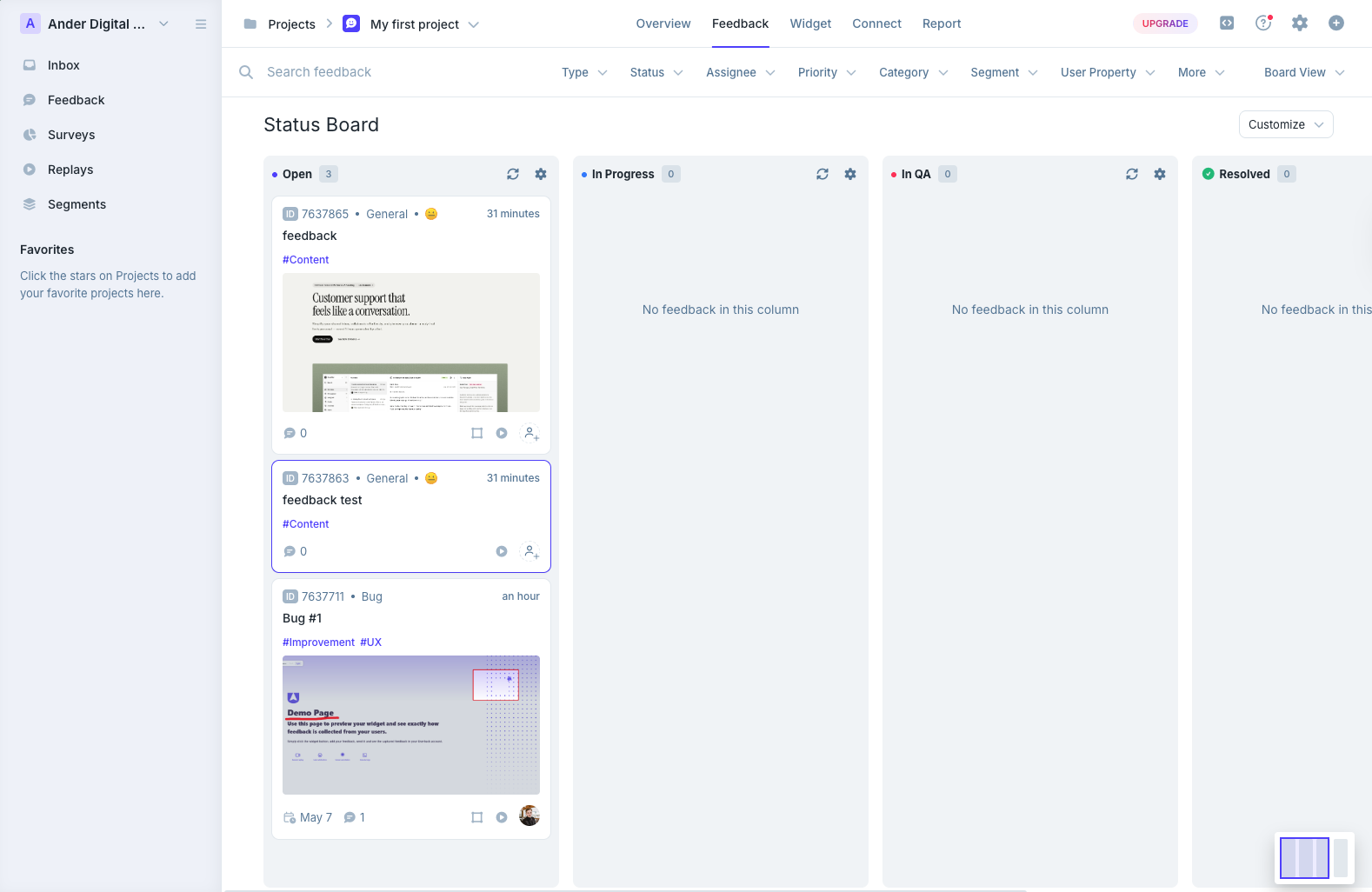
Key features:
- Long integration pool with major PM tools and Zapier
- Kanban-style boards and mailbox-style inbox for triaging feedback
- Session replay, user surveys, and behavioral targeting on Business and above
- AI Feedback and Insights on Business and above
- REST API and webhooks on Business Plus; SSO on Enterprise
Pricing:
- Free Forever (2 projects, 7-day feedback availability, max 2 seats, core features only)
- Team $29/mo billed annually or $39 monthly (5 seats, 5 projects, including two-way Jira and ClickUp sync)
- Business $79/mo billed annually or $99 monthly (unlimited seats, 25 projects, feedback replay and developer context)
- Business Plus $159/mo billed annually or $199 monthly (unlimited seats, 50 projects, REST API and webhooks)
Source: Userback pricing, checked September 14, 2026. These are plan prices, replacing the earlier per-seat figures.
Pros:
- One of the longest integration lists in this category
- Strong dashboard with kanban and inbox views for triaging
- Session replay and user surveys ship inside the same tool
- Free Forever tier exists, even if narrow
Cons:
- Advanced capture features and API access require higher plans
- Not every comment gets an automatic screenshot
- Screenshots do not show a marker where the comment was placed
- Pin placement requires attaching a screenshot in the same step
- No on-page visibility of existing comments, which leads to duplicate reports on staging
- Feature depth makes it feel heavy for small teams or quick client reviews
- WordPress plugin is a script installer only, no in-WP feedback management
- REST API access is locked to the top Business Plus tier
- Easily confused with Usersnap, which is a different product
Reviews:
Public reviews trend strongly positive on the headline numbers: 4.8 for ease of use and 4.9 for customer service are the recurring averages. Users describe the tool as user-friendly and praise how efficiently it lets QA teams test registration flows and website components before launch. The simplicity of project setup and the routing menu come up repeatedly as strengths, and customer service gets singled out as one of the best in this category.
The recurring criticism is price and fit. Older reviews flag seat-based pricing that no longer describes the current Business plans; and the most common technical complaint is that REST API access is locked behind the top tier, which puts it out of reach for smaller teams that want to script around the tool. A handful of reviews also note that the feature surface is more than they actually need, and that the simpler tools on this list end up being a better day-to-day fit.
If Userback's dashboard workflow or required feature tier is the sticking point, we shortlisted the best Userback alternatives, plus a head-to-head Userback vs Usersnap comparison for the two tools people mix up most.
Feedbucket#
Built for: Agencies · QA teams · SaaS teams · In-house product teams
Best for: Teams that want feedback to flow straight into a project management tool. Less ideal if you want a self-contained dashboard for triaging feedback.
Feedbucket is one of the better tools we tested. Clients don't need to sign up to leave feedback — they open the link and start commenting. Every comment comes with an automatic screenshot, the pin sits exactly where the comment was placed on the page, and the whole thing lands in your PM tool of choice with the screenshot and pin location intact. That pin-to-screenshot-to-PM-tool pipeline is something only a handful of tools on this list get right.
Installation is script-based, with one-click installers for WordPress, Shopify, and other major platforms. Script-based loading is the most flexible install model in this category — it works on staging, behind logins, and on any framework — so Feedbucket runs almost anywhere you'd want to drop a feedback widget.
The integration pool is the standout. Pretty much every project management tool you'd want to pipe feedback into is supported, and the whole product is built around that workflow. Feedbucket is meant to be the layer between your website and your PM tool of choice, not a replacement for it. The dashboard reflects that intent: you can filter comments by tags and page, but there is no native priority, ordering, or board view. If you live inside Jira, Trello, or Asana, the workflow is clean. If you wanted Feedbucket to be your home for triaging feedback without piping it elsewhere, the dashboard is going to feel thin.
The one quirk that comes up in user reviews and matched our testing: every comment requires a title by default. It is an annoying extra step for clients who just want to drop a quick note about a misaligned button. It can be toggled off in settings, but the default is on.
Customization is light unless you move up to Business, but the Pro tier still ships the full integration pool, automatic pinned screenshots, video feedback, and screen recording — which is more than most tools include at this price. Outside of those nitpicks, this is one of the most functionally complete tools we tested. Fair price, accurate screenshots, and a real integration story.
One note on WordPress: Feedbucket's plugin is a clean script installer and nothing more — comments, members, and settings live in the Feedbucket app rather than WP admin. That is a deliberate choice and matches how every other "WordPress feedback tool" on this list works. If managing feedback from inside WordPress is a hard requirement for your team, Simple Commenter is the outlier; otherwise, the installer does its job and you carry on.
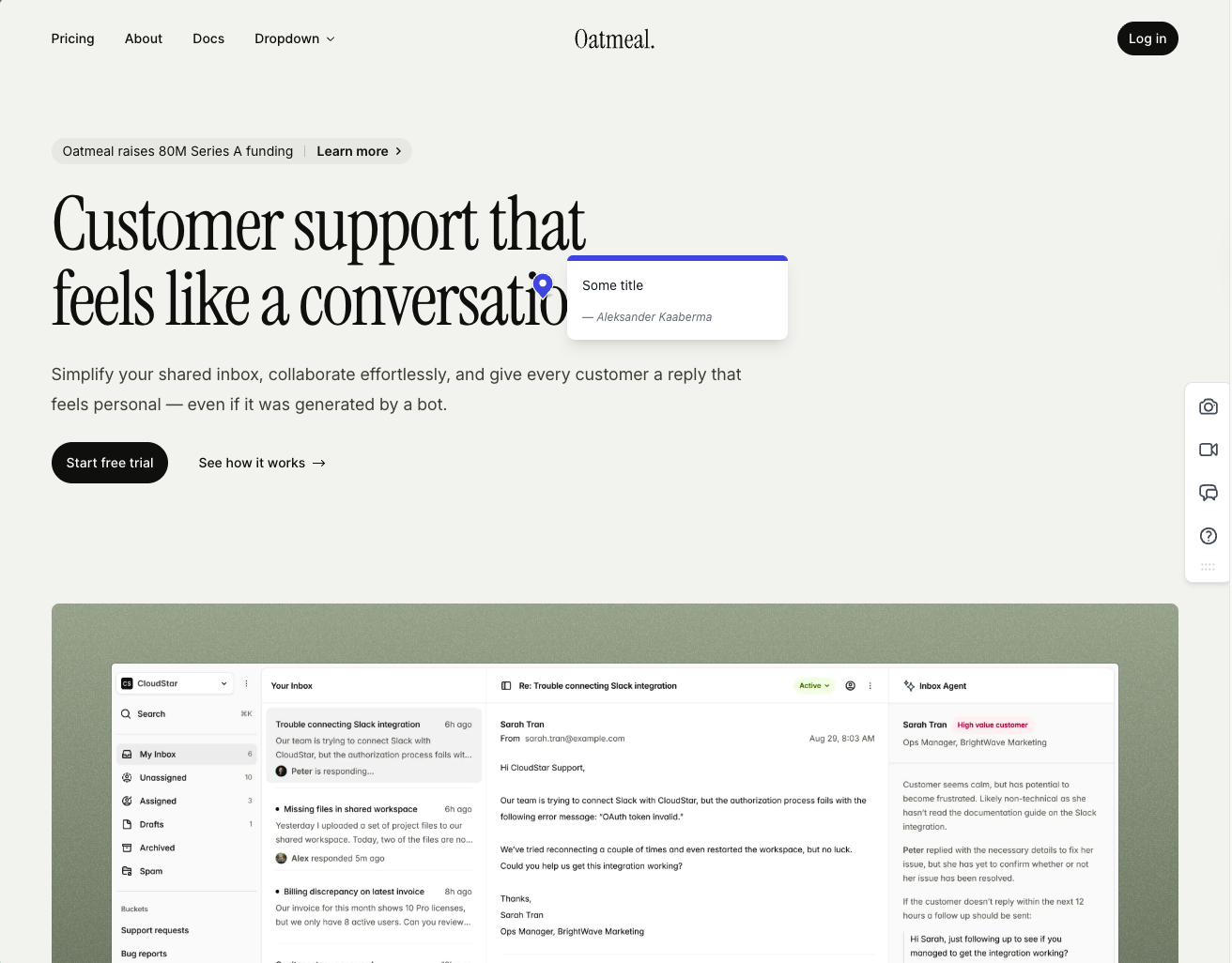
Key features:
- Script-based installation with one-click installers for WordPress, Shopify, and other major platforms
- Automatic screenshot capture, pinned exactly where the comment was placed
- Video feedback and screen recordings on every plan
- Wide integration pool covering most major PM tools
- No client signup required, guests can comment via a link
Pricing:
- Pro $39/mo (5 team members, unlimited reporters, screenshot and video feedback, integrations)
- Business $89/mo (25 team members, console logs, JavaScript API, custom branding, custom metadata, data export)
- Enterprise $259/mo (dedicated success manager, priority support, pay by invoice, SSO coming soon)
- 20% discount on yearly billing
- 14-day free trial, no credit card required
Pros:
- Clients don't need to sign up to leave feedback
- Screenshots are accurate, pinned to the right spot, and generated quickly
- Wide integration pool with pretty much every PM tool you'd want
- One-click installers for WordPress, Shopify, and other CMS platforms
- 14-day trial with no credit card asked up front
- Fair price for the feature set
- Developed in EU
Cons:
- Title field is mandatory by default on every comment (can be turned off, but it is on out of the box)
- Native dashboard is limited: filter by tags and page only, no priority or ordering
- Built around piping feedback into a PM tool, not as a standalone home for triaging
- Customization options are light unless you upgrade to Business
- WordPress plugin is a pure script installer with no member or settings management inside WP
Reviews:
Public reviews lean strongly positive and match what we saw in testing. Users consistently call out two things: the no-signup flow for clients, and how reliable the tool feels day-to-day. The "bug-free" experience comes up a lot, which is rarer in this category than you'd expect. Integration depth is the other recurring praise — teams that already live in Jira, Trello, or Asana describe Feedbucket as the missing layer between their site and their tracker. The criticism is light and tends to focus on the same nitpicks we ran into: the thin dashboard, and the lack of customization on lower tiers.
SureFeedback#
Built for: Freelancers · Agencies (force-fit, see review)
Best for: Simple feedback collection. Ships CSS that visibly breaks the host page, lacks integrations, only offers yearly pricing, and carries a rocky history — though the team is making progress.
SureFeedback has the most complicated backstory on this list. It started as ProjectHuddle, built up a strong following in the WordPress ecosystem, and was acquired by Brainstorm Force a few years back. The user reviews tell the tool worked great pre-acquisition, then bugs crept in and support went quiet.
The team has since moved away from the WordPress-first model. The new product is a script-based tool, and the WordPress plugin (now called SureFeedback Cloud) is just a script installer in the same vein as Feedbucket or Markup.io — not a full WordPress-native feedback tool like Simple Commenter offers.
Installation is script-based, which we consider the most flexible loading method, and the dashboard walks you through it cleanly. The catch came during testing: the script altered our test page in a way we have not seen from any other tool in this list. The header rendered smaller than it should have, and dark/light mode behavior broke. Comment creation itself worked, but a feedback widget that visibly changes the page it embeds on is a hard problem for client review work where the whole point is to show the design as it actually looks.
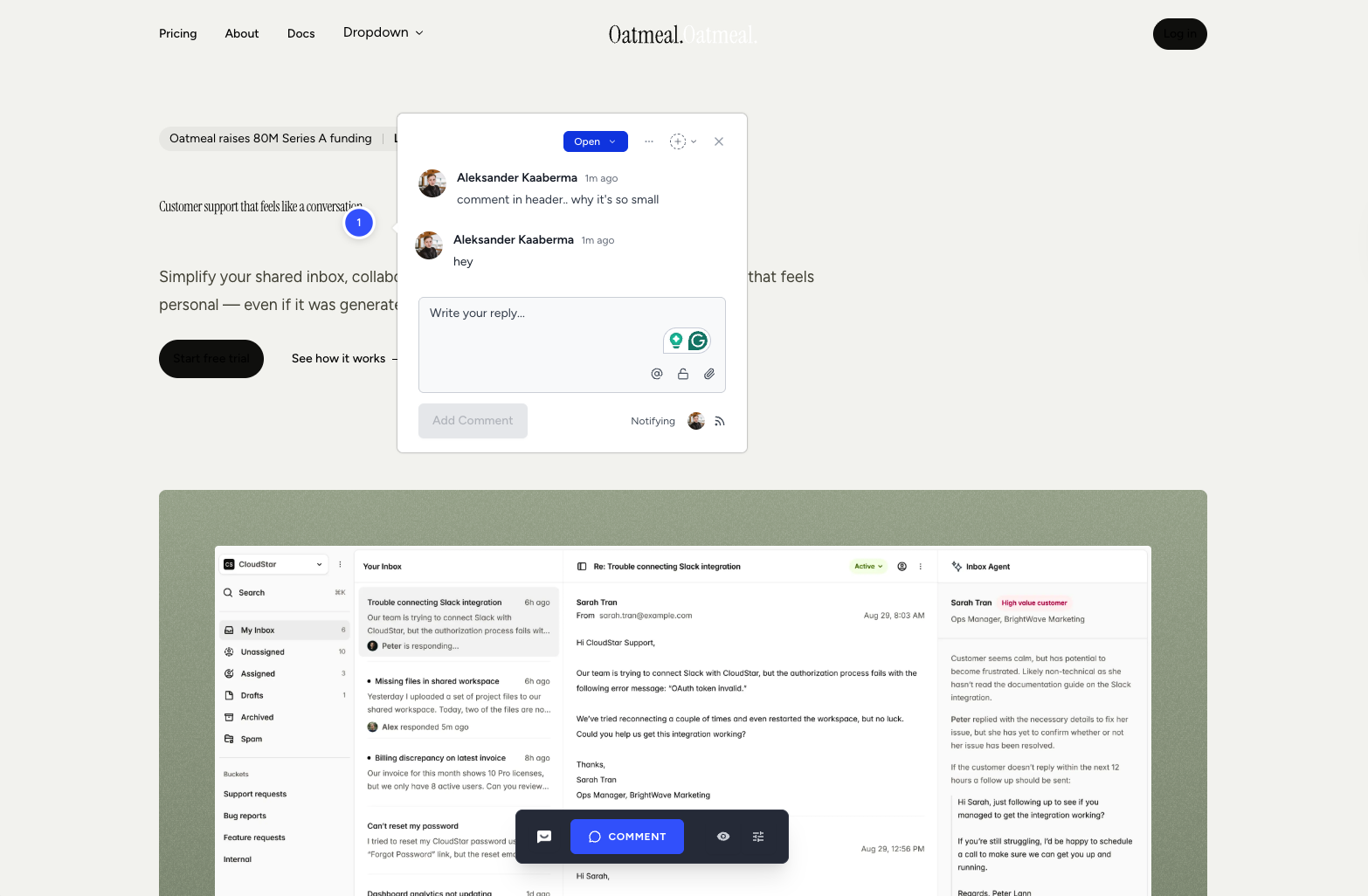
The WordPress side is where the transition shows. There are two plugins in the WordPress directory. The old one has 6,000+ downloads and a 4.0 rating. The new "SureFeedback Cloud" plugin has 20+ downloads. The dashboard now points you exclusively at the cloud plugin, and we could not get the legacy plugin to connect at all. The cloud plugin installs with a bit of struggle but we managed to get it working, but the widget will not load until you paste in an access link copied from the SureFeedback dashboard, which is not signposted in the WordPress flow. We chalked that up to usability rather than a real bug, but it is the kind of papercut that sends a non-technical client back to email, and loads the wordpress plugin pretty useless.
Integrations is the part that should give every shortlister pause. Every integration on the marketing site, including Ottokit, ZipWP, and the rest, is listed as "Coming Soon." For a tool charging $199 to $699 in year one and renewing at $299 to $999, shipping zero integrations is a tough comparison against the rest of this list at the same price point.
Pricing deserves a separate note because the marketing leans on a first-year discount that resets sharply on renewal. Starter is $199 the first year and $299 every year after. Business is $699 first year, $999 on renewal. The struck-through monthly numbers ($25, $42, $84) are anchoring rather than an offer you can actually buy: the plans are annual-only and the renewal price is roughly 50% higher than the first-year hook. Plans cap on sites and "mockups" rather than seats, which is a different shape from most tools on this list.
The honest read on SureFeedback today is this: the original ProjectHuddle product earned trust years ago, the acquisition broke a lot of that trust, and the cloud relaunch is the team trying to start over. The new plugin works and comments save — but the script alters your own designs and causes visible bugs on the very page you're collecting feedback on. Combined with the integration drought and the WordPress directory split between an abandoned plugin and a brand-new one with no track record, it adds up to a tool worth waiting on rather than committing to right now.
Key features:
- Script-based installation with a WordPress plugin (cloud version)
- Page approval workflow
- Workspaces and team member roles (up to 100 workspaces, 200 members)
Pricing:
- Starter $199 first year / $299 renewal (5 sites, 5 mockups)
- Professional $349 first year / $499 renewal (20 sites, 20 mockups)
- Business $699 first year / $999 renewal (unlimited sites and mockups)
- Annual billing only despite struck-through monthly prices on the marketing page
- 7-day money-back guarantee
- Self-hosted plans available separately
Pros:
- Script install with a one-click WordPress installer
- Lower first-year price than most tools on this list
- Generous limits on team members and workspaces
Cons:
- Script visibly altered our test page (smaller header, broken dark/light mode), unique to this tool in our testing
- No automatic screenshot capture, while most tools in this category ship it as a default
- Every integration on the marketing site is listed as "Coming Soon" — integrations today
- Two competing WordPress plugins (the old one with 6,000+ installs, the new cloud plugin with 20+) creates real onboarding confusion
- Legacy WordPress plugin would not connect at all in our testing
- Cloud WordPress plugin only loads after you paste an access link from the SureFeedback dashboard, which is not surfaced in the WP flow
- Renewal pricing is roughly 50% higher than the first-year hook, anchored against monthly prices that are not actually offered
- New product in its current form after the rebrand from ProjectHuddle, with no track record yet
Reviews:
Reviews are the messiest part of evaluating SureFeedback, because the public reviews you'll find are almost entirely tied to the old plugin, not the cloud product. The WordPress directory shows a 4 out of 5 average across 39 reviews on the legacy plugin, but the breakdown is bimodal: 29 five-star reviews from the ProjectHuddle era, then a tail of 9 one-star reviews from the years after the acquisition. Recent titles include "There's no support!", "Used to work fine – now it's soooo bad", and "Like others said – used to be good. Now it's terrible!" The pattern is consistent: praise for the original product, frustration with what happened once Brainstorm Force took over.
The new SureFeedback Cloud plugin has fewer than 30 installs at the time of writing, and not enough reviews to draw any conclusion from. The honest read: the negative reviews you'll find are about a product that no longer exists in the same form, and the new cloud product has not been in the wild long enough to have an honest review base. Tread carefully and assume you will be one of the early testers.
BugSmash#
Built for: Freelancers · Agencies
Best for: Solo creators and small teams reviewing design assets, PDFs, and websites in one place. A weak fit for live-site review on authenticated or interactive web apps.
BugSmash is one of the newer entrants on this list, launched in 2025, and despite the name overlap with BugHerd it is a different category of tool entirely. It sits much closer to Pastel, Markup.io, and Ruttl: an iframe-style review tool where reviewers comment on a BugSmash-hosted snapshot of your asset, not on your live website.
The iframe model has the trade-offs we have covered across the other reviews. Static marketing pages and design files load fine. Sites behind Basic Auth, pages that refuse to render in an iframe, and complex authenticated SaaS apps will not. Mobile feedback happens through a desktop-emulated viewport, which behaves differently from a real phone. If your review work is mostly static pages and design files, the iframe is fine. If it is a real product, expect to bump into walls.
What sets BugSmash apart in this group is its scope. It is not just a website feedback tool. You can pin comments on websites, design files, PDFs, images, videos, audio, and mobile app screens, all from the same dashboard. The Figma plugin is the standout: export design frames directly from Figma into a BugSmash project, no manual screenshot juggling. None of the iframe-style competitors on this list ship a Figma plugin.
The friction that shows up in testing is account-gated commenting. The hosted iframe URL can be public, but anyone who wants to leave a comment has to sign up first. That breaks one of the patterns clients quietly love about tools in the Pastel and Markup category — drop a link, leave a note. With BugSmash, the link drop comes with a "create an account" wall. Script-based tools like Feedbucket and Simple Commenter take this even further: share a preview link to your actual site and the reviewer never has to know a feedback tool is involved at all.
If you are weighing Markup.io, Pastel, or Ruttl for design and asset review, BugSmash is worth a look. Same iframe model, broader asset support, the only Figma plugin in the bunch, and a free tier that actually works.
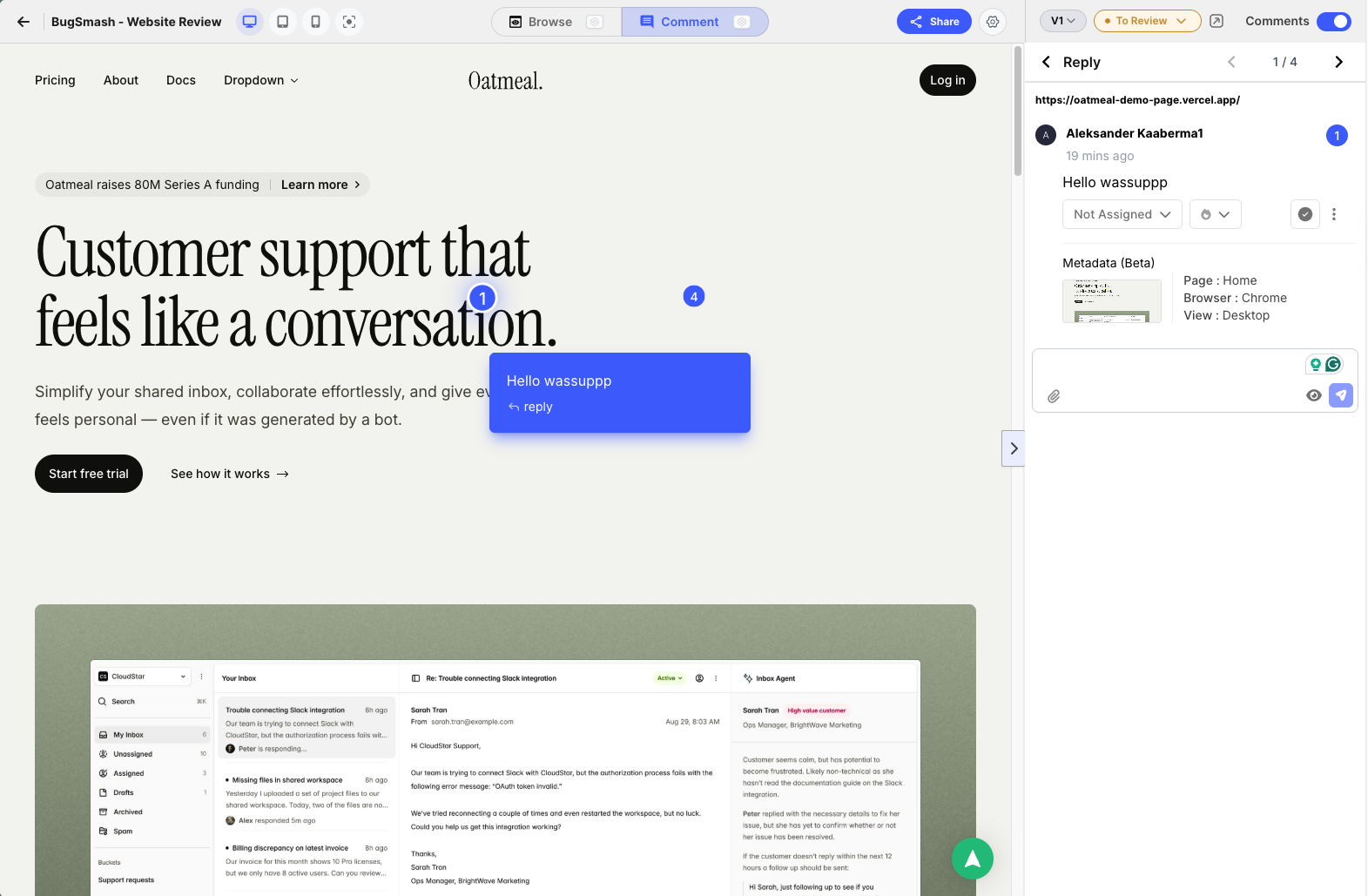
Key features:
- Iframe-based feedback on websites, plus dedicated commenting on PDFs, images, videos, audio, and mobile app screens
- Figma plugin to export design frames directly into BugSmash projects
- Automatic screenshot on every comment
- AI review summaries (limit varies by plan)
- Slack and ClickUp integrations on Starter; full integration list on Team
Pricing:
- Free $0/mo (2 projects, 2 members, unlimited guest reviewers, 5 GB storage, 2 AI reviews)
- Starter $19/mo (50 projects, 2 members and 5 external collaborators, 50 GB storage, 20 AI reviews/month, Slack and ClickUp)
- Team $59/mo (unlimited projects, members, and collaborators, 300 GB storage, unlimited AI reviews, custom branding with subdomain/name/logo, all integrations)
- Enterprise $299/mo (multiple workspaces, 1 TB storage, custom domain, API access, SSO)
- 30% off on annual billing
- 7-day free trial on paid plans
Pros:
- Broader asset support than any other iframe tool on this list (web, PDF, image, video, audio, mobile app)
- Figma plugin is unique among iframe-style competitors
- Free tier is genuinely usable, not a trial-in-disguise
- Automatic screenshot on every comment
- Custom branding on the Team tier without an enterprise upgrade
Cons:
- Iframe-only commenting: reviewers leave feedback on a BugSmash-hosted snapshot, not your live site
- Anyone leaving a comment has to sign up — no anonymous guest commenting
- Sites behind Basic Auth and pages that refuse to load in iframes are out of scope
- No real-device mobile feedback, only desktop-emulated viewports
- Slim integration list on lower tiers (Slack and ClickUp on Starter; full list locked to Team)
- AI review limits on every tier below Team
- Small public review base outside of AppSumo
Reviews:
The bulk of public reviews live on AppSumo, where BugSmash ran a lifetime-deal campaign during launch. Reviewers consistently frame it as a strong alternative to Markup.io and Pastel, and praise the support team for fixing reported bugs within a day or two — a contrast they explicitly draw against the larger incumbents in the category. One representative quote: "It's new, so there may still be a few bugs to squash, but when I've found one I reported it and it got fixed within a day or two, which is more than I can say for the larger companies that BugSmash competes against."
The honest caveat is that a full assessment will have to wait until subscriber reviews start showing up on G2 or Capterra. AppSumo reviewers paid a one-time lifetime fee, not the current $19 to $59 monthly subscription, so the price-to-value math in their reviews does not translate to teams signing up today. For starters though, BugSmash looks promising — the product itself, the responsiveness of the team, and the early sentiment all point in the right direction.
Huddlekit#
Built for: Agencies · Freelancers
Best for: Agencies and freelancers reviewing WordPress, Squarespace, and Webflow sites. A weak fit for SaaS apps or teams with stricter security needs.
Huddlekit launched in 2025 and the team has been shipping fast. Installation is one of the smoothest we tested. The iframe loaded cleanly, we were up and running in minutes, and we ran into very few bugs across testing. For a tool this new, that level of polish stands out.
The standout feature is the four-screen responsive canvas. Huddlekit lets you see a project at mobile, tablet, laptop, and desktop sizes side by side, all in one view. None of the other iframe tools on this list ship anything close. For agencies working on marketing websites, where mobile-responsive testing is genuinely critical, this is a real differentiator. You catch a misaligned hero on mobile and a stretched headline on desktop in the same review pass, without bouncing between viewports.
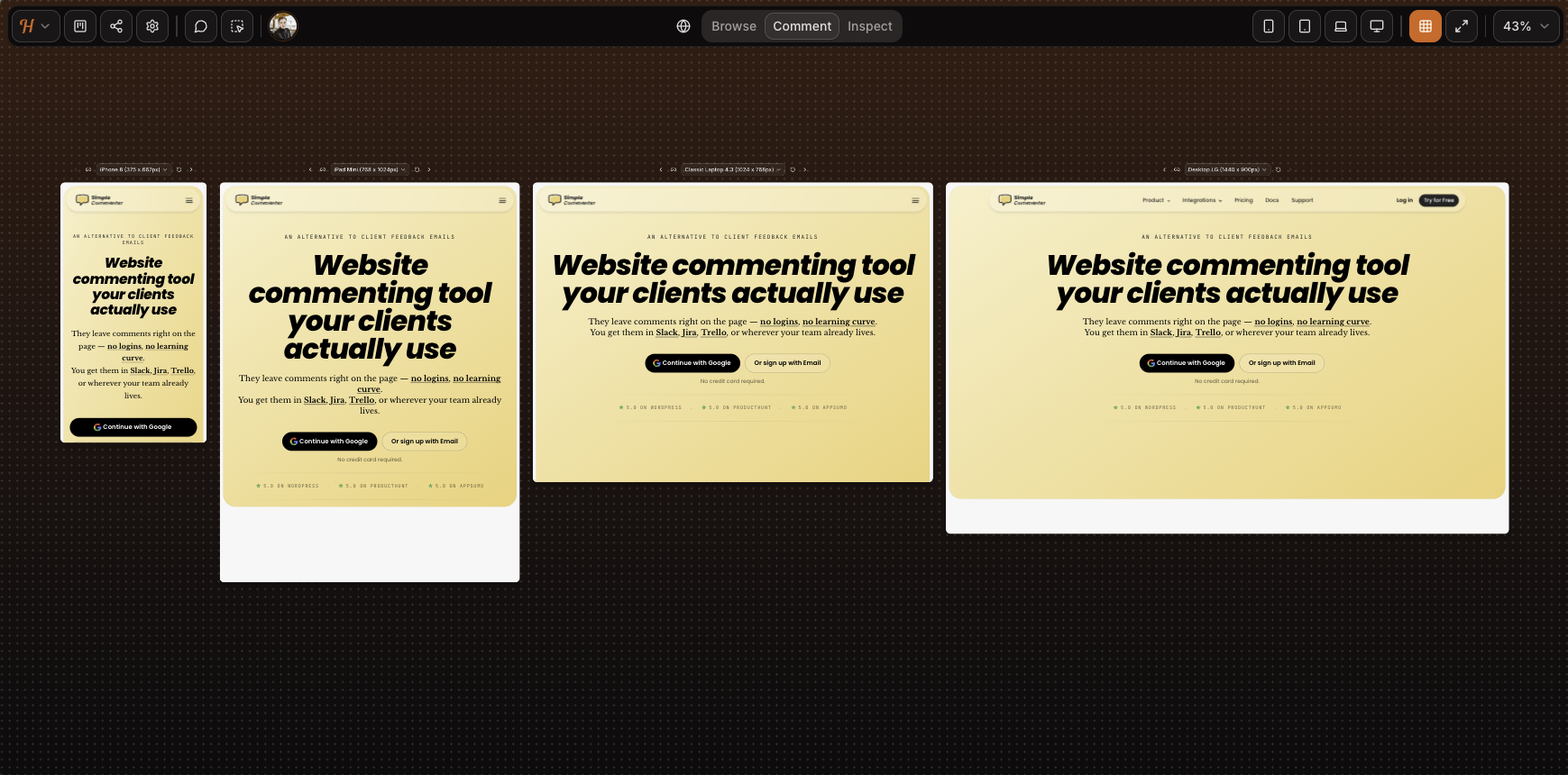
The iframe trade-offs we have covered across the rest of this list still apply. Mobile feedback runs through a desktop-emulated viewport rather than a real device — as you can see from the screenshot, the SVG animation on our homepage is missing entirely. Complex authenticated apps will not load inside the canvas, and although iframe tools can sometimes be configured to get past Basic Auth, Huddlekit does not support that flow yet. Our test page behind auth would not load. If you are reviewing a marketing site or a CMS-built page on WordPress, Squarespace, or Webflow, the iframe is fine. For a SaaS product or anything authenticated, expect the friction.
Script loading is the second install path, currently in beta. On our test pages it worked really well — setup was clean, every comment got an automatic screenshot, and crucially, the screenshot was captured from the actual spot the comment was placed (a real gap on tools like Markup, where it can land on the wrong part of the page). It is close to ready to come out of beta. The remaining rough edges show up on more complex elements like dropdowns and drawers.
Sharing is straightforward on either install path. The iframe gives you a public link; the script flow on a live site is parameter-only. Neither path adds login-gated access, so anyone with the link can open the project and read existing feedback. Leaving a comment is the only gated step, and Huddlekit asks for a name and email rather than a full account. Lightweight, but not anonymous.
Email-based auto-association also means anyone who knows a team email can comment as that member. For freelancers and small agencies, that is a fine simplicity-for-security trade. For larger corporations that need login-gated access, audit trails, or control over who can see feedback at all, it falls short. The pricing tiers capping at 15 team members signal enterprise is not the target.
The integration story is the other gap. There are no integrations live yet. The marketing leans into this positioning, pitching explicitly against a "screenshot-and-Slack workflow." The kanban board doubles down on the same idea: Huddlekit is trying to be your PM tool, not pipe into one. That works for teams with no existing tracker. Most agencies and larger companies already live in Jira, Trello, or ClickUp, and managing feedback in a second tool with no two-way sync is a real ask.
There is no white-labeling on any tier. Every comment, shared link, and dashboard view carries the Huddlekit logo, which is a real consideration for agencies handing work to clients under their own branding.
Key features:
- Iframe-based feedback with script loading in beta
- Four-screen responsive view (mobile, tablet, laptop, desktop side by side)
- Media commenting (images, PDFs, video) alongside web pages
- Automatic screenshot on every comment
- Kanban board, comment pausing, private comments, inspect mode on every paid tier
- Public-mode widget loading for live-site feedback
- Forever free tier suited to solo work
Pricing:
- Free tier (3 team members, 1 project, 100 MB storage, 2 MB image/PDF, 10 MB video), suited for solo and side projects
- Pro $19/mo, $190/year (3 team members, unlimited projects, unlimited guests, 5 GB storage, unlimited custom tags, 50 MB image/PDF, 500 MB video)
- Team $39/mo, $390/year (15 team members, unlimited projects, unlimited guests, 50 GB storage, unlimited custom tags, 250 MB image/PDF, 2 GB video)
- Two months free on yearly billing
Pros:
- Smooth installation and a polished feel for a tool this new, with very few bugs in our testing
- Four-screen responsive view (mobile, tablet, laptop, desktop side by side) is unique to Huddlekit in this category
- Script loading works well even in beta, with screenshots captured from the correct spot — better than several incumbents we tested
- Forever free tier, genuinely usable for solo work
- Public-mode widget is a clean fit for live-site feedback collection
- Automatic screenshot on every comment
- Kanban, comment pausing, private comments, and inspect mode included from Pro
- Active development cadence
- Simple sharing on either install path
Cons:
- Iframe model breaks on Basic Auth, authenticated SaaS, and pages that refuse to render in iframes
- Mobile feedback is desktop-emulated, not real-device
- Anyone with the link can open the project and read existing feedback — no view-level access control, gating only kicks in when leaving a comment
- Every comment requires a name and email, so there is no fully anonymous flow
- No integrations
- No white-label or custom branding on any tier
- Security model is not a fit for enterprise compliance needs
- No third-party reviews on G2, Capterra, or Product Hunt yet to verify the tool's rating
Reviews:
The Huddlekit site shows a 5/5 rating, but we could not find any third-party reviews on G2, Capterra, or Product Hunt to triangulate against. The on-page testimonials line up with what we saw in testing: a clean iframe experience, fast iteration, and a viable alternative to Markup.io, Pastel, and Ruttl for asset review on simple sites.
Same caveat as BugSmash applies — a full assessment has to wait until subscriber reviews land on G2 or Capterra. For starters though, Huddlekit looks promising: the same iframe feature set as the incumbents, an active development cadence, and a script-loading path that already outperforms several of them in our testing. The beta label is not a reason to hold off. It is already good enough to lean on, which puts Huddlekit in the more versatile install category we recommend.
Ybug#
Built for: QA teams · In-house product teams · SaaS teams
Best for: Internal QA and product teams that want a screenshot-to-ticket workflow with strong debugging data and EU data residency.
Ybug installs via a script snippet or a Chrome browser extension. Both are first-class, so reviewers can either visit a site you've added the script to, or install the extension and capture feedback on any page they have access to. Onboarding is fast and the widget is customizable per project — you decide which fields appear on each report. Permissions are granular at the project level, which is genuinely useful when you want to separate clients, environments, or testing pools.
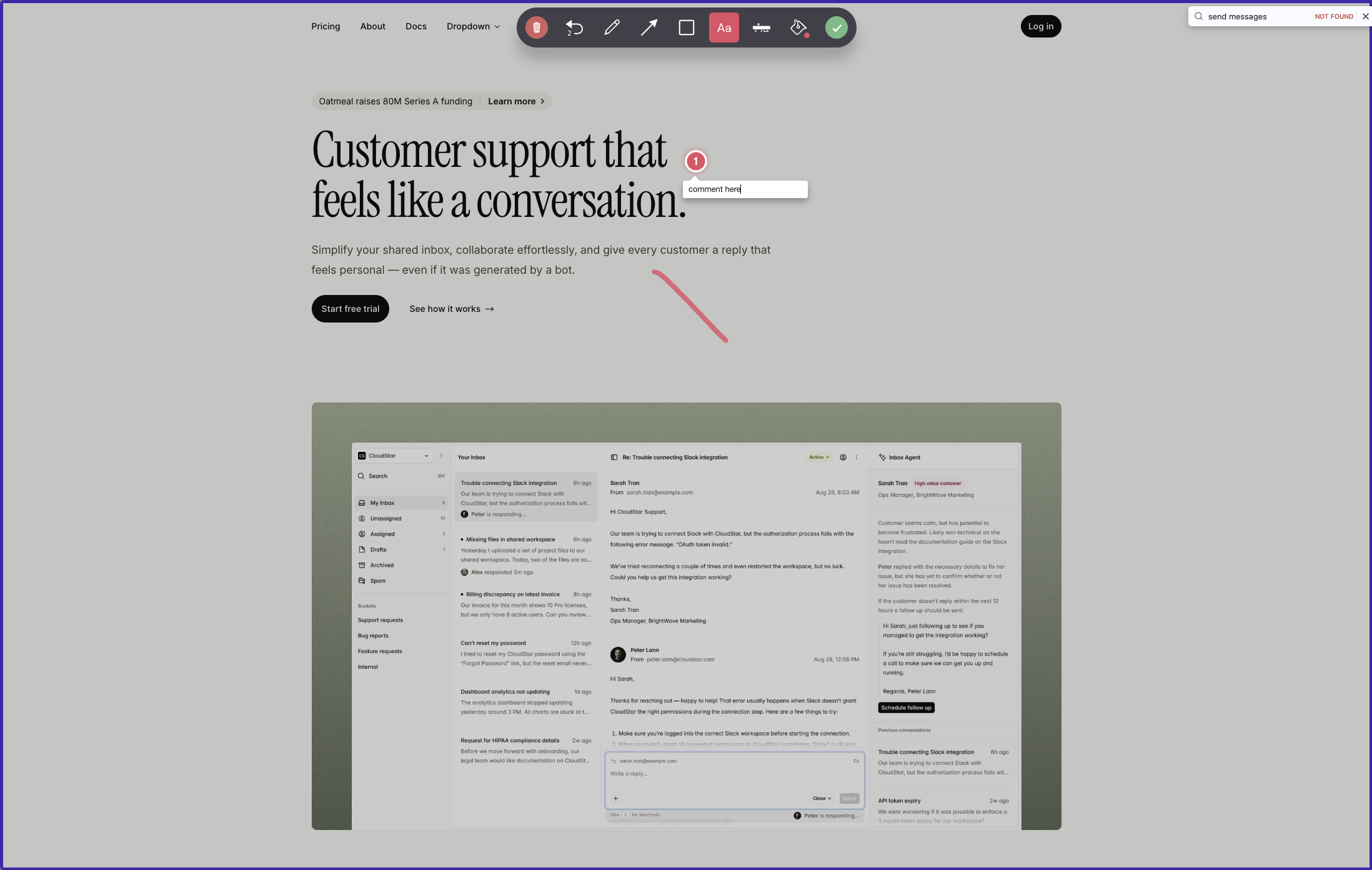
The thing to understand about Ybug is the interaction model. You open the widget and choose between sending feedback about the entire page or capturing a screenshot. If you take the screenshot route, you can draw on it, annotate it, and pin comments to specific spots — but on the screenshot itself, not on the live page. Submit, and the whole package becomes a ticket in Ybug's dashboard or, more often, in whatever PM tool you have connected. The visual-conversation experience that BugHerd or Simple Commenter offer — pins anchored to live elements that other reviewers see when they visit the page — is not what Ybug does. Comments live on captured screenshots, not on the page itself.
Where Ybug earns its keep is the data attached to those tickets. Every report comes with annotated screenshots and automatic browser, OS, and screen-size metadata. Paid plans add JS console capture and error logs out of the box. The Startup tier and above add video recording, file attachments, and feedback replies, which closes most of the gap with heavier tools. Hosting is EU-based with a GDPR-ready DPA on every plan — a real selling point for European teams or anyone with a compliance officer asking pointed questions.
The integrations catalog is one of the broadest on this list — 25+ destinations covering project management, communication, customer support, and developer tools, plus Zapier and a generic webhook. The catch is that the sync is push-only. Feedback flows out to your PM tool, and from that moment on the two systems are disconnected. Status changes, comments, and assignments made in Jira or ClickUp never make it back to Ybug. Teams end up living in two places: Ybug for the capture, the PM tool for everything else.
Collaboration is the other friction point. To see reports or join a discussion, every team member and stakeholder needs a Ybug account and has to switch into the Ybug dashboard. Because reports do not surface on the live page, a marketer reviewing the homepage cannot see that three colleagues have already flagged the same broken link. Duplicate reports are a normal outcome.
Pricing is honest and the free tier is genuinely usable for solo testing. The jumps between tiers are steep though, because seats and projects are bundled together. Need an eighth project? You are moving from Startup at €23/mo to Company at €47/mo, even if your team has not grown. Custom branding is locked to the Company plan and the white-label option is still listed as "coming soon" — so for now, your reviewers see Ybug branding regardless of what you pay.
Key features:
- Script tag and Chrome browser extension install options
- Whole-page feedback or screenshot capture with on-image drawing, annotation, and pinned comments
- Customizable widget fields per project
- Granular project-level permissions
- JS console recording and automatic browser, OS, and screen-size metadata (paid tiers)
- Video recording and file attachments (Startup and above)
- 25+ one-way integrations covering PM, communication, support, dev tools, plus Zapier and webhooks
- EU-hosted with GDPR-ready DPA on every plan
Pricing:
- Free €0/mo (1 project, 1 member, 50 screenshots)
- Basic €10/mo billed annually or €13/mo monthly (3 projects, 3 members, integrations limited to one per project)
- Startup €23/mo billed annually or €29/mo monthly (7 projects, 7 members, full integrations, video, file attachments, replies)
- Company €47/mo billed annually or €59/mo monthly (15 projects, 15 members, REST API, custom fields, custom branding)
- 10-day free trial, no credit card required
Pros:
- Broad integration catalog (PM tools, support tools, communication, Zapier, webhooks)
- Strong debugging data: annotated screenshots, console logs, environment metadata
- Granular project permissions for separating clients or environments
- EU hosting and GDPR-ready DPA on every plan, including Free
- Support team consistently praised in reviews for sub-day response times
Cons:
- Comments are pinned to captured screenshots, not to live page elements — reviewers visiting the page later cannot see existing feedback
- Reviewers and team members must create a Ybug account to see or reply to feedback
- One-way integrations only — no two-way sync from your PM tool back to Ybug
- Custom branding is locked to the Company plan; white-label is still "coming soon"
- Tier jumps are steep because seats and projects are bundled together
Reviews:
Ybug has strong ratings on G2, with reviewers consistently highlighting how easy it is for non-technical reporters to file useful bug reports. Annotated screenshots, automatic environment data, and console logs are the standout features mentioned, especially for QA and UAT workflows. The support team gets called out often for fast turnaround, with multiple reviewers noting response times under one business day. The most common complaint matches what we hit in testing: reviewers and stakeholders need a Ybug account to see anything, which adds friction in client-facing or cross-team review work. For an internal QA team in a product org that already lives in a PM tool — and is happy treating Ybug as a screenshot-to-ticket pipeline — it is well-rated. For teams that want a visual conversation pinned on the live page, this is a different shape of product.
Ruttl#
Built for: Freelancers (force-fit, see review)
Best for: Small teams or solo creators using the free tier.
Signup is easy and the free tier gets you going fast. The catch is that the free tier is iframe-only, meaning feedback lives inside Ruttl's own tool, not on your live site. It is the same approach Markup.io, Pastel & Volley uses: fine for a one-off review, but reviewers open a Ruttl link instead of your actual site, and guest access is limited.
To test script loading, which is the feature most people actually want, you have to pay first. There is no trial of the script feature. You commit financially before you can verify the tool works on your own site.
Writer's warning... I have to tell you what happened while writing this one. To include Ruttl in this post, I had to pay for two seats at $18 each, because there is no free way to test the script integration. That is $36 just to confirm whether the core feature works. For comparison, Simple Commenter (our tool, fair disclosure) is $34/mo for 10 seats.
The price is not even the real problem. Katelyn Dekle warned about this in her post mentioning Ruttl, which I unfortunately read only after I had already handed over my credit card...
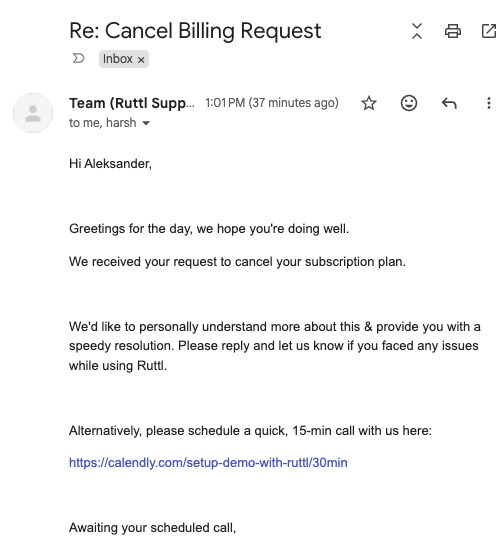
Additionally when trying to cancel via email, they want to have a meeting with me instead, not cancel.. EU Consumer Rights Directive 2011/83/EU anyone?
Billing runs on Stripe, but Ruttl does not expose a customer portal, so there is no self-serve way to cancel. This bad practise is done on purpose.
I'm a competitor who tested Ruttl. Wasn't planning on a refund. But the trouble they gave me cancelling made me ask for one too. It's my legal right (14-day EU withdrawal). They refused. Where's my lawyers?
So I paid, tested it, and the main feature did not work. Just know what you are walking into.
Key features:
- Free iframe-style feedback (no install required)
Pricing:
- Free tier: iframe feedback only, no script integration
- Paid: $18 per seat per month (two seats minimum in practice, so $36/mo floor)
- Cancellation by email only, no Stripe portal
Pros:
- Easy signup and free iframe flow
Cons:
- You cannot test the script integration without paying
- Core paid features were broken in our test (screenshot capture threw errors, every ticket bounced)
- $18 per seat is steep for what is on offer
- No cancellation UI; cancel by email even though Stripe handles billing
- Multiple public reports of continued charges after cancellation and account lockouts
Reviews:
Recent reviews say support has gone quiet and the product has become buggy. Users still like how easy it is for guests to leave feedback without signing up, and the all-in-one kanban appeals to small teams that do not want to wire up Jira or Trello separately. But the trend line is not good. Combine the broken paid flow, the $18 seat minimum, and the third-party horror stories, and this is the one tool on the list I actively cannot recommend.
Considering a switch from Ruttl? The best Ruttl alternatives guide covers where it falls short and what to use instead.
How all 15 platforms compare#
Here is how the tools stack up at a glance. A quick reference to help you narrow your shortlist before reading the segment recommendations below.
Low-friction client review, no client signup:
- Simple Commenter: Script and WordPress plugin. No client signup. Native WP admin for comments, members, and settings. Deepest WordPress story on the list.
- Feedbucket: Script with one-click WP and Shopify installers. No client signup. Strong integration pool. Dashboard is thin if you want a standalone home for triage.
- Markup.io: Hosted review plus Chrome extension. Pro starts at $79/mo for 50 MarkUps per month and unlimited users; a 14-day trial is advertised.
Bug reporting between the site and PM tool:
- Marker.io: Screenshot reporting with debugging tools on eligible plans. Offers account-free reporting and separate guest collaboration.
- Userback: Integration catalog, kanban and inbox, with feedback replay on Business and above. Business plans include unlimited seats.
- Ybug: Annotated screenshots, console logs, EU hosting with GDPR-ready DPA. One-way integrations only.
- Volley: Single $29/mo plan, but comments cannot be viewed on the page — dashboard-only. Lands awkwardly between the script and bug-tracker categories.
Iframe / canvas-based asset and static-site review:
- Huddlekit: Four-viewport responsive view (mobile, tablet, laptop, desktop side by side). Forever free tier. Polished for a tool this new. No integrations yet.
- BugSmash: The broadest asset support on the list (web, PDF, image, video, audio, mobile). Only iframe tool with a Figma plugin. Sign-up required to leave a comment.
- Markup.io: Hosted review plus Chrome extension. Compare monthly MarkUp allowances as well as unlimited user access.
- Pastel: Mature canvas tool, around since 2016. Solid for static design deliverables. No real-device mobile feedback, integrations locked to the $119/mo Team tier.
- Ruttl: Free iframe flow. Cannot test the script integration without paying. See the writer's warning in the Ruttl review above.
WordPress-deep native integration:
- Simple Commenter: The only tool on this list with full in-WP management of comments, members, and settings. Every other "WordPress" plugin on the list (Feedbucket, Userback, Marker.io, BugHerd, SureFeedback) is a script installer with no in-WP dashboard.
Hard to recommend right now:
- SureFeedback: Script visibly altered the host page in our testing. Every integration on the marketing site is "Coming Soon."
- Ruttl: Broken paid flow in our test, and the cancellation experience is worse than the bugs.
The pattern is clear. Most tools are either client-friendly script widgets or developer-friendly bug trackers. Few combine both. Simple Commenter sits in the first bucket with a deep WordPress story bolted on, plus login-gated, real-time-visible comments that work for SaaS teams who need an internal feedback layer behind their own auth.
How to choose the right tool for you#
Three questions narrow the list fast:
- What am I reviewing? A live website, a staging environment behind auth, or design assets like PDFs and Figma frames?
- Who is the reviewer? A paying client, an internal QA tester, an anonymous visitor on a public site, or an employee inside your SaaS app?
- What stack are they on? WordPress, custom React, Webflow, Shopify, or something else entirely?
Here is how we'd narrow the list by segment.
Best for agencies#
Agencies need three things: low client friction (no login, no install), feedback that ends up in the PM tool you already use, and pricing that doesn't punish you for adding new clients. Three tools fit, depending on the kind of work you do:
- Static design and marketing-site review: Huddlekit ($19/mo Pro, four-viewport responsive view, cheaper than Markup.io at $79/mo or Pastel at $35/mo Pro)
- Script widget that pipes feedback into Jira, Trello, or Asana: Feedbucket ($39/mo Pro for 5 members, no client signup, one-click WordPress and Shopify installers)
- Agencies that ship WordPress sites: Simple Commenter ($34/mo Agency for 10 seats, no client signup, native WP plugin manages comments, members, and settings inside WP admin)
Best for QA teams#
Internal QA is a different problem than client review. The reviewers are your own testers, developers, and project managers — already on your team, already logged in, already familiar with Jira or Linear. The tool's job is to capture as much technical context as possible on every report — screenshots, console logs, browser metadata — pipe it into the tracker your devs already live in, and give the team a triage board to work through. Three tools fit:
- Auto-screenshots and a kanban board out of the box: BugHerd ($50/mo Standard for 5 members, $150/mo Premium for 25, technical metadata on every comment, two-way Jira, Linear, Asana, ClickUp, and Monday sync on Premium and above — the hub-login that hurts agency work is a non-issue when everyone leaving feedback is already on your team)
- Richest debugging metadata in the category: Marker.io ($39/mo Starter, $149/mo Team, browser context and developer tools on eligible plans, integrations-first onboarding with two-way sync to most major PM tools)
- EU data residency and GDPR-ready DPA on every plan: Ybug (annotated screenshots, console logs, granular project-level permissions — the right pick for European QA teams with compliance requirements)
- Combined QA and client review in one tool, GDPR-compliant: Simple Commenter ($34.99/mo Agency for 10 seats, $149.99/mo Business with SSO — on-page real-time threads so duplicate reports do not pile up, integrations with Jira, Linear, Asana, ClickUp, Slack, and webhooks, and the same tool covers external client review without running two platforms)
Best for freelancers and solo creators#
Solo creators and freelancers reviewing simple marketing sites — Webflow, Squarespace, WordPress — rarely need login-gated access, deep integrations, or enterprise security. What they need is a free or cheap entry point, a polished iframe that works without explanation, and a workflow they can drop into a client conversation in minutes. Three tools fit, with different strengths:
- Four-viewport responsive view, unique in the category: Huddlekit (forever free tier, $19/mo Pro for 3 team members, iframe with script loading in beta — see mobile, tablet, laptop, and desktop side by side in one canvas, the only tool on this list with that view)
- Mature canvas tool for static design deliverables: Pastel (Free Forever with 1 canvas and a 72-hour commenting window, $35/mo Pro for 2 users — around since 2016, polished UI, asset feedback on images and PDFs, integrations locked to the $119/mo Team tier)
- Broadest asset support and the only Figma plugin: BugSmash ($0 Free tier with 2 projects and 5 GB storage, $19/mo Starter — comment on websites, PDFs, images, videos, audio, and mobile-app screens from one dashboard, plus a Figma plugin none of the iframe-style competitors ship)
The shared trade-off across all three is the iframe model. Reviewers comment on a hosted snapshot, not your live site. Mobile feedback runs through a desktop-emulated viewport rather than a real phone, sites behind Basic Auth and authenticated SaaS apps will not load, and BugSmash specifically requires reviewers to sign up before they can leave a comment. For static marketing pages and design files those limits rarely bite. For freelance developers shipping authenticated apps, an iframe tool will hit a wall — switch to a script-based pick like Simple Commenter or Feedbucket instead.
Best for SaaS#
Inside a SaaS team the people leaving feedback are usually deeply involved with the product itself — product managers, designers, QA testers, support agents shipping the same app. They are not bug reporters filing tickets into a queue; they are colleagues having a conversation about a button, a copy line, or an empty state. The right tool lets them comment on the page, see what others have already flagged, and reply in real time without leaving the product.
- On-page collaboration with SSO auto-login: Simple Commenter ($34.99/mo Agency for 10 seats, $149.99/mo Business with SSO, on-page real-time threads — internal reviewers are signed into the widget the moment they hit a page)
- Same on-page model with a kanban board on top: BugHerd ($50/mo Standard for 5 members, $150/mo Premium for 25, auto-screenshots and two-way Jira, Linear, and Asana sync — the hub-login that hurts client work is a non-issue when reviewers are already on your team)
- Strong PM-tool integrations and screen recording: Feedbucket ($39/mo Pro for 5 members, no client signup, automatic screenshots pinned where the comment was placed, video feedback and screen recordings on every plan, the deepest integration pool on this list)
Best for large corporate sites#
Large corporate sites have a different shape than a SaaS product. Multi-market brands, enterprise marketing properties, and e-commerce at scale tend to have hundreds of pages, a central dev team, and non-technical reviewers in regional marketing teams, support, or external partner agencies who report issues without ever talking to the engineers who fix them. The dev team needs deep debugging metadata attached to every report — console logs, network requests, browser environment — so bugs can be fixed without a back-and-forth investigation. Bug-tracker-style tools fit that pattern:
- Richest debugging metadata in the category: Marker.io ($39/mo Starter, $149/mo Team, browser context, console logs, and network requests on eligible plans, two-way Jira, Linear, and Asana sync)
- EU data residency on every plan: Ybug (annotated screenshots, console logs, GDPR-ready DPA — the right pick for European teams with compliance requirements)
- Session replay and behavioral targeting in the same tool: Userback (long integration list, kanban plus inbox, feedback replay on Business and above, unlimited seats on Business plans)
The trade-off with all three is that reviewers cannot see existing tickets on the page, so the same broken button gets reported three times by three different employees. That is acceptable when each report is destined to be its own ticket anyway, and the debugging metadata is what justifies it for these teams.
Best for WordPress → Simple Commenter#
Most "WordPress feedback tools" on this list are not really WordPress tools. They are script-loader plugins that paste a <script> tag into your site header — no in-WP dashboard, no native comment management, no member or settings control without leaving WordPress for a third-party app. There is one exception:
- True WordPress-native integration: Simple Commenter ($34.99/mo Agency, $149.99/mo Business — manage comments, replies, members, settings, and integrations entirely inside the WP admin, never leave WordPress)
The alternatives are honest about what they are — script installers with limited WordPress features. If you don't need in-WP management and just want feedback piped into the tool's own dashboard or your PM stack, these still work:
- Feedbucket: Clean one-click WordPress installer, but the plugin is purely a script loader. Comments, members, and settings live in the Feedbucket dashboard. Strong pick if you want feedback piped into Jira, Trello, or Asana and don't care about managing anything inside WordPress.
- SureFeedback: Used to be the WordPress king as ProjectHuddle, with the deepest in-WP feedback integration in the category for years. The team has since rebuilt the product as SureFeedback Cloud, which is also a script-loader plugin now without the in-WP dashboard. The script visibly altered the host page in our testing and every integration on their marketing site is currently "Coming Soon." Hard to recommend until that picture changes.
Easiest for non-technical clients#
Best feedback tool for non-technical clients#
The easiest tool is the one a non-technical client can use without a single instruction. No account, no extension, no install. Click the button, pin a comment, type a note. That is the whole flow. Three tools nail this:
- Pure no-signup, on-page click-and-comment by default: Simple Commenter ($34.99/mo Agency, $149.99/mo Business, 14-day free trial — clients drop a pin on your live site without creating an account, named threads and notifications optional through the client portal when you want them)
- Same no-signup script flow with strong PM-tool integrations: Feedbucket ($39/mo Pro for 5 members — automatic screenshots pinned exactly where the comment was placed, video feedback and screen recording on every plan, deep integration pool; small wrinkle is that comments require a title field by default)
- Polished iframe with a lightweight name-and-email gate: Huddlekit (forever free tier, $19/mo Pro for 3 team members — paste a URL and share the link, clients comment without a full account; trade-offs are that mobile is a desktop-emulated viewport rather than a real device and the iframe will not load behind authentication)
For static design and asset review specifically — PDFs, images, Figma frames — Pastel and BugSmash are the runners-up. Easy enough for non-technical reviewers, but built around hosted canvases rather than your live site, which is a different workflow.
Common mistakes when choosing a website feedback tool#
Buying for debugging depth you don't need. Marker.io, Userback, and Ybug capture console logs, network requests, session replays, and granular environment metadata. That depth is genuinely valuable for in-house product teams shipping a SaaS to thousands of customers. It is overkill for a five-page agency site where the feedback is "the headline is too long" and "the button color is wrong." Match the tool to the kind of feedback you actually receive, not the longest feature list.
Picking an iframe tool for an authenticated SaaS app. Pastel, Markup.io, BugSmash, Huddlekit, and Ruttl all load your site inside an iframe-style canvas. That works fine for marketing pages and design deliverables. It breaks on Basic Auth, on pages that refuse to render in an iframe, and on complex authenticated SaaS flows. If your stakeholders need to leave feedback inside a product that requires a login, an iframe tool is the wrong category.
Testing only as the administrator. Reporter and guest access can differ from team access. Marker.io, for example, supports account-free reporting through an open widget. Test whether a client can submit feedback, find a reply, and see the discussion they need before deciding that a login is required.
Locking in to a Chrome-extension-only tool when reviewers are non-technical. Markup.io is mostly extension-driven, Volley relies on it for parts of the flow, and Pastel uses the extension to spin up canvases. Asking a stakeholder to install a browser extension before they can leave a single comment is friction most clients will not push through. Worse, extensions only run on desktop Chrome, which kills mobile review.
Comparing only entry prices. Calculate the plan for your required projects, collaborators, storage, and capture features. Userback's Business plans now include unlimited seats, Markup.io limits monthly MarkUp volume, and Marker.io has a separate agency offer. Keep annual and monthly billing separate.
Frequently asked questions#
How much do website feedback tools cost? Pricing in this category ranges from $19/mo (BugSmash Starter) up to $250/mo (BugHerd Deluxe), with most tools landing in the $30–$80/mo range for a small team. Iframe-style tools tend to start cheaper. Costs depend on the plan: seat allowances, project limits, and advanced features can all affect the bill. Simple Commenter starts at $34/mo for 10 seats and Business at $149/mo. Always calculate cost at the team size you actually need, not the entry tier.
What are the best website commenting tools? The best website commenting tools let reviewers comment directly on the live page with as little friction as possible. Simple Commenter, Feedbucket, and BugHerd lead the script-based category, where comments pin to real page elements and work on staging and authenticated sites. Pastel, Huddlekit, and Ruttl lead the iframe category, which suits static marketing pages and design reviews. The full comparison above covers pricing and trade-offs for all 13.
Which website commenting tool is best for agencies? For agencies the priorities are client friction and project separation: clients should comment without creating an account, and every client site should live in its own project with its own access rules. Simple Commenter is built around exactly that workflow (no client signup, per-project access modes, role-based status visibility, $34/mo Agency for 10 seats). Feedbucket is the strongest alternative if your priority is piping feedback into Jira, Trello, or Asana, and Huddlekit is the budget pick for static design review.
Do clients need to sign up to leave feedback? Yes, depending on the tool and access configuration. Simple Commenter supports review without a separate client account, and Marker.io's open widget supports account-free reporters. Guest collaboration and access to other reports are separate questions. Test the complete review and reply flow with the permissions your clients will use.
Can I use these tools on staging sites or pages behind login? Script-based tools (Simple Commenter, Feedbucket, BugHerd, Marker.io, Userback, Ybug) work on staging and authenticated pages because the script runs inside your site's own auth context. Iframe tools (Pastel, Markup.io, BugSmash, Huddlekit, Ruttl) struggle here — Basic Auth, refused-to-frame headers, and authenticated SaaS apps will not load reliably inside the canvas. If your review work happens behind a login, choose a script-based tool.
What is the difference between a website feedback tool and a bug tracker like Marker.io? Website feedback tools (Simple Commenter, BugHerd, Feedbucket, Huddlekit) are built around pinning conversations to a page. Reviewers see what others have flagged, threads stay anchored to the spot they were created, and the workflow is closer to a Google Doc comment than a Jira ticket. Bug-tracker-style tools (Marker.io, Userback, Ybug, Volley) treat every piece of feedback as a new ticket destined for a PM tool. Reviewers do not see existing feedback on the page, and the workflow lives in the dashboard. Both are valid — just for different jobs.
Do I need a developer to install one?
Script-based tools take 2 minutes to install: paste a <script> tag into your site header. WordPress users can use a plugin and skip the code step entirely. Chrome extensions require no developer involvement at all, but they ask reviewers to install something. Iframe tools need zero install on your side — you paste a URL into the tool. For non-technical setups, WordPress plugins and iframe tools are the lightest path.
Can I switch tools later? Yes, but the migration cost depends on what you have stored. Comments and historical feedback rarely export cleanly between tools, so most teams treat a switch as a fresh start rather than a data migration. Ongoing things like integrations, member access, and team training all need to be re-set-up. The best time to choose the right tool is before you have hundreds of comments and several integrations wired in. Run a real trial on a staging site or a small project before committing.
Final thoughts#
The trade-off introduced at the top of this post is the one to keep in mind when you decide. Every website feedback tool is balancing context and friction. Reduce friction too much and you lose track of who said what. Add too much context and your client gives up before leaving a single comment.
The right tool is the one that matches your reviewer, not the one with the longest feature list. If your reviewer is an agency client, prioritize the no-signup flow. If your reviewer is an internal QA tester, prioritize the kanban board and the Jira sync. If your reviewer is an employee inside a SaaS app, prioritize on-page real-time visibility and SSO. Pick the tool that respects the constraint of who is actually leaving the feedback.
If you want a tool that handles agency clients, WordPress sites, internal SaaS review, and non-technical stakeholders out of one widget, Simple Commenter is what we built. The 14-day trial requires no credit card, the WordPress plugin manages everything inside WP admin, and the agency plan is $34/mo for 10 seats. Fair disclosure: this is our tool. Run a real trial on the kind of site and reviewer you actually work with before you decide.
Found this useful? Add us as a preferred source and Google will show you more of our guides in Search and AI Overviews.