5 Best Userback Alternatives in 2026
Compare five Userback alternatives for client review, task boards, tracker integrations, and debugging. Choose by workflow and current plan requirements.

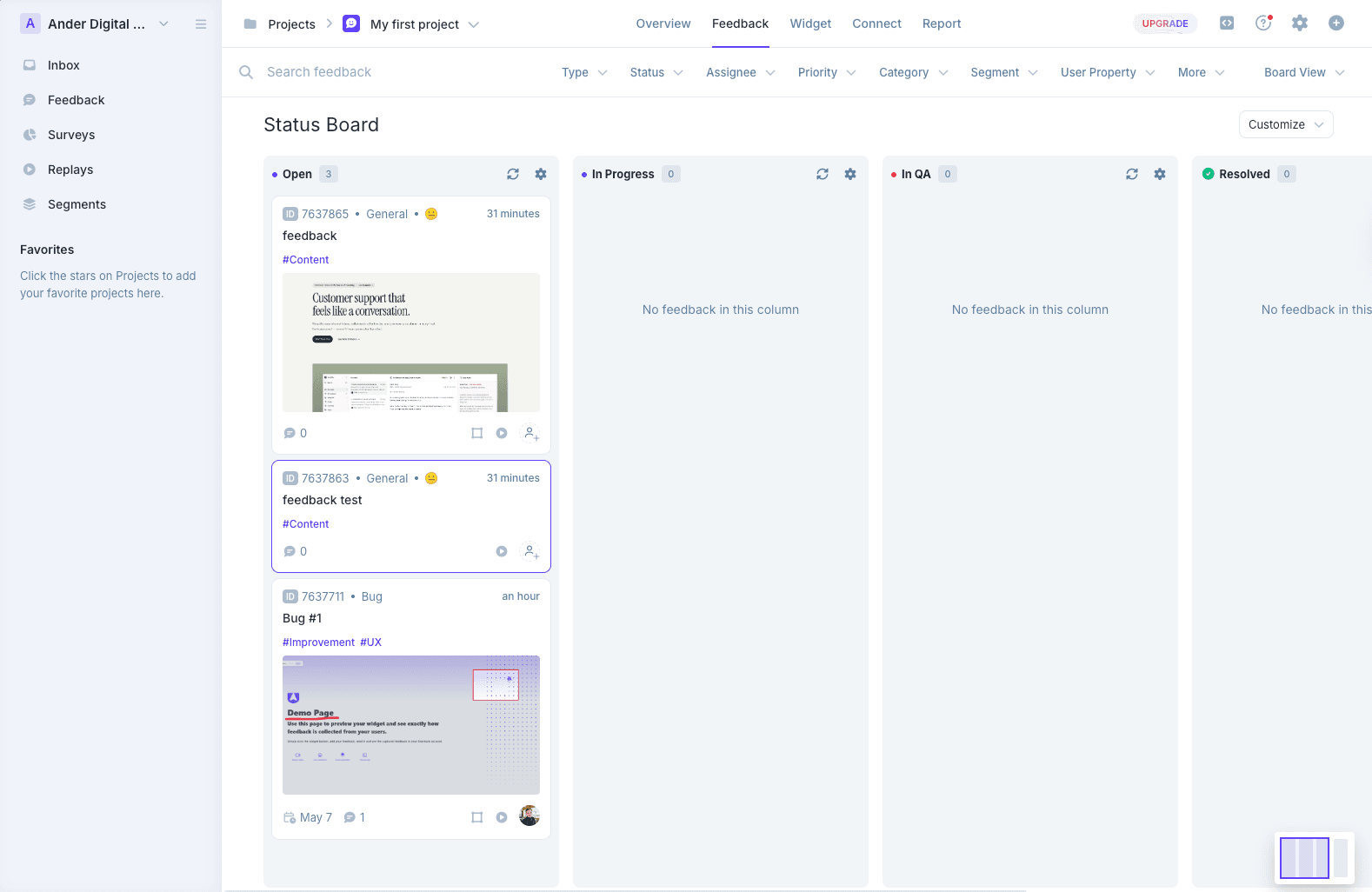
Userback is a polished bug-tracker-style feedback tool with a deep dashboard, session replay, and AI Insights. For in-house product teams, QA teams, and SaaS companies with technical reviewers, it is genuinely one of the better products in the category.
Before switching, check the current plan. Userback pricing, checked September 14, 2026, now uses plan prices: Team is $29/month billed annually or $39 monthly for five seats; Business is $79 or $99 with unlimited seats and 25 projects. The previous per-seat comparison is no longer a sound reason to switch.
Shortlist an alternative around the workflow you need:
- On-page discussion: clients can find existing comments and follow a revision where it happens.
- Triage: the team can assign and resolve feedback in the place it already works.
- Required features: the selected plan covers replay, integrations, and active projects.
Test the full reviewer journey instead of assuming every reporter needs a team account. The alternatives below offer different approaches; their original hands-on observations have not been rerun for this pricing update.
Weighing Userback against one specific tool instead of shopping the whole category? We have head-to-head breakdowns for both common matchups: Userback vs Usersnap and BugHerd vs Userback.
Simple Commenter#
Built for: Agencies · Freelancers · QA teams · SaaS teams
Best for: Agencies and SaaS teams who want non-technical reviewers to comment without signing up, while still giving the team a real dashboard, integrations, and a deep WordPress story.
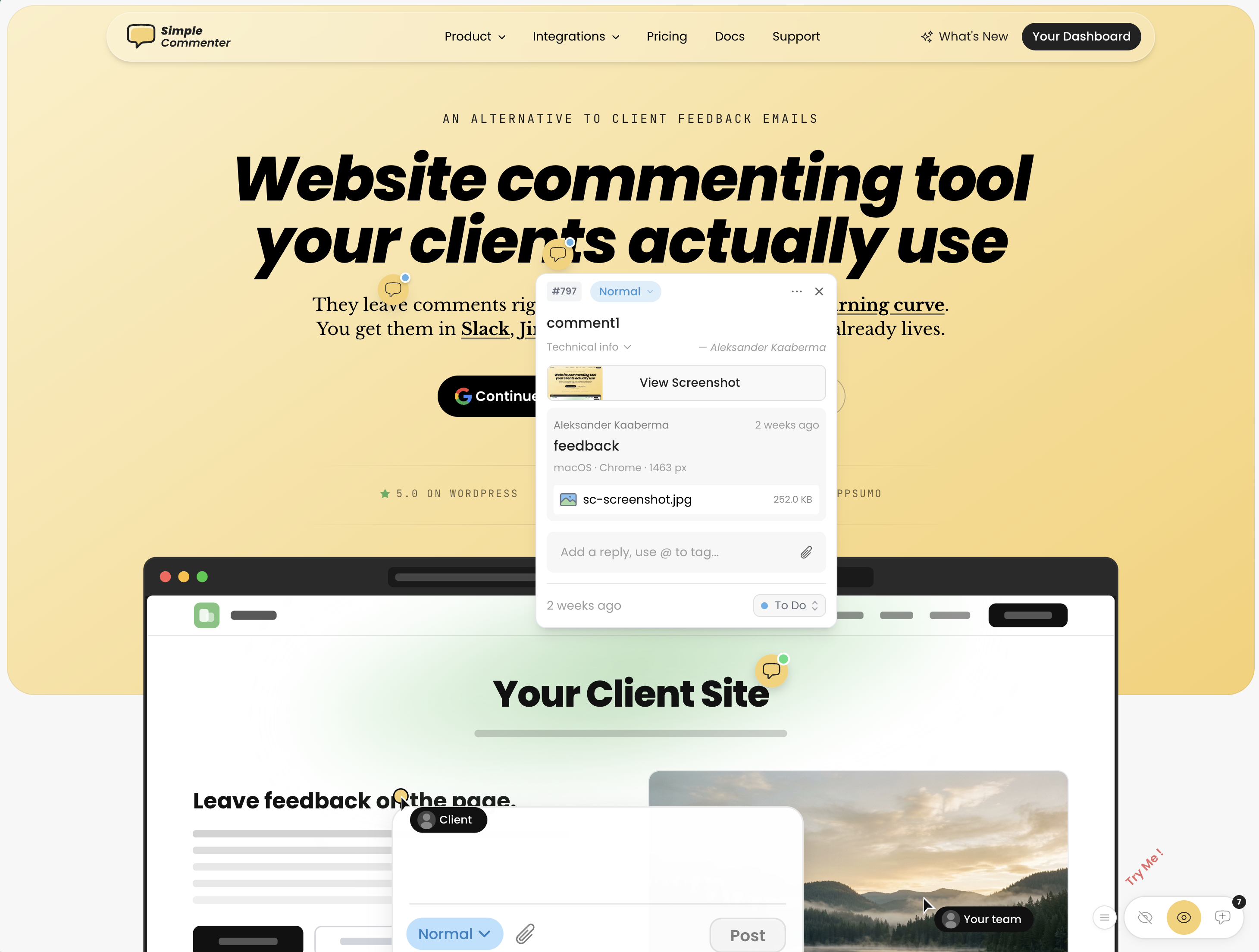
Simple Commenter is worth trying when the main goal is client discussion beside the page. Clients can comment without a separate account under the appropriate access configuration, and the team can follow the thread at the reported element. Check the current plan allowances for your workspace size.
That no-signup flow is the foundation everything else is built on. Click a spot, type a comment, done. For projects that need more structure, clients can sign up in two clicks or get invited into a dedicated client portal — every comment is then named, threaded, and they get notified the moment you reply. Same low-friction surface, with the structure your reviewer needs once a project is in motion.
The team side runs on a shared dashboard where feedback pipes into the rest of your stack. Integrations cover Slack, Trello, Asana, ClickUp, Linear, Jira, Monday, GitHub, email, and outbound or inbound webhooks. There is also a native MCP server so Claude Code, Cursor, and other AI agents can pull and reply to comments directly.
The widget itself runs on every kind of page: marketing sites, SaaS apps behind authentication, staging environments, and WordPress. Access scales with the use case — open for public review, token-gated for staging, login-gated for client work, or SSO auto-login for SaaS teams where internal reviewers are already signed into the product.
The WordPress story is the standout. Every other tool on this list — Userback, Feedbucket, Marker.io, BugHerd — ships a "WordPress plugin" that is really just a script installer with a plugin badge. Simple Commenter is the only one where you can manage comments, replies, members, and settings entirely inside WP admin. If your team lives in WordPress, you never leave it.
Key features:
- No-signup commenting — clients pin and reply without creating an account
- Optional client portal with invitations, named comments, and reply notifications
- Script-based widget that works on SaaS apps, staging, and marketing sites
- Three access modes — open, token-gated, login-gated — plus SSO with auto-login from your own site
- WordPress plugin with full in-WP management of comments, members, replies, and settings
- Integrations with Slack, Trello, Asana, ClickUp, Linear, Jira, Monday, GitHub, email, and webhooks
- Read, search, organize, and export feedback with your AI through the MCP integration
- Chrome extension for reviewing sites you do not own
- Automatic screenshots, file attachments, PDF and image review
Pricing:
- 14-day free trial, no credit card required
- Agency $34.99/mo (10 users, integrations, automatic screenshots, custom themes, 50 GB storage, 500 MB per file)
- Business $149.99/mo (25 users, 500 GB storage, 5 GB per file, SSO, custom domain, custom email domain, whitelisting, priority support)
- Enterprise custom (unlimited users and projects, SSO/SAML, advanced permissions, dedicated CSM, API user provisioning, SLA)
- 2 months free on annual billing
Pros:
- Lowest client friction in the category — no signup, no install, no tutorial
- Optional client portal when you do want named, notified, structured feedback
- Works on every page type: marketing, SaaS behind auth, staging, WordPress
- Only tool on this list with native in-WP comment management
- SSO and auto-login from your own site — internal reviewers never see a separate login
- Per-plan seats instead of per-seat pricing — adding clients does not raise the bill
Cons:
- Lacks full project management features like boards or kanban — feedback flows into your existing PM tool instead
- Newer to the market than BugHerd or Marker.io, so the integration list is still expanding
Reviews:
Simple Commenter has a 5.0 average across Product Hunt and AppSumo, with 600+ agencies, freelancers, and enterprises using it in production. The most repeated theme in customer reviews is the no-signup flow — variations of "finally, a feedback tool my clients actually enjoy" and "life changed in under 5 minutes" come up across dozens of testimonials. Web professionals who switched from Markup, Pastel, and BugHerd consistently mention how much faster client review cycles run once the login step is gone — one Jim Langman review describes a stalled year-long project that launched three weeks after Simple Commenter was added. The most common request is a kanban-style board, which matches the trade-off above: Simple Commenter is a feedback widget, not a PM tool. Support response time is the second-most-praised aspect; "fixed my issue in literal seconds from emailing them" is a phrase that shows up in multiple reviews verbatim.
BugHerd#
Built for: QA teams · In-house product teams
Best for: Agencies and teams that want a kanban-style feedback board with automatic screenshots and strong two-way integrations.
BugHerd is worth evaluating if you like a task board around website feedback. Compare the current feature tier, integrations, and project allowances with your Userback plan; do not assume it becomes cheaper after a particular reviewer count.
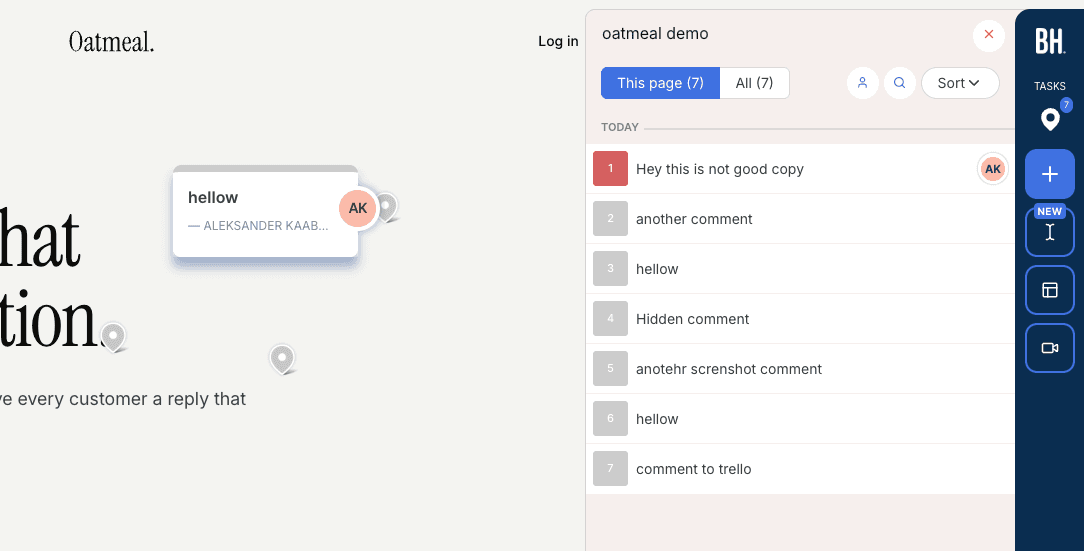
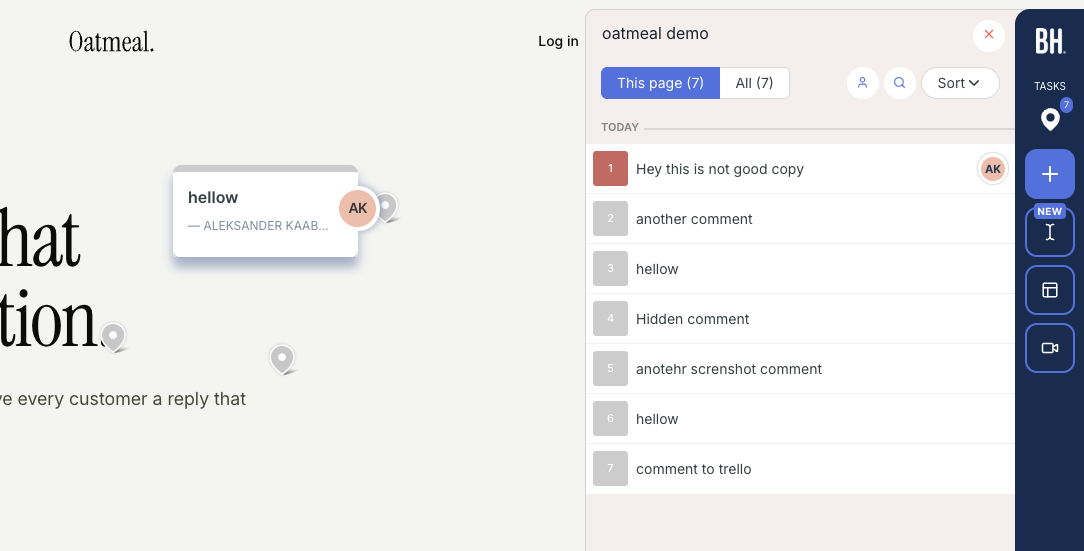
Installation is via script snippet, Chrome extension, or WordPress plugin, and onboarding does not ask you to configure access rules upfront. Open a project from the app and you are automatically logged in to the widget, with no separate login step.
Every comment is captured with an automatic screenshot plus the usual technical metadata — browser, screen size, OS. The feedback board uses a kanban layout, so comments double as trackable tickets you can assign to team members. Two-way integrations are solid, with Jira, Asana, Linear, ClickUp, and Monday on Premium and above.
Test BugHerd with the permissions intended for your clients, including submitting feedback and returning to a reply. A public reporter flow and a collaborative team workflow can have different requirements. Compare that full journey with Simple Commenter or Feedbucket if client review is the priority.
Key features:
- Automatic screenshot and technical metadata on every comment
- Kanban-style feedback board with task assignment
- Two-way integrations (Jira, Asana, Linear, ClickUp, Monday)
- Script, Chrome extension, and WordPress plugin installation
Pricing:
- Standard $50/mo (5 members, $8 per additional)
- Studio $80/mo (10 members, adds video feedback)
- Premium $150/mo (25 members, premium integrations, custom branding)
- Deluxe $250/mo (50 members, 150 GB storage)
- Custom plan available with dedicated success manager and SLA
Pros:
- Automatic screenshots with every comment, no extra steps
- Kanban board makes it easy to track and assign feedback
- Strong two-way integrations with major project management tools
- Clients don't need to create an account
- Smooth onboarding, quick to get started
Cons:
- Clients and reviewers must log in through BugHerd's hub before they can leave feedback on your site
- Heavily branded widget, no white-labeling until Premium
- Per-seat pricing adds up quickly for larger teams
Reviews:
BugHerd has 179 reviews on G2 with an average rating of 4.7/5. Users consistently praise how easy it is to use and appreciate the automatic screenshots and technical details attached to every comment. The kanban-style ticket board and team member assignment are frequently mentioned as standout features. On the downside, reviewers note that per-seat pricing can get expensive as teams grow. While the tool is simple overall, some users mention that clients need a small amount of guidance when first getting started.
One thing BugHerd has nailed is automatic screenshots. As we mentioned, this can't be done natively in the browser, so getting it right is harder than it looks. Not only does every comment get a screenshot automatically, but if a client leaves a comment inside an open dropdown, the screenshot captures that dropdown in its open state.
Feedbucket#
Built for: Agencies · QA teams · SaaS teams · In-house product teams
Best for: Teams that want feedback to flow straight into a project management tool. Less ideal if you want a self-contained dashboard for triaging feedback.
Feedbucket is another option when you want website feedback routed into an existing tracker. Evaluate reporter access, team allowances, two-way sync for your destination, and whether clients can follow the resulting discussion.
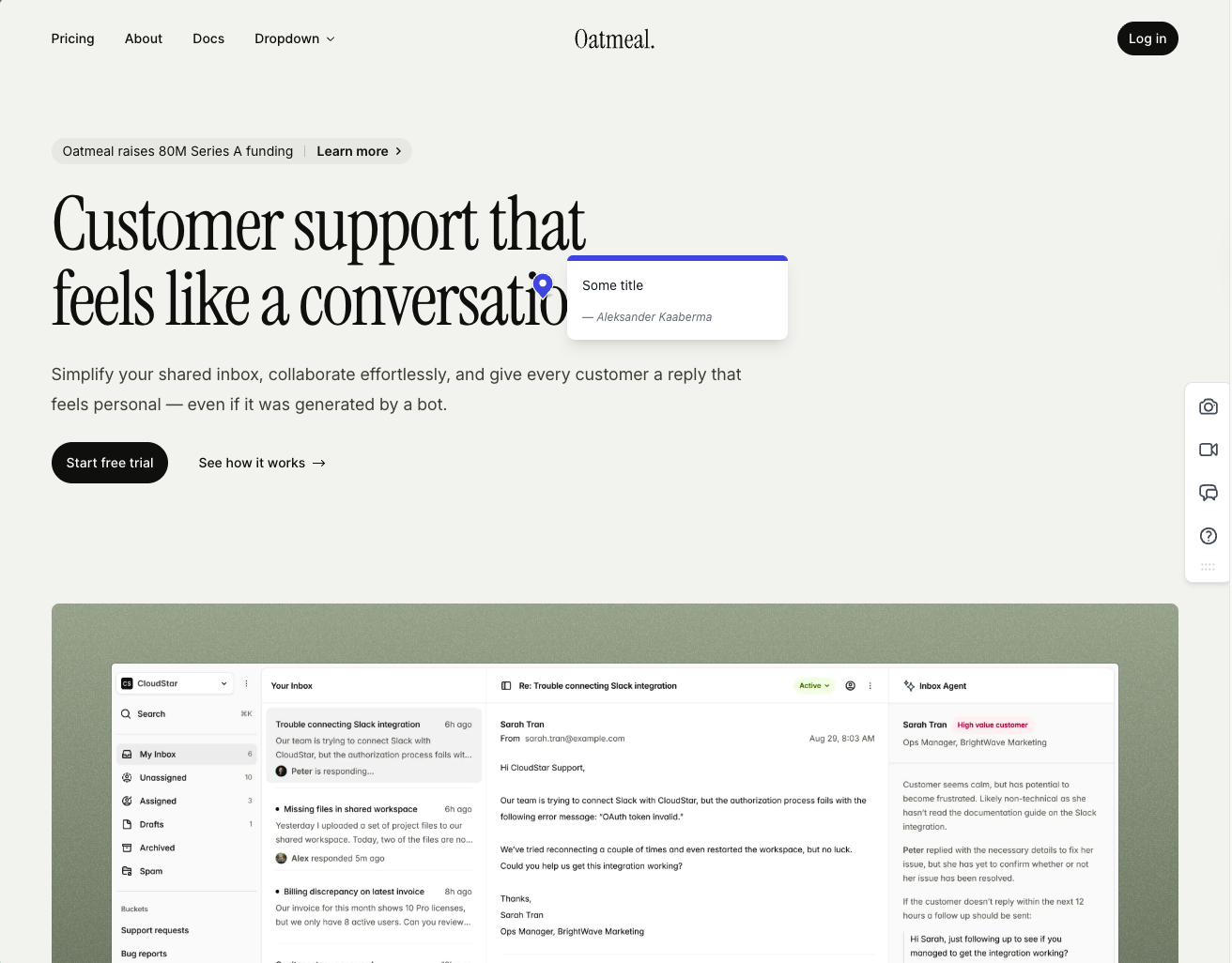
Installation is script-based, with one-click installers for WordPress and Shopify. The WordPress plugin is a clean script installer and nothing more — no in-plugin dashboard for members or settings, which is a deliberate trade-off. Onboarding is one of the smoother flows in the category: clients drop in via a link, every comment captures an automatic screenshot, and the screenshot is pinned exactly where the comment was placed.
The integration pool is the strongest argument for Feedbucket. Pretty much every PM tool you might want to pipe feedback into is supported, and the entire workflow is built around that. Feedbucket positions itself as the layer between your site and your tracker, not a replacement for it. The dashboard reflects that — you can filter by tags and page, but there is no priority, ordering, or board view. If you already live in Jira or Trello, that is fine. If you came to Userback for the dashboard depth, this is the wrong shape.
One quirk that shows up in user reviews and matched our testing: every comment requires a title by default. It can be turned off, but it is on out of the box, which adds an annoying step for clients who just want to drop a quick note about a misaligned button. Customization is also light unless you upgrade to Business.
Key features:
- Script-based installation with one-click installers for WordPress, Shopify, and other major platforms
- Automatic screenshot capture, pinned exactly where the comment was placed
- Video feedback and screen recordings on every plan
- Wide integration pool covering most major PM tools
- No client signup required, guests can comment via a link
Pricing:
- Pro $39/mo (5 team members, unlimited reporters, screenshot and video feedback, integrations)
- Business $89/mo (25 team members, console logs, JavaScript API, custom branding, custom metadata, data export)
- Enterprise $259/mo (dedicated success manager, priority support, pay by invoice, SSO coming soon)
- 20% discount on yearly billing
- 14-day free trial, no credit card required
Pros:
- Clients don't need to sign up to leave feedback
- Screenshots are accurate, pinned to the right spot, and generated quickly
- Wide integration pool with pretty much every PM tool you'd want
- One-click installers for WordPress, Shopify, and other CMS platforms
- 14-day trial with no credit card asked up front
- Fair price for the feature set
- Developed in EU
Cons:
- Title field is mandatory by default on every comment (can be turned off, but it is on out of the box)
- Native dashboard is limited: filter by tags and page only, no priority or ordering
- WordPress plugin is a pure script installer with no member or settings management inside WP
- Customization options are light unless you upgrade to Business
- Built around piping feedback into a PM tool, not as a standalone home for triaging
Reviews:
Public reviews lean strongly positive and match what we saw in testing. Users consistently call out two things: the no-signup flow for clients, and how reliable the tool feels day-to-day. The "bug-free" experience comes up a lot, which is rarer in this category than you'd expect. Integration depth is the other recurring praise — teams that already live in Jira, Trello, or Asana describe Feedbucket as the missing layer between their site and their tracker. The criticism is light and tends to focus on the same nitpicks we ran into: the thin dashboard, and the lack of customization on lower tiers.
Marker.io#
Built for: SaaS teams · In-house product teams · QA teams
Best for: Product teams and SaaS companies running internal QA who need deep debugging data.
Marker.io is worth a trial if the priority is debugging evidence and tracker integration. Its developer tools and replay depend on the selected plan. Compare the captured report against Userback using the same reproducible issue, rather than assuming all capture features ship on the entry tier.
Installation is via script snippet, Chrome extension, npm package, or a CMS plugin (WordPress, Drupal, Webflow, Shopify, and more). Onboarding is one of the best we tested. The setup flow asks for your integrations up front, which is a telling signal: Marker.io is not trying to replace your PM tool. It is trying to be the middle-man between your website and that tool.
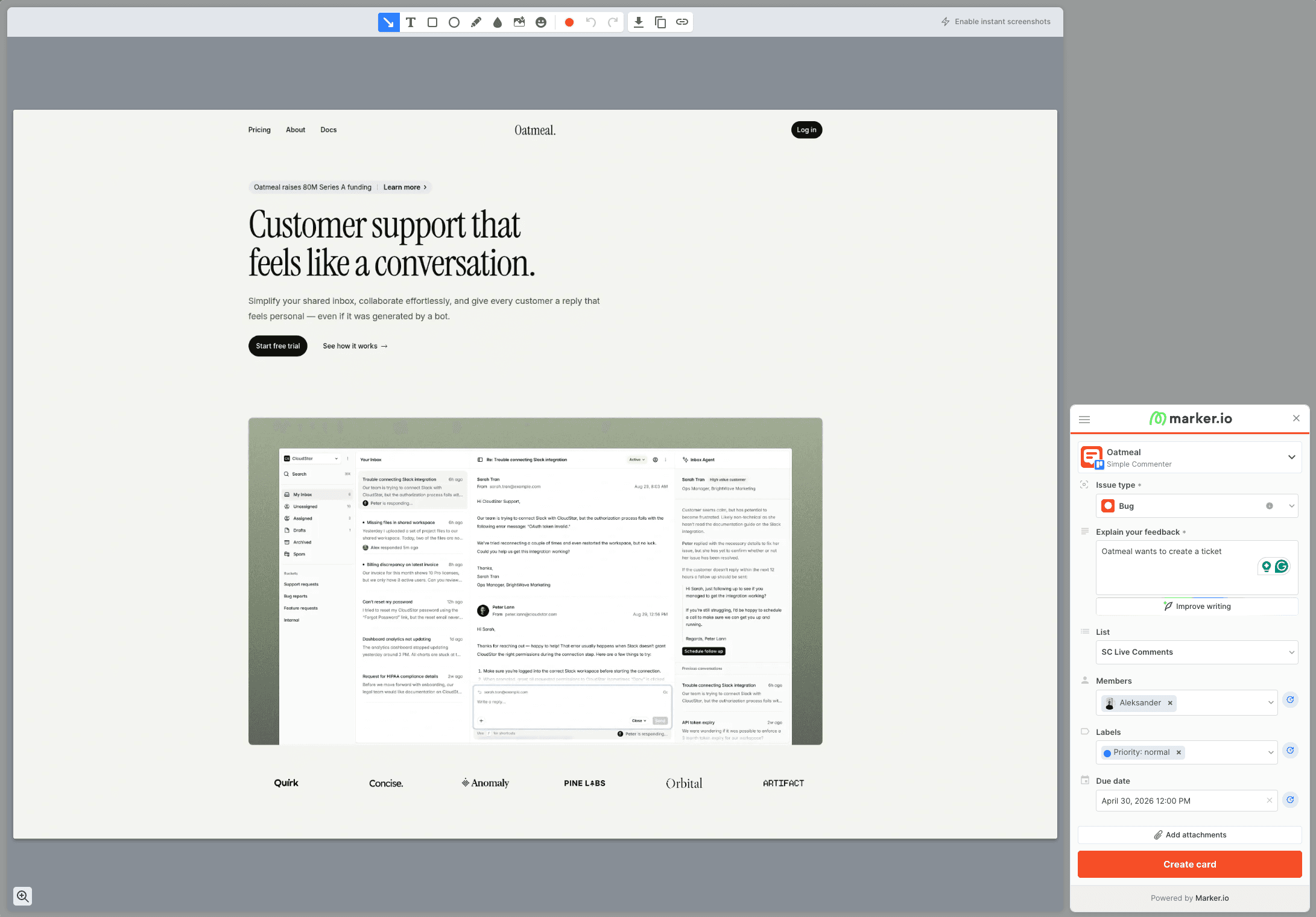
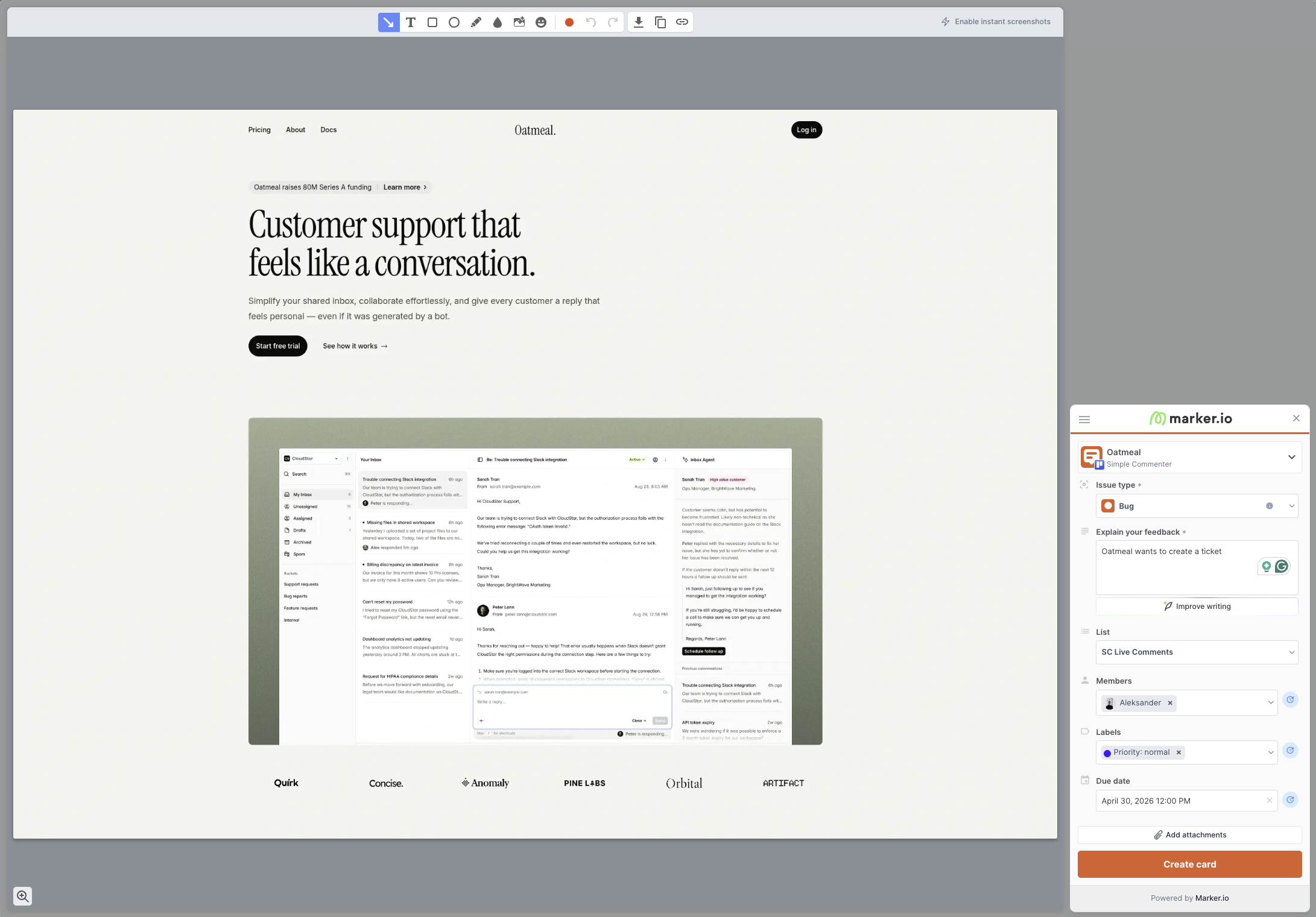
That framing matters, because Marker.io is not really a "comment on a website" tool. Every piece of feedback is a screenshot that becomes a card in Jira, Linear, Asana, or whatever tracker you have connected. There are no pins on the page. No conversation threads anchored to a button. You open the widget, capture the screen, fill out what looks like a ticket form, and it lands in the tracker. That is the whole flow.
What makes it powerful is what is attached to that ticket. When a non-technical marketer reports "this page is broken," your developer gets the failed API call, the JavaScript error, and the exact browser environment in one place. That is the real pitch: Marker.io exists to make bug reports that developers want to receive. The case studies lean on names like L'Oréal — centralized dev teams supporting hundreds of pages across multiple markets, where the alternative is a back-and-forth investigation that burns a day.
Marker.io's roles documentation distinguishes free reporters, guests, and team members. An open widget can accept reports without an account. Shared project visibility and guest collaboration are separate settings. Agencies should check the separate Agency offer before estimating the bill.
Key features:
- Screenshot and browser context, with developer tools on eligible plans
- Two-way integrations with Jira, Linear, Asana, Trello, ClickUp, Monday, and more
- Installation via script, Chrome extension, npm package, and CMS plugins (WordPress, Drupal, Webflow, Shopify)
- Enterprise-grade security: SSO SAML, audit logs, sensitive data masking, SOC 2 Type 2
Pricing:
- Starter $39/mo billed annually or $59 monthly (3 team users; check project allowances)
- Team $149/mo billed annually or $199 monthly (15 team users, issue sync, replay, developer tools)
- Business custom (unlimited seats and websites, premium integrations, SSO SAML, audit logs)
- Agency $129/mo or $99/mo billed annually (15 members, 50 active websites, 50 guests, conditions apply)
- 15-day free trial, no credit card required
Pros:
- Detailed debugging context on plans that include developer tools
- Integrations-first onboarding that does not try to replace your PM tool
- Installation plugins for almost every major CMS
- Strong screenshot and annotation tooling
- Serious enterprise features (SSO SAML, audit logs, SOC 2 Type 2, sensitive data masking)
Cons:
- Reporter access and guest collaboration differ; verify the permissions needed for shared reviews
- No pinned comments on the page, every piece of feedback is a new ticket, not a conversation
- Reviewers cannot see existing tickets on the page, which leads to duplicate reports
- No asset feedback (images, PDFs, videos), live web pages only
- Custom branding limited to button and widget color
- Per-seat pricing gets expensive fast for multi-client setups unless you qualify for the Agency plan
Reviews:
Marker.io's public case studies are a good window into the target user. L'Oréal credits it with making feedback dramatically easier across hundreds of websites, which is exactly the centralized-dev-team, many-markets pattern Marker.io is built around. G2 reviewers consistently praise the quality of the captured debugging data and how easy it is for non-technical stakeholders to report bugs developers can actually act on.
The recurring criticism is fit. Smaller teams and agencies say it feels like overkill, and several reviews flag the lack of real-time issue visibility on the page. Because reviewers cannot see existing tickets, multiple people file the same bug on the same page. If you are a team of three testing a landing page, that is friction. If you are a global brand with hundreds of sites, the trade-off is worth it.
Ybug#
Built for: QA teams · In-house product teams · SaaS teams
Best for: Internal QA and product teams that want a screenshot-to-ticket workflow with strong debugging data and EU data residency.
Ybug is the pick if you want Userback's screenshot-to-ticket workflow but priced lower and hosted in the EU with a GDPR-ready DPA on every plan. Basic starts at €10/mo billed annually for three projects and three members; Startup at €23/mo gets you full integrations, video, file attachments, and replies. Compare those allowances with the current Userback plan for your actual project count.
Installation is via script snippet or Chrome browser extension. Both are first-class, so reviewers can either visit a site you have already added the script to, or install the extension and capture feedback on any page they have access to. The widget itself is customizable per project — you decide which fields appear on each report — and permissions are granular at the project level, which is useful when separating clients, environments, or testing pools.
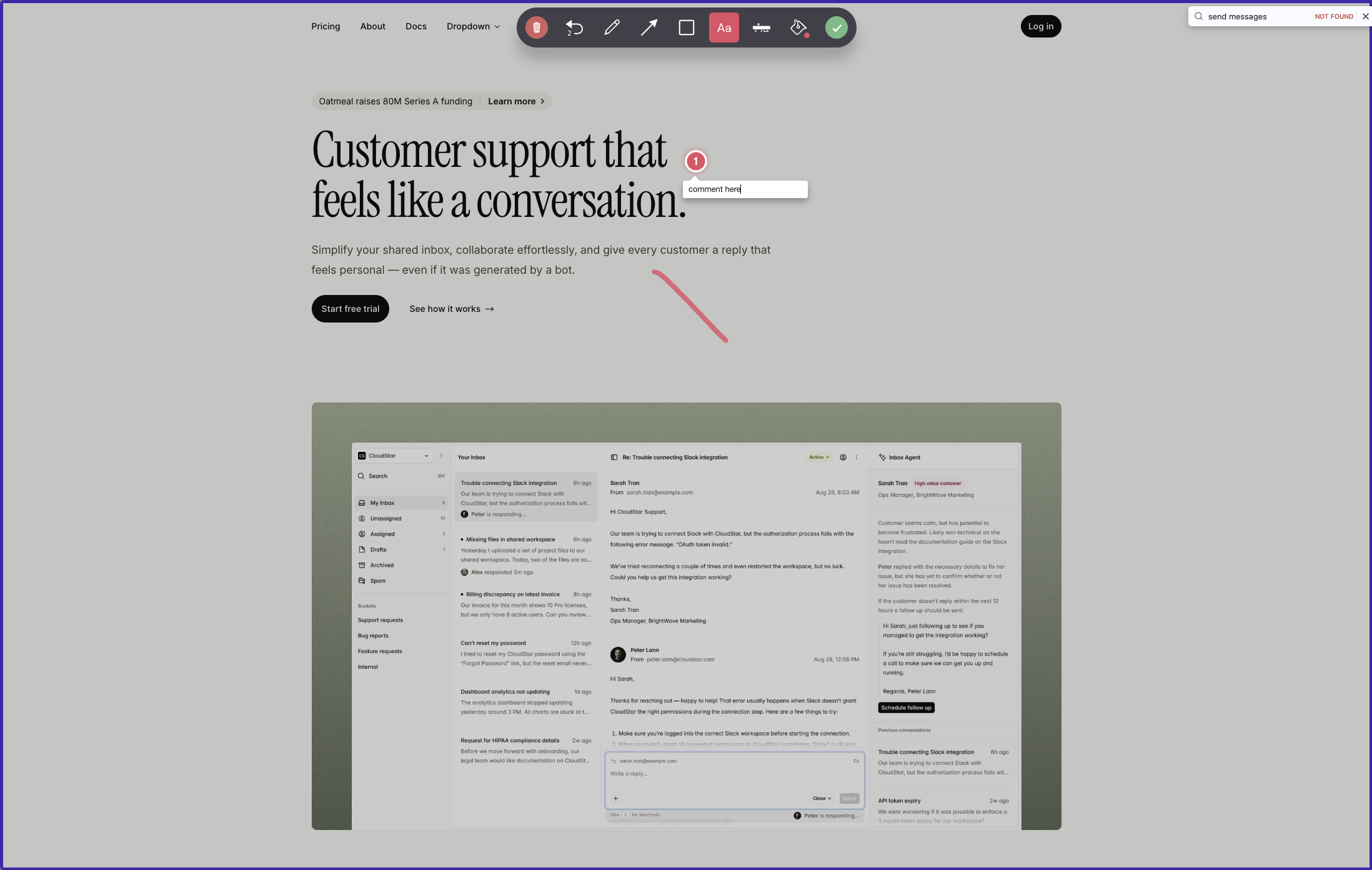
The interaction model is the thing to understand before signing up. You open the widget and choose between submitting feedback on the whole page or capturing a screenshot. If you take the screenshot route, you can draw on it, annotate it, and pin comments to specific spots — but on the screenshot itself, not on the live page. The whole package becomes a ticket in Ybug's dashboard or, more often, in whatever PM tool you have connected. Pins anchored to live elements that other reviewers see when they visit the page — the experience BugHerd and Simple Commenter offer — is not what Ybug does.
Where Ybug earns its keep is the data attached to each ticket. Every report ships with annotated screenshots and automatic browser, OS, and screen-size metadata. Paid plans layer in JS console capture and error logs out of the box. The integrations catalog is one of the broadest on this list — 25+ destinations covering PM, communication, support, and developer tools, plus Zapier and a webhook — though the sync is push-only, so status changes and assignments made in Jira or ClickUp never make it back to Ybug.
Two friction points to flag. First, every team member and stakeholder needs a Ybug account to see reports, so evaluate that collaboration flow with your intended reviewers. Second, because reports do not surface on the live page, duplicate filings are a normal outcome. Tier jumps are also steep because seats and projects are bundled (need an eighth project? Startup at €23/mo becomes Company at €47/mo, even if your team has not grown), and white-label is still listed as "coming soon."
Key features:
- Script tag and Chrome browser extension install options
- Whole-page feedback or screenshot capture with on-image drawing, annotation, and pinned comments
- Customizable widget fields per project
- Granular project-level permissions
- JS console recording and automatic browser, OS, and screen-size metadata (paid tiers)
- Video recording and file attachments (Startup and above)
- 25+ one-way integrations covering PM, communication, support, dev tools, plus Zapier and webhooks
- EU-hosted with GDPR-ready DPA on every plan
Pricing:
- Free €0/mo (1 project, 1 member, 50 screenshots)
- Basic €10/mo billed annually or €13/mo monthly (3 projects, 3 members, integrations limited to one per project)
- Startup €23/mo billed annually or €29/mo monthly (7 projects, 7 members, full integrations, video, file attachments, replies)
- Company €47/mo billed annually or €59/mo monthly (15 projects, 15 members, REST API, custom fields, custom branding)
- 10-day free trial, no credit card required
Pros:
- Broad integration catalog (PM tools, support tools, communication, Zapier, webhooks)
- Strong debugging data: annotated screenshots, console logs, environment metadata
- Granular project permissions for separating clients or environments
- EU hosting and GDPR-ready DPA on every plan, including Free
- Support team consistently praised in reviews for sub-day response times
Cons:
- Comments are pinned to captured screenshots, not to live page elements — reviewers visiting the page later cannot see existing feedback
- Reviewers and team members must create a Ybug account to see or reply to feedback
- One-way integrations only — no two-way sync from your PM tool back to Ybug
- Custom branding is locked to the Company plan; white-label is still "coming soon"
- Tier jumps are steep because seats and projects are bundled together
Reviews:
Ybug has strong ratings on G2, with reviewers consistently highlighting how easy it is for non-technical reporters to file useful bug reports. Annotated screenshots, automatic environment data, and console logs are the standout features mentioned, especially for QA and UAT workflows. The support team gets called out often for fast turnaround, with multiple reviewers noting response times under one business day. The most common complaint matches what we hit in testing: reviewers and stakeholders need a Ybug account to see anything, which adds friction in client-facing or cross-team review work. For an internal QA team in a product org that already lives in a PM tool — and is happy treating Ybug as a screenshot-to-ticket pipeline — it is well-rated. For teams that want a visual conversation pinned on the live page, this is a different shape of product.
Which one should you pick?#
Choose Simple Commenter for a trial of on-page discussion, BugHerd for a task-board workflow, Feedbucket or Marker.io for tracker-focused reporting, and Ybug when its hosting and reporting model fit your requirements. Run one real review task in each shortlisted tool. Our Userback vs Usersnap comparison provides current plan context and a repeatable trial checklist.
Found this useful? Add us as a preferred source and Google will show you more of our guides in Search and AI Overviews.