6 Best Volley Alternatives in 2026
Volley's $29/mo flat plan is clean, but comments live only in the dashboard. Six alternatives that show feedback on the page and offer card-free trials.

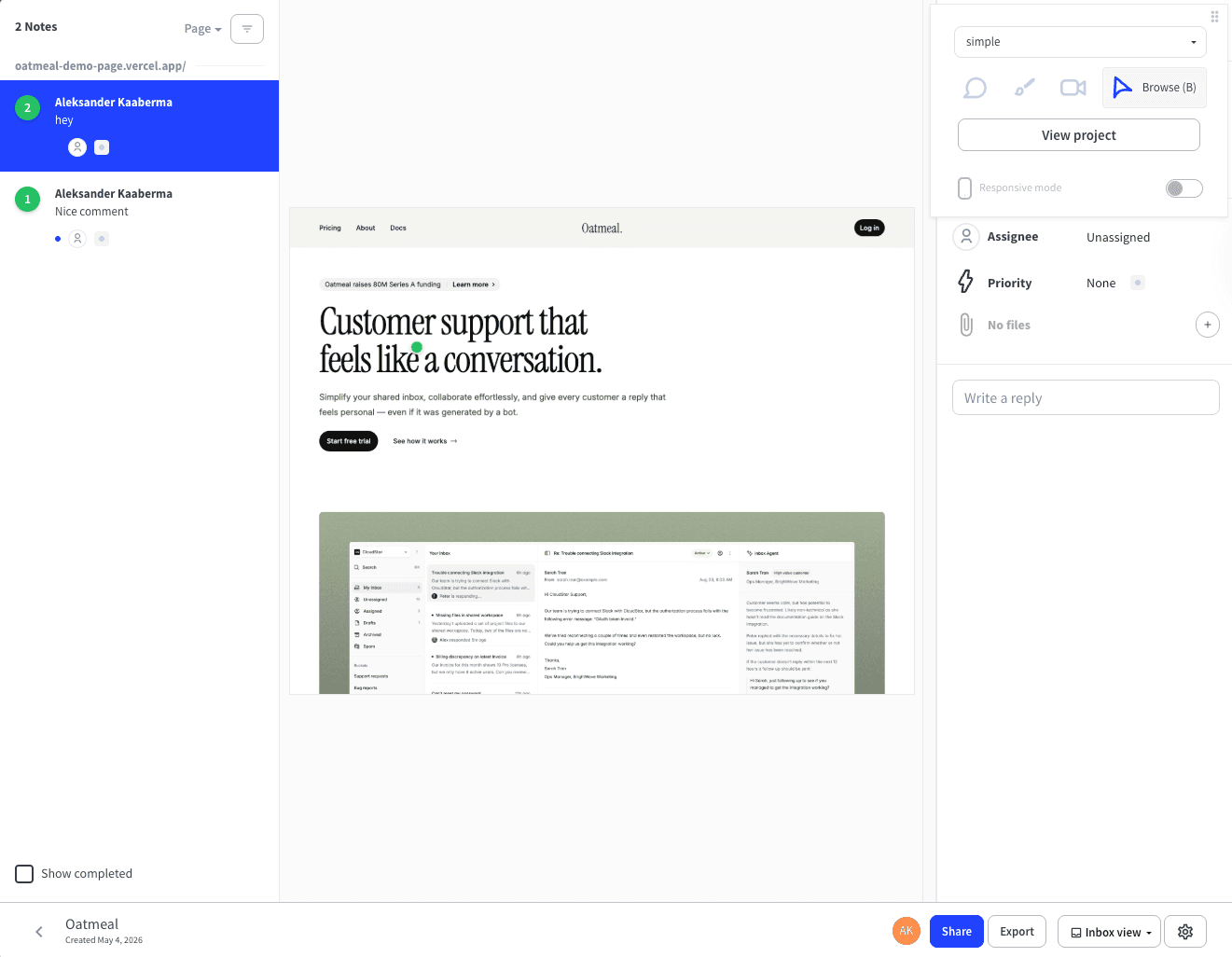
Volley's $29 per month flat plan is one of the cleaner pricing pitches in this category, but comments live only in the dashboard — reviewers cannot see what others have flagged when they are on the page.
If you want pinned, page-anchored conversations the way Google Docs handles comments, or you are tired of a credit card being required to even try the tool, these are the six alternatives worth shortlisting first.
Simple Commenter#
Built for: Agencies · Freelancers · QA teams · SaaS teams
Best for: Agencies and SaaS teams that want non-technical reviewers to comment without signing up, while still giving the team a real dashboard, integrations, and a deep WordPress story.
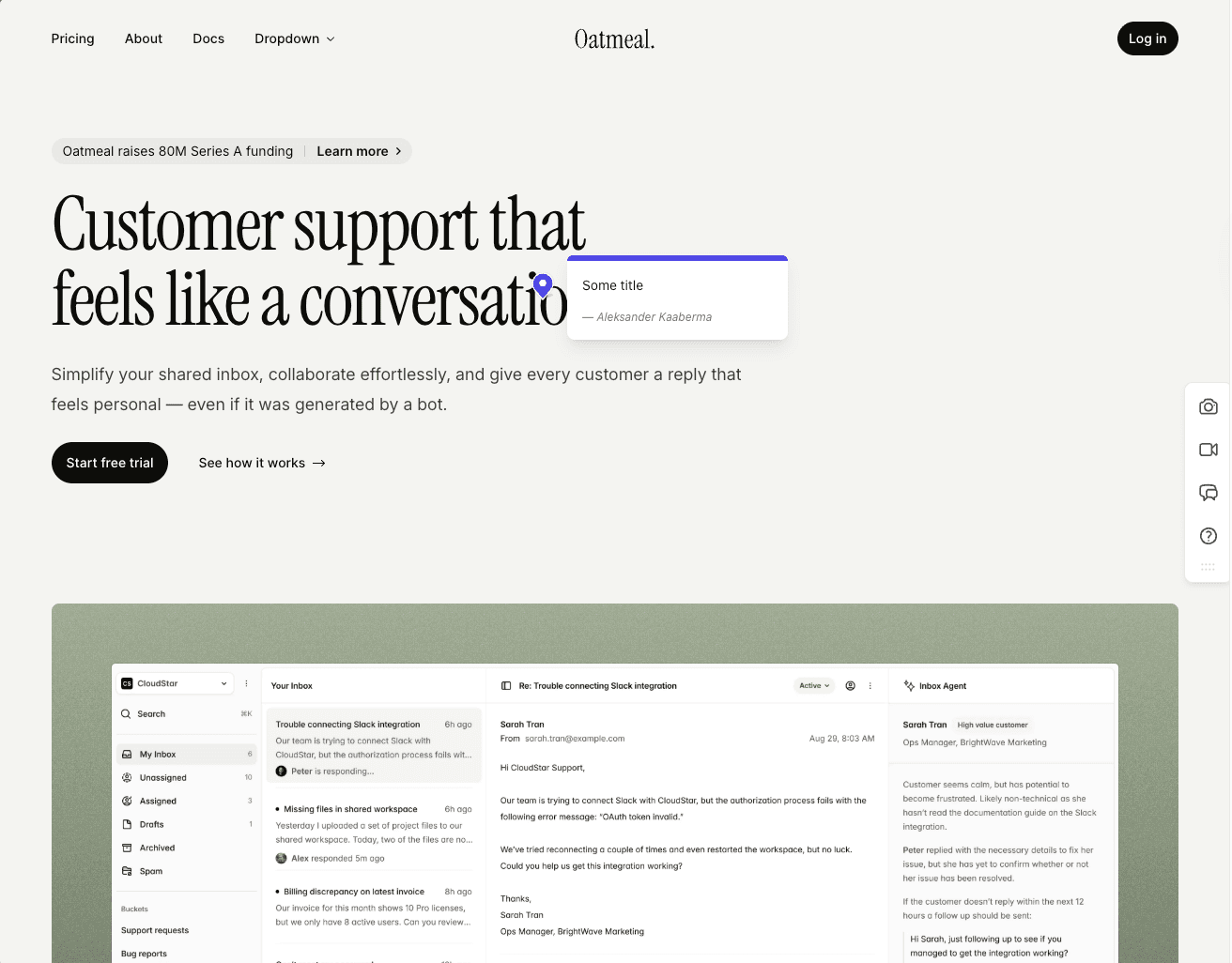
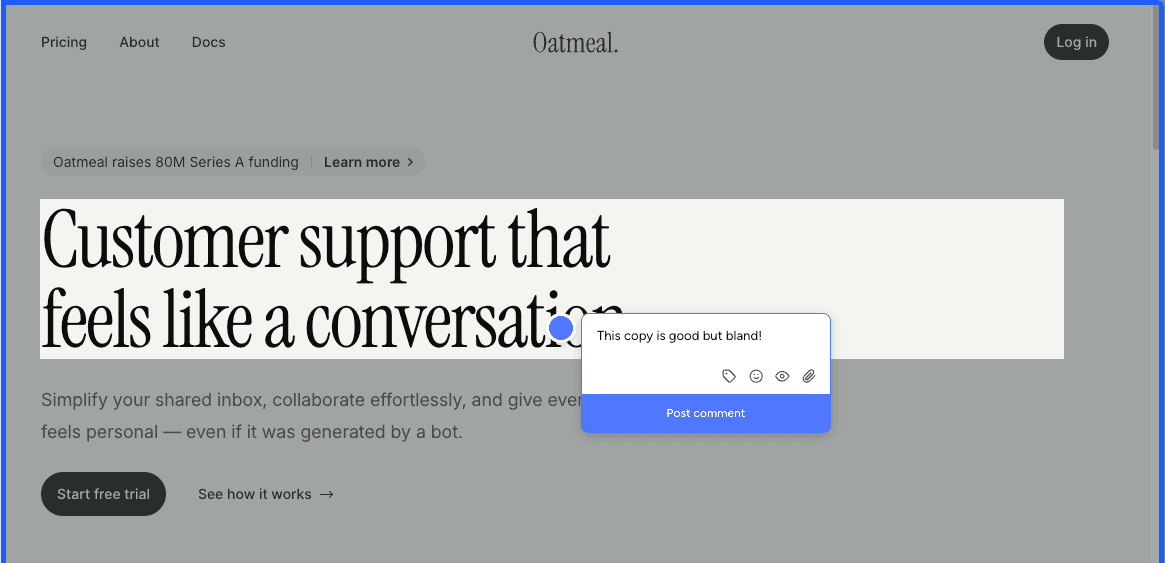
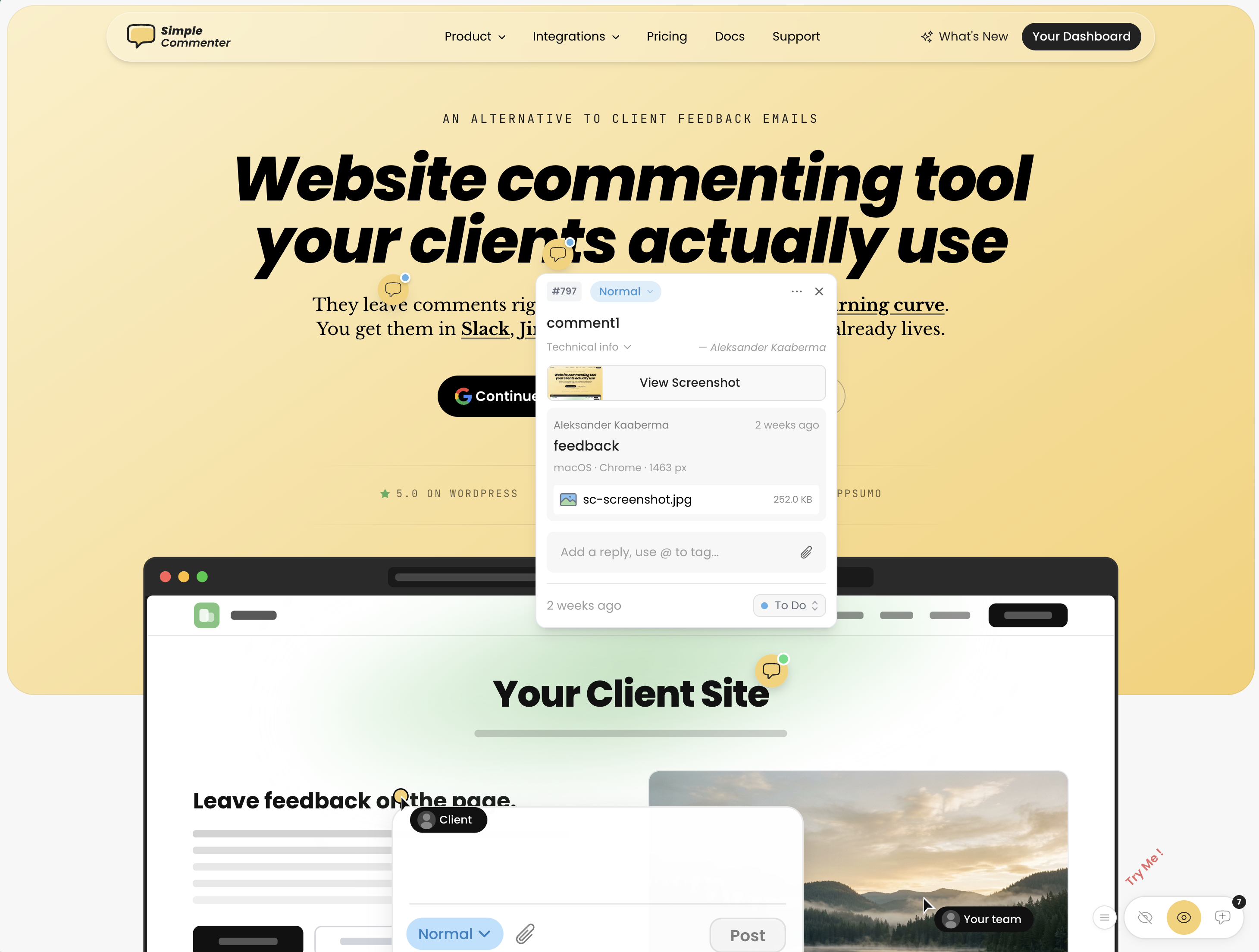
Simple Commenter was built around one idea: a non-technical client should be able to leave feedback on a website without creating an account, downloading anything, or learning a new tool. Click a spot, type a note, done. No login, no extension, no walkthrough. Every other feature on the product was layered on top of that foundation.
When a project needs a bit more structure, clients can register in two clicks or be added to a dedicated client portal. From that point on, every comment is attributed, threaded, and reply-notified — the same low-friction surface, with the trail your reviewer expects once the project is moving.
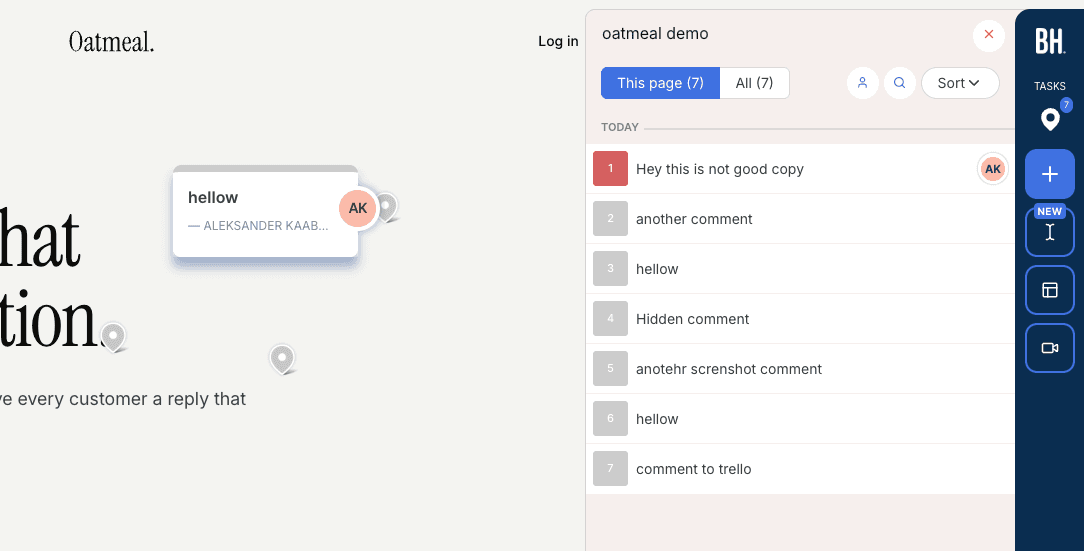
On the team side, members sign in to a shared dashboard that routes comments into the rest of your stack. Integrations include Slack, Trello, Asana, ClickUp, Linear, Jira, Monday, GitHub, email, and inbound or outbound webhooks, plus a built-in MCP server so Claude Code, Cursor, and other AI agents can fetch and reply to comments directly.
The widget loads on any page type — marketing sites, SaaS apps behind login, staging environments, and WordPress alike. Access scales with the use case: open for public review, token-gated for staging, login-gated for client work, or SSO with auto-login for SaaS teams whose internal reviewers are already signed into the product.
The WordPress plugin is the headline feature. Every other "WordPress feedback tool" on this list — Feedbucket, Userback, Marker.io, BugHerd, SureFeedback — is a script installer wearing a plugin badge. They drop a <script> tag into the site header and call that WordPress integration. Simple Commenter is the only tool here that lets you handle comments, replies, members, and settings without ever leaving WP admin. If your team lives in WordPress, you never have to step out of it.
Key features:
- No-signup feedback — clients pin and reply with no account required
- Optional client portal with invites, attributed comments, and reply notifications
- Script-based widget that runs on SaaS apps, staging environments, and marketing sites
- Three access modes (open, token-gated, login-gated) plus SSO auto-login from your own site
- WordPress plugin with full in-WP management of comments, members, replies, and settings
- Integrations across Slack, Trello, Asana, ClickUp, Linear, Jira, Monday, GitHub, email, and webhooks
- Read, search, organize, and export feedback with your AI through the MCP integration
- Chrome extension for reviewing sites you don't own
- Automatic screenshots, file attachments, and PDF/image review
Pricing:
- 14-day free trial, no credit card required
- Agency $34.99/mo (10 users, integrations, automatic screenshots, custom themes, 50 GB storage, 500 MB per file)
- Business $149.99/mo (25 users, 500 GB storage, 5 GB per file, SSO, custom domain, custom email domain, whitelisting, priority support)
- Enterprise custom (unlimited users and projects, SSO/SAML, advanced permissions, dedicated CSM, API user provisioning, SLA)
- 2 months free on annual billing
Pros:
- Lowest client-side friction in the category — no signup, no install, no walkthrough
- Optional client portal when you do want attributed, notified, structured feedback
- Runs on every page type: marketing, SaaS behind login, staging, WordPress
- Only tool here with native comment management inside WP admin
- SSO and auto-login from your own site — internal reviewers never hit a separate login
- Per-plan seats rather than per-seat pricing — adding clients doesn't push the bill up
Cons:
- No built-in PM features like boards or kanban — feedback routes into your existing PM tool instead
- Younger than BugHerd or Marker.io, so the integration list is still growing
Reviews:
Simple Commenter holds a 5.0 average across Product Hunt and AppSumo, with 600+ agencies, freelancers, and enterprises running it in production. The most repeated theme in customer reviews is the no-signup flow — variations of "finally, a feedback tool my clients actually enjoy" and "life changed in under 5 minutes" appear across dozens of testimonials. Web professionals who switched from Markup, Pastel, and BugHerd consistently mention how much faster client review cycles run once the login step disappears — one Jim Langman review describes a stalled year-long project that launched three weeks after Simple Commenter was added. The most common request is a kanban-style board, which lines up with the trade-off above: Simple Commenter is a feedback widget, not a PM tool. Support response time is the second-most-praised aspect; "fixed my issue in literal seconds from emailing them" turns up in multiple reviews verbatim.
Feedbucket#
Built for: Agencies · QA teams · SaaS teams · In-house product teams
Best for: Teams that want feedback to flow straight into a project management tool. A weaker fit if you want a self-contained dashboard for triaging feedback.
Feedbucket installs via script, with one-click installers for WordPress and Shopify. Script-based install is the most flexible loading method in this category, and Feedbucket nails it. The WordPress plugin is a clean script installer and nothing more. There's no in-plugin dashboard for managing members or settings, which is a deliberate trade-off. The contrast here is Simple Commenter, where the WordPress plugin lets you handle comments, members, and settings from inside WP admin.
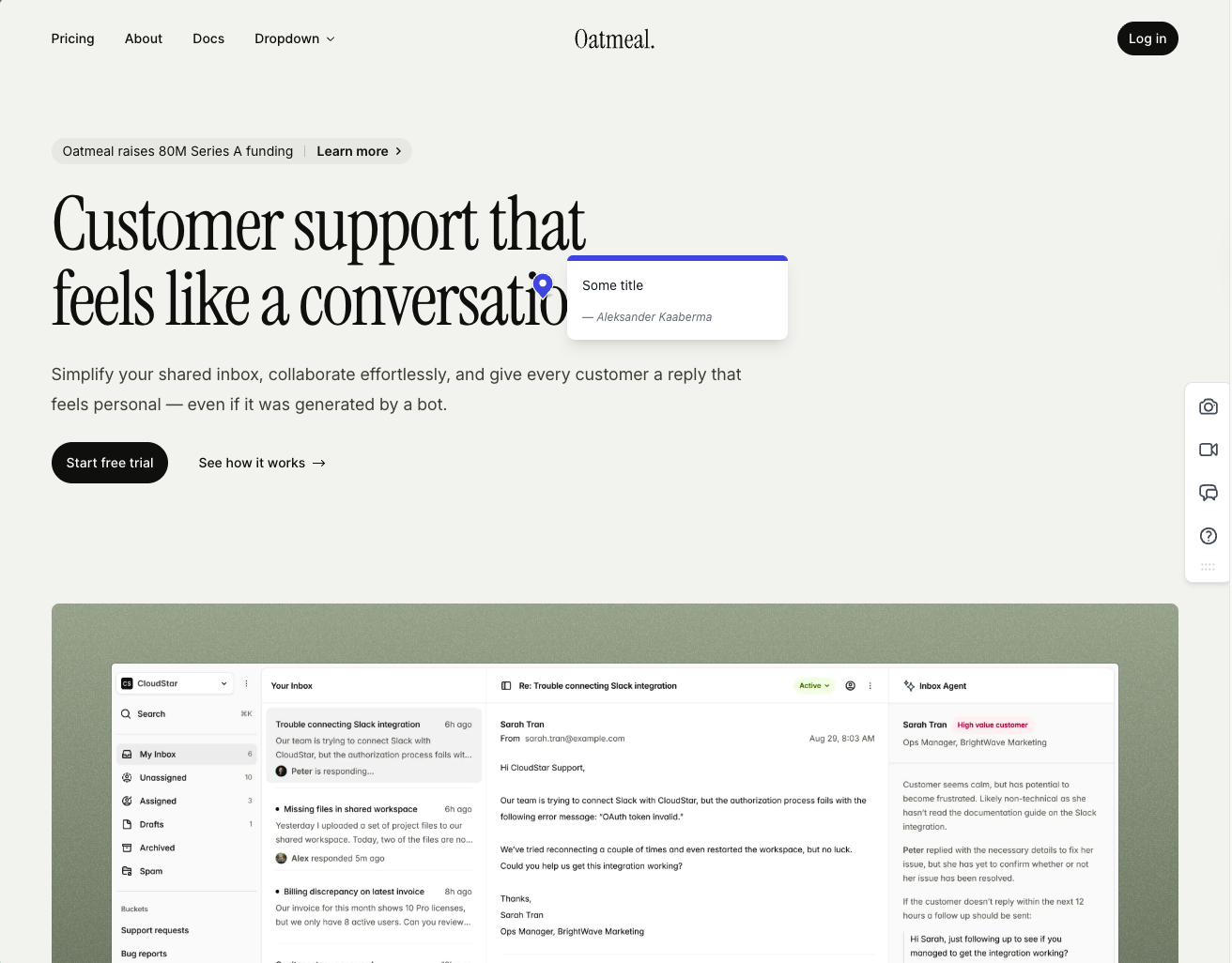
Onboarding is one of the smoother flows we tested. Clients don't have to sign up, every comment ships with an automatic screenshot, and the screenshot is pinned to the exact spot the comment was left.
The integration pool is one of the strongest on this list. Pretty much every project management tool you'd want to pipe feedback into is supported, and the entire workflow is built around that idea. Feedbucket is meant to be the layer between your website and your PM tool of choice, not a replacement for it. The dashboard reflects that. You can filter comments by tags and page, but there's no native priority, ordering, or board view. If you live inside Jira or Trello, this is fine. If you wanted Feedbucket to be the home for triaging feedback, it's going to feel thin.
The one quirk that surfaces in user reviews and matched our own testing: every comment requires a title by default. It's an annoying extra step for clients who just want to drop a quick note about a misaligned button.
A few other limits worth knowing. Customization is light unless you upgrade, and if your stack is built on WordPress, Simple Commenter offers a deeper plugin experience with member, settings, and integration management all inside the WP admin. Outside of those nitpicks, this is one of the most functionally complete tools we've tested. Fair price, accurate screenshots, and a real integration story.
Key features:
- Script-based installation with one-click installers for WordPress, Shopify, and other major platforms
- Automatic screenshot capture pinned to the exact spot the comment was placed
- Video feedback and screen recordings on every plan
- Wide integration pool covering most major PM tools
- No client signup required — guests can comment via a link
Pricing:
- Pro $39/mo (5 team members, unlimited reporters, screenshot and video feedback, integrations)
- Business $89/mo (25 team members, console logs, JavaScript API, custom branding, custom metadata, data export)
- Enterprise $259/mo (dedicated success manager, priority support, pay by invoice, SSO coming soon)
- 20% discount on yearly billing
- 14-day free trial, no credit card required
Pros:
- No client signup needed to leave feedback
- Screenshots are accurate, pinned in the right spot, and generated quickly
- Wide integration pool covering pretty much every PM tool you'd want
- One-click installers for WordPress, Shopify, and other CMS platforms
- 14-day trial with no credit card asked up front
- Fair price for the feature set
- Built in the EU
Cons:
- Title field is mandatory by default on every comment (you can switch it off, but it ships on)
- Native dashboard is limited: filter by tags and page only, no priority or ordering
- WordPress plugin is a pure script installer with no member or settings management inside WP
- Customization is light unless you upgrade to Business
- Built around piping feedback into a PM tool, not as a standalone home for triaging
Reviews:
Public reviews lean strongly positive and match what we saw in testing. Users consistently call out two things: the no-signup flow for clients, and how reliable the tool feels day-to-day. The "bug-free" comment turns up a lot, which is rarer in this category than you'd expect. Integration depth is the other recurring praise — teams that already live in Jira, Trello, or Asana describe Feedbucket as the missing layer between their site and their tracker. The criticism is light and tends to focus on the same nitpicks we ran into: the thin dashboard and the lack of customization on lower tiers.
BugHerd#
Built for: QA teams · In-house product teams
Best for: Agencies and teams that want a kanban-style feedback board with automatic screenshots and strong two-way integrations.
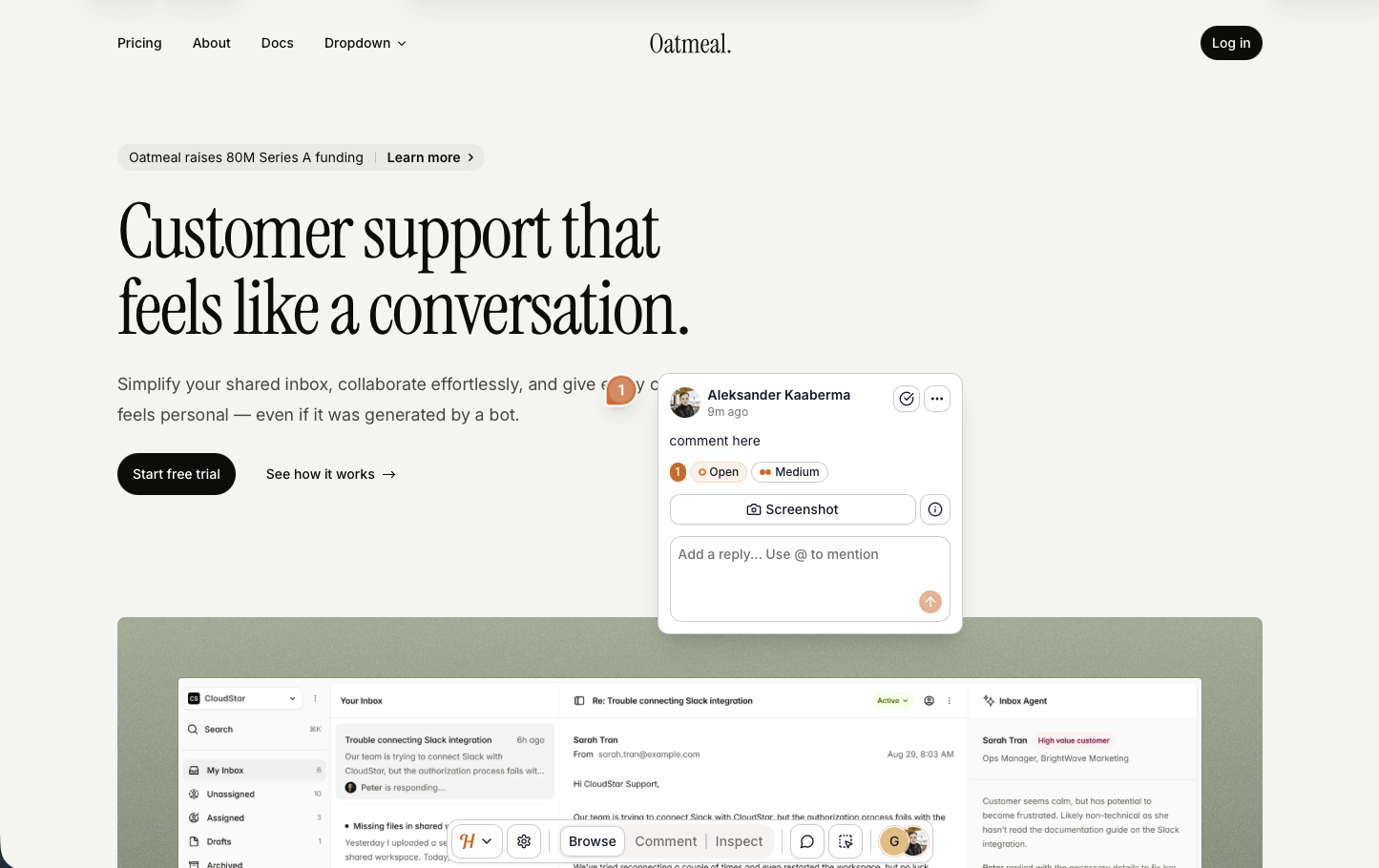
BugHerd installs via a script snippet, Chrome extension, or WordPress plugin. Onboarding is smooth and doesn't ask you to configure access rules upfront. Open a project from the app and you're automatically logged in to the widget — no separate login needed.
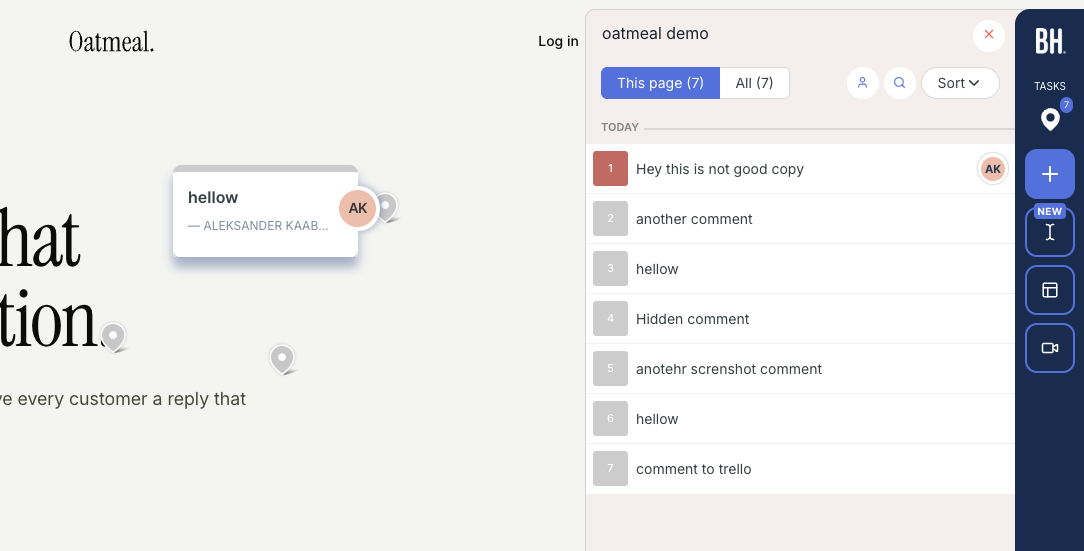
Every comment ships with an automatic screenshot plus technical details (browser, screen size, OS). The feedback board uses a kanban layout, so comments double as trackable tickets you can assign to team members. Integrations are solid, with two-way syncs available for Jira, Asana, Linear, ClickUp, and Monday on Premium and above.
One important distinction: BugHerd has a "public feedback" option, but that's meant for anonymous site visitors, not your clients or team. For clients and internal reviewers to leave feedback, they need to log in through BugHerd's hub first. You can't just send someone a link to your staging site and have them start commenting right away. That can be a dealbreaker for teams running internal reviews where you want stakeholders to visit the page and leave feedback without touching the feedback tool itself.
The widget is also heavily BugHerd-branded, so your clients will know they're using a third-party tool.
Key features:
- Automatic screenshot and technical metadata on every comment
- Kanban-style feedback board with task assignment
- Two-way integrations (Jira, Asana, Linear, ClickUp, Monday)
- Script, Chrome extension, and WordPress plugin install paths
Pricing:
- Standard $50/mo (5 members, $8 per additional)
- Studio $80/mo (10 members, adds video feedback)
- Premium $150/mo (25 members, premium integrations, custom branding)
- Deluxe $250/mo (50 members, 150 GB storage)
- Custom plan available with dedicated success manager and SLA
Pros:
- Automatic screenshot on every comment, no extra steps
- Kanban board makes feedback easy to track and assign
- Strong two-way integrations with major PM tools
- Clients don't need to create an account
- Smooth onboarding, quick to get started
Cons:
- Clients and reviewers must log in through BugHerd's hub before they can leave feedback on your site
- Heavily branded widget, no white-labeling until Premium
- Per-seat pricing climbs quickly for larger teams
Reviews:
BugHerd has 179 reviews on G2 with an average rating of 4.7/5. Users consistently praise how easy it is to use and appreciate the automatic screenshots and technical details attached to every comment. The kanban-style ticket board and team member assignment are frequently called out as standout features. On the downside, reviewers note that per-seat pricing climbs quickly as teams grow. The tool is simple overall, but a few users mention that clients need a small amount of guidance when first getting started.
One thing BugHerd has nailed is automatic screenshots. As we mentioned, this can't be done natively in the browser, so getting it right is harder than it looks. Not only does every comment get a screenshot automatically, but if a client leaves a comment inside an open dropdown, the screenshot captures that dropdown in its open state.
Pastel#
Built for: Freelancers
Best for: Solo creators reviewing static design deliverables. Hard to recommend for live-website feedback in 2026.
Pastel has been around since 2016, which makes it the senior tool on this list. That tenure cuts both ways. The product is mature and the UI is polished, but the workflow has not kept pace with what website feedback actually means today. Reviews say it works once you have a canvas set up, and that's technically true. The harder question is whether the workflow Pastel forces you into is one you actually want.
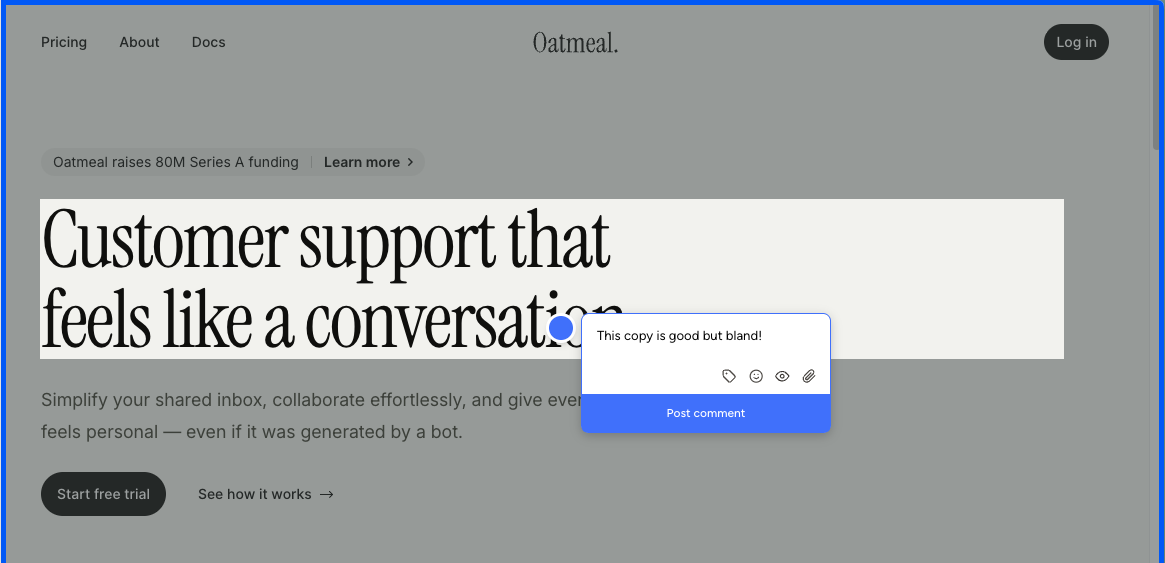
Setup is the easy part. Paste a script tag into your site or use the Chrome extension, and Pastel generates a "canvas" — a Pastel-hosted URL that frames a snapshot of your site. Reviewers leave comments inside that canvas, not on your live site. The Chrome extension doesn't change this. It only spins up a new canvas from whatever page you're on. There's no on-page commenting like BugHerd or Simple Commenter offer.
The iframe model carries a cost most teams only discover after committing: you can't submit feedback from a real mobile device. Mobile review happens inside Pastel through a desktop-emulated viewport, and anyone who has spent time in QA knows emulated mobile and real mobile behave differently. Touch handlers fire differently, fixed positioning misbehaves, modals jump around, and a meaningful share of the bugs you want clients to flag never surface in the emulator. For a website feedback tool in 2026, that's a hard limitation.
The free tier has another constraint that's easy to miss until you hit it: a 72-hour commenting window. Send a canvas and comments close automatically after three days. Some teams treat this as a forcing function for clients who otherwise drag review cycles out for weeks. For most teams it just means spinning up a new canvas every time a stakeholder needs an extra day.
Pricing reinforces the gap. Free Forever is generous on guest reviewers but capped at one active canvas plus the 72-hour window. Pro at $35/mo gets you to three canvases and two users, and that's essentially the whole offer. No integrations, no webhooks, no Trello, Asana, Jira, or Zapier — all of those sit behind Team at $119/mo. At the $35/mo price point you can find tools that include integrations, embed on the live site, and let clients comment from an actual phone. Pastel is asking the same money for noticeably less.
Key features:
- Iframe-based feedback canvases hosted on Pastel
- Asset feedback on images and PDFs, not just live websites
- Script-tag installation
- Chrome extension for spinning up new canvases
- File attachments and user mentions in comments
- Unlimited guest reviewers on every plan
- Project spaces, labels, and private comments
Pricing:
- Free Forever $0/mo (1 user, 1 active canvas, 72-hour commenting window, unlimited guest reviewers, 2 GB video)
- Pro $35/mo (2 users, 3 active canvases, CSV export, 100 GB video, no integrations)
- Team $119/mo (starts at 5 users, $24/user after, unlimited canvases, Trello/Asana/Jira/Zapier/webhook integrations, 500 GB video)
- Enterprise $450/mo (starts at 10 users, $45/user after, SAML SSO, SOC 2 report)
- 14-day free trial on all paid plans
Pros:
- Pin comments on images and PDFs, not just live sites
- Mature product, around since 2016
- Fast setup with a simple script tag
- Unlimited guest reviewers on every plan
Cons:
- Iframe-only feedback: reviewers comment on a Pastel-hosted snapshot, not your live site
- No real-device mobile feedback — mobile review is a desktop-emulated viewport, which behaves differently from an actual phone
- 72-hour commenting window on the free tier closes comments automatically after three days
- Chrome extension only creates new canvases; it isn't an on-page commenting tool
- Integrations are locked to the $119/mo Team tier; nothing on Pro
- Pro tier feels thin at $35/mo against tools at the same price that include integrations and live-site embedding
- Hard 3-canvas cap on Pro means active projects compete for slots
Reviews:
Pastel reviews tend to skew positive on the basics. Setup is fast, the canvas concept is easy to understand, and once a reviewer is inside the canvas the commenting itself is fine. The criticism shows up at the edges of that workflow. Clients balk at opening a separate tool to leave feedback. Stakeholders who don't review within 72 hours on Free hit a closed canvas and need a fresh link. Anyone trying to test on a real phone is funneled into a desktop-emulated viewport. None of these are dealbreakers for solo creators reviewing static deliverables, but they stack up fast for teams running live-site review cycles in 2026.
Huddlekit#
Built for: Agencies · Freelancers
Best for: Agencies and freelancers reviewing WordPress, Squarespace, and Webflow sites. A weak fit for SaaS apps or teams with stricter security needs.
Huddlekit launched in 2025 and the team has been shipping fast. Installation is one of the smoothest we tested — the iframe loaded cleanly, we were up and running in minutes, and we hit very few bugs across testing. For a tool this new, that level of polish stands out.
The standout feature is the four-screen responsive canvas. Huddlekit lets you view a project at mobile, tablet, laptop, and desktop sizes side by side, all in a single view. None of the other iframe tools on this list ship anything close. For agencies working on marketing websites, where mobile-responsive testing is genuinely critical, that's a real differentiator. You catch a misaligned hero on mobile and a stretched headline on desktop in the same review pass, without bouncing between viewports.
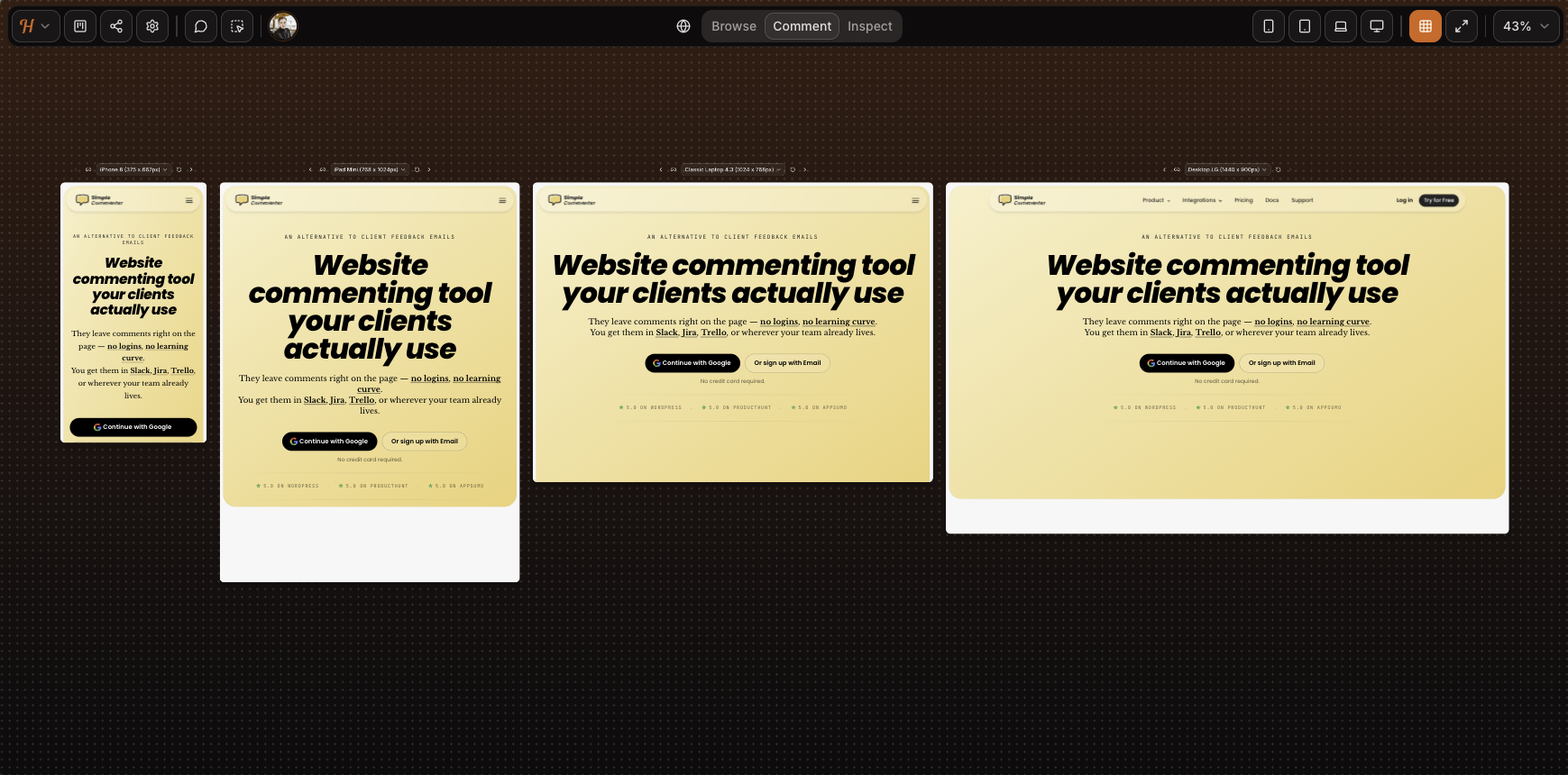
The iframe trade-offs that come up everywhere else on this list still apply. Mobile feedback runs through a desktop-emulated viewport rather than a real device — as the screenshot shows, the SVG animation on our homepage is missing entirely. Complex authenticated apps won't load inside the canvas, and although iframe tools can sometimes be configured around Basic Auth, Huddlekit doesn't support that flow yet. Our test page behind auth wouldn't load. If you're reviewing a marketing site or a CMS-built page on WordPress, Squarespace, or Webflow, the iframe is fine. For a SaaS product or anything authenticated, expect friction.
Script loading is the second install path, currently in beta. On our test pages it worked really well — setup was clean, every comment got an automatic screenshot, and crucially, the screenshot was captured from the exact spot the comment was placed (a real gap on tools like Markup, where it can land on the wrong part of the page). It's close to ready to come out of beta. The remaining rough edges show up on more complex elements like dropdowns and drawers.
Sharing is straightforward on either install path. The iframe gives you a public link; the script flow on a live site is parameter-only. Neither path adds login-gated access, so anyone with the link can open the project and read existing feedback. Leaving a comment is the only gated step, and Huddlekit asks for a name and email rather than a full account. Lightweight, but not anonymous.
Email-based auto-association also means anyone who knows a team email can comment as that member. For freelancers and small agencies, that's a fine simplicity-for-security trade. For larger corporations that need login-gated access, audit trails, or control over who can see feedback at all, it falls short. Pricing tiers capping at 15 team members signal that enterprise isn't the target.
The integration story is the other gap. There are no integrations live yet. The marketing leans into this, pitching explicitly against a "screenshot-and-Slack workflow." The kanban board doubles down on the same idea: Huddlekit is trying to be your PM tool, not pipe into one. That works for teams with no existing tracker. Most agencies and larger companies already live in Jira, Trello, or ClickUp, and managing feedback in a second tool with no two-way sync is a real ask.
There's no white-labeling on any tier. Every comment, shared link, and dashboard view carries the Huddlekit logo, which is a real consideration for agencies handing work to clients under their own branding.
Key features:
- Iframe-based feedback with script loading in beta
- Four-screen responsive view (mobile, tablet, laptop, desktop side by side)
- Media commenting (images, PDFs, video) alongside web pages
- Automatic screenshot on every comment
- Kanban board, comment pausing, private comments, and inspect mode on every paid tier
- Public-mode widget loading for live-site feedback
- Forever free tier suited to solo work
Pricing:
- Free tier (3 team members, 1 project, 100 MB storage, 2 MB image/PDF, 10 MB video), suited for solo and side projects
- Pro $19/mo, $190/year (3 team members, unlimited projects, unlimited guests, 5 GB storage, unlimited custom tags, 50 MB image/PDF, 500 MB video)
- Team $39/mo, $390/year (15 team members, unlimited projects, unlimited guests, 50 GB storage, unlimited custom tags, 250 MB image/PDF, 2 GB video)
- Two months free on yearly billing
Pros:
- Smooth install and a polished feel for a tool this new, with very few bugs across our testing
- Four-screen responsive view (mobile, tablet, laptop, desktop side by side) is unique to Huddlekit in this category
- Script loading holds up even in beta, with screenshots captured from the correct spot — better than several incumbents we tested
- Forever free tier that's genuinely usable for solo work
- Public-mode widget is a clean fit for live-site feedback collection
- Automatic screenshot on every comment
- Kanban, comment pausing, private comments, and inspect mode all included from Pro
- Active development cadence
- Simple sharing on either install path
Cons:
- Iframe model breaks on Basic Auth, authenticated SaaS, and pages that refuse to render in iframes
- Mobile feedback is desktop-emulated, not real-device
- Anyone with the link can open the project and read existing feedback — no view-level access control, gating only kicks in when leaving a comment
- Every comment requires a name and email, so there's no fully anonymous flow
- No integrations
- No white-label or custom branding on any tier
- Security model isn't a fit for enterprise compliance needs
- No third-party reviews on G2, Capterra, or Product Hunt yet to verify the tool's rating
Reviews:
The Huddlekit site shows a 5/5 rating, but we couldn't find any third-party reviews on G2, Capterra, or Product Hunt to triangulate against. The on-page testimonials line up with what we saw in testing: a clean iframe experience, fast iteration, and a viable alternative to Markup.io, Pastel, and Ruttl for asset review on simple sites.
The same caveat as BugSmash applies — a full assessment has to wait until subscriber reviews land on G2 or Capterra. For starters though, Huddlekit looks promising: the same iframe feature set as the incumbents, an active development cadence, and a script-loading path that already outperforms several of them in our testing. The beta label isn't a reason to hold off. It's already good enough to lean on, which puts Huddlekit in the more versatile install category we recommend.
Ybug#
Built for: QA teams · In-house product teams · SaaS teams
Best for: Internal QA and product teams that want a screenshot-to-ticket workflow with strong debugging data and EU data residency.
Ybug installs via a script snippet or a Chrome browser extension. Both are first-class, so reviewers can either visit a site you've added the script to, or install the extension and capture feedback on any page they have access to. Onboarding is fast and the widget is customizable per project — you decide which fields appear on each report. Permissions are granular at the project level, which is genuinely useful when you want to separate clients, environments, or testing pools.
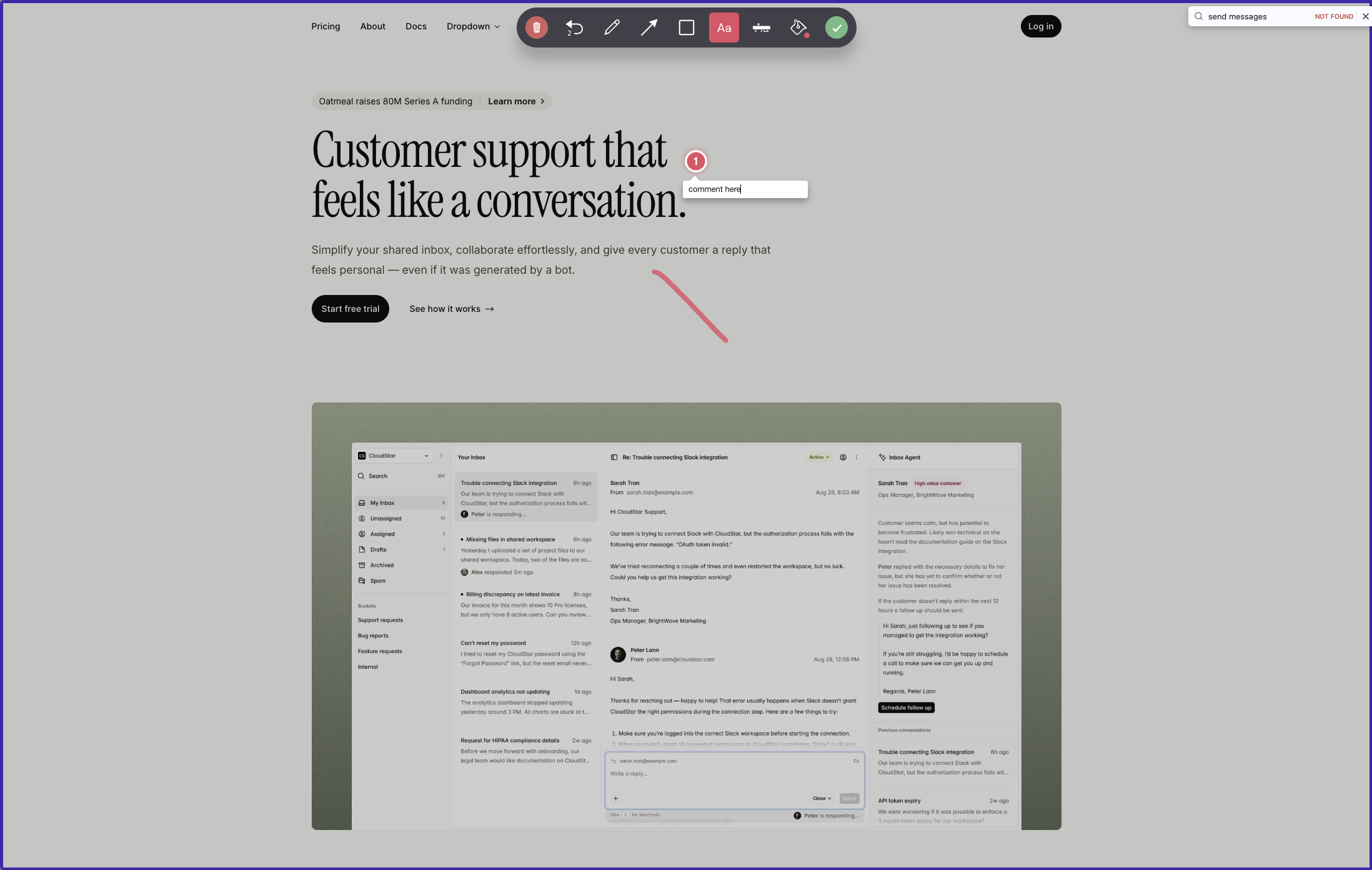
The key thing to understand about Ybug is the interaction model. Open the widget and you choose between sending feedback about the entire page or capturing a screenshot. Pick the screenshot route and you can draw on it, annotate it, and pin comments to specific spots — but on the screenshot itself, not on the live page. Submit, and the whole package becomes a ticket in Ybug's dashboard or, more often, in whatever PM tool you've connected. The visual-conversation experience that BugHerd and Simple Commenter offer — pins anchored to live elements that other reviewers see when they visit the page — isn't what Ybug does. Comments live on captured screenshots, not on the page itself.
Where Ybug earns its keep is the data attached to those tickets. Every report comes with annotated screenshots and automatic browser, OS, and screen-size metadata. Paid plans add JS console capture and error logs by default. Startup tier and above add video recording, file attachments, and feedback replies, closing most of the gap with heavier tools. Hosting is EU-based with a GDPR-ready DPA on every plan — a real selling point for European teams or anyone with a compliance officer asking pointed questions.
The integrations catalog is one of the broadest on this list — 25+ destinations across project management, communication, customer support, and developer tools, plus Zapier and a generic webhook. The catch is that the sync is push-only. Feedback flows out to your PM tool, and from that moment the two systems are disconnected. Status changes, comments, and assignments made in Jira or ClickUp never come back to Ybug. Teams end up living in two places — Ybug for the capture, the PM tool for everything else.
Collaboration is the other friction point. To see reports or join a discussion, every team member and stakeholder needs a Ybug account and has to jump into the Ybug dashboard. Because reports don't surface on the live page, a marketer reviewing the homepage can't see that three colleagues have already flagged the same broken link. Duplicate reports are the normal outcome.
Pricing is honest and the free tier is genuinely usable for solo testing. Tier jumps are steep though, because seats and projects are bundled together. Need an eighth project? You're moving from Startup at €23/mo to Company at €47/mo, even if your team hasn't grown. Custom branding sits on the Company plan and the white-label option is still marked "coming soon" — so for now, your reviewers see Ybug branding no matter what you pay.
Key features:
- Script tag and Chrome browser extension install options
- Whole-page feedback or screenshot capture with on-image drawing, annotation, and pinned comments
- Customizable widget fields per project
- Granular project-level permissions
- JS console recording and automatic browser, OS, and screen-size metadata (paid tiers)
- Video recording and file attachments (Startup and above)
- 25+ one-way integrations across PM, communication, support, and dev tools, plus Zapier and webhooks
- EU-hosted with GDPR-ready DPA on every plan
Pricing:
- Free €0/mo (1 project, 1 member, 50 screenshots)
- Basic €10/mo billed annually or €13/mo monthly (3 projects, 3 members, integrations limited to one per project)
- Startup €23/mo billed annually or €29/mo monthly (7 projects, 7 members, full integrations, video, file attachments, replies)
- Company €47/mo billed annually or €59/mo monthly (15 projects, 15 members, REST API, custom fields, custom branding)
- 10-day free trial, no credit card required
Pros:
- Broad integration catalog (PM tools, support tools, communication, Zapier, webhooks)
- Strong debugging data: annotated screenshots, console logs, environment metadata
- Granular project permissions for separating clients or environments
- EU hosting and GDPR-ready DPA on every plan, including Free
- Support team consistently praised in reviews for sub-day response times
Cons:
- Comments are pinned to captured screenshots, not to live page elements — reviewers who visit the page later can't see existing feedback
- Reviewers and team members must create a Ybug account to see or reply to feedback
- One-way integrations only — no two-way sync from your PM tool back to Ybug
- Custom branding sits on the Company plan; white-label is still "coming soon"
- Tier jumps are steep because seats and projects are bundled together
Reviews:
Ybug has strong ratings on G2, with reviewers consistently highlighting how easy it is for non-technical reporters to file useful bug reports. Annotated screenshots, automatic environment data, and console logs are the standout features mentioned, especially for QA and UAT workflows. The support team gets called out often for fast turnaround, with multiple reviewers noting response times under one business day. The most common complaint matches what we hit in testing: reviewers and stakeholders need a Ybug account to see anything, which adds friction in client-facing or cross-team review work. For an internal QA team in a product org that already lives in a PM tool — and is happy treating Ybug as a screenshot-to-ticket pipeline — it's well-rated. For teams that want a visual conversation pinned on the live page, this is a different shape of product.
Which one should you pick?#
If the dashboard-only viewing is the gap you feel in Volley, Simple Commenter and Feedbucket fix it directly — comments live on the page, both ship card-free trials, and both include real two-way PM sync. If you want a kanban board on top of a feedback widget, BugHerd is the closest match. Pastel and Huddlekit are the iframe picks for static design or marketing-site review. Ybug is the EU-hosted bug-tracker pick when compliance matters.
Found this useful? Add us as a preferred source and Google will show you more of our guides in Search and AI Overviews.