6 Best Ybug Alternatives in 2026
Ybug is an EU-hosted screenshot-to-ticket tool, but reviewers need accounts, integrations are push-only, and tier jumps are steep. Six alternatives.


Our Ybug screenshots and testing notes date from the original review. Ybug's plans and prices were checked again against its pricing page on 2026-10-29, and they still match what this page says.
The right Ybug alternative depends on who files the feedback. When clients review a live site, tools that pin comments to the page and skip accounts fit better than Ybug. When internal QA files bug reports, Marker.io and BugHerd match Ybug's depth and add two-way sync with your tracker.
Ybug earns its place for internal QA. It's an EU-hosted, GDPR-ready capture tool with 25+ integrations, console and environment data on paid plans, and video and file attachments from the Startup tier. If your team already lives in Jira or ClickUp and wants clean screenshot tickets, it does that job well.
The friction is in the model rather than the depth. Notes are pinned to captured screenshots, not to the live page, so the next person on that page can't see what was already reported. Anyone who wants to read or reply to a report needs a Ybug account. Integrations push feedback out, and status changes or replies in Jira or ClickUp never come back. And because seats and projects are bundled into the same tiers, you can outgrow Startup (€23 a month, billed yearly) and land on Company (€47) without hiring anyone. As of 2026-10-29 Company sells extra projects at €3 a month, per Ybug's pricing page, but Basic and Startup don't.
If the account wall is slowing client reviews, the one-way sync has split your team across two tools, or the tiers no longer fit how you work, start with these six.
Simple Commenter#
Built for: Agencies · Freelancers · QA teams · SaaS teams
Best for: Teams moving off Ybug's ticket model back to conversations, where clients reply on the page without a Ybug-style account.
Simple Commenter is our own product, so weigh this section with that in mind.
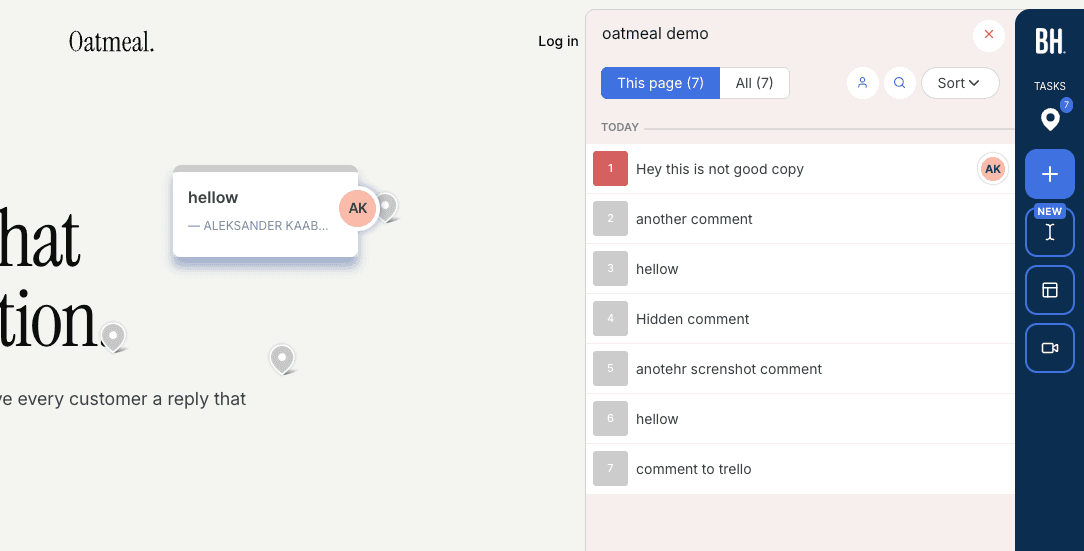
Leaving Ybug for Simple Commenter means trading tickets for threads. A Ybug report is a screenshot with notes that becomes a ticket. A Simple Commenter comment is pinned to an element or to highlighted text on the live page, stays there for the next reviewer, and collects replies in place. Nobody files the same broken link three times, because the pin is already sitting on it.
Accounts are the second change. Ybug needs one for everyone who reads or replies. We let guests comment and reply with no account, and invited clients get named comments plus an email when you answer. Clients never count as seats, and reviewer access runs from open guest commenting to invite-only, set per project.
Seats and projects come apart too. Pro gives you 3 team members and 10 active projects, and archived projects don't count. A fourth teammate costs one $9.99 seat rather than a plan change. Past 10 active projects you move to Agency, which removes both limits.
Ybug is still stronger on debugging, and you should know where. We attach a screenshot, browser details and the last 10 JavaScript errors from the page to each comment, visible to your team only. Ybug records the console on paid plans, logs included, where we keep errors only. Its 25+ integrations also reach customer support tools we don't connect to. Ybug costs less to start, €10 a month on yearly Basic, has a free plan, and documents EU hosting with a DPA on every plan.
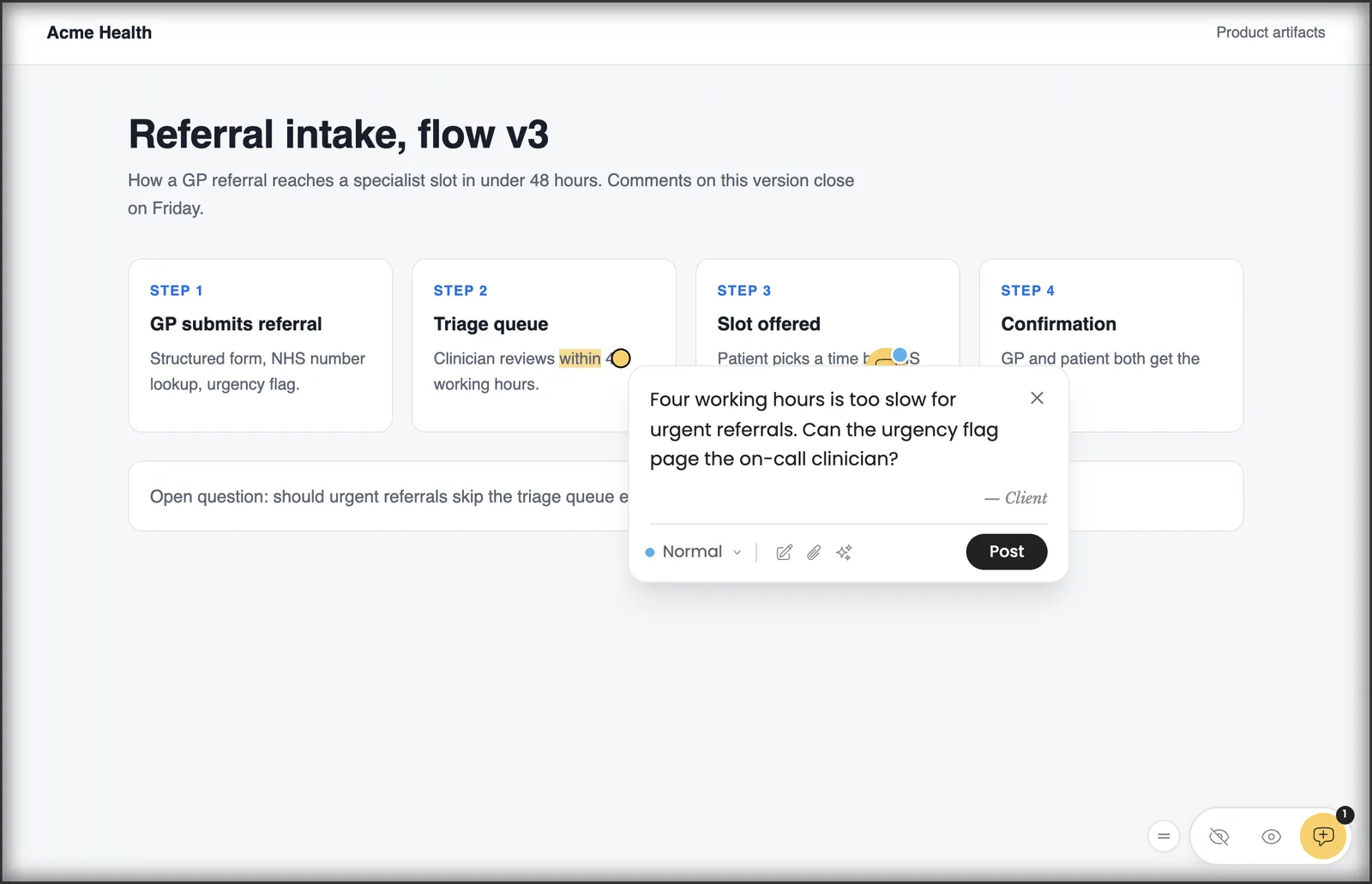
Key features:
- Pins on live elements and highlighted text, seen by everyone who opens the page
- Guests comment and reply without an account
- Screenshot, browser details and the last 10 JavaScript errors with every comment
- Integrations on Pro with Asana, ClickUp, GitHub, Jira, Linear, Monday.com, Slack and Trello
- Email notifications and webhooks for anything else
- AI agents can read, reply to and resolve feedback over MCP
- WordPress plugin with a feedback inbox in WP admin
- PDF and image review
Pricing:
Seats on Simple Commenter are sold one at a time. Pro is $34.99 a month or $349.99 a year (€29.99 or €299.99) with 3 team members and 10 active projects included, and each extra member is $9.99 a month. Agency, at $79.99 a month or $799.99 a year, has unlimited members and projects and adds white-label. Clients are free on every plan. There's a 14-day trial with no card, and the pricing page lists prices in EUR, USD, GBP, CAD and AUD.
Pros:
- Feedback stays on the page, so duplicate reports drop
- No account for guests, where Ybug needs one for every reader
- Seats and projects aren't welded into the same tier jump
- Errors from the page's console travel with each comment
- AI agent access over MCP on Pro
Cons:
- Captures console errors only, not the full console log Ybug records
- About ten integrations against Ybug's 25+, with no help desk tools
- Higher entry price than Ybug Basic, and no free tier for live use
- More than 10 active projects means moving to Agency
Reviews:
Simple Commenter is rated 5.0 on Product Hunt and AppSumo. A Product Hunt reviewer put the difference from screenshot tools plainly, "Clients can mark up the live site or PDFs directly". Reviewers who left Markup say their clients found it easier, and one weighed it against Pastel on price before choosing.
Feedbucket#
Built for: Agencies · QA teams · SaaS teams · In-house product teams
Best for: Ybug users who like pushing feedback into a tracker but want clients to comment without creating an account.
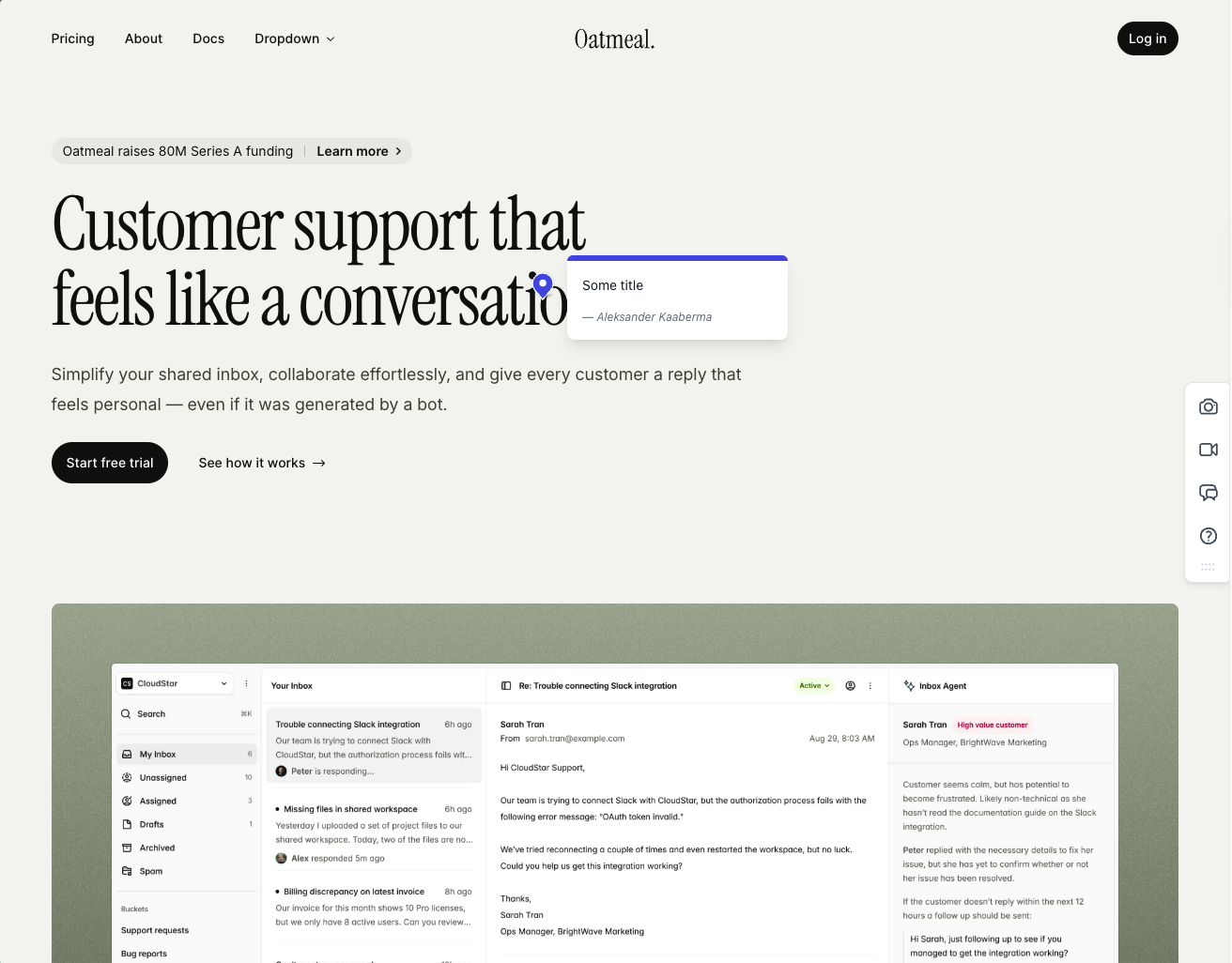
Feedbucket keeps the part of Ybug that works, feedback flowing into your tracker, and drops the account wall. Clients comment through a link with no signup, the widget runs on the live page by script, and each screenshot is taken where the comment was placed. In our test they were accurate every time.
Like Ybug, it's built as the layer between your site and your tracker, not a home for triage. Its integrations cover most project management tools, and the dashboard is just as light, with tag and page filters and no priority, ordering or board. Console logs, which Ybug includes on paid plans, sit on Feedbucket's $89 Business plan.
Pricing is in dollars and per seat. Pro at $39 includes 5 team members and unlimited reporters, so stakeholders who only report never need a seat, which is a real change from Ybug. Comments ask for a title by default, a toggle you can switch off, and the WordPress plugin only installs the script.
Key features:
- Script install with one-click installers for WordPress, Shopify and other platforms
- Automatic screenshot at the point of the comment
- Video feedback and screen recordings on every plan
- Integrations with most major PM tools
- Guest commenting through a link
Pricing:
- Pro $39/mo, 5 team members, unlimited reporters, screenshots, video and integrations
- Business $89/mo, 25 members, console logs, JavaScript API, custom branding, custom metadata
- Enterprise $259/mo, success manager, priority support, invoicing, SSO listed as coming soon
- Yearly billing saves 20%
- 14-day trial, no credit card
Pros:
- Reporters and clients never need an account
- Comments stay on the live page
- Accurate screenshots
- Unlimited reporters on every plan
- Card-free trial
Cons:
- Console logs only from the $89 Business plan
- Dashboard as thin as Ybug's, no priority or board
- Title field on by default
- Light customization below Business
- WordPress plugin installs the script and nothing else
Reviews:
Reviews line up with our test. Users keep returning to the no-signup flow and a "bug-free" experience, and teams already working in Jira, Trello or Asana describe it as the link between site and tracker. The mild complaints are the dashboard and customization on cheaper plans, neither of which a Ybug user will find worse than before.
BugHerd#
Built for: QA teams · In-house product teams
Best for: QA teams tired of Ybug's one-way push who want two-way tracker sync and a kanban board to triage on.
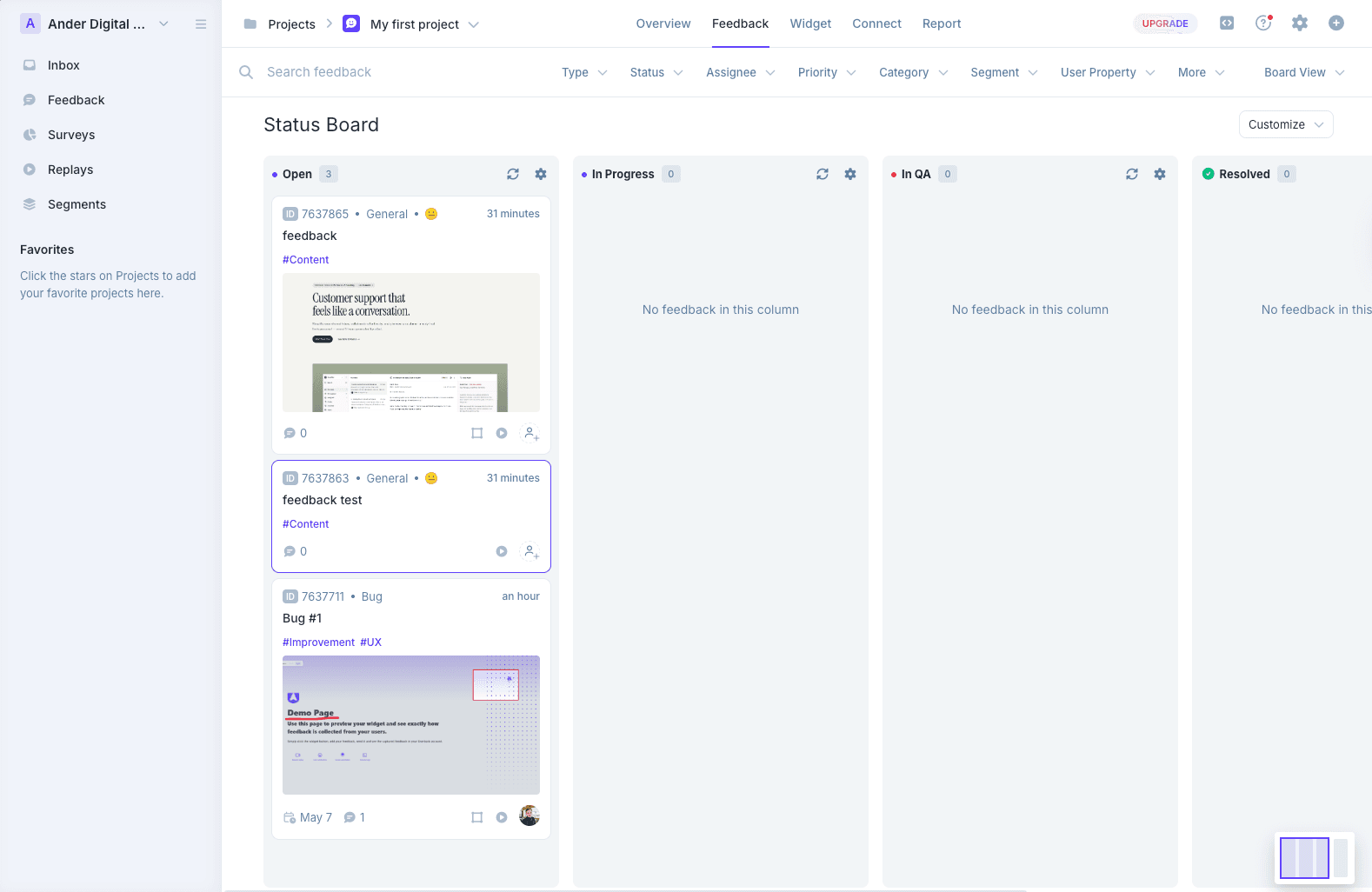
BugHerd fixes the integration complaint. Where Ybug pushes a report out and forgets it, BugHerd offers two-way sync with Jira, Asana, Linear, ClickUp and Monday from Premium, so status changes come back. Its kanban board turns each comment into an assignable task, so triage can happen inside BugHerd rather than across two tools.
Feedback is pinned on the page through a script, Chrome extension or WordPress plugin, with a screenshot plus browser, screen size and OS attached. Its screenshots were the best we tested, right down to capturing a dropdown in its open state.
Accounts don't go away, though. BugHerd's support article says a client can follow a share link without logging in, but the first comment asks for a name and email and creates a guest account, and a welcome email follows. Pricing is per seat from $50 a month for 5 members, and custom branding waits for Premium at $150.
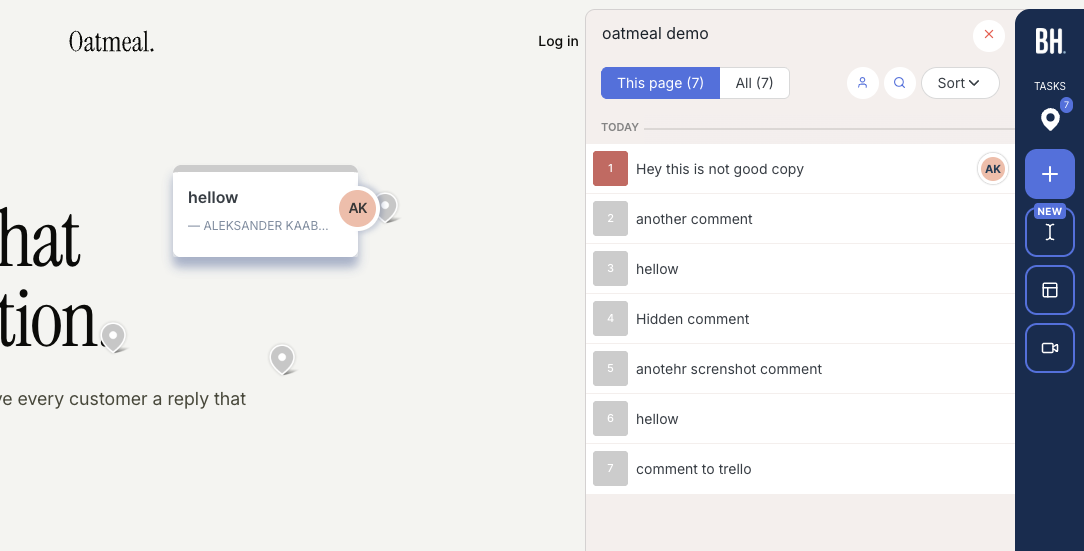
Key features:
- Screenshot plus browser, screen size and OS on every comment
- Kanban board with assignments
- Two-way sync with Jira, Asana, Linear, ClickUp and Monday (Premium and up)
- Script, Chrome extension and WordPress plugin installs
Pricing:
- Standard $50/mo for 5 members, $8 per additional member
- Studio $80/mo for 10 members
- Premium $150/mo for 25 members, premium integrations and custom branding
- Custom plan with a dedicated success manager and SLA
Pros:
- Two-way sync, the thing Ybug's integrations lack
- Pins on the live page that other reviewers can see
- Excellent automatic screenshots
- A board to triage and assign inside the tool
- Quick onboarding
Cons:
- A client's first comment still creates a guest account and sends a welcome email
- Two-way sync and branding need the $150 Premium plan
- Per-seat pricing climbs fast as teams grow
- Heavily branded widget
Reviews:
BugHerd had 179 reviews on G2 averaging 4.7 out of 5 at our last check. Reviewers praise how easy it is, the screenshots and technical details, and the board with assignments. The common complaint is per-seat cost as a team grows, and some say clients need a short introduction before their first comment.
Marker.io#
Built for: SaaS teams · In-house product teams · QA teams
Best for: Product teams that chose Ybug for debugging data and want more of it, with two-way tracker sync and enterprise security.
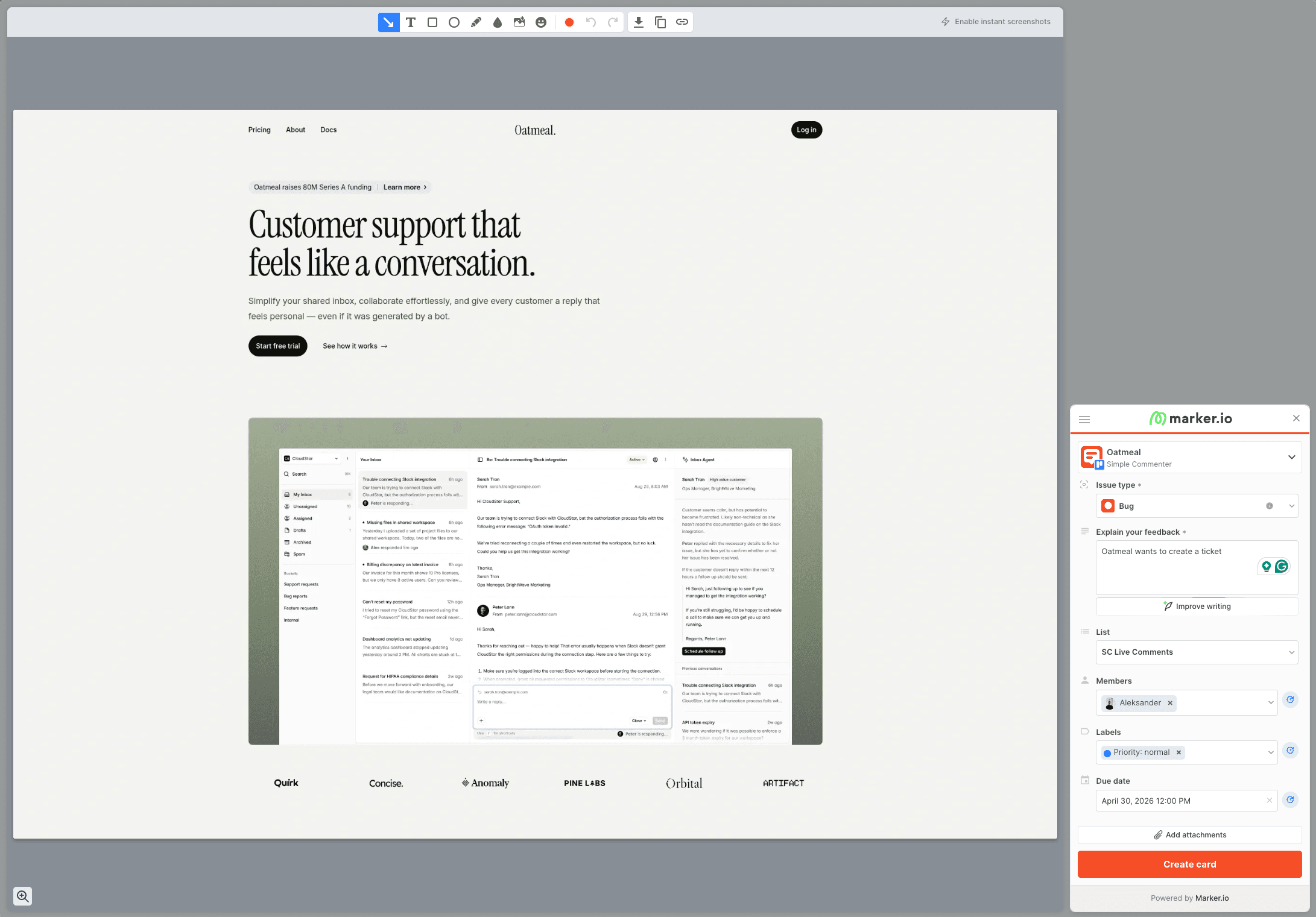
Marker.io is Ybug's nearest relative and the upgrade path if debugging data is why you picked Ybug. Both turn feedback into a screenshot ticket for your tracker instead of a pin on the page. Marker.io goes further, with console logs, network requests and session replay on eligible plans, and two-way integrations with Jira, Linear, Asana, Trello, ClickUp and Monday.
It installs by script, Chrome extension, npm package or CMS plugins for WordPress, Drupal, Webflow and Shopify. Onboarding asks for your integrations first, a fair signal of what it is, the middle layer between your site and your tracker. Security covers SSO SAML, audit logs, sensitive data masking and SOC 2 Type 2, more than Ybug lists.
Reviewer access is looser than Ybug's. Marker.io's role documentation allows account-free reports through an open widget, and reporters can follow up on their own reports, while seeing other people's reports needs guest or team permissions. On-page visibility is the same gap Ybug has, since reviewers can't see existing tickets, so duplicates happen. There's no feedback on images or PDFs.
Price is the jump. Starter is $39 a month on yearly billing for 3 users and 10 projects, and session replay and issue sync start on Team at $149. Eligible agencies can apply for a separate Agency plan.
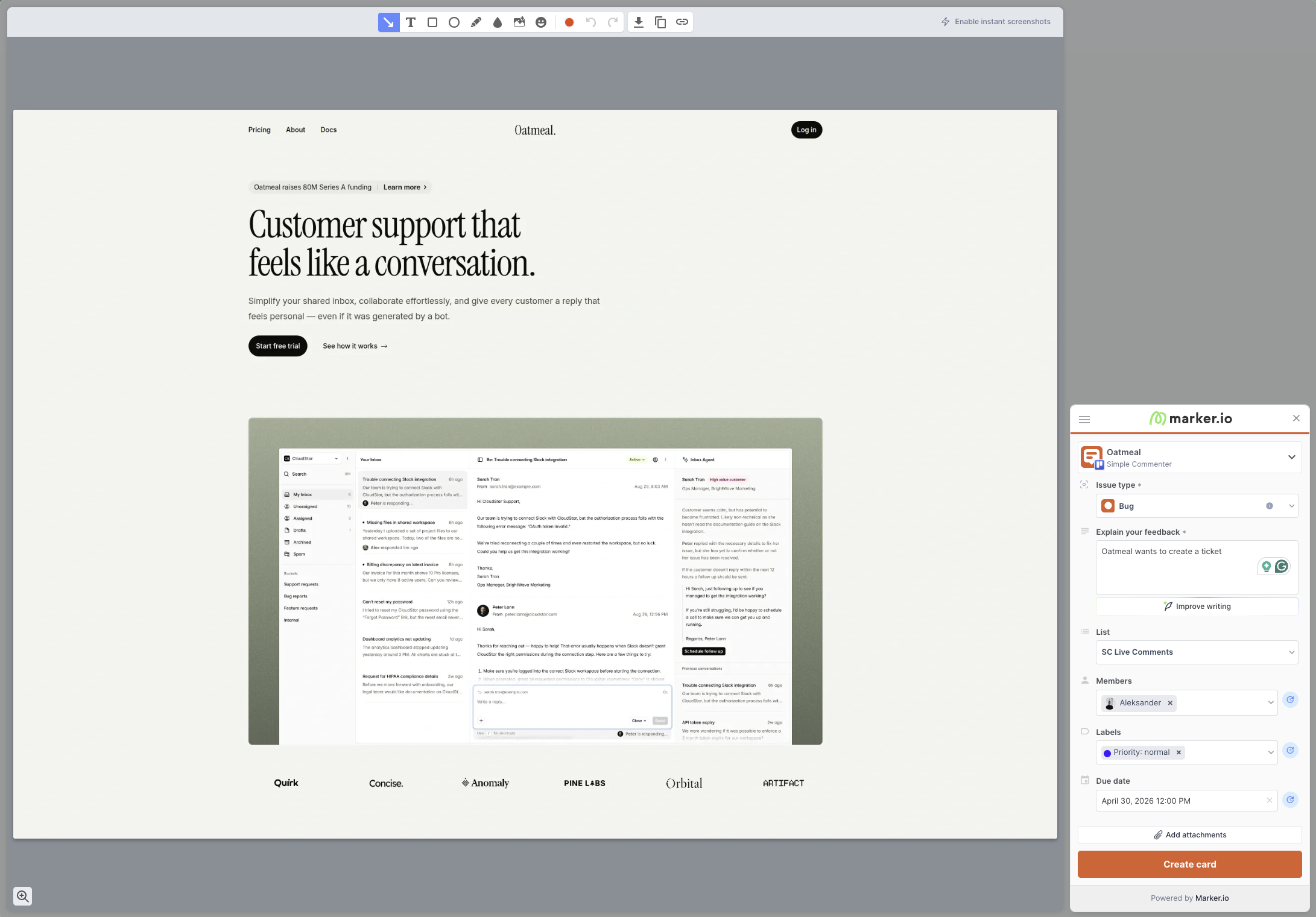
Key features:
- Bug tickets with screenshot and environment data, and on eligible plans console logs, network calls and replay
- Two-way integrations with Jira, Linear, Asana, Trello, ClickUp, Monday and others
- Script, Chrome extension, npm package and CMS plugin installs
- SSO SAML, audit logs, sensitive data masking, SOC 2 Type 2
Pricing:
- Starter $39/month yearly or $59 monthly, with 3 users and up to 10 projects
- Team $149/month yearly or $199 monthly, with 15 users, 50 projects, issue sync, replay and dev tools
- Business at custom pricing
- Agency, for eligible agencies, at $99/month yearly or $129 monthly with 15 members, 50 projects, 50 guests
- 15-day free trial with no credit card
These prices come from the Marker.io pricing page as we checked it on October 8, 2026. Confirm the plan, billing period and reviewer permissions before you compare totals with Ybug.
Pros:
- Deeper developer data than Ybug, including network requests and replay
- Two-way tracker sync instead of a one-way push
- Install plugins for most CMSs
- Strong screenshot and annotation tools
- SOC 2 Type 2, SSO SAML and audit logs
Cons:
- No pins on the page, every report is a new ticket
- Reviewers can't see existing tickets, so duplicates pile up
- No image, PDF or video feedback
- Account-free reporters can't open the shared dashboard
- Theming limited to button and widget color
- Replay and issue sync start at $149 a month
Reviews:
Marker.io's case studies show its target user. L'Oréal credits it with easier feedback across hundreds of websites, the one central dev team, many markets pattern it's built for. G2 reviewers praise the debugging data and how easily non-technical colleagues file bugs developers can act on. The criticism is fit, smaller teams call it overkill and mention duplicate reports from the missing on-page visibility.
Userback#
Built for: In-house product teams · QA teams · SaaS teams
Best for: Product teams that want Ybug's integration reach plus session replay and surveys, inside a heavier dashboard.
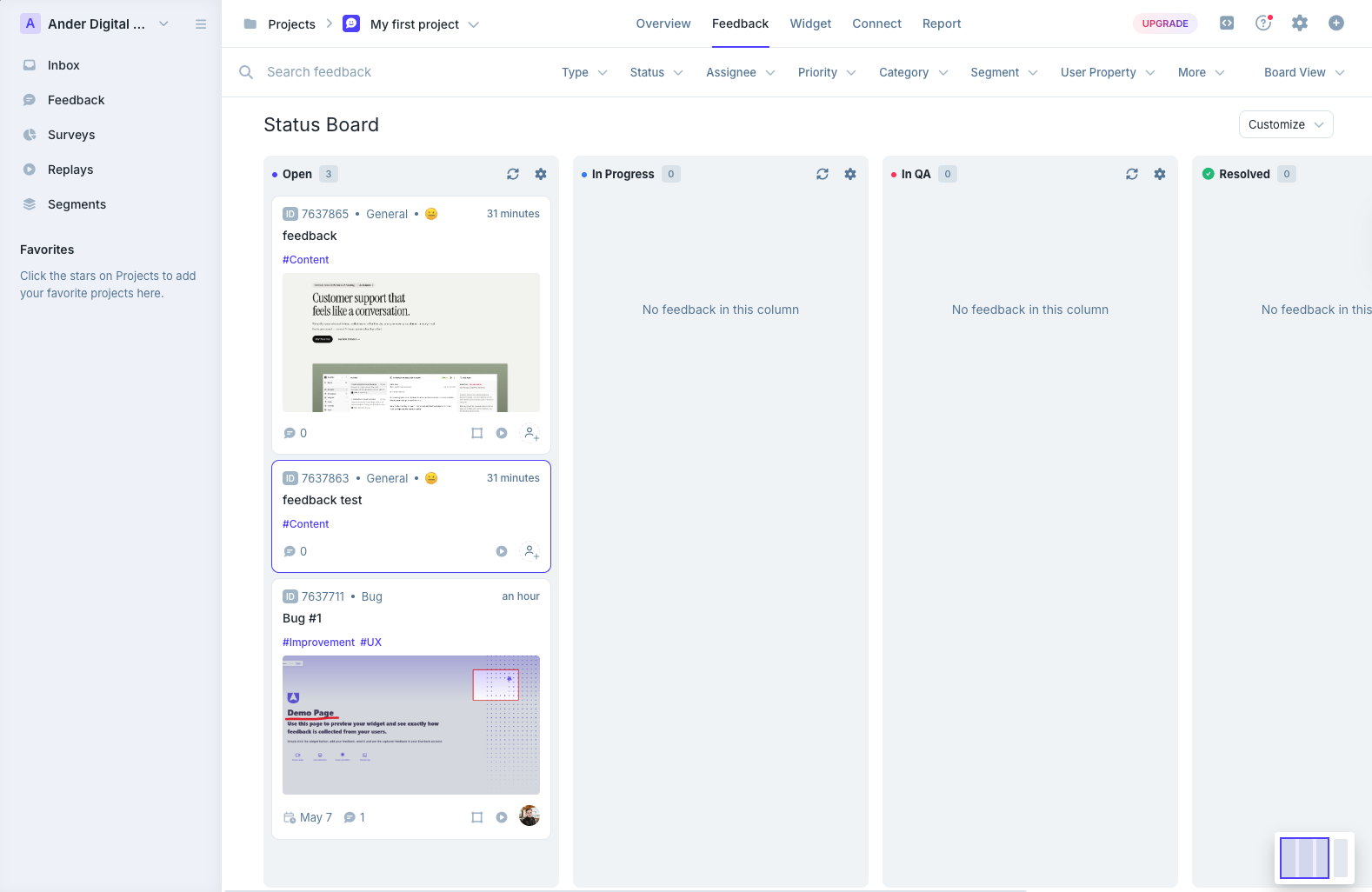
Userback is roughly what Ybug would be with a bigger dashboard. It sits between your site and your tracker like Ybug, but triage happens in its own kanban boards and a mailbox-style inbox, and Business adds session replay, user surveys and behavioral targeting. Its integration list is one of the longest in this category.
Screenshots are weaker than Ybug's. Not every comment gets one automatically, captured screenshots carry no marker showing where the comment went, and placing a pin means attaching a screenshot in the same step. Existing comments don't show on the page either, the same duplicate-report problem Ybug has.
Pricing bundles seats by plan, much like Ybug, with 15 seats on Business from $89 a month on yearly billing. Team at $39 a month yearly has 5 seats and 5 sites, REST API and webhooks need Business Plus, and the free plan keeps feedback for only 7 days. The WordPress plugin installs the script and nothing more. And despite the names, Userback and Usersnap are different products.
Key features:
- Long integration list, including Zapier
- Kanban boards and a mailbox-style inbox
- Session replay, surveys and behavioral targeting on Business and above
- AI Feedback and Insights on Business and above
- Mobile SDK and REST API on Business Plus, SSO on Enterprise
Pricing:
- Free Forever, 2 projects, 7-day feedback availability, up to 2 seats, core features
- Team $39/month yearly or $49 monthly, 5 seats and 5 sites
- Business $89/month yearly or $119 monthly, 15 seats, 25 sites, replay, dev tools
- Business Plus $159/month yearly or $199 monthly, 25 seats, 50 sites, REST API, webhooks
- SSO is part of Enterprise, see Userback pricing (checked November 2, 2026)
Pros:
- Integration list as long as Ybug's
- 15 seats on Business and 25 on Business Plus
- Session replay and surveys in the same tool
- A free plan, if a narrow one
Cons:
- Automatic screenshots aren't on every comment
- No marker on screenshots showing where the comment was placed
- Existing comments don't appear on the page
- Heavy for small teams or quick client reviews
- REST API and webhooks only on Business Plus
- WordPress plugin is a script installer only
Reviews:
Reviews are strongly positive on ease of use and customer service. QA teams like how quickly they can test registration flows and site components before launch, and project setup and routing come up as strengths. The criticism is price and fit, API access sits on the top tier, and some reviewers find the feature set larger than they need.
Pastel#
Built for: Freelancers
Best for: Teams whose review work is mostly design sign-off on images and PDFs rather than bug reports.
Pastel is on this list for one case, when what you were using Ybug for is really design approval rather than bugs. It reviews images and PDFs as well as websites, has been around since 2016, and gives every plan unlimited guest reviewers.
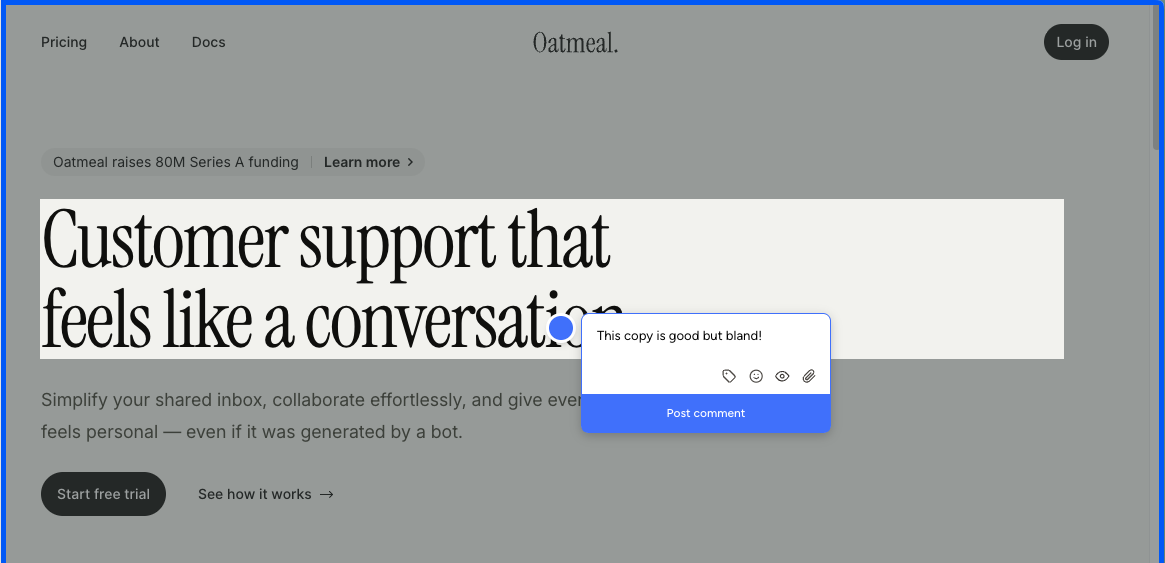
For anything QA-shaped it's a step back from Ybug. Review happens in a Pastel-hosted canvas that frames a snapshot of the site, built from a script tag or the Chrome extension, and mobile is a desktop-emulated viewport. It isn't designed around bug reports with technical data the way Ybug is.
Integrations start at $119 a month on Team, where Ybug includes them from Basic at €10. Pro is $35 for 2 users and 3 active canvases, and the free plan closes comments 72 hours after a canvas is shared.
Key features:
- Canvases hosted on Pastel
- Image and PDF feedback
- Script tag setup
- Chrome extension for new canvases
- Attachments and mentions
- Unlimited guest reviewers
- Spaces, labels and private comments
Pricing:
- Free Forever $0, 1 user, 1 active canvas, comments close after 72 hours, 2 GB video
- Pro $35/mo, 2 users, 3 active canvases, CSV export, 100 GB video, no integrations
- Team $119/mo, 5 users then $24 each, unlimited canvases, Trello, Asana, Jira, Zapier, webhooks
- Enterprise $450/mo, 10 users then $45 each, SAML SSO, SOC 2 report
- 14-day trial on paid plans
Pros:
- Image and PDF approval in a mature interface
- Unlimited guest reviewers on every plan
- Around since 2016
- Fast to set up
Cons:
- Hosted canvas only, no comments on the live site
- Not built for bug reports with technical data
- No integrations below $119, where Ybug has them from €10
- Emulated mobile only
- 72-hour comment window on the free plan
- 3 canvases on Pro
Reviews:
Pastel's reviews are positive about quick setup and an easy canvas. The complaints come from the workflow, clients reluctant to open another tool, free canvases that close after 72 hours, and phone testing in an emulator. For design sign-off by a solo creator that's acceptable. For a QA team used to Ybug, it isn't the right shape.
Which one should you pick?#
If Ybug's account wall is slowing client reviews, Simple Commenter and Feedbucket let guests comment on the live site without signing up. If the one-way push is the problem, BugHerd's two-way sync and board are the kanban-shaped upgrade. If debugging depth and SOC 2 Type 2 matter more than client workflow, Marker.io carries the richest developer data here. Userback suits teams that want replay and surveys in a heavier dashboard, and Pastel fits when the real work is design approval rather than bugs. If EU hosting and console logs at €10 a month are what you need, Ybug may still be your best option.
Found this useful? Add us as a preferred source and Google will show you more of our guides in Search and AI Overviews.