Usersnap vs BugHerd: Which One Fits Your Team? [2026]
Usersnap is a product evidence platform with AI analysis; BugHerd is a visual feedback board for websites. How they compare, plus alternatives.

The hands-on observations and screenshots below come from our original evaluation. This update corrects product facts and cited documentation; it does not represent a new product test.
TL;DR#
Usersnap and BugHerd get compared constantly, but in 2026 they solve different problems: BugHerd stayed a visual website feedback tool, while Usersnap now positions itself as a product evidence platform. BugHerd is the pick if you want visual feedback pinned on the live page: reviewers click an element, a screenshot is captured automatically, and the comment lands on a kanban board your team can triage. Usersnap is the pick if your team needs the full arc from visual capture through AI analysis to roadmap decisions and customer announcements, and you are a product team rather than an agency. If your reviewers are external clients who need to discuss the work together on the page, check the plan first, because BugHerd shows clients each other's feedback only from Premium and Usersnap has no on-page layer (see the alternatives at the end).
Usersnap and BugHerd solve two different problems#
Usersnap vs BugHerd is one of the most searched matchups in the website feedback category, and it is also one of the most misleading. The two tools get compared because both started life as "report bugs on a website" products. In 2026 they barely compete anymore.
BugHerd stayed in its lane: visual feedback on websites, pinned to the page, managed on a kanban board. Usersnap went a different direction after its 2023 acquisition by saas.group and rebuilt itself as what it now calls a product evidence platform. Bug capture is still in there, but it now sits next to surveys, channels that pull in support and sales conversations, AI analysis, an opportunity board, and customer announcements, and the homepage talks to product managers, not web teams.
That split is the whole comparison. Pick based on which problem you actually have, not on which brand name you heard first.
Quick note on where this comes from: we run Simple Commenter, a feedback tool in the same category, and we have tested, paid for, and reviewed every major tool in this space for our guide to the 13 best website feedback tools. The BugHerd assessment below is based on that hands-on testing, with its plans and client access rechecked on October 30, 2026. The Usersnap assessment is based on their live pricing page, documentation, and the public review record, last checked in October 2026, with every price pulled directly from usersnap.com rather than recycled from stale third-party lists (many of which still show a pricing model Usersnap retired).
One more disambiguation before we start: Usersnap is not Userback. They are two different products with confusingly similar names, and half the comparison traffic on the internet mixes them up.
Usersnap review#
Built for: In-house product teams · SaaS teams · Support teams
Best for: Product teams that need the full arc from visual capture through AI analysis to roadmap decisions and customer announcements. A weak fit for agencies running client review rounds.
Usersnap is a product evidence platform that captures annotated screenshots, screen recordings, and in-app surveys, with each submission arriving alongside the console logs and metadata a developer needs to reproduce it. Most tools in this space stop at capture. Usersnap does not.
Channels pull in support conversations and sales calls automatically, so every signal lands in one place without someone stitching tools together first. AI scores sentiment, clusters open text into topics, and generates hypotheses the team can act on directly. Recurring patterns surface on the Opportunities Board as tracked items that sync two ways with Jira (and natively with Azure DevOps, Linear, Slack, Intercom, and Zendesk). When something ships, announcements go back to the people who raised it.
The platform runs across the full product development lifecycle. Teams like Canva, Red Hat, LEGO, and Dynatrace use it for continuous product discovery, and Erste Group (George Labs) collects production input from 7 million end users through it. Founded in 2013 and headquartered in Linz, Austria, Usersnap has served 60,000+ teams.
On pricing: the free trial needs no credit card, and Usersnap says that setting up 2 channels and collecting your first 20 feedback items earns a month of Premium. There is no free plan. AI sentiment and topic analysis is included from Professional and sold as an add-on on Starter and Growth. Check the live price in your currency and billing period at usersnap.com/pricing, then confirm the specific features your workflow requires.
A team seat is not the same unit as an external person submitting a report. Map the people who need dashboard access separately from the people you will ask for input.
Security and compliance are handled at the platform level: SOC 2, GDPR, and ISO 27001 compliant AWS infrastructure, with the AI model provider storing and processing nothing.
Usersnap installs via a JavaScript snippet, Google Tag Manager, an npm package, or Chrome and Firefox extensions. There is also a WordPress plugin, but it is a script installer only: it injects the snippet using an API key from your Usersnap account, has around 400 active installs, and at the time of writing was last updated in 2024 and flagged as untested with the last three major WordPress releases. If a real WordPress workflow matters to you, this is not it.
What Usersnap does not do is on-page collaboration. Feedback is not pinned to the live page where the next reviewer can see it. There is no shared comment layer, no threads anchored to a button. Every report is a ticket in a queue, so when three stakeholders spot the same broken link, you get three tickets. For a support inbox that is fine. For a design review round it is the wrong shape.
Key features:
- Annotated screenshots, screen recordings, and in-app surveys, with console logs and metadata on every submission
- Channels that pull in support conversations and sales calls
- AI sentiment scoring and topic clustering (included from Professional, an add-on below that)
- Opportunities Board with two-way Jira sync, plus Azure DevOps, Linear, Slack, Intercom, and Zendesk integrations
- Announcements that go back to the people who raised a request
- JS snippet, GTM, npm, and Chrome/Firefox extension installs; script-installer WordPress plugin
- EU data hosting (AWS Frankfurt) with GDPR-ready DPA
Pricing:
- Starter $49/mo billed annually, $59/mo monthly (2 seats, 2 projects)
- Growth $129/mo billed annually, $159/mo monthly (unlimited seats, 10 projects)
- Professional $209/mo billed annually, $259/mo monthly (unlimited seats, though the page also says 20 team members, 20 projects)
- Premium $449/mo billed annually, $549/mo monthly (unlimited seats, though the page also says 50 team members, 50 projects, custom branding)
- Enterprise custom (SSO and SAML)
- Free trial, no credit card required, no free plan
- US prices as of October 29, 2026. Usersnap shows euros in some regions.
Pros:
- End users can submit feedback without a Usersnap account
- Strong capture package, with annotated screenshots, screen recording, and console logs on every plan
- Unlimited seats from the Growth plan upward
- Two-way sync with Jira and Azure DevOps on every plan
- Surveys, AI analysis, roadmaps, and announcements in one platform, so product teams can consolidate tools
- EU hosting and GDPR posture that European compliance teams will like
- Well reviewed: roughly 4.5/5 on G2 and 4.8/5 on Capterra, with support quality a recurring theme
Cons:
- No on-page feedback layer: reports are tickets in a dashboard, so reviewers cannot see what others already flagged and duplicates pile up
- Starter includes only 2 seats and 2 projects; unlimited seats start at Growth ($129/mo billed annually)
- Custom branding starts at Premium ($449/mo billed annually) and SSO is Enterprise-only
- WordPress plugin is a barely maintained script installer
- Reviewers consistently flag the dashboard as cluttered and the widget as hard to customize
- Survey and VoC features are dead weight if all you need is website feedback
Reviews:
Usersnap holds roughly 4.5/5 across ~90 reviews on G2 and 4.8/5 from 48 reviews on Capterra. The praise is consistent: setup is easy, the Jira, Slack, and Zendesk integrations work well, and support is fast and personal. The complaints are just as consistent: it is expensive for small teams, project and feature limits on the lower tiers force upgrades, the dashboard takes effort to navigate, and API access is effectively reserved for the top plans. Notably, almost nobody complains about the capture quality itself. The product does what it says; the friction is in the packaging and the price.
BugHerd review#
Built for: QA teams · In-house product teams
Best for: Teams that want a kanban-style feedback board with automatic screenshots and strong two-way integrations.
BugHerd installs via a script snippet, Chrome extension, or WordPress plugin (the plugin is a script installer, same caveat as Usersnap's). Onboarding is smooth and does not ask you to configure access rules upfront. If you open a project from the app, you are automatically logged in to the widget with no separate login step.
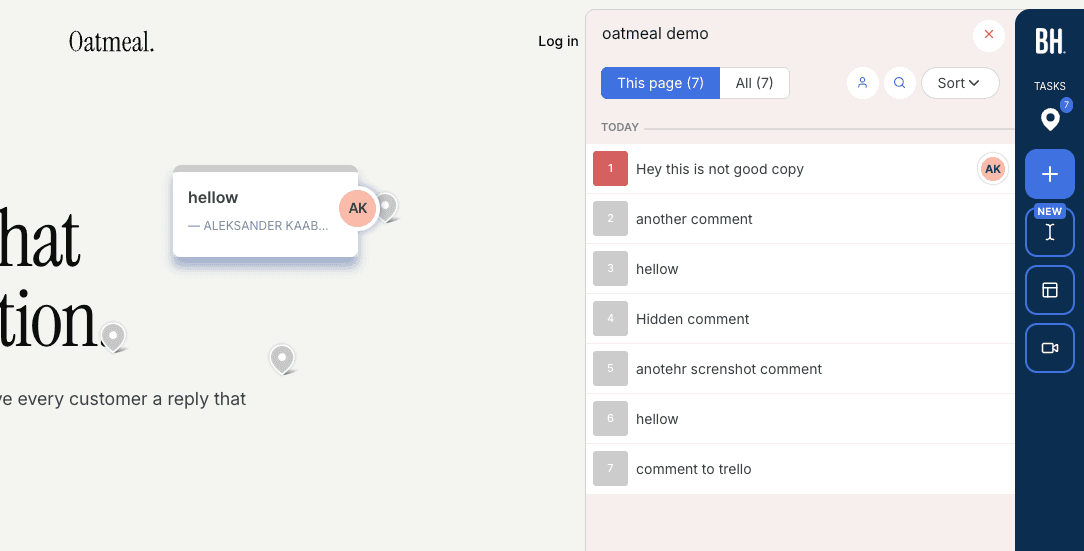
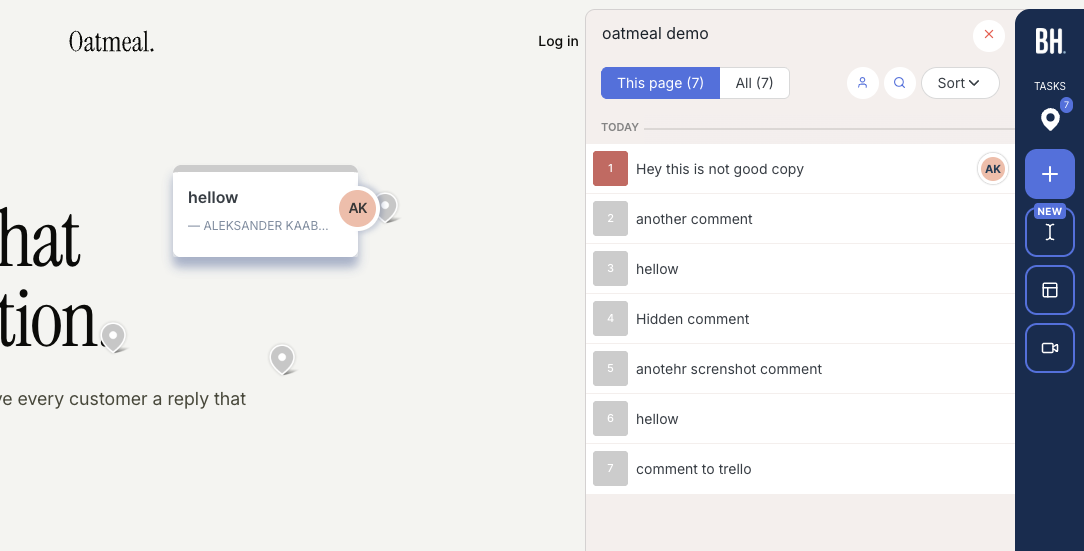
The interaction model is where BugHerd and Usersnap diverge completely. BugHerd feedback lives on the page: reviewers click the element they are commenting on, the comment is pinned there, and an automatic screenshot plus technical details (browser, screen size, OS) is attached. Team members visiting the page see the existing pins, which is exactly what prevents the duplicate-report problem that ticket-queue tools suffer from. Clients see each other's feedback only on Premium and above, according to BugHerd's plan table. The dashboard side is a kanban board, so comments double as trackable tasks you can assign. Two-way syncs are available for Jira, Asana, Linear, ClickUp, and Monday on Premium and above.
The screenshot capture deserves specific praise. Automatic screenshots cannot be done natively in the browser, so getting them right is harder than it looks, and BugHerd has nailed it. If a client leaves a comment inside an open dropdown, the screenshot captures the dropdown in its open state. In our testing across the category, very few tools get this right.
Client access is easier than it used to be. An earlier version of this page said clients had to log in through BugHerd's hub. BugHerd's support article on client feedback now says clients can follow a share link and leave feedback without logging in. They type a name and email on their first comment, BugHerd creates a guest account in the background and sends a welcome email, and if the BugHerd script is not on the site the client is asked to install the extension. Custom branding starts at the $150/mo Premium tier.
Pricing follows team members, and clients are unlimited on every plan. Standard is $50/mo for 5 members ($8 per additional member), Studio $80/mo for 10, Premium $150/mo for 25 (premium integrations, custom branding), and larger teams get a custom quote. Video feedback is on every plan. Do the math at your real team size before committing. If the bill is the thing pushing you away, we keep a full list of BugHerd alternatives.
Key features:
- Automatic screenshot and technical metadata on every comment
- Comments pinned on the live page, visible to the team, and to other clients on Premium and above
- Kanban-style feedback board with task assignment
- Two-way integrations (Jira, Asana, Linear, ClickUp, Monday) on Premium and above
- Script, Chrome extension, and WordPress plugin installation
Pricing:
- Standard $50/mo or $42/mo billed yearly (5 members, 10 GB, $8 per additional member)
- Studio $80/mo or $67/mo billed yearly (10 members, 25 GB)
- Premium $150/mo or $125/mo billed yearly (25 members, 50 GB, premium integrations, custom branding)
- Custom plan available with dedicated success manager and SSO
- As listed on BugHerd pricing on October 30, 2026
Pros:
- Automatic screenshots with every comment, no extra steps, and they capture open dropdowns correctly
- On-page pins show the team existing feedback, and clients too on Premium and above, so duplicates drop
- Kanban board makes it easy to track and assign feedback
- Strong two-way integrations with major project management tools
- Smooth onboarding, quick to get started
Cons:
- A client's first comment asks for a name and email, creates a guest account, and triggers a welcome email
- Clients see each other's feedback only on Premium and above
- No custom branding until Premium at $150/mo
- Member-based pricing adds up quickly for larger teams
- Stays focused on website feedback: no surveys, feature boards, or VoC features if you wanted the platform breadth
Reviews:
BugHerd has 179 reviews on G2 with an average rating of 4.7/5. Users consistently praise how easy it is to use and call out the automatic screenshots and technical details as the standout features. The kanban board and team assignment come up repeatedly as reasons teams stay. The recurring criticisms match what we found in testing: per-seat pricing gets expensive as teams grow, and clients need a small amount of hand-holding when first getting started.
Usersnap or BugHerd: how to decide#
Strip away the marketing and the decision comes down to three questions.
What shape is your feedback? If it is a conversation about a page ("move this button", "this headline is too long"), BugHerd's on-page pins and shared visibility are the right model. If it is a stream of bug reports and user sentiment flowing into a product backlog, Usersnap's ticket queue, surveys, and AI categorization fit better.
Who is leaving it? Anonymous end users can submit to either without an account. Named reviewers are the difference: BugHerd asks clients for a name and email on the first comment and creates a guest account for them, and Usersnap has no on-page layer for them at all. Neither is friction-free for external clients.
What does it cost at your real size? BugHerd starts at $50/mo for 5 members and scales with team size. Usersnap Starter is $49/mo billed annually but includes only 2 seats; from Growth ($129/mo billed annually, $159 monthly) seats are unlimited. On monthly billing a 20-person team pays $150/mo on BugHerd Premium, which covers 25 members, against $159/mo on Usersnap Growth. For a team of five, BugHerd Standard covers everyone for $50/mo, while Usersnap needs Growth.
If you got to this paragraph and realized your actual problem is clients dropping out before they finish a comment, keep reading.
3 alternatives worth shortlisting#
Both tools share one blind spot: the experience of the person leaving feedback. Usersnap routes them through a ticket form, BugHerd through a guest account and a welcome email. These three alternatives attack that gap from different angles. For the full field, see our 13 best website feedback tools guide. If Usersnap is the tool you are leaving, see our full list of Usersnap alternatives.
1. Simple Commenter#
Best for: Teams that want clients to discuss feedback on the live page and organize the resulting work.
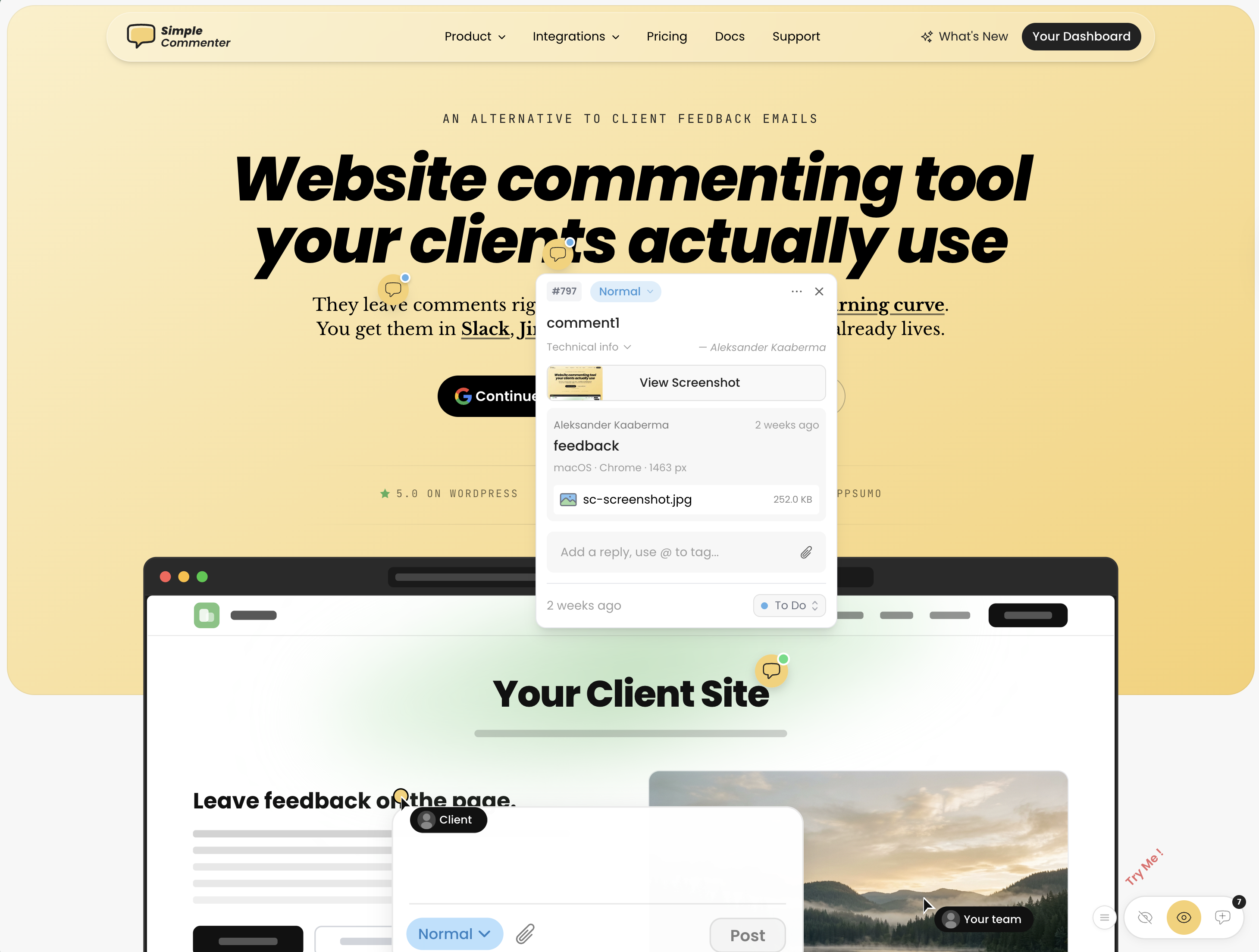
Clients can leave feedback without creating an account, while the team manages comments, replies, statuses, and boards. An optional client portal adds an ongoing review workspace. For a site behind authentication, reviewers still need access to the site itself.
The WordPress plugin lets the team manage feedback inside WP admin. Integrations connect the review workflow to existing tools, and the AI and MCP connection lets an agent read feedback and prepare a handoff. A coding agent needs repository access to propose a fix; review and test its changes before publishing.
See current plans and prices for the selected currency and billing period. Pro has included team seats with paid extras; Agency includes unlimited team members and white-label features. Clients do not need paid seats. SAML SSO is an optional paid Agency add-on or part of a tailored Enterprise agreement. A 14-day trial is available without a credit card.
2. Feedbucket#
Best for: Teams that want feedback to flow straight into a project management tool, with no client signup.
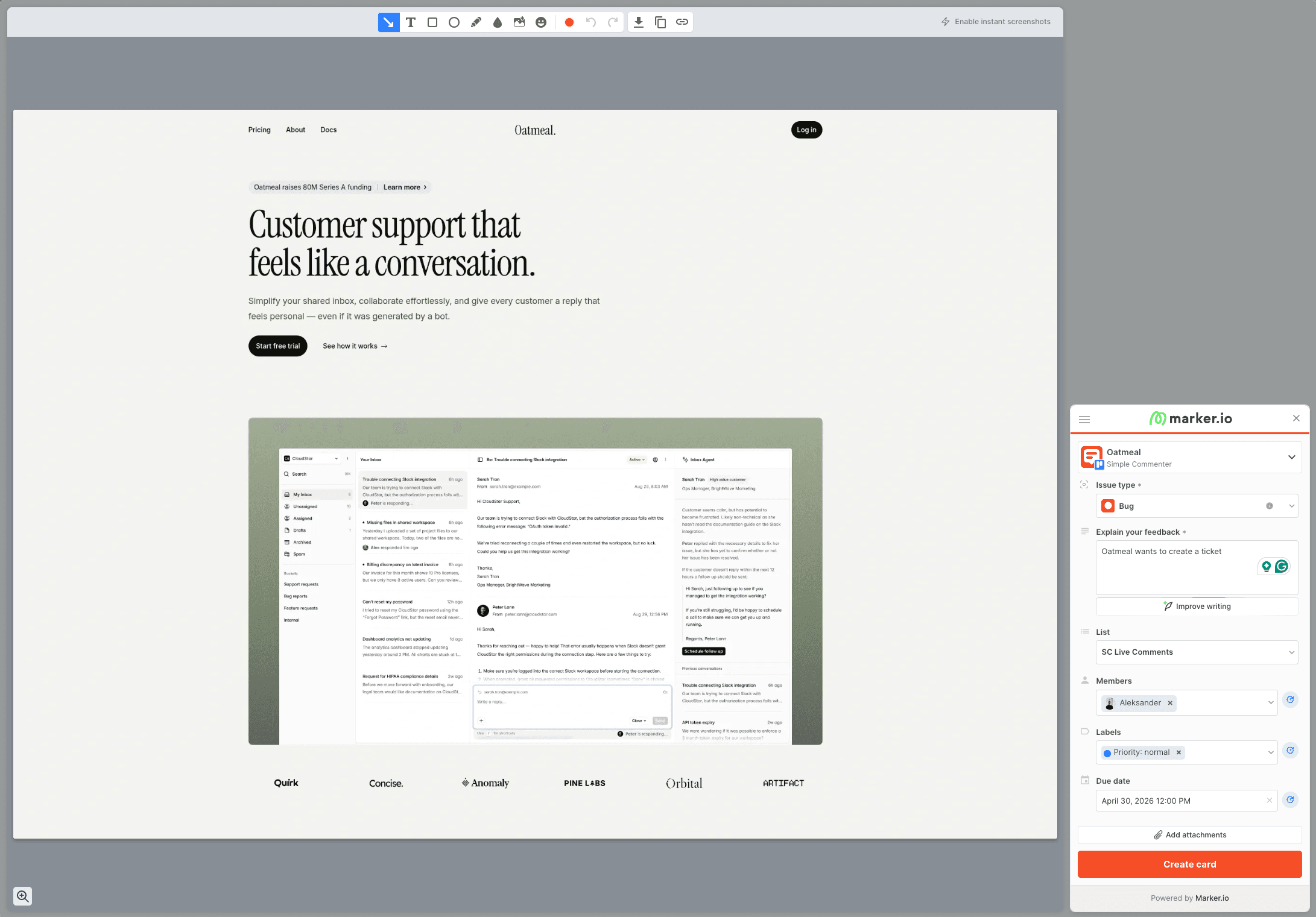
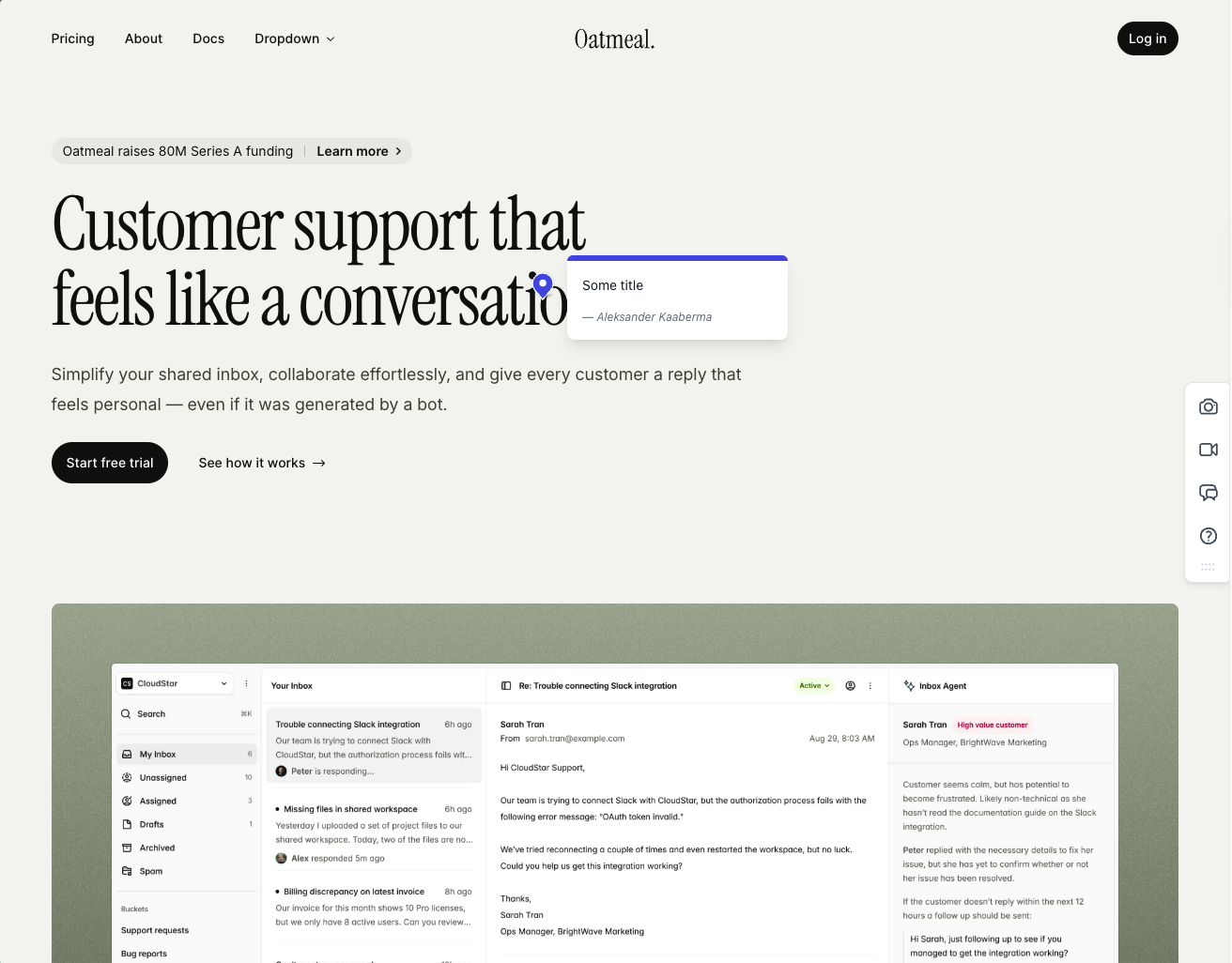
Feedbucket is one of the better tools we tested for our main guide. Clients open the link and start commenting, no signup. Every comment comes with an automatic screenshot pinned exactly where it was placed, and the whole thing lands in your PM tool with the pin location intact. The integration pool covers pretty much every project management tool you would want, and video feedback and screen recording ship on every plan.
The trade-off is that the native dashboard is thin: filters by tag and page, but no kanban board or priority ordering, because Feedbucket is built to be the layer between your site and your PM tool rather than a standalone home for triage. If you liked BugHerd's board or Usersnap's dashboard, that is the gap. Pro is $49/mo for 2 team members and Business $89/mo for 25, both with unlimited reporters, and the 14-day trial needs no credit card. Developed in the EU.
3. Marker.io#
Best for: Teams that need screenshot reports and debugging context in an existing issue tracker.
Marker.io combines screenshots and browser details with developer tools on eligible plans. Check your required tracker integration, console capture, network requests, and session replay in the plan you intend to buy.
Marker.io supports different reviewer roles. Its role documentation allows account-free reports through an open widget. Reporters can follow up on their own reports; shared dashboard access and visibility of other reports depend on guest or team permissions. Agencies should compare the dedicated Agency offer with their required projects and collaborators.
Starter is $39/month billed annually or $59 monthly; Team is $149/month billed annually or $199 monthly. The pricing page also lists an Agency offer and a 15-day trial without a credit card. Compare the actual review task in Marker.io vs BugHerd.
Found this useful? Add us as a preferred source and Google will show you more of our guides in Search and AI Overviews.