6 Best Atarim Alternatives in 2026
Compare Atarim alternatives for WordPress and agency client feedback. Covers what Atarim is, its current pricing, and six tools to shortlist instead.


Atarim sits on a lot of WordPress agency shortlists, and most people searching for an alternative are not unhappy with the visual feedback part. They are reacting to where the product has gone. Atarim now describes itself as "The AI web agency, plugged into yours". The one paid plan is priced for agencies that want six AI specialists working across every client site, and AI work is metered in credits. If what you wanted was a way for clients to pin comments on a page and for your team to work through them, that is a lot of product to pay for.
This page covers what Atarim is, what it costs, how it fits WordPress, and six tools to compare it against. We have not run a hands-on test of Atarim itself. The Atarim facts below come from its pricing page, its help center and its WordPress.org listing, all checked on October 26, 2026. The alternatives come from the hands-on evaluations behind our other comparison pages.
Whatever you move to should keep the things Atarim got right:
- Comments on the live page. Atarim pins feedback to the element it is about, on the real page rather than on a screenshot. Keep that.
- Guests without an account. Atarim's plugin listing says guests can comment without logging in. Do not trade that away for a tool that sends clients to a login screen.
- A real WordPress story. If your sites are WordPress, check what a plugin does beyond injecting a script.
What Atarim is#
Atarim is an agency platform built around WordPress. Its visual collaboration tools let clients and team members click an element on a live page, leave a comment, and have it logged as a task with a screenshot, a status and an approval path. Feedback reaches the page in three ways. A WordPress plugin, a website snippet for pages on any site, and a Chrome extension that runs on the page as your browser renders it, so it also works behind a login, a staging password or an IP restriction.
Today the product leads with AI. The homepage introduces six named AI specialists for project management, design, content, SEO, UX and bug fixes, scheduled routines for plugin updates, backups and audits, and a client dashboard that carries your agency's brand rather than Atarim's. The plugin on WordPress.org is now named "Atarim – AI Agency for WordPress" and lists page editing, code fixes, plugin updates and SEO ahead of client feedback. The feedback features are still there, but they are one part of a much bigger product.
Atarim pricing#
Checked on October 26, 2026 at atarim.io/pricing. Atarim lists three tiers.
- Free at $0. One site, one project, and 200 AI credits as a one-time allowance. Atarim describes it as your workflows set up but dormant.
- Pro at $67 per month billed monthly, with a 20 percent saving offered for annual billing. The page does not print the annual figure. Pro includes 5,000 credits a month, up to 1,000 projects and 100 seats under fair use, the six AI specialists, the agency workflow library, your brand on the client dashboard, and WordPress support. Atarim's FAQ says every visual collaboration and client feedback feature is open on Pro and that you can bring on as many clients as your book holds.
- Enterprise on a custom quote, with SOC 2, GDPR, SSO and SAML, a custom API and a dedicated SLA.
AI work is metered in credits. Extra credits are sold in blocks of 1,000, starting at $10 per block and dropping with volume, and Atarim's page gives its own estimate of how many fully served clients the included credits cover. Two things to check before you compare prices. First, there is one paid plan, so a freelancer reviewing a couple of sites pays the same $67 as a team of twenty. Second, credits pay for AI work. If you only want the feedback tools, look at the project and seat allowances instead and ignore the credit maths. For the current terms see Atarim pricing.
Atarim and WordPress#
The Atarim plugin lives at wordpress.org/plugins/atarim-visual-collaboration. As of October 2026 it shows 1,000+ active installations, version 5.1.8, and a 4.9 rating from around 127 reviews. The listing says the feedback tools work on older WordPress versions while the AI action layer needs WordPress 6.9 or later.
Two things are worth knowing if WordPress is why you are here. The plugin is how Atarim's AI assistant gets access to pages, theme files, plugins, WooCommerce data and forms, with changes drafted for approval and a backup taken before writes. That is a deeper level of access than a feedback plugin needs, so decide whether you want it on client sites. And the install count is modest, so read the recent reviews and the changelog before you depend on it for client work.
If you want feedback management inside WordPress without an AI layer, the Simple Commenter WordPress plugin is the comparison to make, and SureFeedback below is the other WordPress-native option.
Simple Commenter#
Built for: Agencies · Freelancers · SaaS teams · In-house product teams
Best for: Agencies that want clients to comment on the live page without an account, with feedback managed inside WordPress or a shared dashboard, and no AI credits to think about.
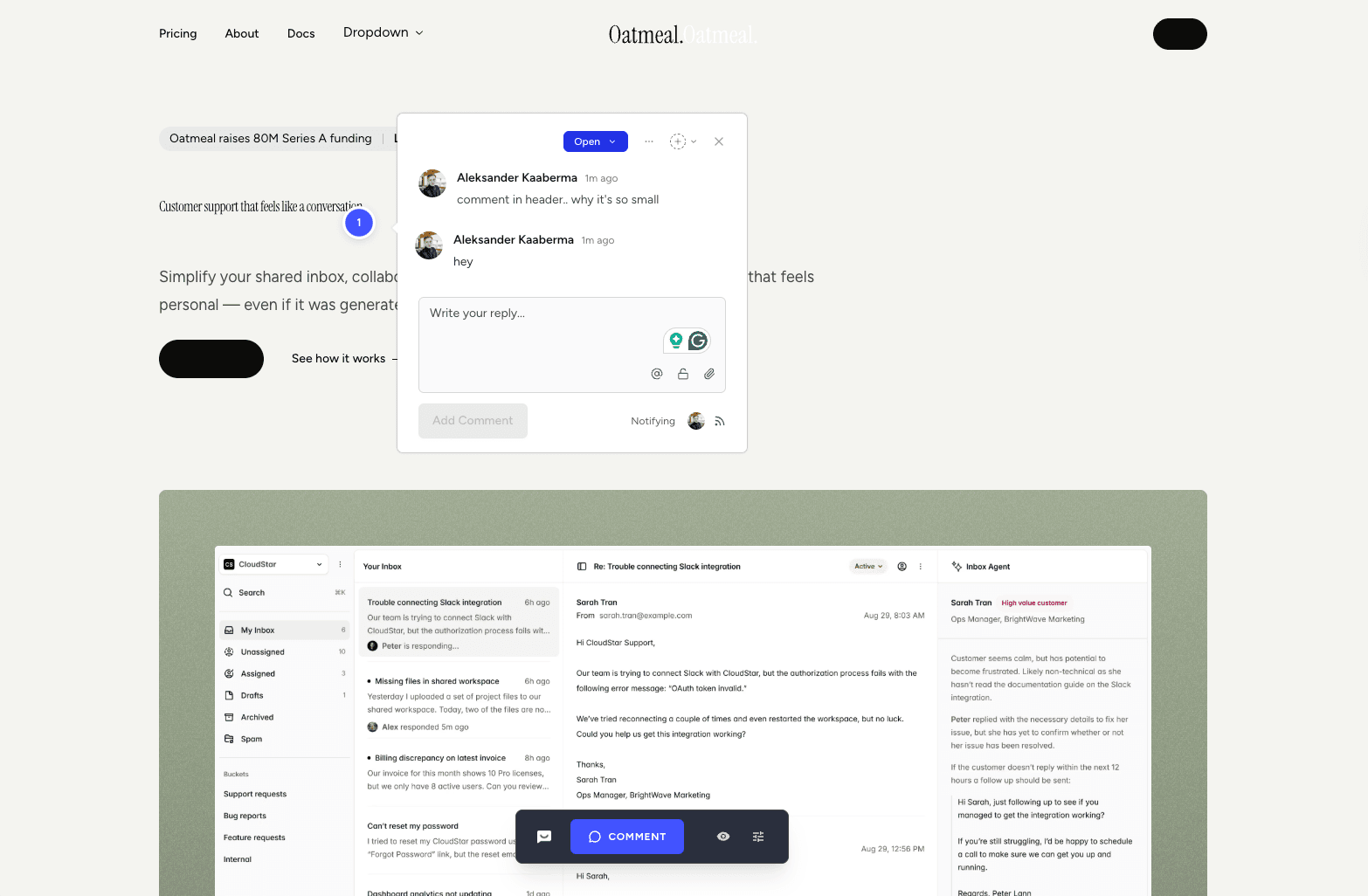
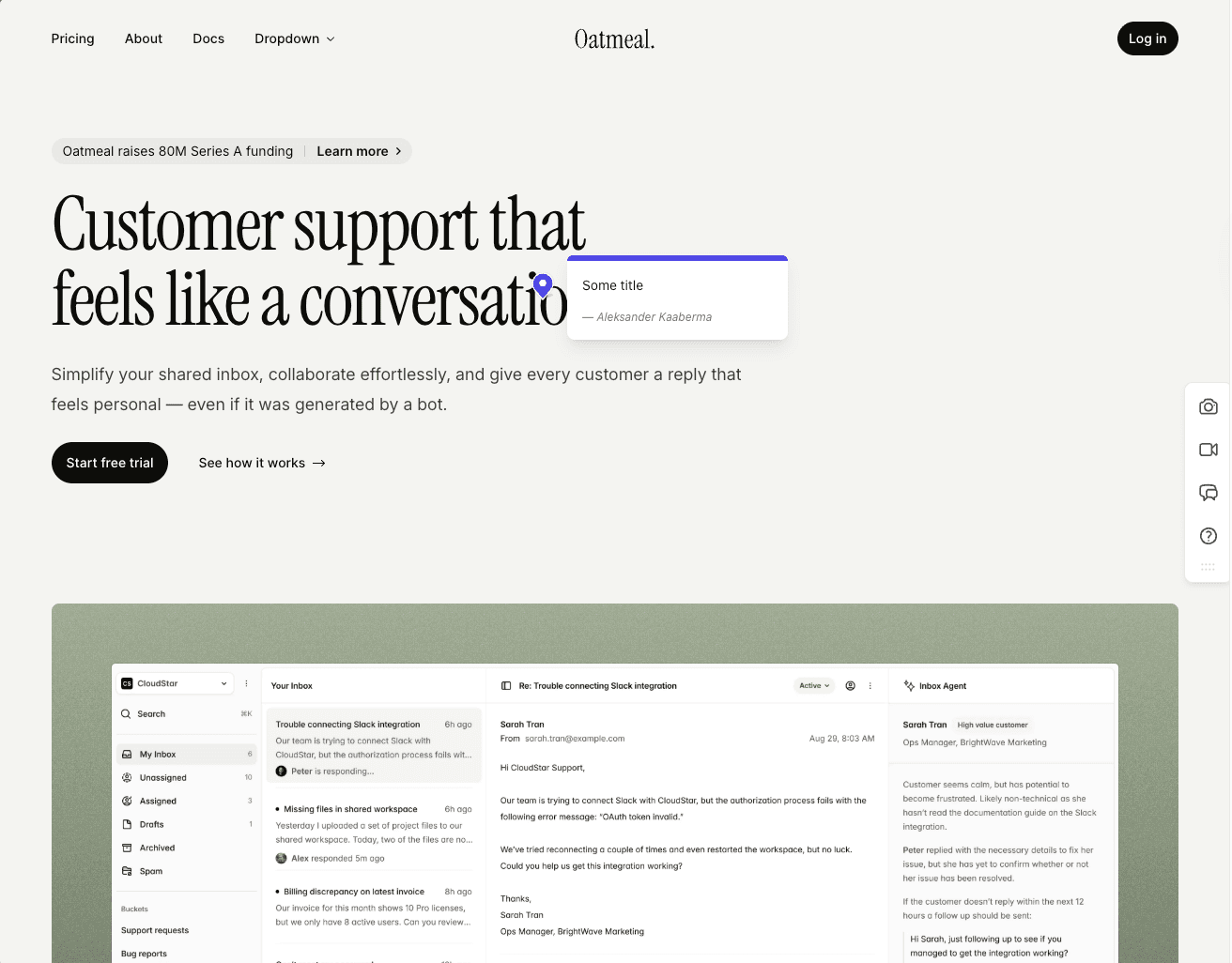
Simple Commenter started from one premise. A non-technical client should be able to leave feedback on a website without signing up, installing anything, or learning a new tool. Click a spot, type a comment, done. No account, no extension, no tutorial. Every other feature on the platform was built on top of that foundation.
For projects that need more structure, clients can sign up in two clicks or be invited into a dedicated client portal. Once invited, every comment they leave is named, threaded, and they get notified the moment you reply. Same low-friction surface, with the structure your reviewer needs once a project is in motion.
For the team side, members log in to a shared dashboard where comments pipe into the rest of your stack. Integrations cover Slack, Trello, Asana, ClickUp, Linear, Jira, Monday, GitHub, email, and outbound or inbound webhooks, plus a native MCP server that lets Claude Code, Cursor, and other AI agents pull and reply to comments directly. That is the AI story here. Your own agent reads the feedback and fixes the site in your codebase, and there is no credit meter.
The widget runs on every kind of page. Marketing sites, SaaS apps behind authentication, staging environments, and WordPress. Choose the reviewer access mode for the project. Reviewers still need permission to open an authenticated site, and SSO availability depends on the plan and setup.
The WordPress plugin lets your team manage comments, replies, members, and settings inside WP admin. It injects the widget and gives you an inbox, and it does not edit your pages, theme or plugins. Compare the actual management workflow, not just whether a tool has an installation plugin.

Key features:
- No-signup commenting, so clients pin and reply without creating an account
- Optional client portal with invitations, named comments, and reply notifications
- Script-based widget that works on SaaS apps, staging, and marketing sites
- Reviewer access options for public feedback and private client projects
- WordPress plugin with full in-WP management of comments, members, replies, and settings
- Integrations with Slack, Trello, Asana, ClickUp, Linear, Jira, Monday, GitHub, email, and webhooks
- Read, search, organize, and export feedback with your AI through the MCP integration
- Chrome extension for reviewing sites you do not own
- Automatic screenshots, file attachments, PDF and image review
- Boards for organizing comments by status and routing incoming feedback
Pricing:
See the current plans and prices for your currency and billing period. Pro includes three team members with paid extra seats. Agency includes unlimited team members and white-label features. Clients do not need paid seats. SAML SSO is an optional paid Agency add-on or part of a tailored Enterprise agreement. A 14-day free trial is available without a credit card.
Pros:
- Lowest client friction in the category. No signup, no install, no tutorial
- Optional client portal when you do want named, notified, structured feedback
- Works on every page type, including marketing, SaaS behind auth, staging, and WordPress
- Manage comments, replies, members, and settings inside WordPress
- AI agents work through the feedback over MCP, with no credit meter
- Clients do not need paid team seats, so check the team allowance on your selected plan
Cons:
- Newer to the market than BugHerd or Marker.io, so the integration list is still expanding
- No AI that edits the site for you. Your own agent does that through MCP
Reviews:
Simple Commenter has a 5.0 average across Product Hunt and AppSumo, with 600+ agencies, freelancers, and enterprises using it in production. The most repeated theme in customer reviews is the no-signup flow. Variations of "finally, a feedback tool my clients actually enjoy" and "life changed in under 5 minutes" come up across dozens of testimonials. Web professionals who switched from Markup, Pastel, and BugHerd consistently mention how much faster client review cycles run once the login step is gone. One Jim Langman review describes a stalled year-long project that launched three weeks after Simple Commenter was added. Support response time is the second-most-praised aspect, and "fixed my issue in literal seconds from emailing them" is a phrase that shows up in multiple reviews verbatim.
SureFeedback#
Built for: Agencies · Freelancers · WordPress teams
Best for: WordPress teams that want a feedback tool from the WordPress ecosystem, with the option of keeping comments on their own server through the self-hosted plugin.
SureFeedback is the closest match to Atarim's original shape. It grew out of ProjectHuddle, the WordPress feedback plugin, and it is sold as two products. A hosted Cloud service that works on WordPress, Shopify and plain HTML sites through a script, and a self-hosted WordPress plugin that keeps the comments in your own database. The self-hosted pricing page confirms that the plugin is still sold and that moving to Cloud is optional.
Clients comment as guests by entering a name and email, which is close to Atarim's no-login guest flow. Comments live on the page, with a kanban board, page approvals, request-changes, and attachments on every Cloud plan, and team limits are generous at up to 200 members per organization.
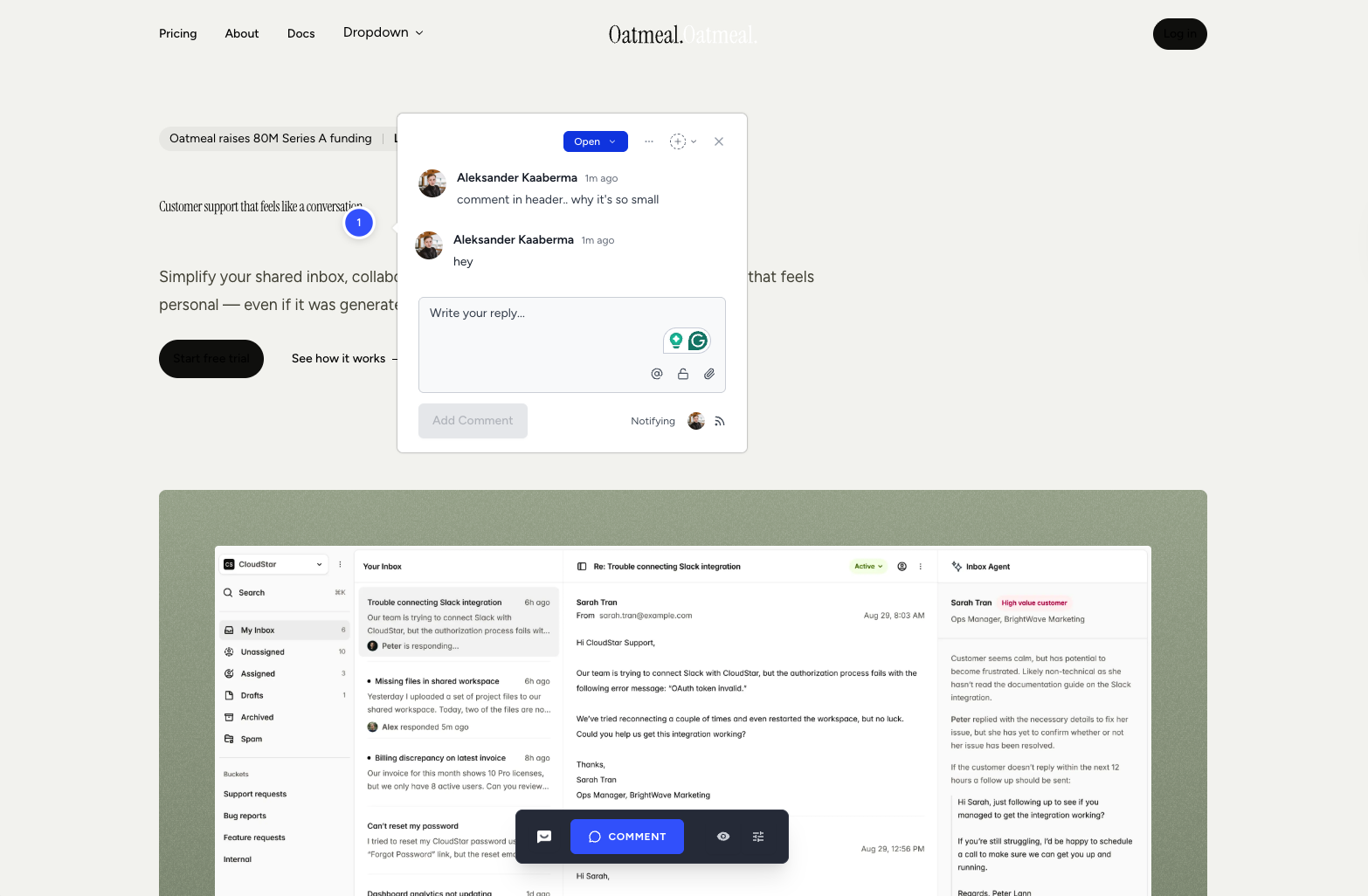
In our original Cloud test the installed script reduced the test page's header size and changed its dark and light appearance, and we had trouble connecting the older plugin to the Cloud workflow. Those notes describe that test, not today's release. Our full evaluation is on the SureFeedback alternatives page.
Key features:
- Hosted Cloud service and a separate self-hosted WordPress plugin
- Guest comments with a name and email, no account needed
- Kanban board, page approvals, request changes and attachments on every Cloud plan
- Script install for WordPress, Shopify and HTML sites, with one-click WordPress install
- Up to 200 team members and 100 workspaces per organization
Pricing:
- Starter, 5 sites and 5 mockups. $199 for the first year, renewing at $299
- Professional, 20 sites and 20 mockups. $349 for the first year, renewing at $499
- Business, unlimited sites and mockups. $699 for the first year, renewing at $999
- 7-day free trial with 1 site, and a 7-day money-back guarantee
- Monthly rates appear in two places on the page with different figures, so confirm the current monthly price before comparing
Source: SureFeedback pricing, checked October 26, 2026. Self-hosted plans are priced separately.
Pros:
- WordPress-native heritage, with a plugin that is still sold and supported
- Guests comment without an account
- Board, approvals and attachments included on every plan
- Renewal prices are published, so the second-year cost is not a surprise
Cons:
- Two products to choose between, and the Cloud and self-hosted feature sets differ
- Renewals cost more than the first year on every plan
- Our original test saw the Cloud script change the host page's appearance
- Ottokit and ZipWP integrations are listed as coming soon
Reviews:
We have not collected public reviews for SureFeedback Cloud separately from its ProjectHuddle years. Read the dates on any review you find, because the product changed its name and gained a hosted version along the way.
Feedbucket#
Built for: Agencies · QA teams · SaaS teams · In-house product teams
Best for: Teams that want feedback to flow straight into a project management tool. Less ideal if you want a self-contained dashboard for triaging feedback.
Feedbucket installs via a script tag, with one-click installers for WordPress and Shopify. We consider script-based install the most flexible loading method, and Feedbucket gets it right. The WordPress plugin is a clean script installer and nothing more. There is no in-plugin dashboard to manage members or settings, which is a deliberate trade-off and the opposite of Atarim's approach.
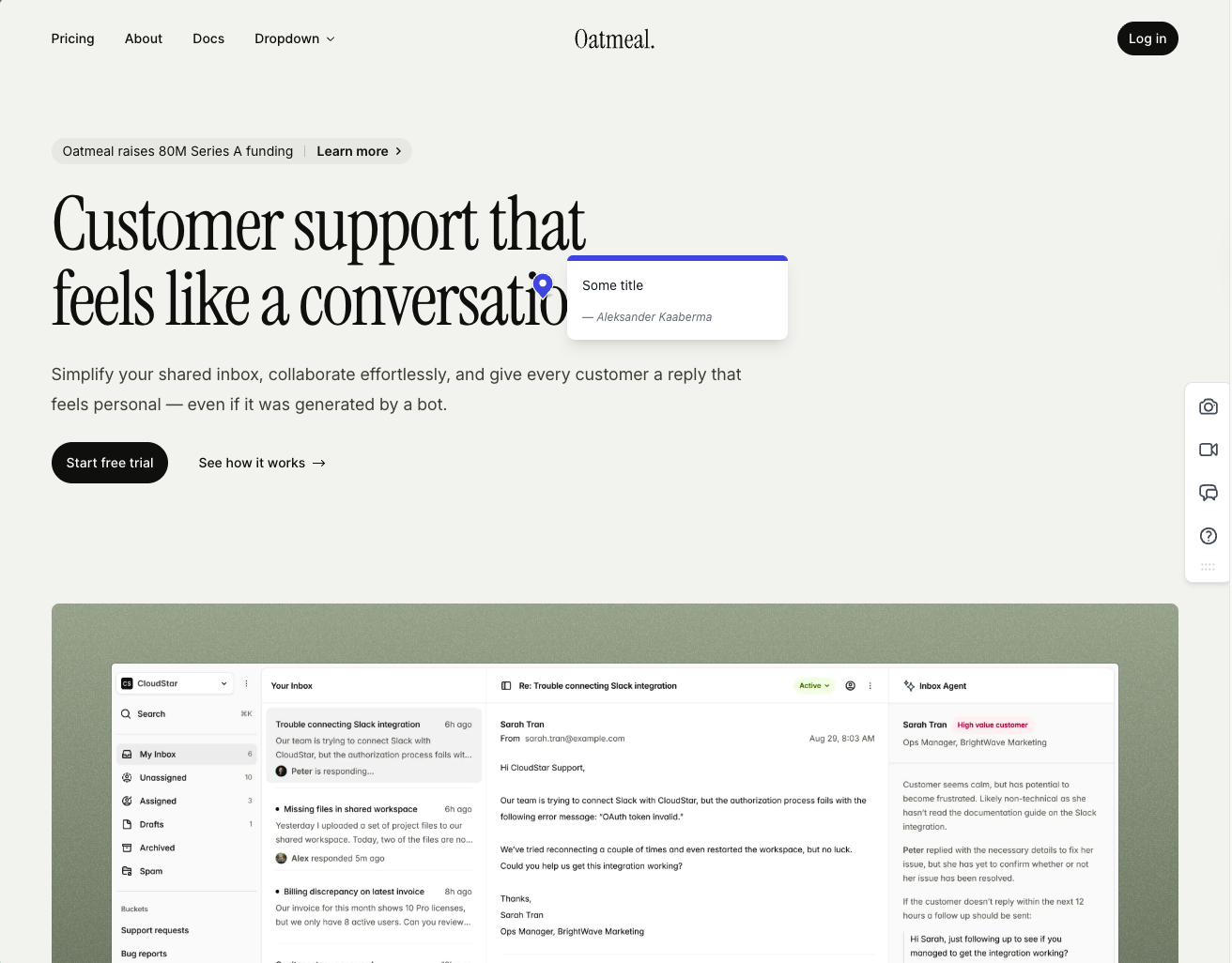
Onboarding is one of the smoother flows we tested. Clients do not need to sign up, every comment comes with an automatic screenshot, and the screenshots are pinned exactly where the comment was made.
The integration pool is one of the strongest on this list. Feedbucket is meant to be the layer between your website and your PM tool of choice, not a replacement for it, and the dashboard reflects that. You can filter comments by tags and page, but there is no native priority, ordering, or board view. If you live inside Jira or Trello, this is fine. If you wanted Feedbucket to be your home for triaging feedback, it is going to feel thin. The one quirk that comes up in user reviews and matched our testing is that every comment requires a title by default.
Key features:
- Script-based installation with one-click installers for WordPress, Shopify, and other major platforms
- Automatic screenshot capture, pinned exactly where the comment was placed
- Video feedback and screen recordings on every plan
- Wide integration pool covering most major PM tools, plus an MCP connector
- No client signup required, guests can comment via a link
Pricing:
- Pro $49/mo (2 team members, unlimited client reporters, screenshot and video feedback, integrations, MCP connector, API access)
- Business $89/mo (25 team members, console logs, JavaScript API, custom branding, custom metadata, data and webhook export)
- Enterprise on a custom quote (dedicated success manager, priority support, pay by invoice, SSO listed as coming soon)
- 20 percent discount on yearly billing
- 14-day free trial, no credit card required
Source: Feedbucket pricing, checked October 26, 2026.
Pros:
- Clients do not need to sign up to leave feedback
- Screenshots are accurate, pinned to the right spot, and generated quickly
- Wide integration pool with pretty much every PM tool you would want
- One-click installers for WordPress, Shopify, and other CMS platforms
- 14-day trial with no credit card asked up front
- Developed in the EU
Cons:
- Pro includes only two team members
- Title field is mandatory by default on every comment (it can be turned off, but it is on out of the box)
- Native dashboard is limited to filtering by tags and page, with no priority or ordering
- WordPress plugin is a pure script installer with no member or settings management inside WP
- Built around piping feedback into a PM tool, not as a standalone home for triaging
Reviews:
Public reviews lean strongly positive and match what we saw in testing. Users consistently call out two things, the no-signup flow for clients and how reliable the tool feels day to day. The "bug-free" experience comes up a lot, which is rarer in this category than you would expect. Integration depth is the other recurring praise. Teams that already live in Jira, Trello, or Asana describe Feedbucket as the missing layer between their site and their tracker. The criticism is light and focuses on the same nitpicks we ran into, the thin dashboard and the lack of customization on lower tiers.
BugHerd#
Built for: QA teams · In-house product teams
Best for: Agencies and teams that want a kanban-style feedback board with automatic screenshots and strong two-way integrations.
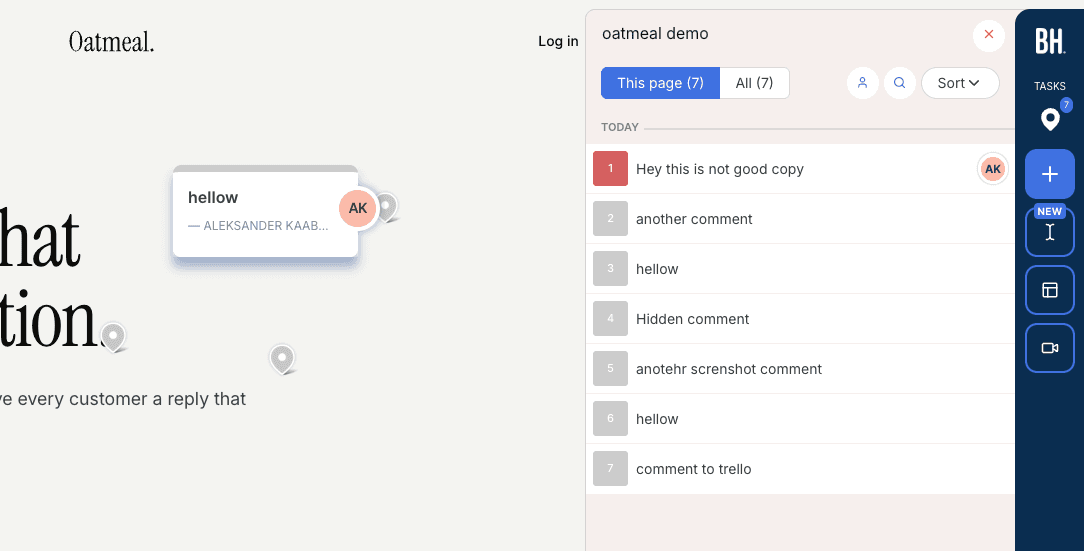
BugHerd installs via a script snippet, Chrome extension, or WordPress plugin. Onboarding is smooth and does not ask you to configure access rules upfront. If you open a project from the app, you are automatically logged in to the widget, with no separate login needed.
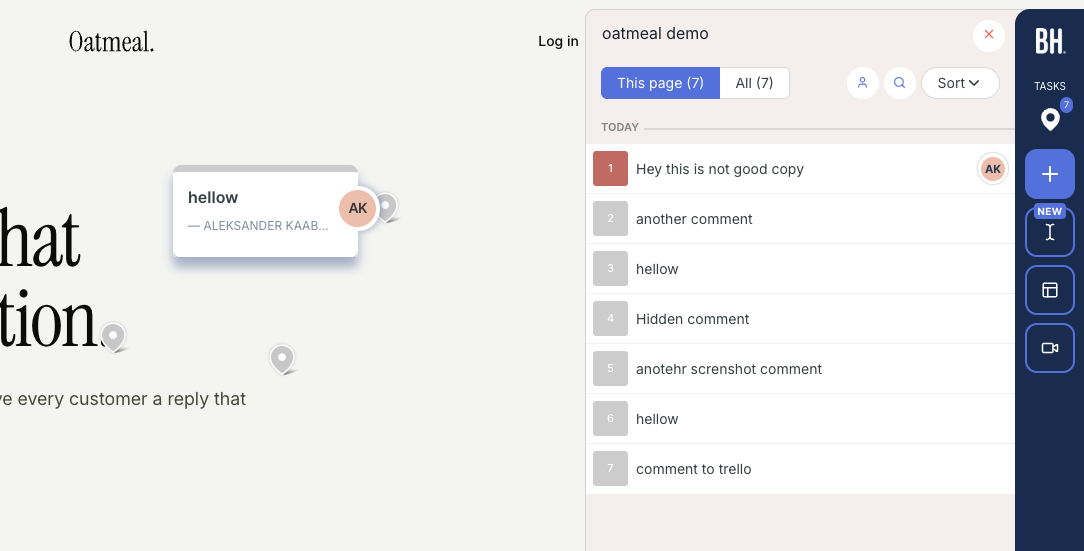
Every comment comes with an automatic screenshot plus technical details (browser, screen size, OS). The feedback board uses a kanban layout, so comments double as trackable tickets you can assign to team members. Integrations are solid, with two-way syncs available for Jira, Asana, Linear, ClickUp, and Monday on Premium and above.
One important distinction. BugHerd has a "public feedback" option, but that is meant for anonymous site visitors, not your clients or team. For clients and internal reviewers to leave feedback, they need to log in through BugHerd's hub first. You cannot just send someone a link to your staging site and have them start commenting right away. Coming from Atarim's guest flow, that is the first thing to test. The widget is also heavily BugHerd-branded, so your clients will know they are using a third-party tool.
Key features:
- Automatic screenshot and technical metadata on every comment
- Kanban-style feedback board with task assignment
- Two-way integrations (Jira, Asana, Linear, ClickUp, Monday)
- Script, Chrome extension, and WordPress plugin installation
Pricing:
- Standard $50/mo (5 members, $8 per additional)
- Studio $80/mo (10 members, adds video feedback)
- Premium $150/mo (25 members, premium integrations, custom branding)
- Deluxe $250/mo (50 members, 150 GB storage)
- Custom plan available with dedicated success manager and SLA
Prices as rechecked for our other comparison pages on October 8, 2026.
Pros:
- Automatic screenshots with every comment, no extra steps
- Kanban board makes it easy to track and assign feedback
- Strong two-way integrations with major project management tools
- Smooth onboarding, quick to get started
Cons:
- Clients and reviewers must log in through BugHerd's hub before they can leave feedback on your site
- Heavily branded widget, no white-labeling until Premium
- Per-seat pricing adds up quickly for larger teams
Reviews:
BugHerd has 179 reviews on G2 with an average rating of 4.7/5. Users consistently praise how easy it is to use and appreciate the automatic screenshots and technical details attached to every comment. The kanban-style ticket board and team member assignment are frequently mentioned as standout features. On the downside, reviewers note that per-seat pricing can get expensive as teams grow, and some mention that clients need a small amount of guidance when first getting started.
Marker.io#
Built for: SaaS teams · In-house product teams · QA teams
Best for: Product teams and SaaS companies running internal QA who need deep debugging data.
Marker.io installs through a script snippet, a Chrome extension, an npm package, or a CMS plugin (WordPress, Drupal, Webflow, Shopify, and others). The onboarding flow asks for your integrations up front, which is a telling signal. Marker.io is not pretending to replace your project management tool. It positions itself as the middle-man between your site and your tracker.
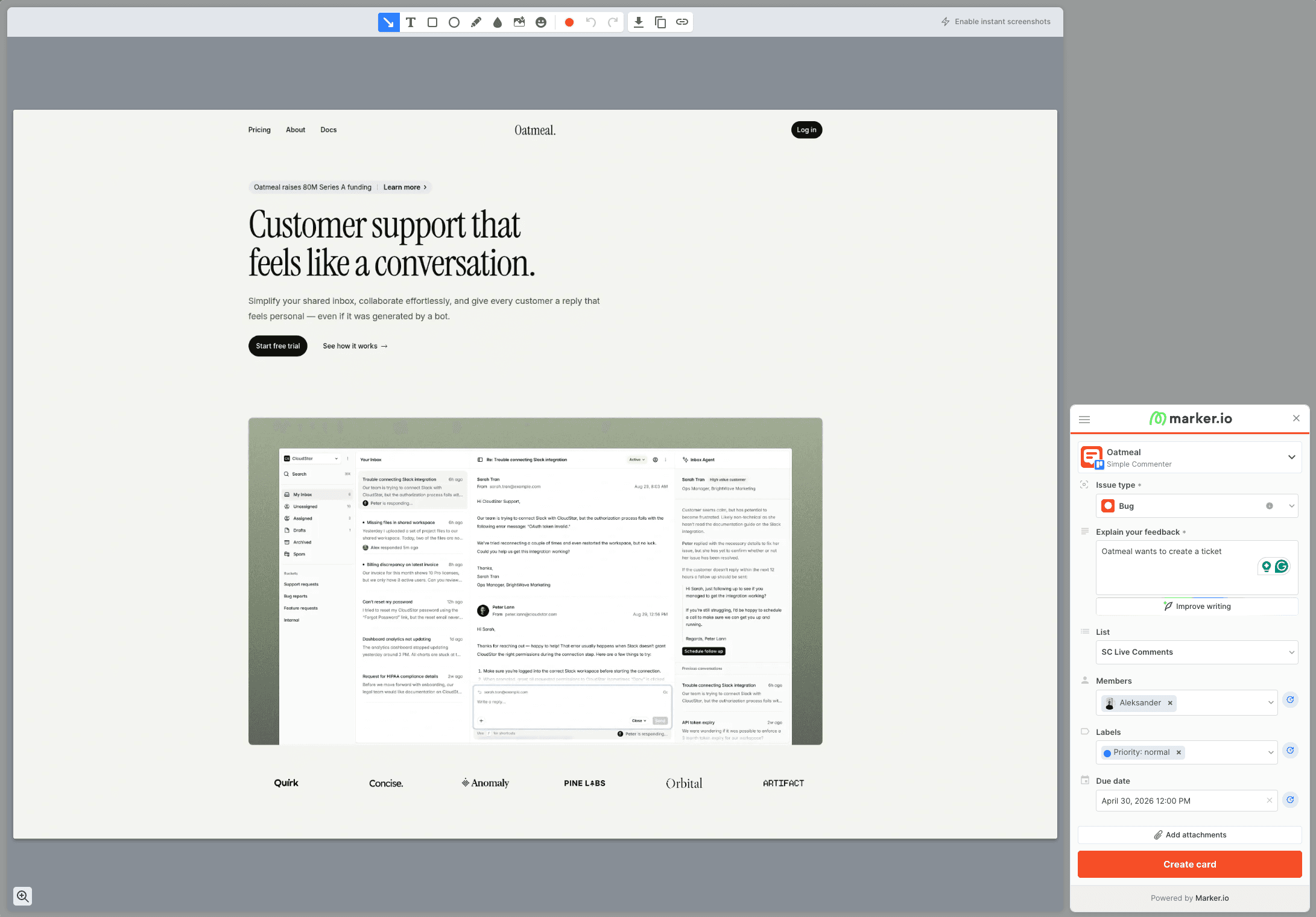
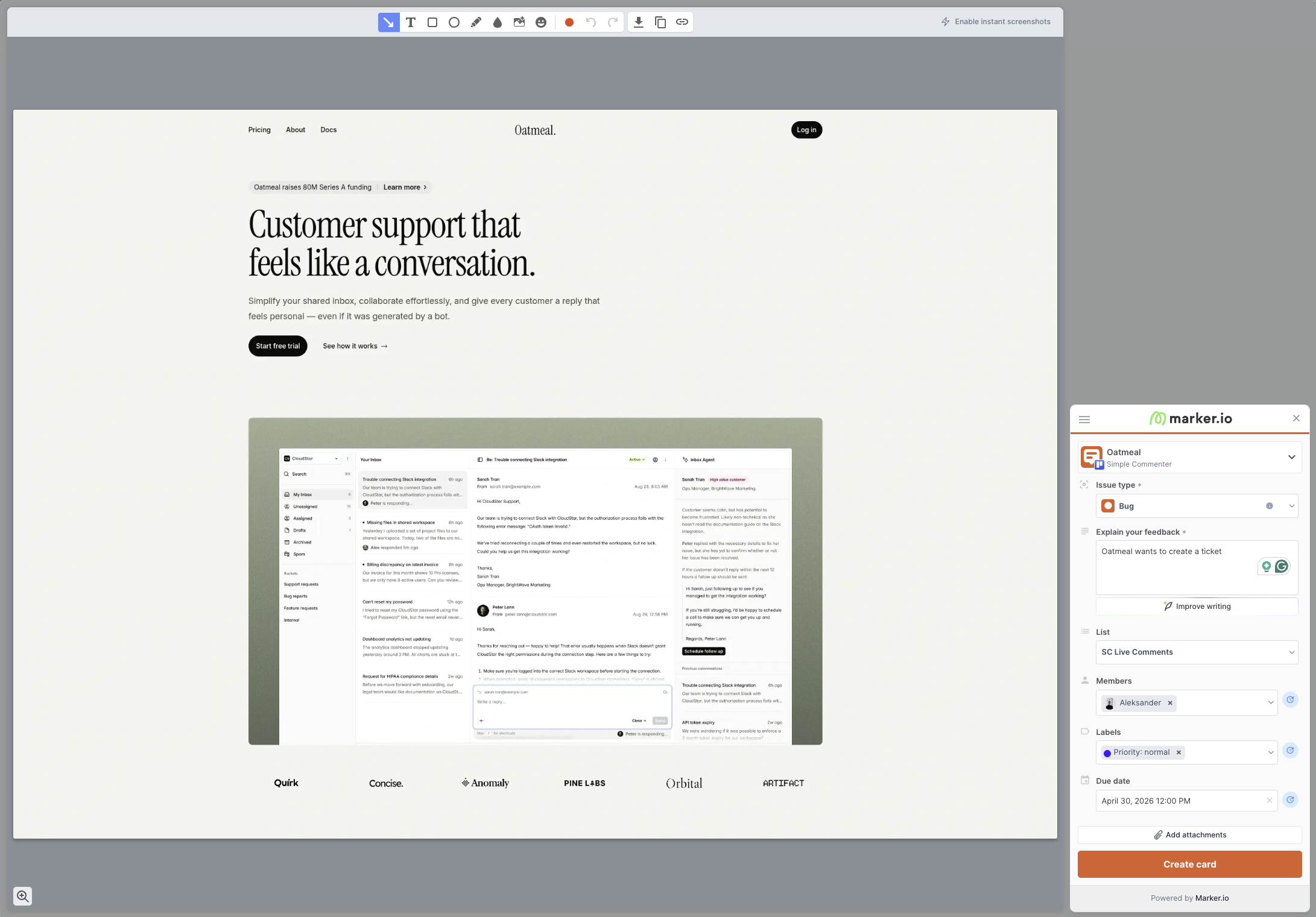
That framing matters because Marker.io is not really a "comment on a website" product. Every piece of feedback is a screenshot that lands as a card in Jira, Linear, Asana, or whichever tracker you have wired up. No pins on the page. No conversation threads anchored to a button. You open the widget, capture the screen, fill out a ticket-shaped form, and it routes to the tracker.
The strength is in what gets attached to that ticket. With the relevant developer tools enabled, a report can include console logs, network requests, and browser details. When a non-technical marketer says "this page is broken", the developer gets the failed API call, the JavaScript error, and the exact browser environment in a single bundle. Marker.io's role documentation allows account-free reporting through an open widget, and there is a dedicated Agency offer for multi-project client work. Custom theming is limited to button and widget color, and because reviewers cannot see existing tickets on the page, duplicate reports are common.
Key features:
- Screenshots and environment details, with console logs, network requests, and replay on eligible plans
- Two-way integrations with Jira, Linear, Asana, Trello, ClickUp, Monday, and more
- Installation via script, Chrome extension, npm package, and CMS plugins (WordPress, Drupal, Webflow, Shopify)
- Enterprise-grade security, including SSO SAML, audit logs, sensitive data masking, and SOC 2 Type 2
Pricing:
- Starter $39/month billed annually or $59 monthly, with 3 users and up to 10 projects
- Team $149/month billed annually or $199 monthly, with 15 users and up to 50 projects, issue sync, session replay, and developer tools
- Business on custom pricing and allowances
- Agency, for eligible agencies, at $129 monthly or $99/month billed annually, with 15 members, 50 projects, and 50 guests
- 15-day free trial, no credit card required
Source: Marker.io pricing, checked October 8, 2026. Confirm the plan, billing period, and reviewer permissions before comparing costs.
Pros:
- Developer context and tracker integrations for reproducing bug reports on eligible plans
- Integrations-first onboarding that does not try to replace your PM tool
- Installation plugins for almost every major CMS
- Serious enterprise features (SSO SAML, audit logs, SOC 2 Type 2, sensitive data masking)
Cons:
- Account-free reporters cannot use the shared dashboard or view other reporters' feedback
- No pinned comments on the page. Every piece of feedback is a new ticket, not a conversation
- Reviewers cannot see existing tickets on the page, which leads to duplicate reports
- No asset feedback (images, PDFs, videos), live web pages only
- Per-seat pricing gets expensive fast for multi-client setups unless you qualify for the Agency plan
Reviews:
Marker.io's published case studies show who the target user is. L'Oréal credits it with making feedback dramatically easier across hundreds of websites, which matches the centralized-dev-team, many-markets pattern Marker.io is built around. G2 reviewers consistently praise the quality of the captured debugging data and how easily non-technical stakeholders can file bug reports developers can act on. The recurring criticism is fit. Smaller teams and agencies describe it as overkill, and several reviews flag the lack of real-time issue visibility on the page.
Userback#
Built for: In-house product teams · QA teams · SaaS teams
Best for: General visitor feedback on live websites, or internal QA on staging sites at larger companies. A weak fit for client review rounds.
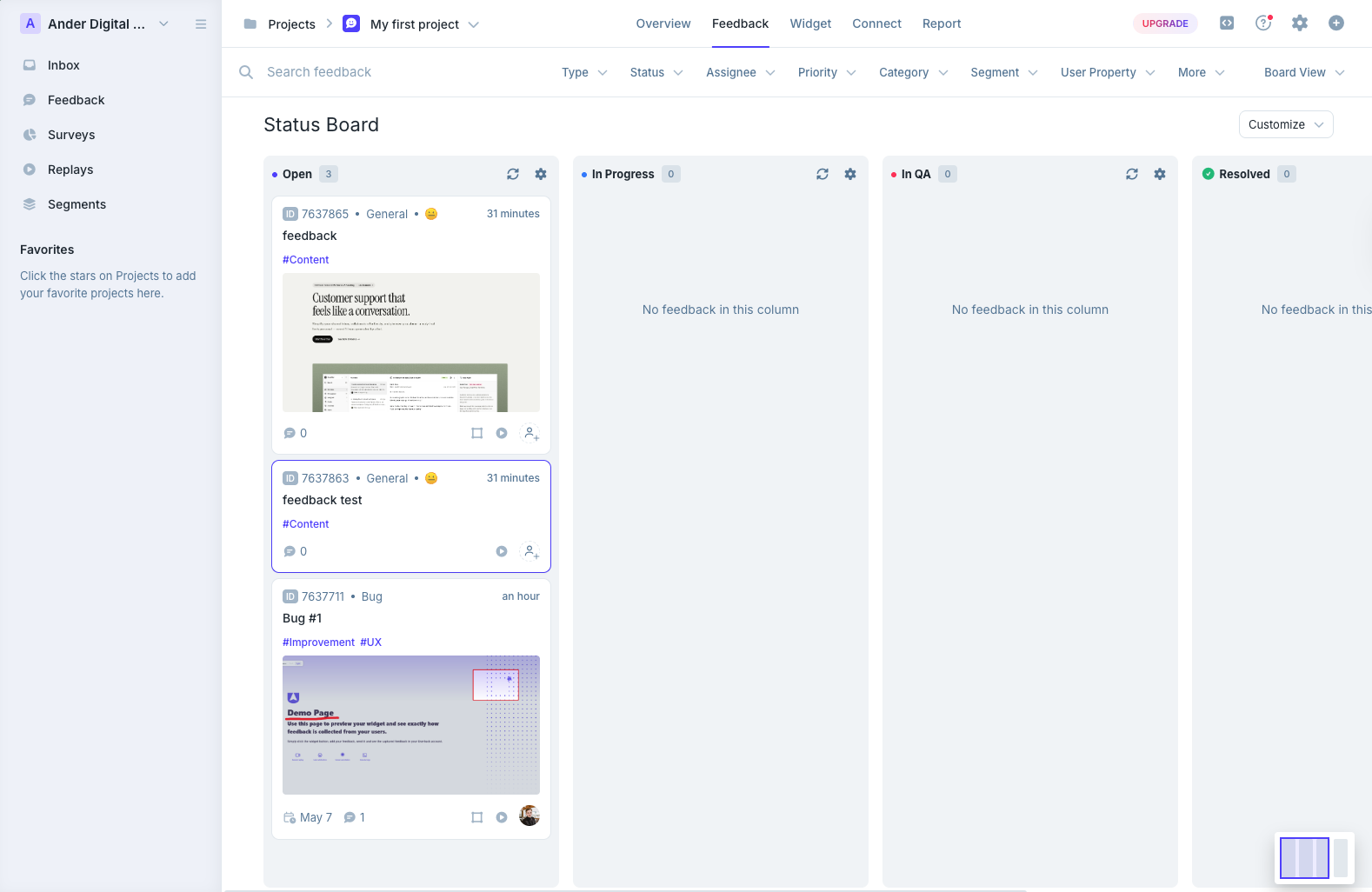
Userback sits in the same bucket as Marker.io and BugHerd, a layer between your website and your project management tool, with a heavy dashboard built around kanban boards and mailbox-style inboxes. Installation is clean. The depth shows up the moment you start using the dashboard, and it cuts both ways. The integration list is long and the triage views give you more options than most tools we tested, but the dashboard stacks an inbox, a status board, a project overview, and session replays on top of each other, and that range is overwhelming on day one.
The bigger gap showed up in screenshot handling. Not every comment gets a screenshot attached automatically, and when one is captured, it does not include a marker showing where the comment was placed. Like Marker.io, Userback also does not show existing comments on the page, so on a staging site with a handful of reviewers, expect the same broken button to come in three times.
That shapes who this tool fits. Live websites collecting general user feedback, and larger companies running internal QA on staging sites. It is a poor fit for agencies and client review rounds, where the friction of a complex tool slows down the people you want most comfortable. The WordPress plugin is a script installer with no in-WP feedback management.
Key features:
- Long integration pool with major PM tools and Zapier
- Kanban-style boards and mailbox-style inbox for triaging feedback
- Session replay, user surveys, and behavioral targeting on Business and above
- AI Feedback and Insights on Business and above
- Mobile SDK and REST API on Business Plus, SSO on Enterprise
Pricing:
- Free Forever (2 projects, 7-day feedback availability, max 2 seats, core features only)
- Team $29/month billed annually or $39 monthly, with 5 seats and 5 projects
- Business $79/month billed annually or $99 monthly, with unlimited seats, 25 projects, replay, and developer tools
- Business Plus $159/month billed annually or $199 monthly, with unlimited seats, 50 projects, REST API, and webhooks
- SSO is listed under Enterprise. See Userback pricing for current terms (checked October 8, 2026)
Pros:
- One of the longest integration lists in this category
- Strong dashboard with kanban and inbox views for triaging
- Session replay and user surveys ship inside the same tool
- Free Forever tier exists, even if narrow
Cons:
- Not every comment gets an automatic screenshot
- Screenshots do not show a marker where the comment was placed
- No on-page visibility of existing comments, which leads to duplicate reports on staging
- Feature depth makes it feel heavy for small teams or quick client reviews
- WordPress plugin is a script installer only, no in-WP feedback management
- REST API access is locked to the top Business Plus tier
- Easily confused with Usersnap, which is a different product
Reviews:
Public reviews trend strongly positive on the headline numbers. 4.8 for ease of use and 4.9 for customer service are the recurring averages. Reviewers describe the tool as user-friendly and praise how efficiently it lets QA teams test registration flows and website components before launch. The recurring criticism is price and fit. The most common technical complaint is that REST API access is gated behind the top tier, and a handful of reviews note that the feature surface is more than they actually need.
Which one should you pick?#
If you came to Atarim for client feedback on WordPress sites and the AI agency is more than you need, compare Simple Commenter and SureFeedback with the same site and the same client. Both keep comments on the live page, both let guests comment without an account, and both have a WordPress plugin that does more than inject a script. If your feedback should land in Jira, Trello or Asana rather than in a dashboard, test Feedbucket. For a built-in kanban board with automatic screenshots, BugHerd. For bug reports with console logs and network requests attached, Marker.io. For a broader product feedback workspace with surveys and session replay, Userback. And if you still want an AI agent working through the feedback, Simple Commenter's MCP integration hands the comments to Claude Code or Cursor directly, with no credit meter.
Found this useful? Add us as a preferred source and Google will show you more of our guides in Search and AI Overviews.