Userback vs Usersnap: Pricing, Replay and Client Feedback
Compare Userback and Usersnap on current pricing, session replay, surveys, reviewer access, and client workflow. Includes a practical trial checklist and alternatives.

Userback and Usersnap are different products. Both collect visual input from users, but the better choice depends on what your team needs after a report arrives: session replay, surveys, product decisions, or a client revision round.
Start with Userback if replay attached to a report is a priority. Consider Usersnap if your team needs the full arc from visual capture through AI analysis to roadmap decisions and customer announcements. For website client review, test the reviewer experience in both before choosing. Account-free submission and a shared review conversation are different capabilities.
We build Simple Commenter, so we compete with both. Our Userback observations and screenshots come from the original product test. Usersnap's assessment is based on its published product information. We checked the pricing and plan documentation again on September 14; that is a documentation update, not a new hands-on test.
Userback vs Usersnap at a glance#
| Decision | Userback | Usersnap |
|---|---|---|
| Main reason to evaluate | Visual reports with replay and developer context | Product evidence platform: visual capture, AI-powered analysis, roadmap prioritization, and customer announcements in one tool |
| Price structure | Bundled plans; Business and Business Plus list unlimited seats | First 20 items free (no time limit, no credit card); paid tiers scale by team seats, spaces, and live projects |
| Reviewer experience | Test the widget separately from dashboard access | Test submission separately from team and project access |
| Most useful trial | Reproduce a bug from the submitted report and replay | Route a report or survey response through your planned workflow, then check whether the AI analysis and Jira sync match your process |
| For a client review round | Check what another reviewer can see and how replies work | Check the same shared-review and follow-up behavior |
The table is a starting point for a trial. Configuration and plan entitlement matter more than a feature checkbox.
Userback pricing has changed#
The old per-seat comparison is out of date. Userback's current pricing lists Team at $29/month billed annually or $39 monthly, including five seats. Business is $79 annually billed or $99 monthly, with unlimited seats; Business Plus is $159 or $199, also with unlimited seats. These are monthly rates; annual billing is a longer commitment.
Business includes replay attached to reports. Recording all sessions is a separate offering listed under Business Plus with custom pricing. A free plan remains available. SSO is now listed under Enterprise, rather than the standard Business Plus feature list.
That changes the buying decision. Do not multiply the old $15 rate by your team size or assume a large team automatically makes Userback expensive. Compare the current project allowance and the features you need.
What our Userback test showed#
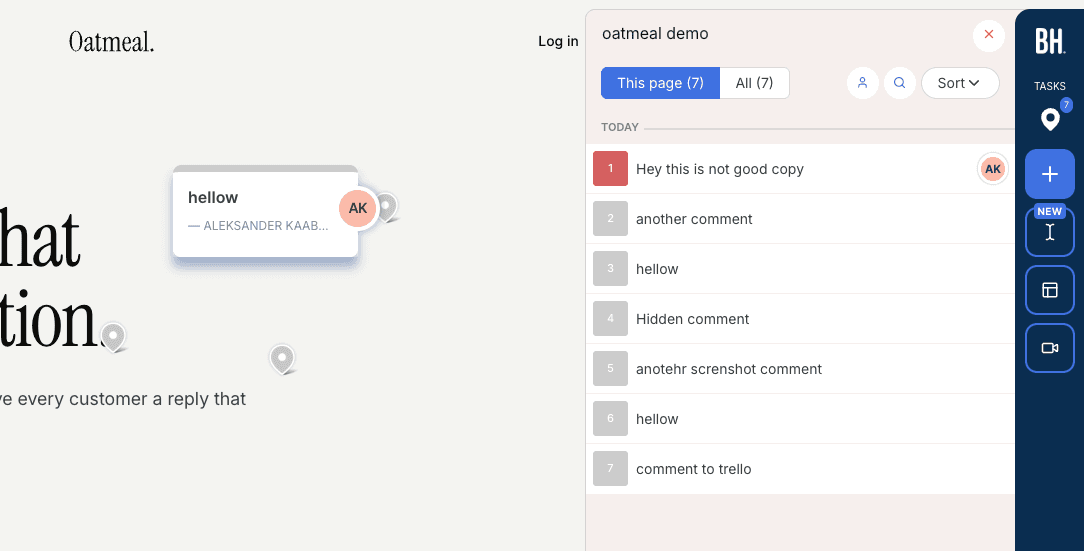
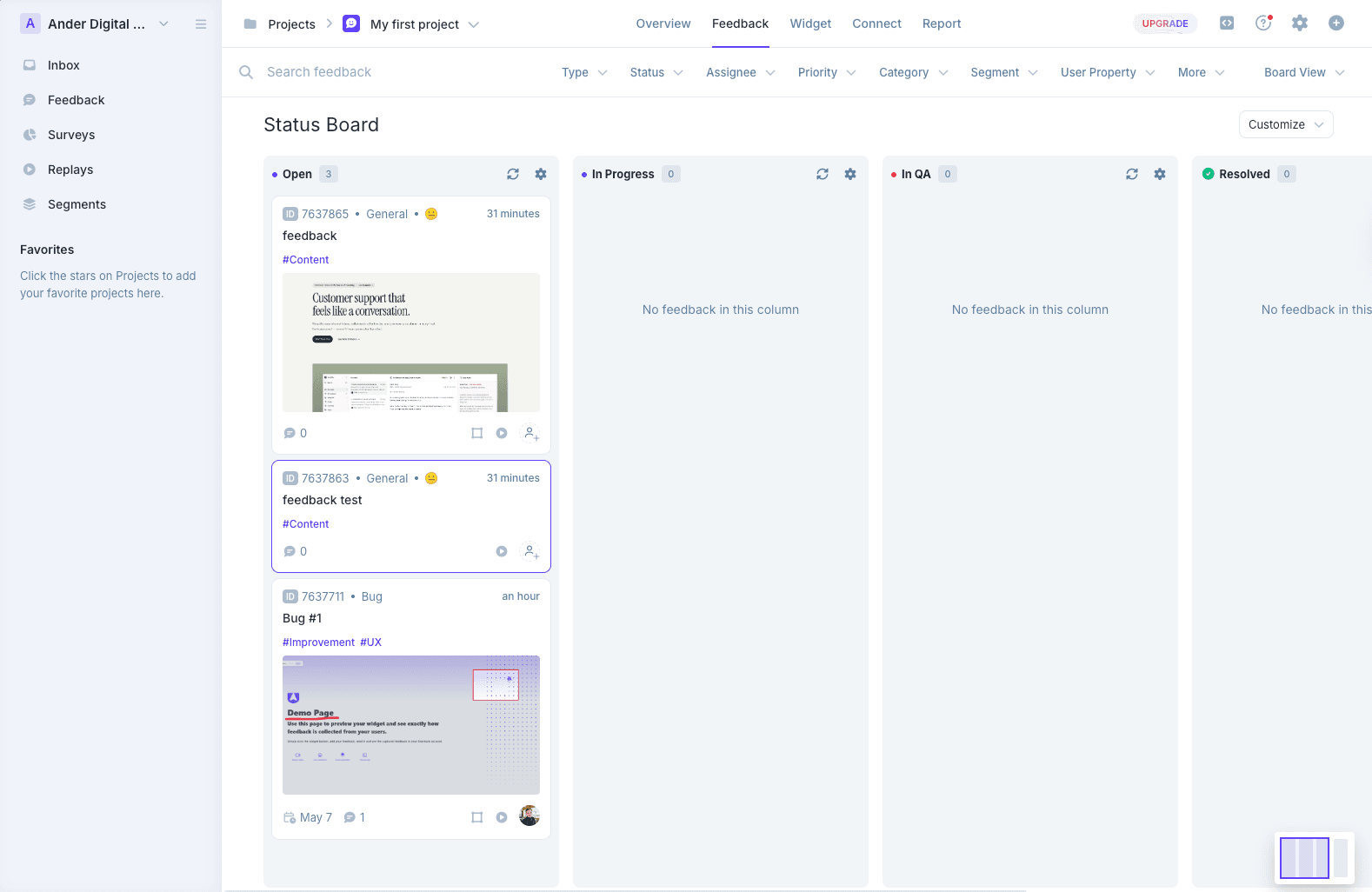
In our original test, the dashboard offered several ways to organize incoming input: an inbox, a board, and project-level views. That gave the team useful triage options, but it also meant deciding where work would live. If your team already has a tracker, test the handoff before creating a second queue.
We also found that screenshot capture and the relationship between a comment and its screenshot depended on the capture flow. Do not treat those earlier observations as a guarantee about the current release. During your trial, submit the same issue with each widget mode you intend to use and inspect the resulting report.
The important client-review question is what happens after submission. Can the reviewer return to the report? Can another reviewer see it? Do replies reach the right person? Run those checks with the actual access settings planned for the project.
What to check in Usersnap#
Usersnap is a product evidence platform that captures annotated screenshots, screen recordings, and in-app surveys, with each submission arriving alongside the console logs and metadata a developer needs to reproduce it. Most tools in this space stop at capture. Usersnap does not.
Channels pull in support conversations and sales calls automatically, so every signal lands in one place without someone stitching tools together first. AI scores sentiment, clusters open text into topics, and generates hypotheses the team can act on directly. Recurring patterns surface on the Opportunities Board as tracked items that sync two ways with Jira (and natively with Azure DevOps, Linear, Slack, Intercom, and Zendesk). When something ships, announcements go back to the people who raised it.
The platform runs across the full product development lifecycle. Teams like Canva, Red Hat, LEGO, and Dynatrace use it for continuous product discovery, and Erste Group (George Labs) collects production input from 7 million end users through it. Founded in 2013 and headquartered in Linz, Austria, Usersnap has served 60,000+ teams.
On pricing: start free with the first 20 items, no time limit and no credit card required. Paid plans scale with volume and team size. AI features sit in the AI sidekick add-on, not the base plans. Check the live price in your currency and billing period at usersnap.com/pricing, then confirm the specific features your workflow requires.
A team seat is not the same unit as an external person submitting a report. Map the people who need dashboard access separately from the people you will ask for input.
Security and compliance are handled at the platform level: SOC 2, GDPR, and ISO 27001 compliant AWS infrastructure, with the AI model provider storing and processing nothing.
Compare the workflow, not just the starting price#
Use one issue and one client revision in both trials. A mobile form failure tests debugging context. Replacing an image on the About page tests whether a non-technical reviewer can explain a change and see the response.
Follow each item all the way through:
- Open the staging page with the intended reviewer permissions.
- Submit the issue with actions taken, expected result, and actual result.
- Inspect the screenshot, metadata, and any replay or recording available.
- Route it into your actual tracker and change the status there.
- Reply and check what the reporter receives.
- Invite a second reviewer and check whether they can see the existing reports.
For integration direction, test the exact destination and plan. Userback's pricing documentation now lists two-way Jira and ClickUp sync. Usersnap has offered two-way Jira sync as a core capability, with 100+ integrations across the stack.
Use the bug report template as the common test input. The website QA guide explains how to verify the report and retest the fix.
Usersnap and Userback alternatives for client projects#
If neither trial fits your review process, shortlist by the work you want to simplify.
Simple Commenter for on-page client discussion#
Simple Commenter keeps comments beside the website being reviewed. The team can use a review flow without a separate client account, or choose identified access when that suits the project. WordPress teams can manage comments and replies inside WP admin.
You give up the reason you might choose a dedicated survey or session-replay platform. The useful comparison is whether clients can explain the revision, find the discussion again, and confirm the result with less coordination.

Start with the website feedback tool, or use the free tool to try commenting. For a repeatable review process, pair it with the client approval workflow.
BugHerd for a review process centered on a task board#
BugHerd is worth a trial when you want visual website input and a board for the delivery team. Evaluate the reviewer's access and the integrations your plan includes. Our Usersnap vs BugHerd comparison looks at that pairing, while the BugHerd alternatives guide broadens the shortlist.
Feedbucket when your tracker is already the team's home#
Feedbucket is another option to evaluate when you want website reports routed into your existing project management workflow. Test the exact handoff and the client's follow-up experience. The Feedbucket alternatives guide compares that approach with other review tools.
For more options beyond these three, read the Userback alternatives and website feedback tools comparison.
Questions before you switch#
Are Userback and Usersnap the same company?#
No. They are separate products with separate companies behind them. Check the domain before creating an account or following a setup guide: userback.io and usersnap.com.
Is Userback cheaper than Usersnap?#
There is no reliable answer based on the old per-seat calculation. Usersnap offers the first 20 items free with no time limit and no credit card, so you can test the full workflow before spending anything. After that, price the current plans for your team seats, active projects, and required features. Keep annual and monthly billing separate.
Which is better for website clients?#
Run the same review task with an actual client or colleague unfamiliar with the tools. Compare opening the page, submitting a comment, reading a reply, and checking the changed version. Also consider what happens after the report lands: does it reach the team's tracker, and does the client hear back when the fix ships? A feature-rich dashboard may matter less than those steps working end to end.
Should I migrate all feedback during the trial?#
Start with a representative project. Confirm the export, attachment, history, and integration behavior before changing the team's established process. Record what will remain in the previous tool.
Found this useful? Add us as a preferred source and Google will show you more of our guides in Search and AI Overviews.