BugHerd vs Userback: Feedback Board or Feedback Platform? [2026]
BugHerd pins feedback on the live page; Userback wraps it in a platform with session replay and surveys. How they compare on workflow and pricing.

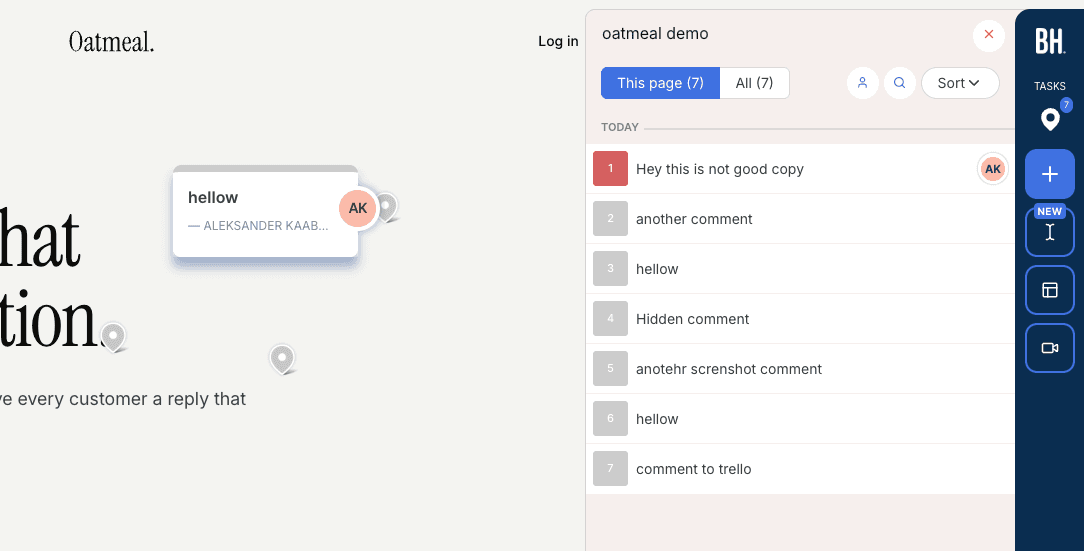
The hands-on observations and screenshots below come from our original evaluation. This update corrects product facts and cited documentation; it does not represent a new product test.
TL;DR#
BugHerd and Userback overlap more than most pairs in this category, but the center of gravity differs: BugHerd anchors feedback to the live page (pins, automatic screenshots, kanban board), while Userback anchors it in a platform (inbox, boards, session replay, surveys). Pick BugHerd for website review rounds where seeing feedback in place prevents chaos. Pick Userback for product feedback on a live SaaS where session replay and surveys earn their keep. Both charge per seat and both keep clients at arm's length, so if your reviewers are external stakeholders, neither is a natural fit (alternatives below).
The closest matchup of the big four#
Among the four most-searched brands in website feedback (BugHerd, Marker.io, Userback, Usersnap), this is the closest pairing. Both install via a script, both attach screenshots and technical metadata to feedback, both offer kanban-style triage, and both integrate with the major PM tools. The differences are in emphasis, and they only show up once you use both.
We have: both tools went through hands-on testing for our 13 best website feedback tools guide. We also build Simple Commenter, a competitor to both, so weigh the disclosure as you read. Prices below are current as of July 2026.
BugHerd review#
Built for: QA teams · In-house product teams
Best for: Agencies and teams that want a kanban feedback board where every comment lives on the page it is about.
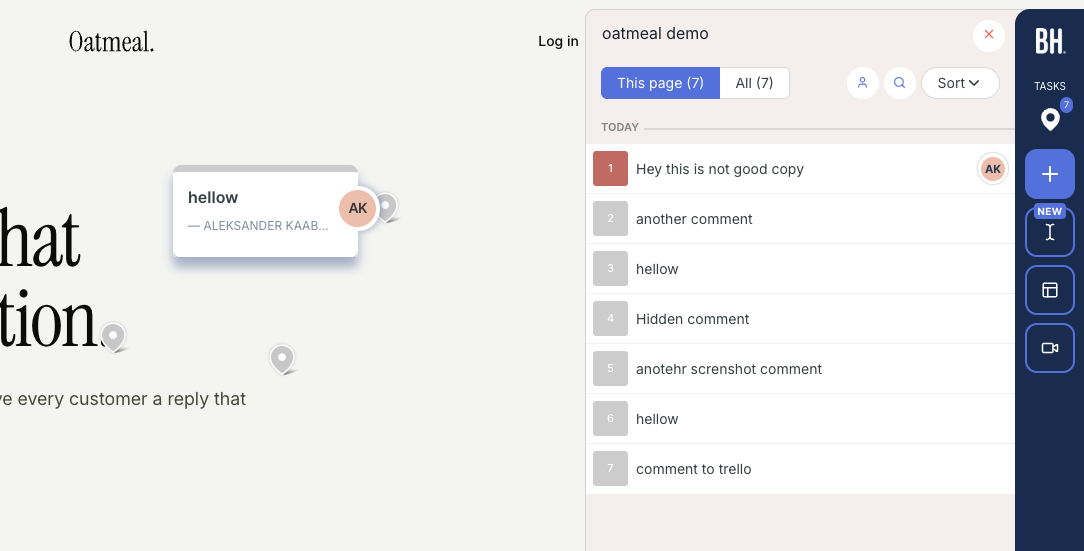
BugHerd's defining choice is that the page is the interface. Reviewers click the element they want to comment on and the comment pins there, with an automatic screenshot and browser, OS, and screen size details attached. Anyone else opening that page sees the existing pins, which quietly solves the biggest problem in multi-reviewer rounds: the same bug filed five times. The dashboard mirrors those pins as cards on a kanban board with assignments, and two-way syncs for Jira, Asana, Linear, ClickUp, and Monday unlock on Premium.
The screenshots are the best in this comparison and among the best anywhere. Capturing a page state automatically is genuinely hard in a browser, and BugHerd gets edge cases right that trip up rivals: comment inside an open dropdown and the screenshot preserves the dropdown open. Userback does not tie captures to pin placement this reliably, and it shows in day-to-day use.
Two constraints to plan around. Named feedback requires reviewers to log in through BugHerd's hub, so a stakeholder cannot go from a staging link to a comment without first touching BugHerd itself (the "public feedback" mode is for anonymous visitors, not clients). And the widget carries prominent BugHerd branding until Premium at $150/mo. Pricing is per-seat with tier steps: Standard $50/mo for 5 members plus $8 per extra, Studio $80/mo for 10 with video feedback, Premium $150/mo for 25, Deluxe $250/mo for 50. Past 10 members the bill compounds, which is the single most common reason teams go looking at BugHerd alternatives.
Key features:
- Comments pinned to live page elements, visible to every reviewer
- Automatic screenshots with correct dynamic-state capture
- Kanban board with assignment and status tracking
- Two-way Jira, Asana, Linear, ClickUp, Monday sync (Premium and above)
- Script, Chrome extension, and WordPress plugin installs
Pricing:
- Standard $50/mo (5 members, $8 per additional)
- Studio $80/mo (10 members, video feedback)
- Premium $150/mo (25 members, premium integrations, custom branding)
- Deluxe $250/mo (50 members, 150 GB storage)
Pros:
- On-page visibility kills duplicate reports
- Best-in-class automatic screenshots
- Clean kanban workflow the whole team understands
- Strong two-way PM integrations
- Fast onboarding for the team side
Cons:
- Hub login required before reviewers can leave named feedback
- No session replay or survey features; it stays a feedback board
- Branded widget below the $150/mo tier
- Per-seat pricing that grows sharply with team size
Reviews:
4.7/5 across 179 reviews on G2. Ease of use, automatic screenshots, and the kanban board are the repeated highlights. The repeated complaints are the per-seat cost curve and the light hand-holding clients need at the login step, both of which match our testing.
Userback review#
Built for: In-house product teams · QA teams · SaaS teams
Best for: Product teams collecting feedback on a live SaaS, where session replay and surveys matter as much as the bug report.
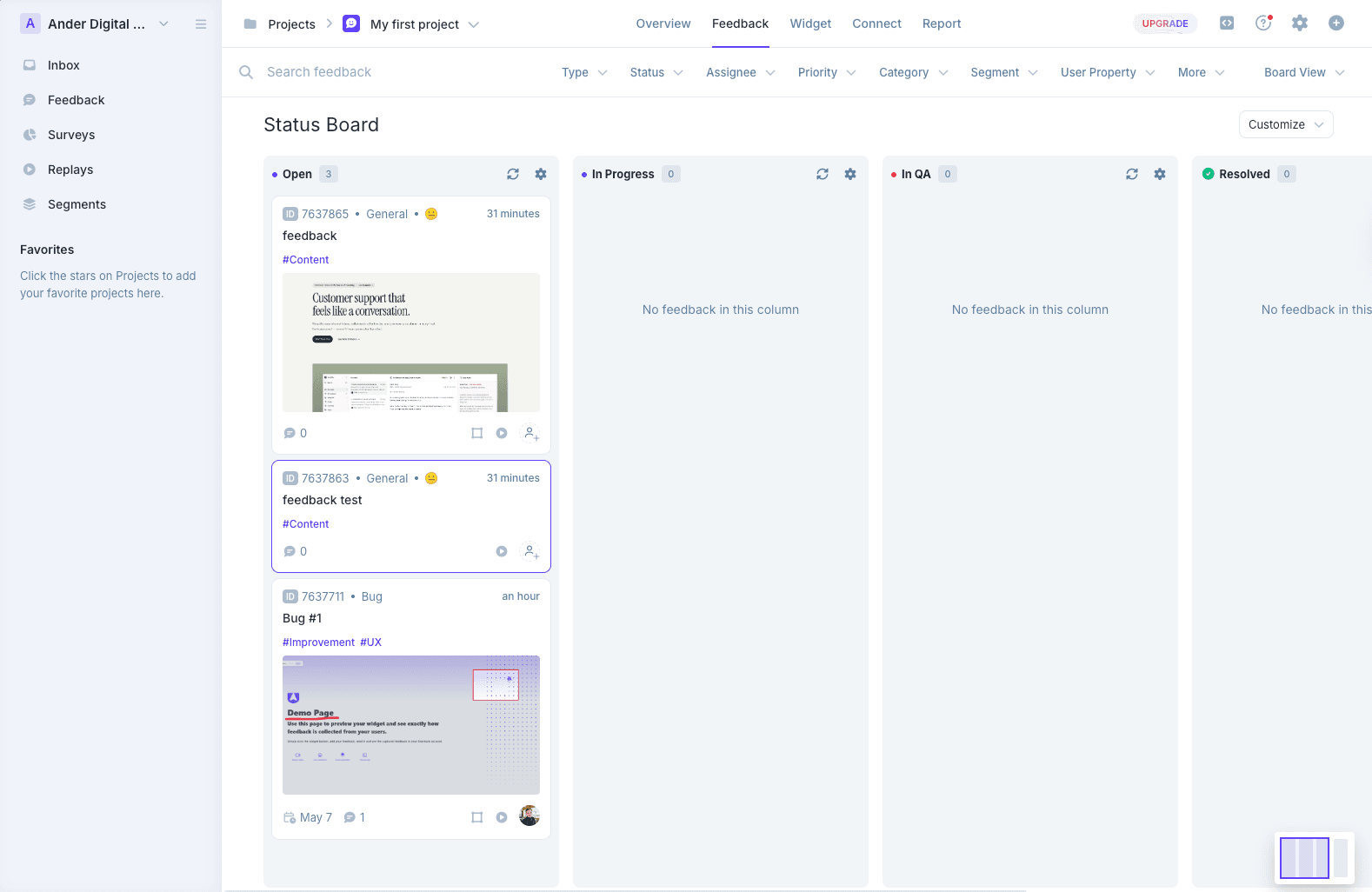
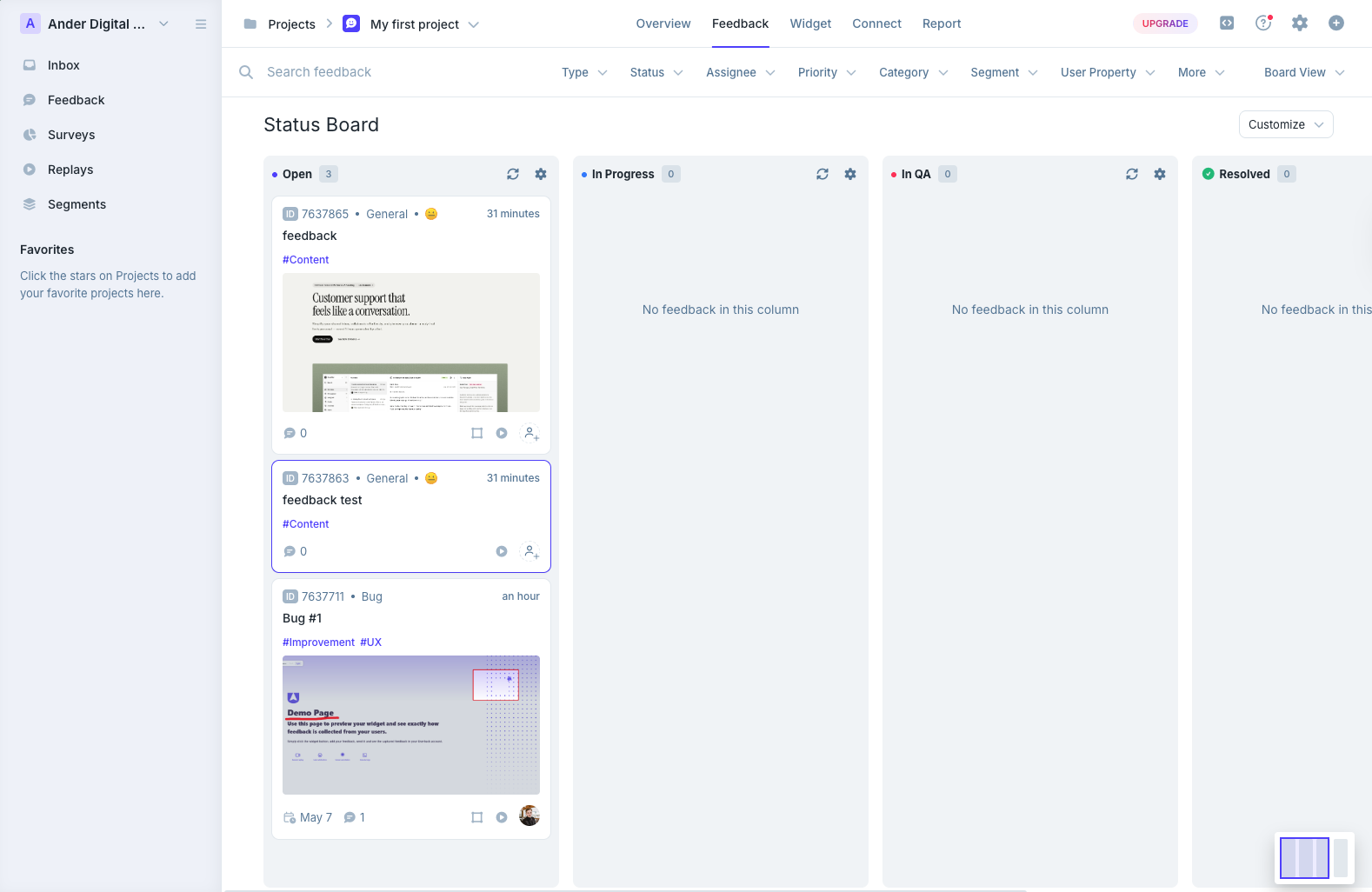
Userback's defining choice is the opposite one: the platform is the interface. Feedback arrives in a dashboard that layers a mailbox-style inbox, a status board, a project overview, and session replays. It is more machinery than BugHerd offers, and that cuts both ways. Teams that invest a week settling in end up with a triage workflow BugHerd cannot match, especially with session replay showing what the user did before filing. Teams that wanted quick visual review find the dashboard overwhelming on day one, and it is the most common first impression in reviews.
The visual capture is weaker than BugHerd's in three specific ways we hit in testing: not every comment gets an automatic screenshot, captured screenshots do not include a marker showing where the comment was placed, and pinning requires the reviewer to attach a screenshot in the same step. Userback also shows no existing feedback on the page, so on a staging site with several reviewers the duplicate-report problem BugHerd solves comes right back.
What BugHerd cannot answer is Userback's breadth: session replay, user surveys, behavioral targeting, and AI feedback insights all live in one subscription (Business and above). For a SaaS collecting continuous product feedback rather than running discrete review rounds, that bundle can replace two or three other tools. The current Userback plans use included allowances: Team has five seats and Business plans include unlimited seats. Compare the project and feature limits, billing period, and current quote rather than multiplying the old per-seat prices.
Key features:
- Inbox, status board, and project overview triage views
- Session replay, surveys, and behavioral targeting (Business and above)
- AI Feedback and Insights (Business and above)
- One of the longest integration lists in the category
- Mobile SDK and REST API on Business Plus; SSO on Enterprise
Pricing:
- Free Forever (2 projects, 2 seats, 7-day feedback availability)
- Team $29/month billed annually or $39 monthly: 5 seats and 5 projects
- Business $79/month billed annually or $99 monthly: unlimited seats, 25 projects, replay, and developer tools
- Business Plus $159/month billed annually or $199 monthly: unlimited seats, 50 projects, REST API, and webhooks
- SSO is listed under Enterprise; see Userback pricing for current terms (checked October 8, 2026)
Pros:
- Session replay and surveys bundled with feedback capture
- Deep triage dashboard once learned
- Long integration list
- Free tier and included seats on paid plans
- Customer service rated 4.9 in recurring averages
Cons:
- Screenshot capture is inconsistent and unmarked, weaker than BugHerd's
- No on-page visibility of existing feedback, so duplicates return
- Dashboard depth overwhelms small teams and quick review rounds
- Plan choice depends on project and feature requirements, not just team size
- REST API locked to the top tier
Reviews:
Headline averages run strong (4.8 ease of use, 4.9 support), with QA teams praising pre-launch testing workflows and project setup speed. Recurring criticisms: seat pricing at scale, the API locked behind Business Plus, and a feature surface heavier than many teams need. Several reviewers arrive confused with Usersnap, a different product we untangle in Userback vs Usersnap.
BugHerd or Userback: how to decide#
Review rounds vs continuous feedback. Discrete rounds on websites (redesigns, launches, client QA) favor BugHerd: pins on the page, everyone sees the same state, done means done. A live product collecting a steady stream of user feedback favors Userback: inbox triage, replay context, surveys.
Screenshots vs replays. If the artifact your team acts on is a precise screenshot of a broken state, BugHerd captures it better. If it is a recording of how the user got there, only Userback has it.
Price the same workflow. Userback’s Business plans include unlimited seats; BugHerd’s member allowances and extra-seat charges use a different model. Compare your required projects, integrations, capture features, and billing period.
The shared gap. Both make external reviewers pass through the tool (BugHerd via hub login, Userback via its dashboard-centric flow), and neither lets a client just open the site and comment. If that is the workflow you actually need, the pair below the fold matters more than this matchup.
3 alternatives worth shortlisting#
The full 13-tool field is in our best website feedback tools guide. Against this specific pair, three tools cover the exits.
1. Simple Commenter#
Best for: Teams that want clients to discuss feedback on the live page and organize the resulting work.
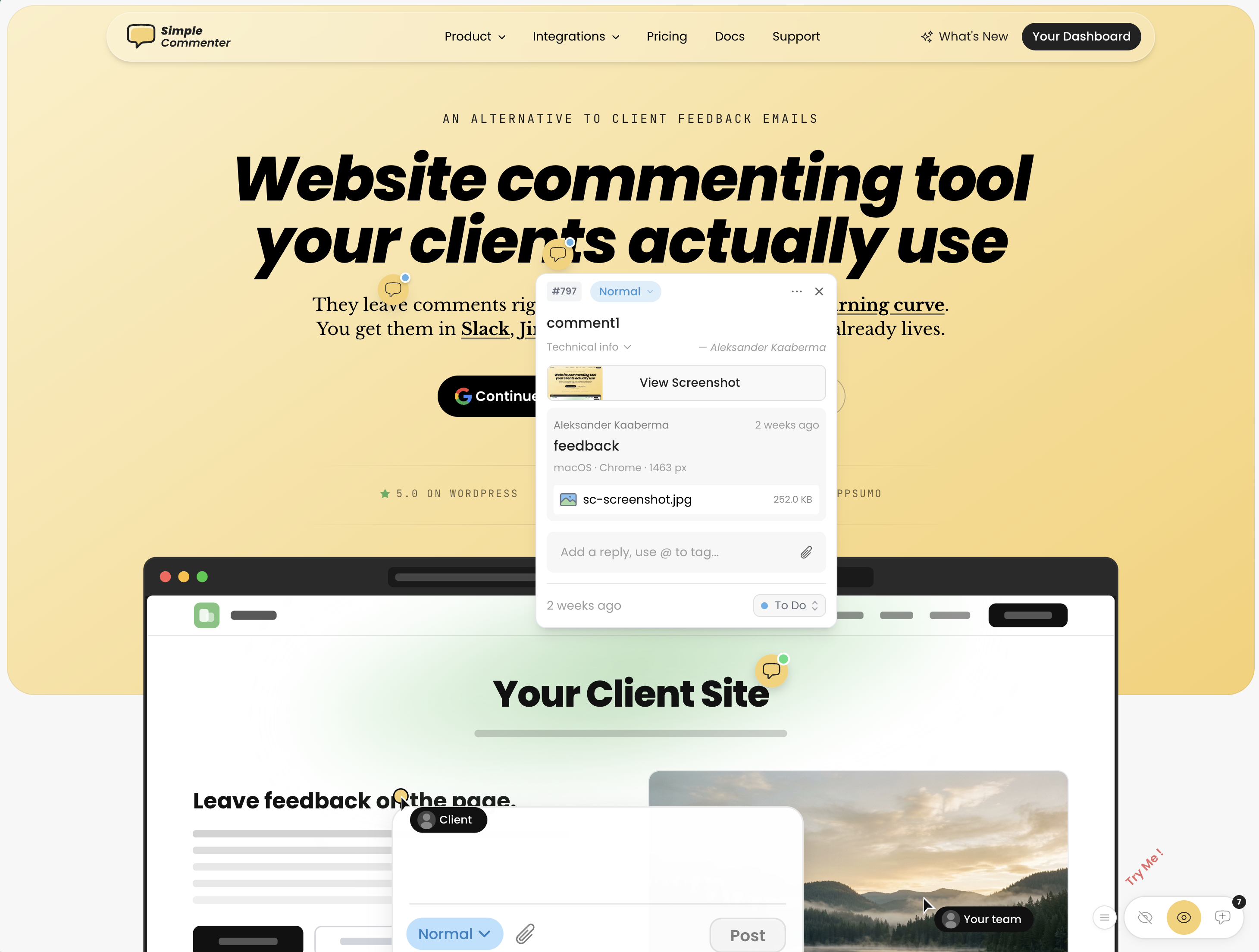
Clients can leave feedback without creating an account, while the team manages comments, replies, statuses, and boards. An optional client portal adds an ongoing review workspace. For a site behind authentication, reviewers still need access to the site itself.
The WordPress plugin lets the team manage feedback inside WP admin. Integrations connect the review workflow to existing tools, and the AI and MCP connection lets an agent read feedback and prepare a handoff. A coding agent needs repository access to propose a fix; review and test its changes before publishing.
See current plans and prices for the selected currency and billing period. Pro has included team seats with paid extras; Agency includes unlimited team members and white-label features. Clients do not need paid seats. SAML SSO is an optional paid Agency add-on or part of a tailored Enterprise agreement. A 14-day trial is available without a credit card.
2. Feedbucket#
Best for: BugHerd-quality pinned screenshots flowing into your PM tool, without reviewer signup.
Feedbucket matches the capture quality that makes BugHerd good (automatic screenshots pinned exactly where the comment was placed) and skips the hub login: reviewers comment via a link, no account. It is deliberately not a triage home; the dashboard filters by tag and page and everything else is designed to land in Jira, Trello, Asana, or whichever tracker you already run. Pro at $39/mo covers 5 team members with unlimited reporters, video feedback and screen recording ship on every plan, and the whole product is developed in the EU. 14-day card-free trial.
3. Marker.io#
Best for: Teams that need screenshot reports and debugging context in an existing issue tracker.
Marker.io combines screenshots and browser details with developer tools on eligible plans. Check your required tracker integration, console capture, network requests, and session replay in the plan you intend to buy.
Marker.io supports different reviewer roles. Its role documentation allows account-free reports through an open widget. Reporters can follow up on their own reports; shared dashboard access and visibility of other reports depend on guest or team permissions. Agencies should compare the dedicated Agency offer with their required projects and collaborators.
Starter is $39/month billed annually or $59 monthly; Team is $149/month billed annually or $199 monthly. The pricing page also lists an Agency offer and a 15-day trial without a credit card. Compare the actual review task in Marker.io vs BugHerd.
Found this useful? Add us as a preferred source and Google will show you more of our guides in Search and AI Overviews.