7 Best Ruttl Alternatives in 2026
Ruttl's paid plan starts at $36/mo with no script trial, paid features were broken in our test, and cancellation runs through email. Seven honest alternatives.


Our verdicts on how each tool behaves come from hands-on testing earlier in 2026. On 29 October 2026 we rechecked prices and plan details on each vendor's own pricing page, which is not the same as testing the products again.
If you're leaving Ruttl, pick a tool you can test on your own site before paying, and one you can cancel without asking anyone. Feedbucket, Userback and Ybug all clear that bar, Pastel and Huddlekit keep Ruttl's hosted review style, and MarkUp.io suits big teams that want one flat plan.
Ruttl itself is easy to start with. Its free Basic plan covers up to 5 users on one project and five pages, with unlimited guests and Trello, Slack, Asana and Jira integrations, so a one-off review on a hosted copy of a page costs nothing. Pro is $18 per user per month (Ruttl pricing, as of 2026-10-29). The trouble starts when you pay for the script that runs on your real site.
Three problems keep sending paying teams elsewhere.
- You can't cancel without a conversation. Billing runs on Stripe, but Ruttl doesn't offer a Stripe customer portal. You cancel by email, and our cancellation email got a reply asking us to book a call instead. The EU Consumer Rights Directive (2011/83/EU) expects leaving to be as easy as signing up, and this flow falls short of it. Public reviews describe customers who cancelled and were still charged the following month.
- Refunds take a fight. EU consumers get a statutory 14-day right of withdrawal on digital subscriptions. We used it during our test. Ruttl refused at first and only refunded us after a long back-and-forth.
- The paid feature can't be tried first, and it broke for us. There is no trial of the script integration, which is the part most teams actually want. We paid for two seats at $18 each, a $36 floor, and the script threw errors while every support ticket bounced. That experience is the best argument for free trials we know of.
So the bar for a replacement is simple. Not every tool below clears all three, but each clears at least one.
- A vendor based in the EU, so consumer law works for you without a dispute
- Cancellation you can do yourself in a Stripe customer portal, with no email thread and no meeting
- A free plan, or a trial without a card, that includes the features you'd be paying for
Ruttl does get two things right, and most teams leaving want to keep them.
- Hosted, iframe-style review works for static pages, and staying with that model is a fair choice if it suited you
- Clients get in fast, with a link, a comment and no signup ceremony
The seven tools below are the ones worth a trial.
Simple Commenter#
Built for: Agencies · Freelancers · QA teams · SaaS teams
Best for: Teams leaving Ruttl who want the live-site script they were paying for, proven first on their own site and cancellable without a call.
Full disclosure, Simple Commenter is our product, so weigh this section with that in mind.
Test the script before you pay. The 14-day trial needs no credit card and covers the script tag, the WordPress plugin and the Chrome extension, so you find out on your own staging site whether it works. The standard trial doesn't turn into a paid subscription by itself. If you walk away, there is nothing to cancel.
Leaving later is self-serve too. Subscriptions run through Stripe's customer portal, so you cancel there yourself, and every plan comes with a 14-day money-back guarantee. That covers both of the billing problems we had with Ruttl.
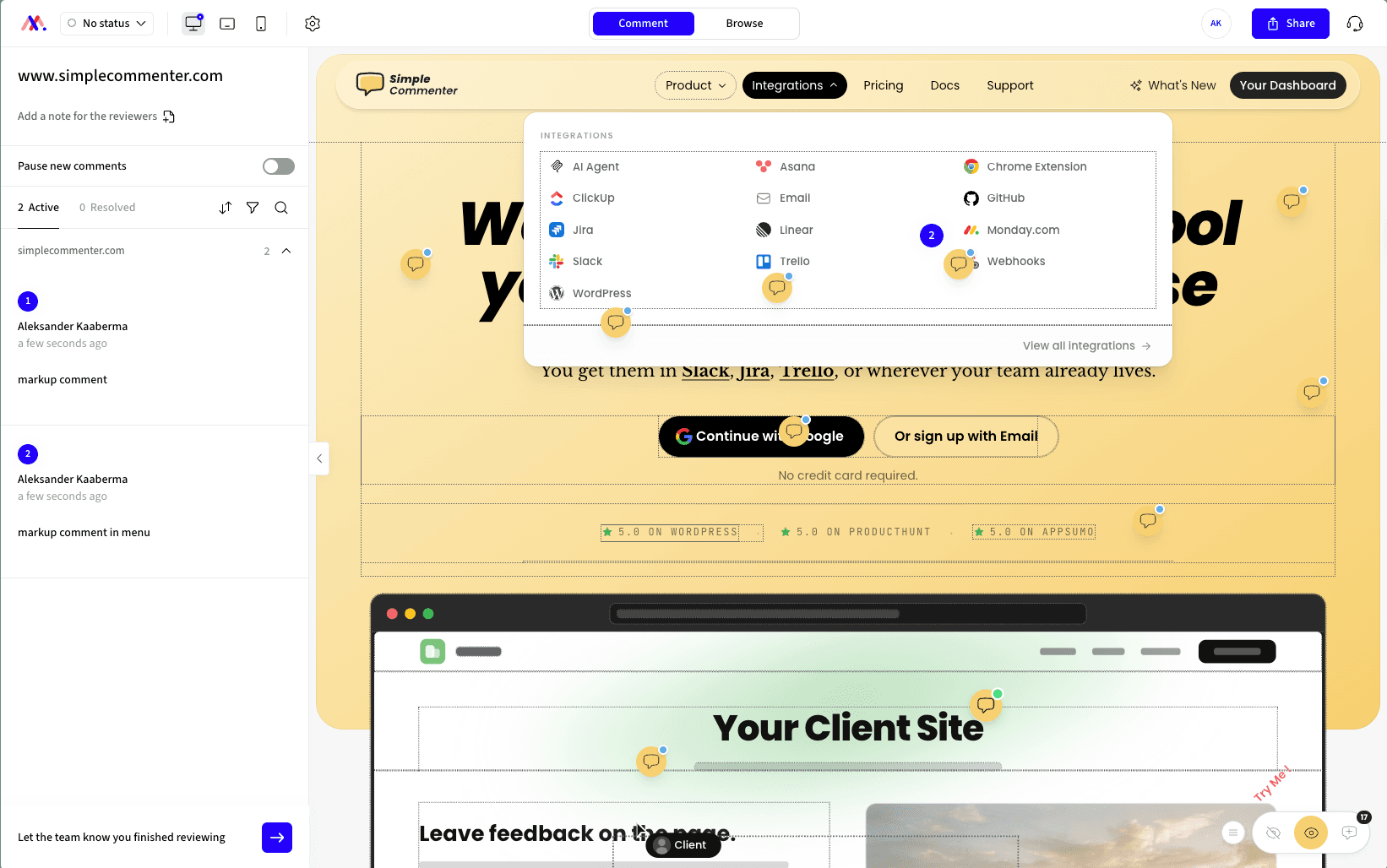
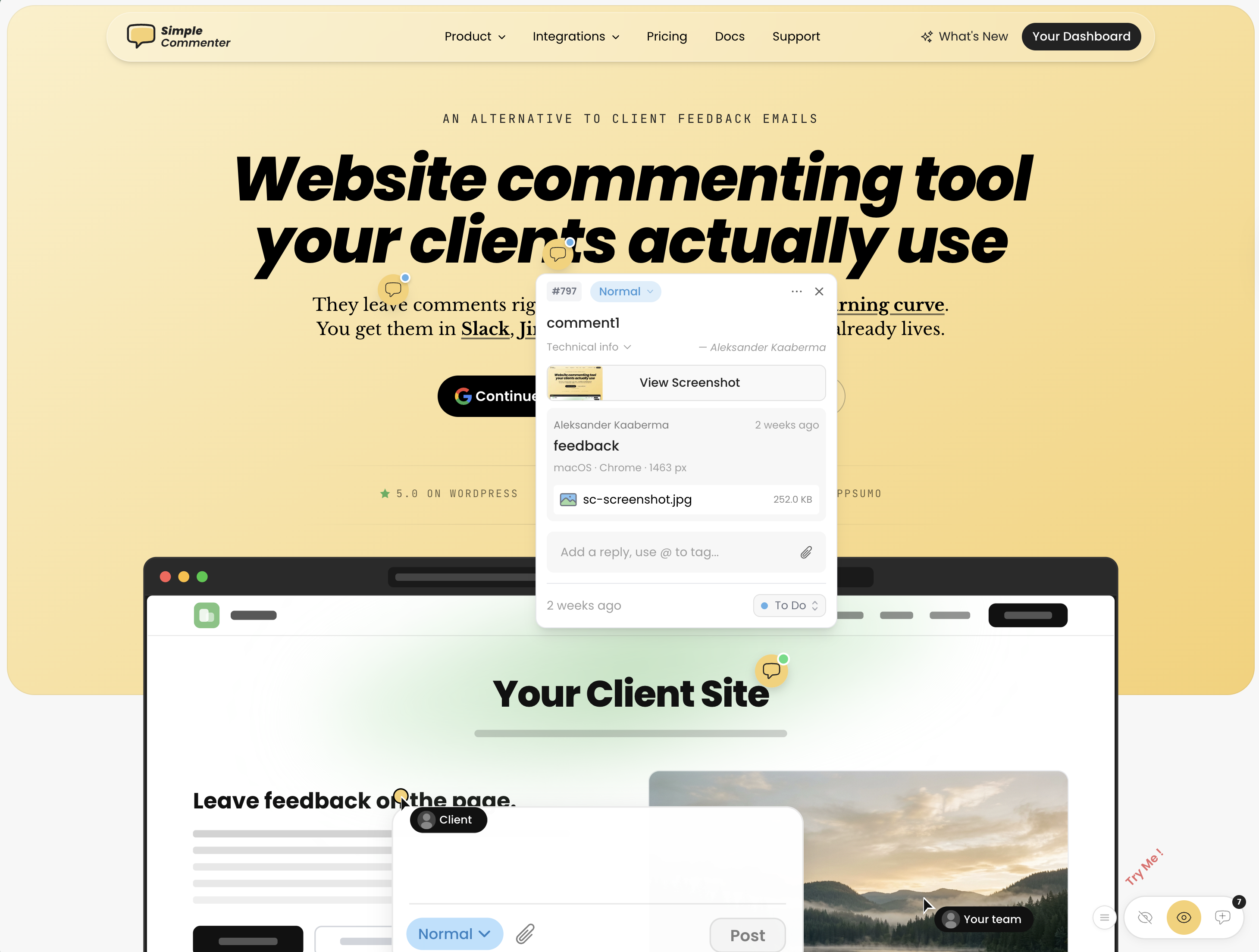
Your clients keep what they liked about Ruttl's guest flow. A client clicks a spot on the real page, types and posts, and the comment is pinned there with a screenshot and browser details. Nobody creates an account. When a project needs names, you can invite clients or let them request access, set per project in the reviewer access mode.
Your team gets a dashboard with statuses and a board view, and feedback can go on to Asana, ClickUp, GitHub, Jira, Linear, Monday.com, Slack, Trello, email or webhooks. A native MCP server lets Claude Code, Cursor and other AI agents read and answer comments.
The price lands close to Ruttl's floor. Pro is $34.99 a month (€29.99) with three team members, where two Ruttl Pro seats come to $36. Clients never take a seat.
Here is what you give up. Ruttl's free Basic plan has no equivalent here, and once the trial ends the widget needs a paid plan to stay on. You also have to add something to the site, a script tag, the WordPress plugin or the Chrome extension, where Ruttl's hosted review needs nothing installed. And Pro stops at 10 active projects. Archived ones don't count, and Agency removes the limit.
Key features:
- 14-day trial of the full script setup with no credit card and no automatic switch to a paid plan
- Self-serve cancellation in the Stripe customer portal, backed by a 14-day money-back guarantee
- Comments pinned on the live page with a screenshot and browser details, and no client account
- Reviewer access options per project, from open commenting to invite-only
- Install by script tag, WordPress plugin or Chrome extension
- Ten integrations, from Jira and Linear to Slack and webhooks
- AI agents can search, sort and reply to feedback through the MCP integration
- PDF and image review next to website feedback
Pricing:
- Pro $34.99/month or $349.99/year (€29.99 or €299.99), 3 team members, 10 projects
- Agency $79.99/month or $799.99/year (€69.99 or €699.99), unlimited members and projects
- Extra Pro seats $9.99/month each, clients free on every plan
- 14-day free trial without a card, 14-day money-back guarantee
- See the current plans and prices for your currency (checked 2026-10-29)
Pros:
- You can prove the script works on your own site before any payment
- Cancelling happens in a billing portal, not over email
- Clients comment on the real page, staging and logged-in pages included, as long as they can open it
- Three team members on Pro for about the price of Ruttl's two-seat minimum
- Comments, replies, members and settings can be managed inside WordPress admin
Cons:
- No forever-free plan like Ruttl Basic, so the widget needs a paid plan after the trial
- Something has to be installed on the site, unlike Ruttl's hosted review
- Pro caps active projects at 10
- Younger than BugHerd or Marker.io, and the integration list is still growing
Reviews:
Reviews on Product Hunt and AppSumo keep coming back to setup that simply works, which is the thing Ruttl's paid tier failed at for us. One AppSumo reviewer swapped tools in the middle of a client project and wrote that it "worked straight away without any problems", installed within five minutes. Support speed is the other repeated point, with one buyer saying an issue was fixed "in literal seconds" after an email. A Product Hunt review from Jim Langman describes a client site that sat stalled for a year and launched three weeks after the widget went in.
Feedbucket#
Built for: Agencies · QA teams · SaaS teams · In-house product teams
Best for: Ruttl customers who want a script that works on the live site and a card-free trial, with feedback passed on to the tracker they already use.
Feedbucket is the closest fix for Ruttl's broken script. Feedbucket runs on a script tag, with one-click installers for WordPress and Shopify, and every feature can be tried for 14 days without a card. That alone removes the pay-to-find-out problem we hit with Ruttl.
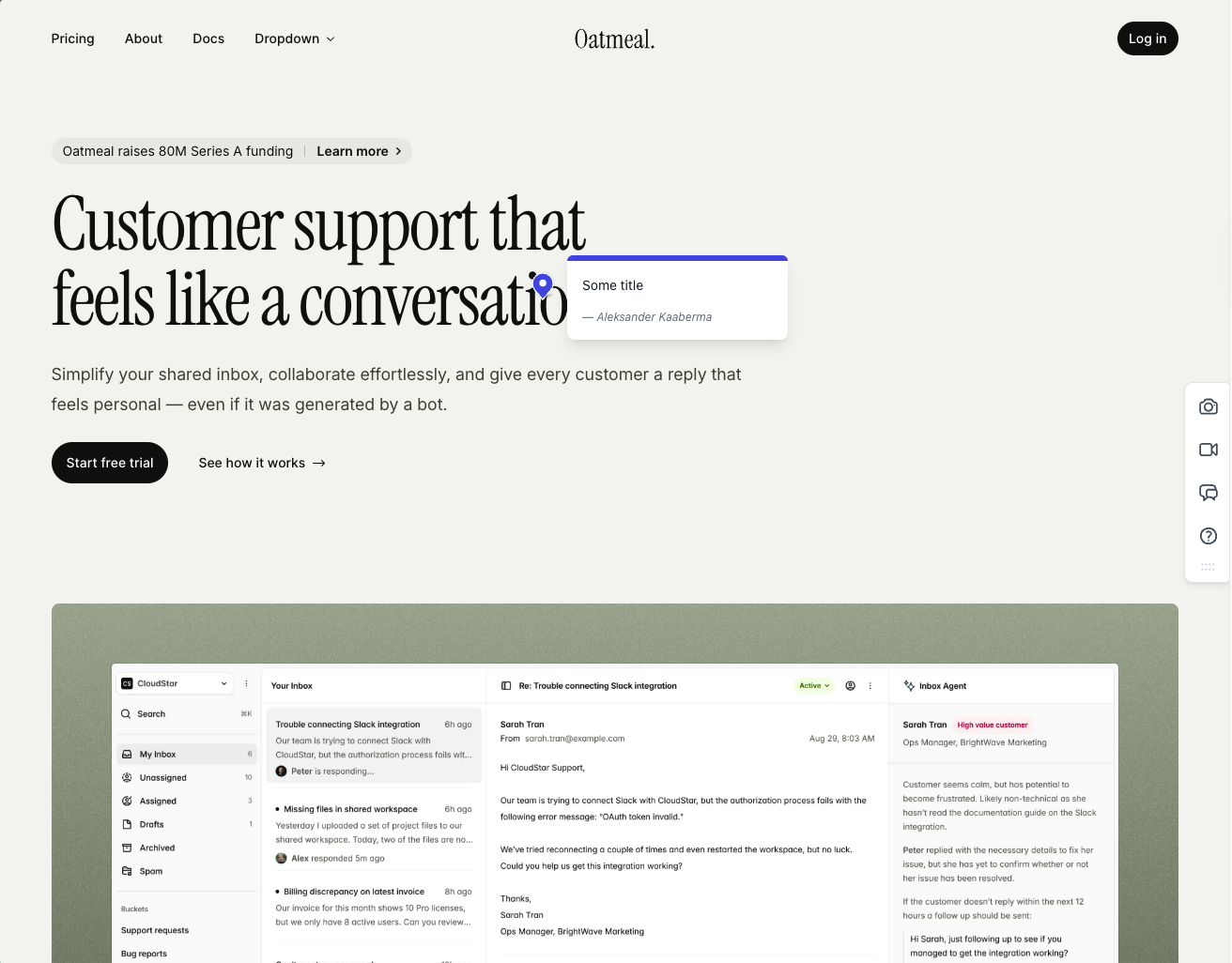
Our test went smoothly. Clients didn't need an account, each comment carried an automatic screenshot, and the screenshot was pinned to the spot where the comment was left. That is the flow Ruttl's paid plan was supposed to deliver.
Feedbucket is built to hand feedback to your tracker, not to replace it. The integration list reaches most project tools, and Pro now includes an MCP connector and API access. The trade-off is a light dashboard. You can filter by tag and page, but there is no priority, ordering or board view, so if you liked Ruttl's kanban, that part of the job moves to Jira or Trello.
Two smaller things. Every comment asks for a title by default, which slows down a client who only wants to flag a button, though you can switch it off. And the WordPress plugin is an installer, with no feedback management inside WP admin.
Pricing has changed since our first version of this page. Pro is now $49 a month with 2 team members, and Business is $89 with 25. Every plan includes unlimited projects and client reporters (Feedbucket pricing, as of 2026-10-29).
Key features:
- Script install, with one-click installers for WordPress and Shopify
- Automatic screenshot on each comment, pinned to the exact spot
- Screenshot and video feedback
- MCP connector and API access from Pro
- Guests comment from a link, no signup
Pricing:
- Pro $49/month, 2 team members, integrations, MCP connector and API access
- Business $89/month, 25 team members, console logs, JavaScript API, custom branding
- Enterprise on request, with invoicing, security reviews and SSO marked coming soon
- Unlimited projects and client reporters on every plan, 20% off yearly
- 14-day free trial, no credit card
Pros:
- The live-site script worked in our test, which is exactly what Ruttl's paid plan couldn't manage
- A 14-day trial with no card, so you test before you pay
- Screenshots land where the comment was placed
- Integrations reach most trackers, and an MCP connector ships on Pro
- Developed in the EU
Cons:
- No board, priority or ordering in the dashboard, so the kanban habit from Ruttl moves to your tracker
- Titles are required on comments by default
- The WordPress plugin installs the script and does nothing more
- Pro now covers only 2 team members at $49
- Custom branding starts on Business
Reviews:
Public reviews are mostly positive and line up with our test. Reviewers single out two things, guests who never have to sign up and a tool that rarely breaks. Coming from Ruttl, where screenshot capture threw errors on us, that reliability is the whole point. Teams that work in Jira, Trello or Asana describe Feedbucket as the link between their site and their tracker. The complaints are small and familiar, a thin dashboard and limited customization below Business.
Pastel#
Built for: Freelancers
Best for: Ruttl users who were happy on the free hosted canvas and want a mature, maintained version of it for static design reviews.
Pastel is the steady option if you liked Ruttl's free canvas. Pastel has been around since 2016 and the interface is polished. Like Ruttl's free plan, it puts reviewers on a hosted copy of your page rather than on the site itself.
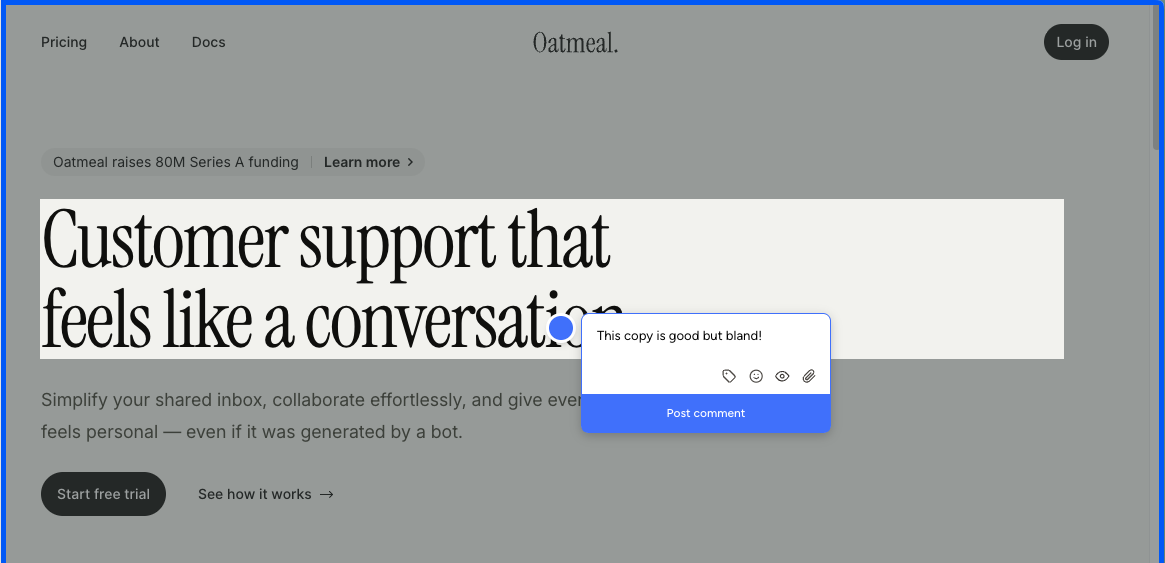
You create a canvas from a script tag or the Chrome extension, and either way reviewers comment inside the Pastel-hosted canvas. The extension only spins up new canvases. It doesn't make your live page commentable the way an on-page widget does.
The canvas model shows its limits on phones. Mobile review happens in a desktop-emulated viewport, and emulated mobile misses real-device bugs such as touch handlers, fixed elements and modals that jump. If your clients test on their own phones, they can't report from there.
Free canvases close after three days. Pastel's help center says a free canvas accepts comments for 3 days from creation and then goes read-only. A client who drags their feet needs a fresh canvas or a paid one.
The jump to integrations is steep. Pro is $35 a month ($29 billed yearly) for 2 users and 3 active canvases, with no integrations. Trello, Asana, Jira, ClickUp, Monday, Zapier and webhook export start on Team at $119 a month (Pastel plans, as of 2026-10-29). Against Ruttl, you trade a buggy script for no live-site script at all.
Key features:
- Hosted canvases for websites, images and PDFs
- Canvas creation from a script tag or the Chrome extension
- Unlimited guest reviewers on every plan
- Mentions, attachments, labels and private comments
- Feedback deadlines and approvals
Pricing:
- Free $0, 1 user, 1 active canvas, comments open for 3 days per canvas
- Pro $35/month or $29/month yearly, 2 users, 3 active canvases, no integrations
- Team $119/month, from 5 users ($24 each after), unlimited canvases, integrations
- Enterprise $450/month, from 10 users, SAML SSO
- 14-day free trial on paid plans, no card
Pros:
- On the market since 2016, with a polished interface
- Comments on images and PDFs as well as web pages
- Unlimited guests on every plan
- Quick to set up
Cons:
- Reviewers comment on a hosted snapshot, never on your live site
- Mobile review is emulated, so real-phone bugs slip through
- Free canvases go read-only after 3 days
- No integrations until the $119 Team plan
- The 3-canvas limit on Pro makes active projects compete for slots
Reviews:
Reviews are positive about the basics, fast setup and a canvas idea anyone grasps quickly. The criticism sits at the edges. Some clients resist opening a separate tool, free-plan stakeholders who miss the 3-day window need a new link, and phone testing happens in an emulator. For a solo designer reviewing static files that's fine. For live-site review rounds, it adds up.
Userback#
Built for: In-house product teams · QA teams · SaaS teams
Best for: Product teams who liked Ruttl's all-in-one kanban and want a heavier, actively developed version with a free tier to test on first.
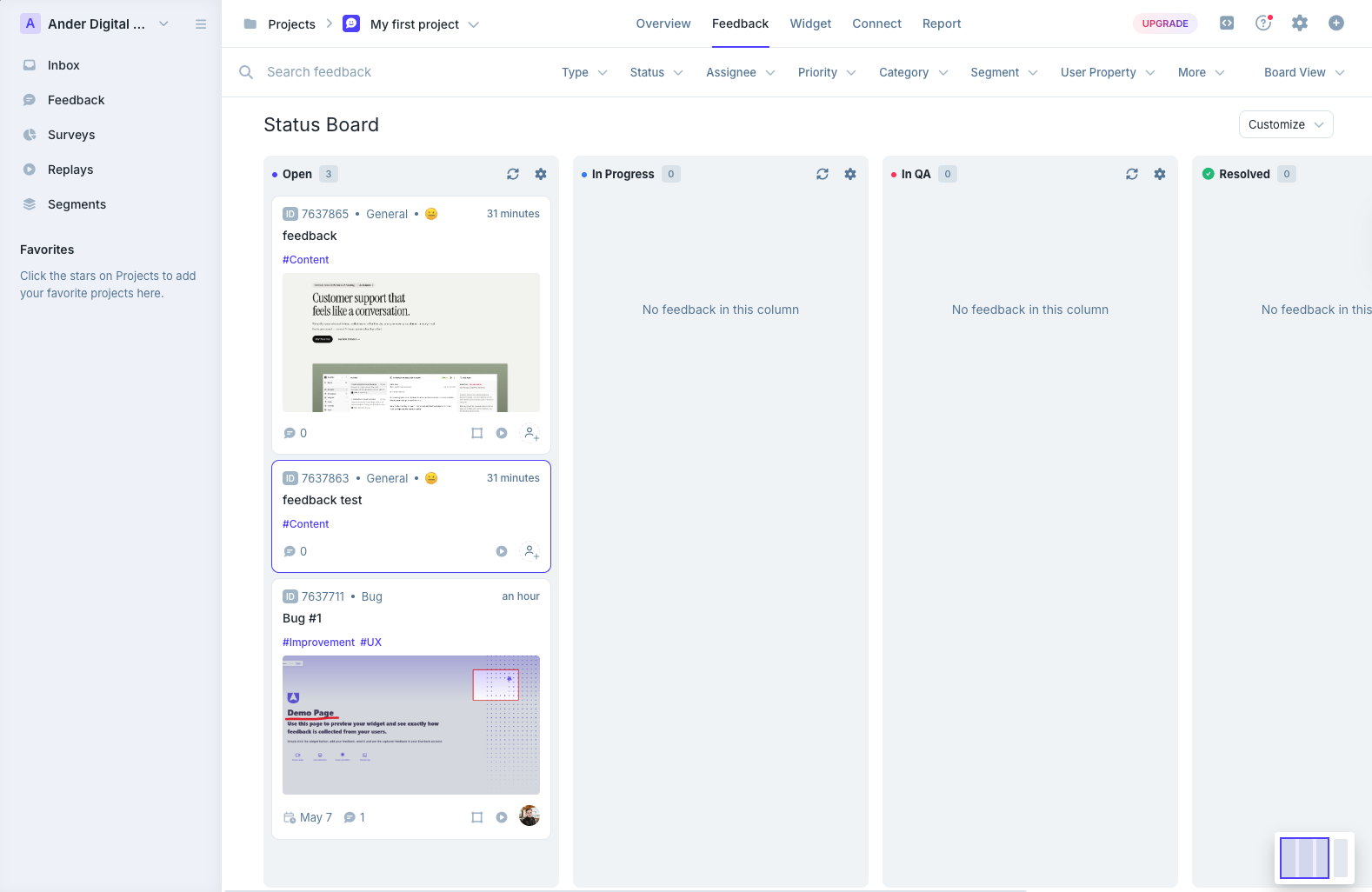
If Ruttl's draw was having every comment on one board, Userback is the nearest like-for-like swap here. It sits with Marker.io and BugHerd as a layer between your site and your tracker, and its dashboard is built on kanban boards and an email-style inbox.
There is a lot of it. The integration list is long and the triage views go deeper than most tools we tried. The same depth makes day one hard, with an inbox, a status board, a project overview and session replays all competing for your attention.
Screenshots were the weak spot in our test. Not every comment got one automatically, captured screenshots carried no marker for where the comment was placed, and pinning a spot meant attaching a screenshot in the same step. Like Marker.io, Userback also doesn't show existing comments on the page, so on a staging site with several reviewers the same broken button arrives three times.
It fits two kinds of team, live sites collecting general visitor feedback and larger companies running internal QA. Agencies running client rounds will find it heavy. The WordPress plugin installs the script and stops there. It's also easy to mix up with Usersnap, which is a different product.
Against Ruttl, the gain is trust. A Free Forever tier lets you try it without a card, and billing runs on ordinary self-serve flows.
Key features:
- Kanban status board and email-style inbox for triage
- Long list of project tool integrations plus Zapier
- Session replay, surveys and targeting from Business
- AI feedback insights from Business
- REST API and mobile SDK on Business Plus, SSO on Enterprise
Pricing:
- Free Forever, 2 projects, up to 2 seats, feedback kept for 7 days
- Team $39/month yearly or $49 monthly, 5 seats, 5 sites
- Business $89/month yearly or $119 monthly, 15 seats, 25 sites, replay
- Business Plus $159/month yearly or $199 monthly, 25 seats, 50 sites, REST API, webhooks
- SSO is an Enterprise feature, see Userback pricing (checked November 2, 2026)
Pros:
- A Free Forever tier, the test-before-paying option Ruttl never gave us
- Deep triage with kanban and inbox views
- Session replay and surveys in the same tool
- One of the longest integration lists in the category
Cons:
- Screenshots aren't automatic on every comment and carry no pin marker
- Existing comments aren't visible on the page, so duplicates pile up
- Heavy for quick client rounds
- REST API only on Business Plus
- The WordPress plugin is a script installer
- Easily confused with Usersnap
Reviews:
Public reviews rate Userback highly, with averages around 4.8 for ease of use and 4.9 for customer service. QA teams praise how quickly they can check signup flows and page components before launch, and project setup and routing get repeated mentions. Price and fit draw the criticism. Older reviews complain about seat pricing that the current Business plans have replaced, the REST API sits on the top tier, and some reviewers say they use a fraction of the features and would be better off with something simpler.
Ybug#
Built for: QA teams · In-house product teams · SaaS teams
Best for: Teams for whom EU consumer protection was the deciding issue with Ruttl, and who want screenshot-to-ticket bug reports with EU hosting on every plan.
If the EU angle mattered most to you, read this one closely. Ybug is hosted in the EU and offers a GDPR-ready DPA on every plan, Free included. Billing and cancellation are self-serve, so the kind of dispute we had with Ruttl doesn't come up.
You install it with a script tag or the Chrome extension, and both are first-class. The fields on the report form are configurable per project, and permissions are set per project too, which helps when you separate clients or environments.
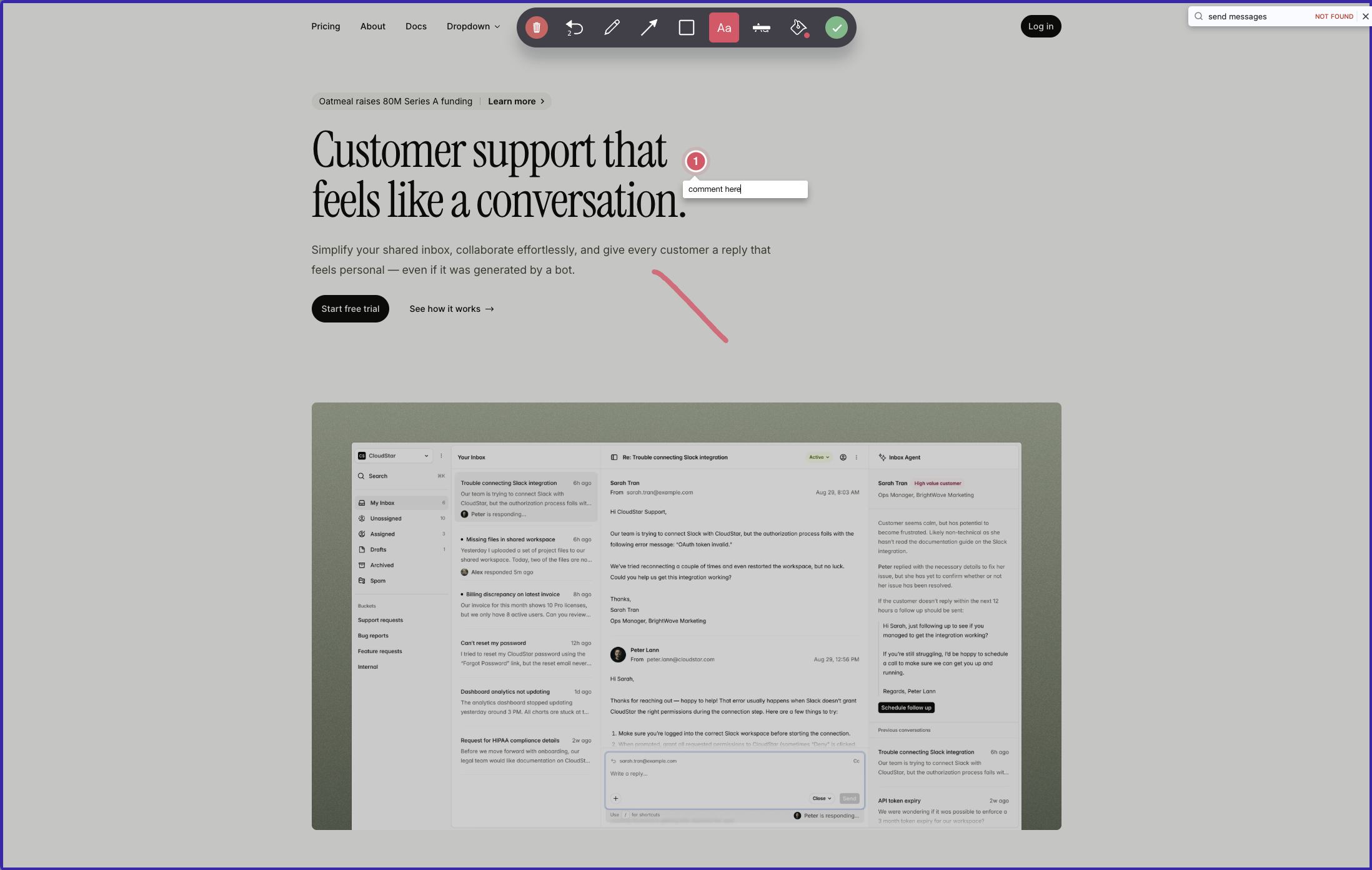
Feedback works more like Ruttl's free flow than a live-page overlay. A reviewer opens the widget and either sends feedback on the whole page or captures a screenshot to draw on and pin comments to. The pins live on the screenshot, not on the page, and the report becomes a ticket in Ybug or in your connected tool.
Each ticket carries good debugging data, with annotated screenshots plus browser, OS and screen size. Paid plans add console capture. The 25+ integrations push one way only, so a status change in Jira or ClickUp never comes back to Ybug.
There are two catches. Everyone who wants to see reports needs a Ybug account, and because reports never appear on the page, staging sites collect duplicates. Seats and projects are bundled, so an eighth project moves you from Startup at €23 to Company at €47, and white-label is still listed as coming soon.
Key features:
- Script tag or Chrome extension
- Whole-page feedback or annotated screenshots with pinned notes
- Report fields and permissions set per project
- Browser, OS and screen data, console logs on paid plans
- 25+ one-way integrations plus Zapier and webhooks
- EU hosting and a GDPR-ready DPA on every plan
Pricing:
- Free €0, 1 project, 1 member, 50 screenshots a month
- Basic €10/month yearly or €13 monthly, 3 projects, 3 members, one integration each
- Startup €23/month yearly or €29 monthly, 7 projects, 7 members, video
- Company €47/month yearly or €59 monthly, 15 projects, REST API, custom branding
- 10-day trial, no card
Pros:
- EU-hosted with a DPA even on Free, the cleanest answer to the consumer-law problem this page started with
- Bug reports arrive with useful technical context
- Granular permissions per project
- A free plan you can actually use
- Support praised for replies within a business day
Cons:
- Pins sit on screenshots, so later visitors can't see existing feedback on the page
- Viewing or replying needs a Ybug account
- Integrations are one-way
- Branding only on Company, and white-label is still coming soon
- Bundled seats and projects make upgrades steep
Reviews:
G2 ratings are strong. Reviewers like how easily non-technical people file useful bug reports, and they call out screenshots, environment data and console logs for QA and UAT work. Support gets credit for answers inside a business day. The repeated complaint matches our test, that stakeholders need an account before they see anything. For an internal QA team happy with a screenshot-to-ticket pipeline, Ybug earns its rating. For a visual conversation on the live page, look elsewhere.
Huddlekit#
Built for: Agencies · Freelancers
Best for: Agencies who want Ruttl's hosted review convenience plus a four-screen responsive view, on WordPress, Squarespace or Webflow marketing sites.
Huddlekit is the polished newcomer if you want to stay on hosted review. Huddlekit launched in 2025 and ships quickly. Setup was among the smoothest we tested, and we met very few bugs.
Its standout is a four-screen canvas that shows a page at mobile, tablet, laptop and desktop sizes side by side. You catch the broken mobile hero and the stretched desktop headline in one pass. Ruttl has nothing like it.
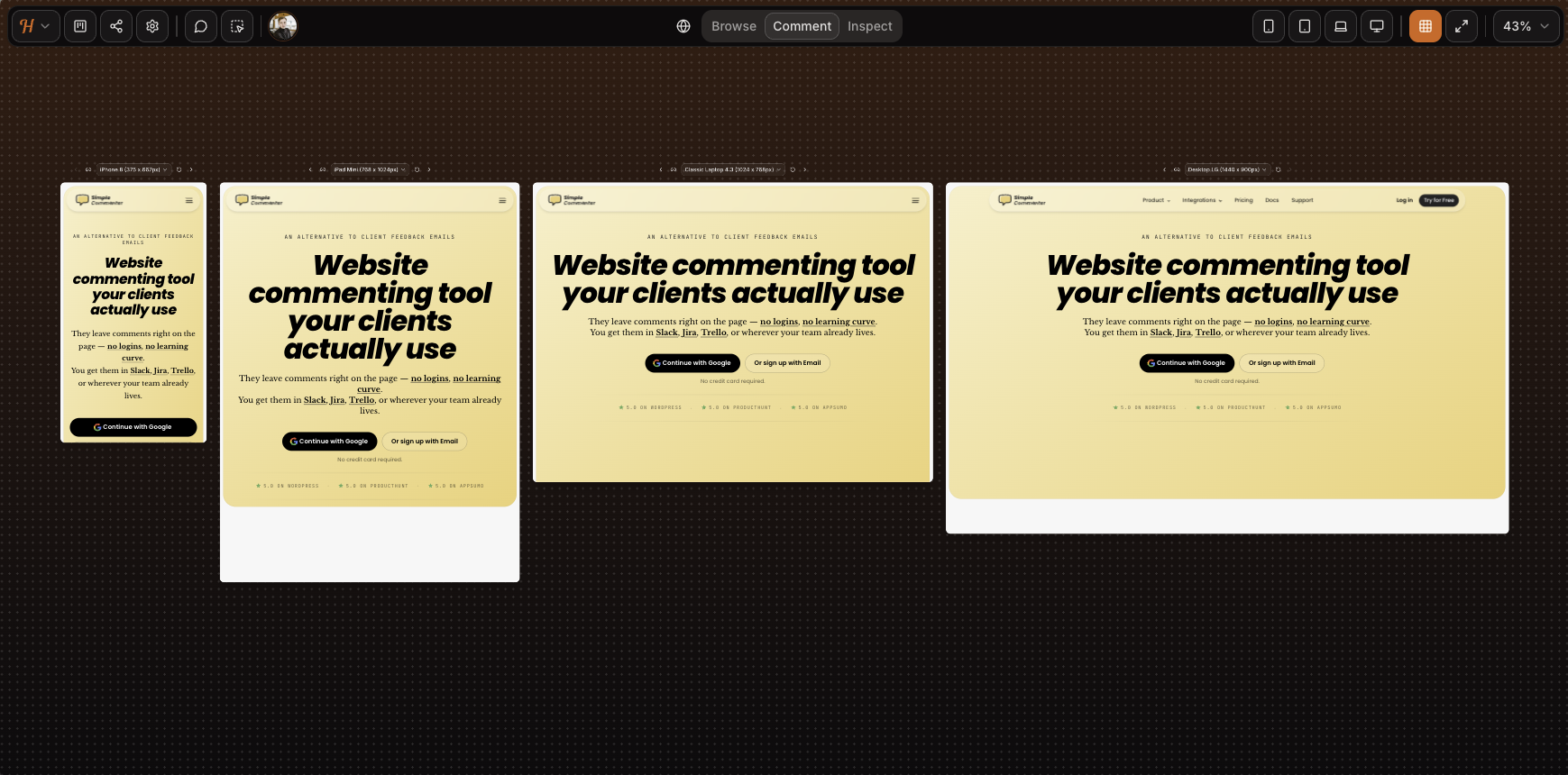
The usual hosted review limits apply. Mobile is emulated, and in the screenshot above the SVG animation on our homepage is missing. Authenticated apps won't load, and our test page behind Basic Auth didn't either. For marketing and CMS sites it's fine.
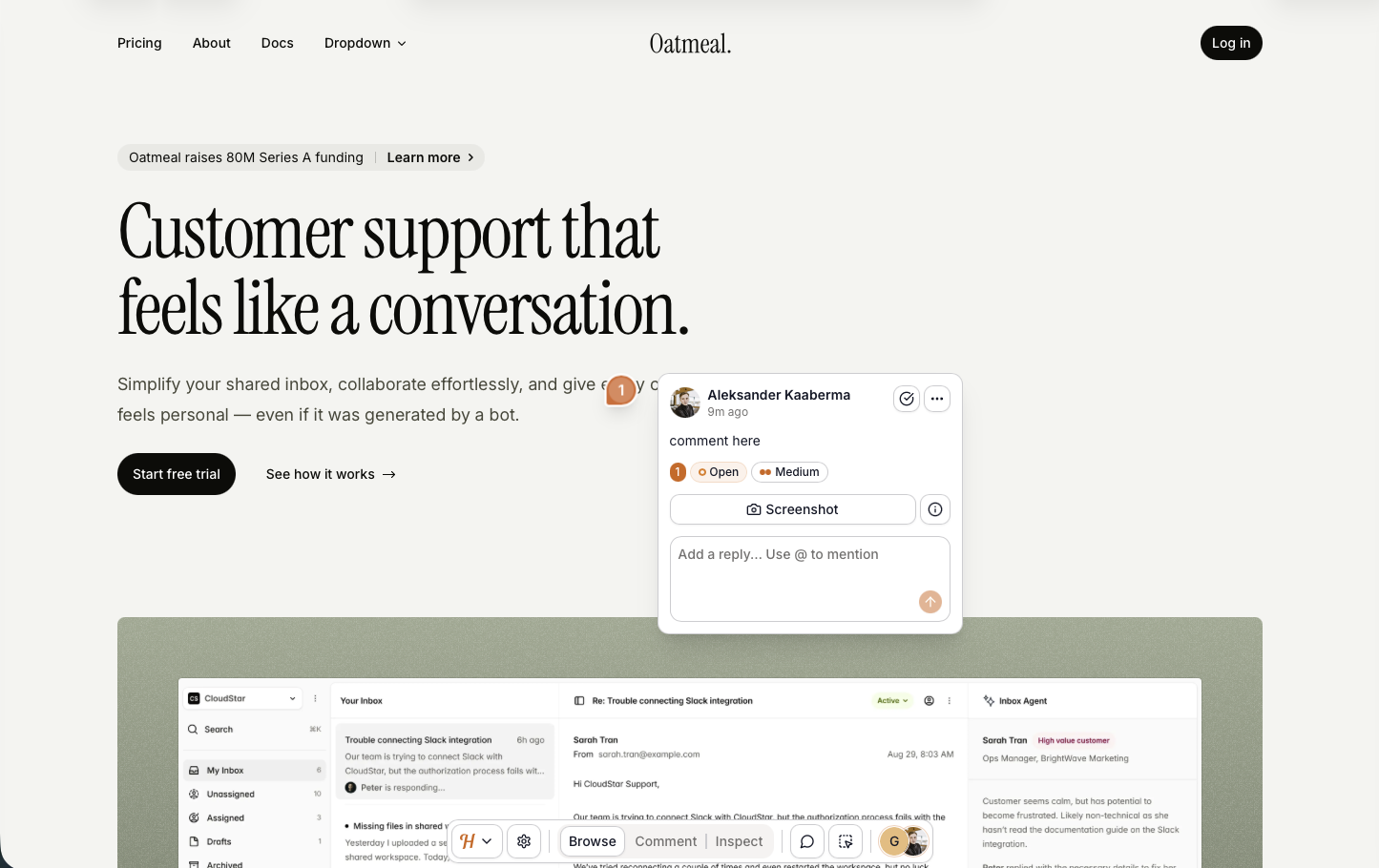
A script install is in beta and worked well for us, with screenshots taken from the spot where each comment was placed. Dropdowns and drawers were still rough. That's more than Ruttl's paid script managed in our test.
Access is light. Anyone with the link can open the project and read the feedback, and commenting asks only for a name and email. Anyone who knows a team member's email can post as them. That suits freelancers, not companies that need access control or audit trails. Integrations come on the Team plan only (Huddlekit pricing, as of 2026-10-29), and there is no white-label, so the Huddlekit logo stays on everything your clients see.
Key features:
- Hosted review, with a script install in beta
- Four-screen responsive view
- Comments on images, PDFs and video too
- Automatic screenshot on each comment
- Kanban, comment pausing, private comments and inspect mode on paid plans
Pricing:
- Free, 3 team members, 1 project, 100 MB storage
- Pro $19/month or $190/year, 3 members, unlimited projects and guests, 5 GB
- Team $39/month or $390/year, 15 members, 50 GB, integrations
- Two months free on yearly billing
Pros:
- Smooth setup and very few bugs for a tool this new
- The four-screen view is unique in this group
- The beta script captured screenshots in the right place
- A free tier that works for solo projects
- Fast development pace
Cons:
- The hosted canvas fails on Basic Auth and logged-in apps
- Mobile is emulated
- Anyone with the link can read the feedback
- Name and email on every comment, with no anonymous option
- Integrations only on Team
- No white-label
- No reviews on G2, Capterra or Product Hunt yet
Reviews:
Huddlekit's site shows a 5/5 rating, but we found no third-party reviews on G2, Capterra or Product Hunt to check it against. Its testimonials match what we saw, a clean canvas, quick iteration and a credible replacement for Markup.io, Pastel and Ruttl on simple sites. As with BugSmash, a fair verdict needs subscriber reviews. Even so, the beta script already beats several older tools in our testing.
MarkUp.io#
Built for: Agencies · Freelancers
Best for: Larger teams leaving Ruttl's per-seat pricing who want one flat plan with unlimited users, on sites that don't sit behind Basic Auth.
MarkUp.io is the flat-price option for big teams. Markup.io charges per plan, not per seat. Pro starts at $79 a month for unlimited users, one workspace, 50 MarkUps a month and 100 GB, with $99 and $129 tiers above it. It now lists a 14-day free trial and still has no free plan (MarkUp pricing, as of 2026-10-29). When we tested there was no card-free trial, so we paid to write this section.
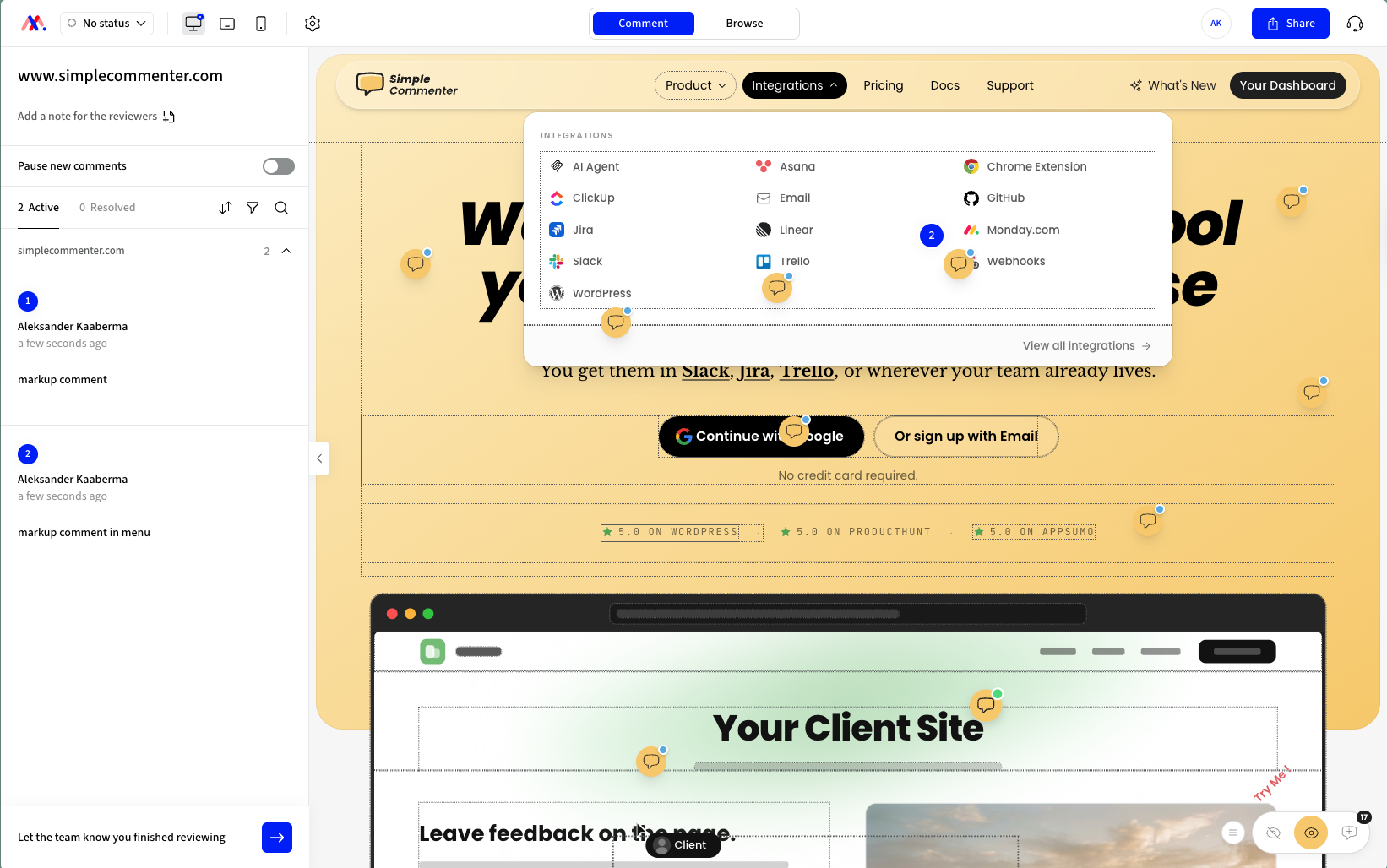
There are two ways in. The proxy serves your site from a Markup-hosted address, with no script to add, but sites behind Basic Auth won't load. The Chrome extension makes the live page commentable and is the better path, though in our test it drew a border around every div under the cursor. It still beats the Pastel and Volley extensions, which only create new projects.
Extensions are a hard sell to clients. Most won't install one just to leave a comment, and this one runs on desktop Chrome only, so phones are out.
Screenshots missed in our test. Each comment should carry one, but ours came from a different part of the page than the comment.
At test time the integrations were Zapier, Slack, Microsoft Teams and Loom, with ClickUp listed as coming soon and nothing direct for Jira, Linear, Asana, Trello or webhooks. The dashboard and settings were minimal, and the team shipped about six features across 2025.
Key features:
- Proxy review with no script, plus a Chrome extension for live pages
- Automatic screenshot on each comment
- Unlimited users on every plan
- Folders and shareable links
- Loom for video inside comments
Pricing:
- Pro $79/month, unlimited users, 1 workspace, 50 MarkUps a month, 100 GB
- Pro tiers at $99 (75 MarkUps) and $129 (100 MarkUps)
- Business from $499/month, Enterprise on request
- 14-day free trial, no free plan
Pros:
- Unlimited users, so none of Ruttl's per-seat math
- Two ways to review, proxy or extension
- Loom built in
Cons:
- Screenshots came from the wrong spot in our test
- The extension's hover borders look unfinished
- The proxy fails behind Basic Auth
- Short integration list when we tested, with ClickUp still pending
- Bare dashboard and few settings
- About six features shipped in 2025
- A $79 entry price is a lot for a small team when several tools here start under $40
Reviews:
G2 reviews lean positive on ease of use, self-serve setup without a sales call and how fast non-technical clients pick it up. Agencies and freelance designers like handing it to a client and getting useful notes back, and rich-text comments, share links and the desktop, tablet and mobile views come up as reasons to stay. Price is the top complaint. Reviewers also cite no data export, a Zapier integration without historical sync and slow loading in the proxy. Many reviews date from early 2023 and praise a free plan with unlimited users that no longer exists, so read them with that in mind.
Which one should you pick?#
Pick by the reason you're leaving Ruttl. If the script never worked for you, Simple Commenter and Feedbucket are the cleanest live-site swaps, and both offer 14-day trials that need no card. If you miss Ruttl's kanban, Userback gives you a deeper board on a product that keeps shipping. If EU consumer protection decided it, Ybug is EU-hosted with a DPA on every plan, Free included. If the free hosted canvas was all you used, Pastel is the mature choice and Huddlekit the newer one with the four-screen view. For a large team that wants one price for unlimited users, MarkUp.io fits that shape.
Found this useful? Add us as a preferred source and Google will show you more of our guides in Search and AI Overviews.