5 Best SureFeedback Alternatives in 2026
SureFeedback's rebuild lost the native WordPress plugin, support has gone quiet, and the script breaks the host page. Five alternatives to shortlist.

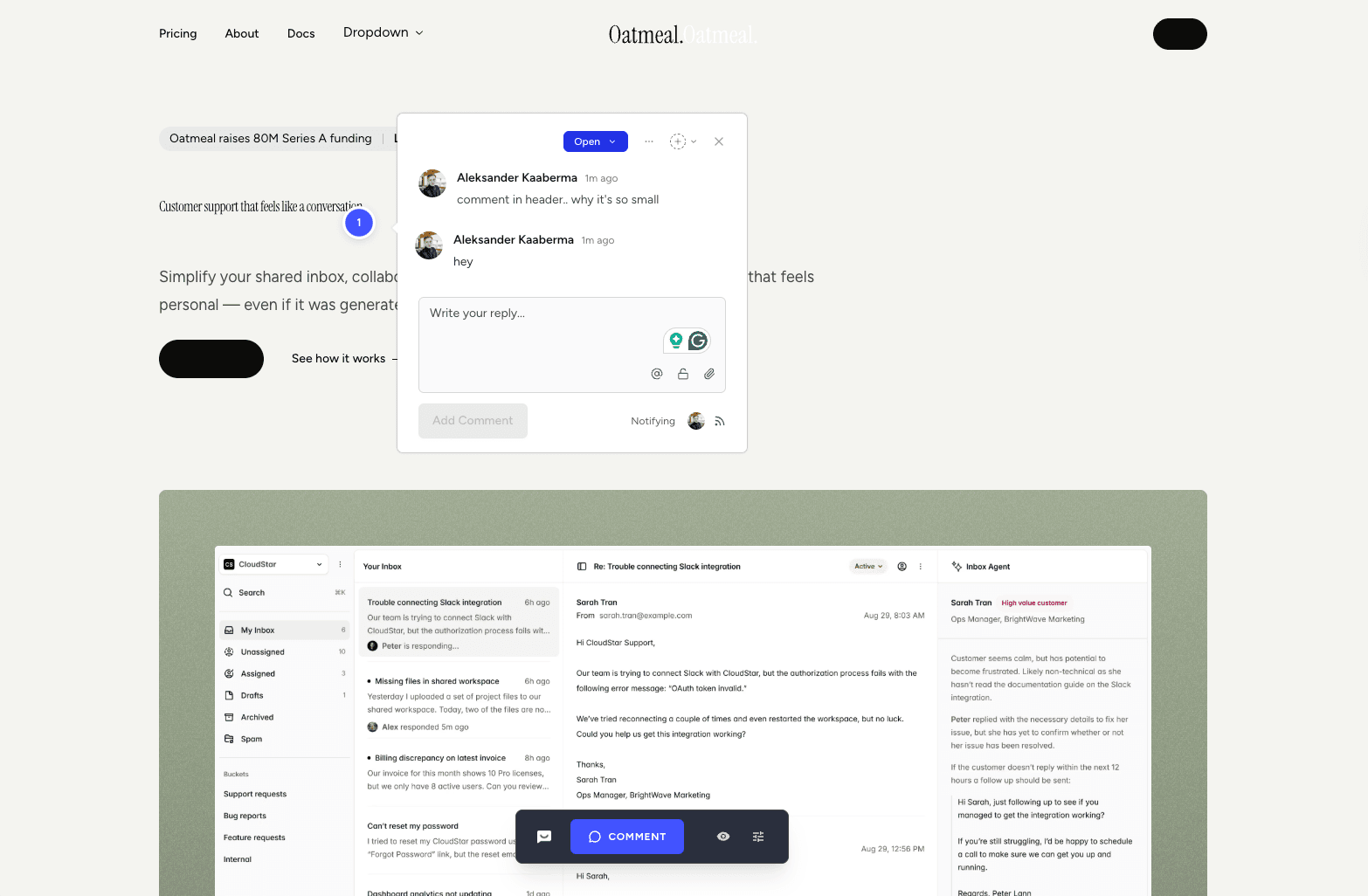
SureFeedback has the most complicated backstory in this category. It started as ProjectHuddle, earned a strong following in the WordPress ecosystem, then was acquired by Brainstorm Force a few years back. The original product worked great, support was responsive, and the WordPress directory still shows 29 five-star reviews from those years. The team has since rebuilt the product as a script-based cloud tool with a separate WordPress plugin called SureFeedback Cloud — and the reviews after the acquisition are a different story.
There are three recurring reasons people start shopping for an alternative:
- You wanted the original WordPress plugin. ProjectHuddle ran natively inside WP admin — comments, members, and settings all managed without leaving the dashboard. The rebuilt SureFeedback Cloud plugin is a script installer, not the deep in-WP integration the original was loved for.
- Support no longer responds. The single most repeated phrase in post-acquisition reviews is "There's no support!" — and when something breaks on a tool charging $199–$699 in year one, that is the gap that hurts.
- The product itself feels rough. "Used to work fine — now it's soooo bad." In our testing the script visibly altered the host page (header rendered smaller, dark/light mode broke), and every integration on the marketing site is still listed as "Coming Soon" while renewal sits at $999.
If you came back for the WordPress story, want a vendor that actually replies, or are tired of rough edges in a paid tool, these are the five alternatives worth shortlisting first. Each one fits at least one of the painpoints above while bringing comparable strengths of its own.
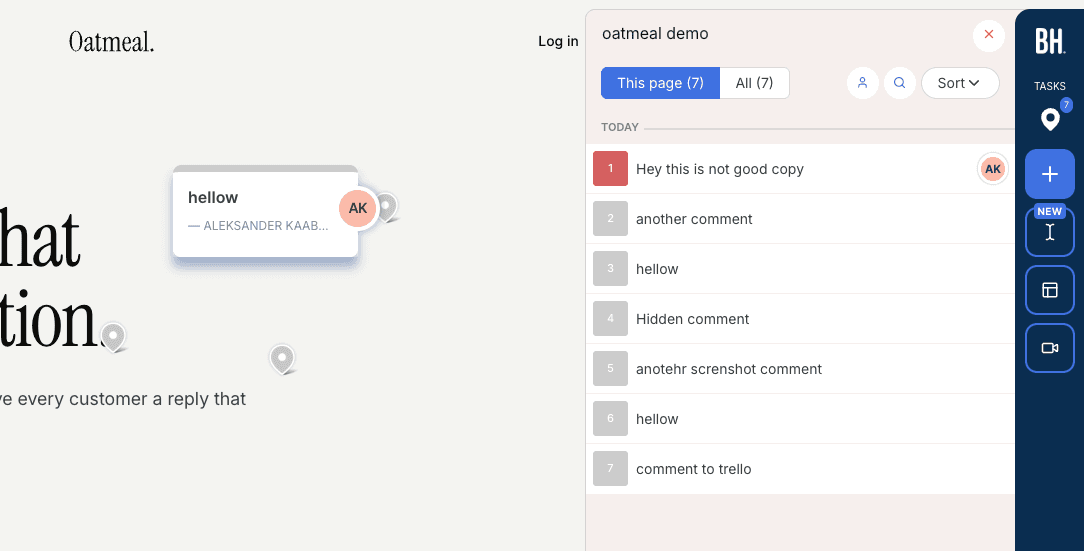
Simple Commenter#
Built for: Agencies · Freelancers · SaaS teams · In-house product teams
Best for: Teams that want zero-friction client review with the option to scale into a full client portal — and the only tool here with native in-WP comment management.
Simple Commenter started from one premise: a non-technical client should be able to leave feedback on a website without signing up, installing anything, or learning a new tool. Click a spot, type a comment, done. No account, no extension, no tutorial. Every other feature on the platform was built on top of that foundation.
For projects that need more structure, clients can sign up in two clicks or be invited into a dedicated client portal. Once invited, every comment they leave is named, threaded, and they get notified the moment you reply. Same low-friction surface, with the structure your reviewer needs once a project is in motion.
For the team side, members log in to a shared dashboard where comments pipe into the rest of your stack. Integrations cover Slack, Trello, Asana, ClickUp, Linear, Jira, Monday, GitHub, email, and outbound or inbound webhooks, plus a native MCP server that lets Claude Code, Cursor, and other AI agents pull and reply to comments directly.
The widget runs on every kind of page — marketing sites, SaaS apps behind authentication, staging environments, and WordPress. Access scales with the use case: open for public review, token-gated for staging, login-gated for client work, or SSO auto-login for SaaS teams where internal reviewers are already signed into the product.
The WordPress plugin is the standout feature against SureFeedback specifically. Every other "WordPress feedback tool" on this list — Feedbucket, Userback, Marker.io, BugHerd, SureFeedback Cloud — is a script installer wearing a plugin badge. They paste a <script> tag into your site header and call it WordPress integration. Simple Commenter is the only tool here that lets you manage comments, replies, members, and settings entirely inside WP admin. If your team lives in WordPress, you never leave it.

Key features:
- No-signup commenting — clients pin and reply without creating an account
- Optional client portal with invitations, named comments, and reply notifications
- Script-based widget that works on SaaS apps, staging, and marketing sites
- Three access modes — open, token-gated, login-gated — plus SSO with auto-login from your own site
- WordPress plugin with full in-WP management of comments, members, replies, and settings
- Integrations with Slack, Trello, Asana, ClickUp, Linear, Jira, Monday, GitHub, email, and webhooks
- Read, search, organize, and export feedback with your AI through the MCP integration
- Chrome extension for reviewing sites you do not own
- Automatic screenshots, file attachments, PDF and image review
Pricing:
- 14-day free trial, no credit card required
- Agency $34.99/mo (10 users, integrations, automatic screenshots, custom themes, 50 GB storage, 500 MB per file)
- Business $149.99/mo (25 users, 500 GB storage, 5 GB per file, SSO, custom domain, custom email domain, whitelisting, priority support)
- Enterprise custom (unlimited users and projects, SSO/SAML, advanced permissions, dedicated CSM, API user provisioning, SLA)
- 2 months free on annual billing
Pros:
- Lowest client friction in the category — no signup, no install, no tutorial
- Optional client portal when you do want named, notified, structured feedback
- Works on every page type: marketing, SaaS behind auth, staging, WordPress
- Only tool on this list with native in-WP comment management
- SSO and auto-login from your own site — internal reviewers never see a separate login
- Per-plan seats instead of per-seat pricing — adding clients does not raise the bill
- Working two-way integrations today, not "Coming Soon"
Cons:
- Lacks full project management features like boards or kanban — feedback flows into your existing PM tool instead
- Newer to the market than BugHerd or Marker.io, so the integration list is still expanding
Reviews:
Simple Commenter has a 5.0 average across Product Hunt and AppSumo, with 600+ agencies, freelancers, and enterprises using it in production. The most repeated theme in customer reviews is the no-signup flow — variations of "finally, a feedback tool my clients actually enjoy" and "life changed in under 5 minutes" come up across dozens of testimonials. Web professionals who switched from Markup, Pastel, and BugHerd consistently mention how much faster client review cycles run once the login step is gone — one Jim Langman review describes a stalled year-long project that launched three weeks after Simple Commenter was added. The most common request is a kanban-style board, which matches the trade-off above: Simple Commenter is a feedback widget, not a PM tool. Support response time is the second-most-praised aspect; "fixed my issue in literal seconds from emailing them" is a phrase that shows up in multiple reviews verbatim.
Feedbucket#
Built for: Agencies · QA teams · SaaS teams · In-house product teams
Best for: Teams that want feedback to flow straight into a project management tool. Less ideal if you want a self-contained dashboard for triaging feedback.
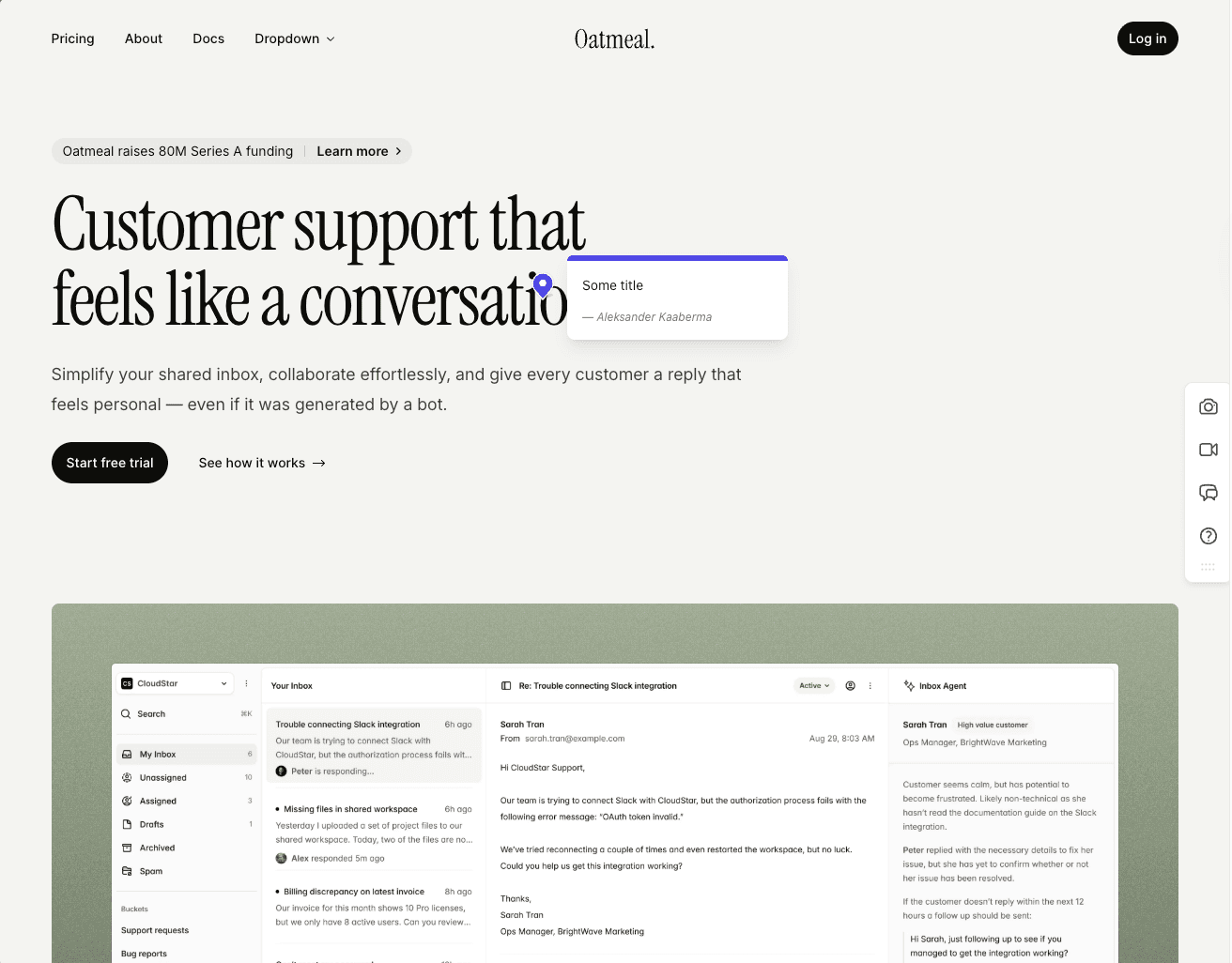
Installation runs through a script tag, with one-click installers shipped for WordPress and Shopify. Script-based loading is the most flexible setup method in our view, and Feedbucket gets the execution right. The WordPress plugin is a pure script installer with nothing extra bolted on — no in-plugin dashboard for managing members or settings, which is a deliberate design choice. Simple Commenter is the contrast here: its WordPress plugin handles comment, member, and settings management directly inside the WP admin.
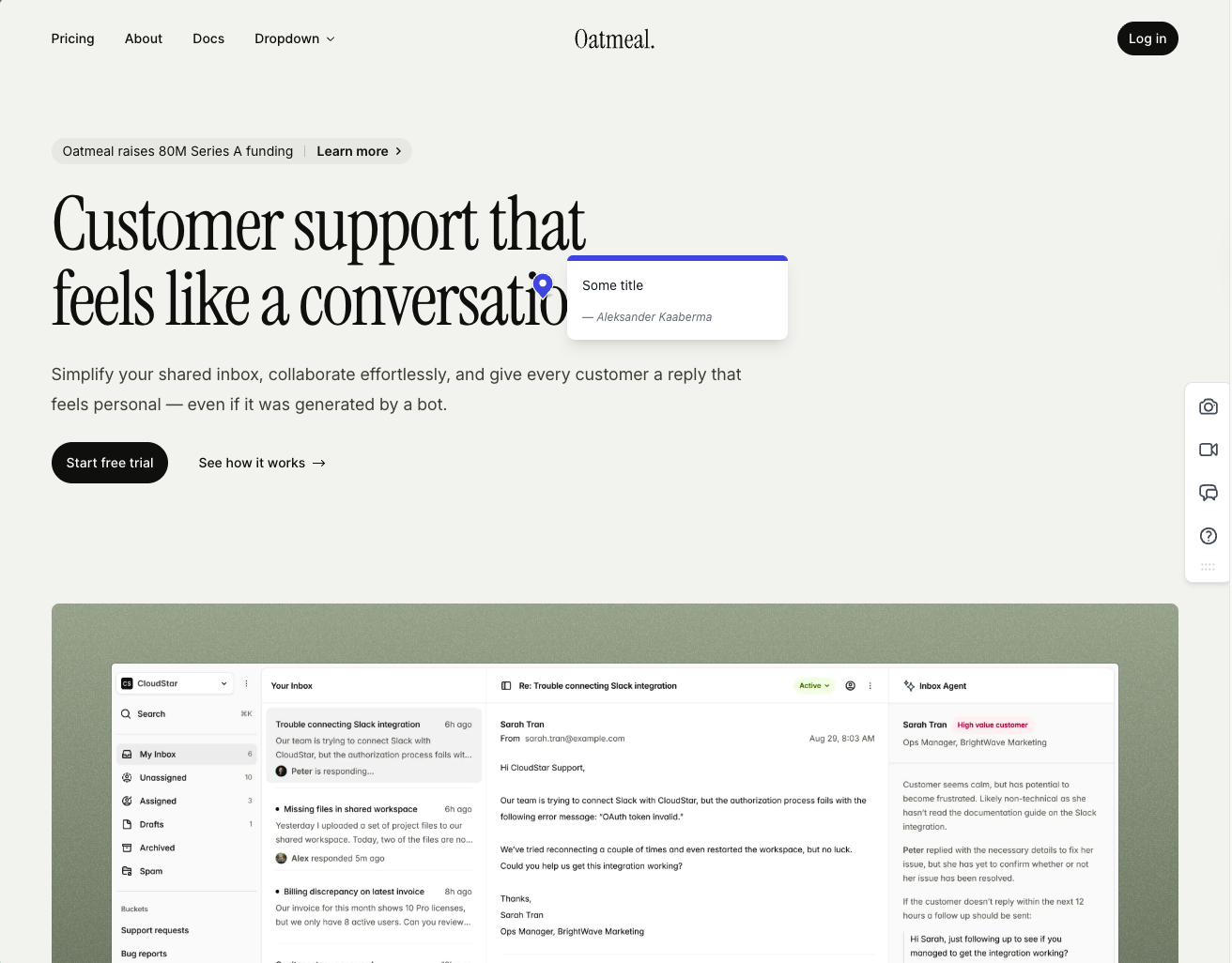
The onboarding flow is one of the cleaner ones we walked through. Clients can comment without signing up, screenshots capture automatically on every comment, and they pin exactly where the reviewer clicked.
Integration coverage is among the deepest on this shortlist. Almost every project management tool you would want to feed comments into is wired up, and the entire workflow is shaped around that. Feedbucket positions itself as the layer between your website and your tracker of choice, not as a replacement for it. The dashboard mirrors that intent — you can filter by tags and page, but there is no native priority, ordering, or board view. For teams already living inside Jira or Trello, that is the right shape. For teams hoping Feedbucket itself will be their triage home, it will feel underweight.
One quirk turns up in both user reviews and our own testing: every comment requires a title field by default. It is a small extra friction step for clients who just want to flag a misaligned button.
A couple of other limits are worth flagging. Customization stays minimal unless you upgrade, and WordPress-first stacks will get a deeper plugin experience from Simple Commenter, where member, settings, and integration management all live inside the WP admin. Outside those nitpicks, this is one of the most functionally complete tools we have tested — fair pricing, accurate screenshots, and a real integration story.
Key features:
- Script-based installation with one-click installers for WordPress, Shopify, and other major platforms
- Automatic screenshot capture, pinned exactly where the comment was placed
- Video feedback and screen recordings on every plan
- Wide integration pool covering most major PM tools
- No client signup required, guests can comment via a link
Pricing:
- Pro $39/mo (5 team members, unlimited reporters, screenshot and video feedback, integrations)
- Business $89/mo (25 team members, console logs, JavaScript API, custom branding, custom metadata, data export)
- Enterprise $259/mo (dedicated success manager, priority support, pay by invoice, SSO coming soon)
- 20% discount on yearly billing
- 14-day free trial, no credit card required
Pros:
- Clients don't need to sign up to leave feedback
- Screenshots are accurate, pinned to the right spot, and generated quickly
- Wide integration pool with pretty much every PM tool you'd want
- One-click installers for WordPress, Shopify, and other CMS platforms
- 14-day trial with no credit card asked up front
- Fair price for the feature set
- Developed in EU
Cons:
- Title field is mandatory by default on every comment (can be turned off, but it is on out of the box)
- Native dashboard is limited: filter by tags and page only, no priority or ordering
- WordPress plugin is a pure script installer with no member or settings management inside WP
- Customization options are light unless you upgrade to Business
- Built around piping feedback into a PM tool, not as a standalone home for triaging
Reviews:
Public reviews lean firmly positive and align with what we observed in testing. Two themes come up repeatedly: the no-signup flow for clients, and how reliable the tool feels in day-to-day use. The "bug-free" experience is mentioned often, which is rarer in this category than you would expect. Integration depth is the other recurring point of praise — teams already living in Jira, Trello, or Asana describe Feedbucket as the missing layer between their site and their tracker. Criticism is light, and what shows up tends to mirror the same nitpicks we ran into: the thin dashboard and the lack of customization on lower tiers.
BugHerd#
Built for: QA teams · In-house product teams
Best for: Agencies and teams that want a kanban-style feedback board with automatic screenshots and strong two-way integrations.
Installation is available through a script snippet, a Chrome extension, or a WordPress plugin. Onboarding is smooth — no upfront access-rule configuration required. Opening a project from the app automatically logs you into the widget, so there is no extra login step.
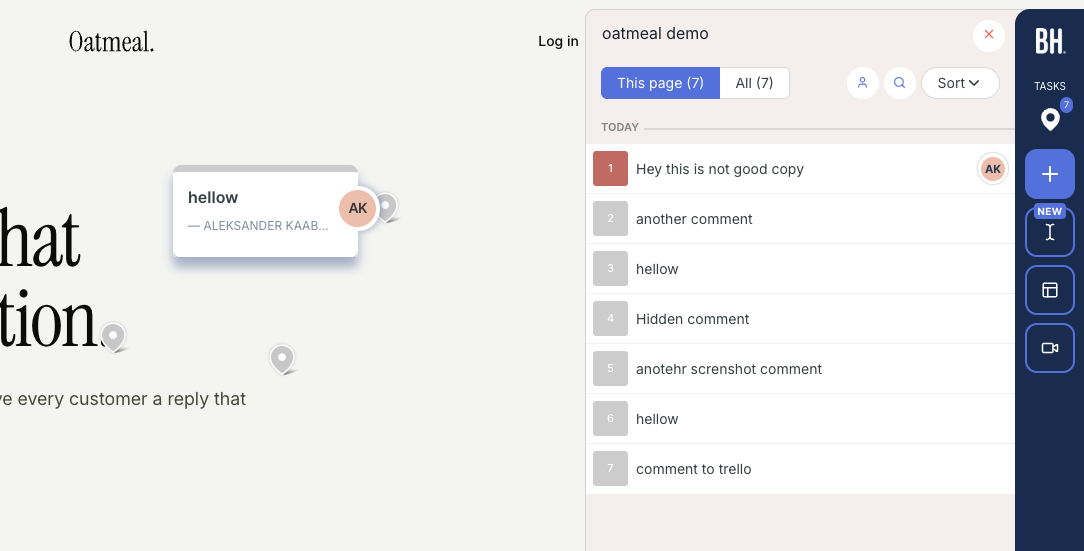
Every comment ships with an automatic screenshot and technical metadata (browser, screen size, OS) attached. The feedback board uses a kanban layout, which turns comments into trackable tickets that can be assigned to team members. Integrations are solid, with two-way sync available for Jira, Asana, Linear, ClickUp, and Monday on Premium and above.
One distinction matters here: BugHerd offers a "public feedback" option, but it is built for anonymous site visitors rather than your clients or team. Clients and internal reviewers have to log in through BugHerd's hub before leaving feedback. You cannot drop a link to your staging site and have a stakeholder start commenting immediately. For teams that rely on internal reviews — where the goal is for reviewers to visit a page and leave notes without ever touching the feedback tool itself — that is a potential dealbreaker.
The widget also carries heavy BugHerd branding, so clients will know they are using a third-party tool.
Key features:
- Automatic screenshot and technical metadata on every comment
- Kanban-style feedback board with task assignment
- Two-way integrations (Jira, Asana, Linear, ClickUp, Monday)
- Script, Chrome extension, and WordPress plugin installation
Pricing:
- Standard $50/mo (5 members, $8 per additional)
- Studio $80/mo (10 members, adds video feedback)
- Premium $150/mo (25 members, premium integrations, custom branding)
- Deluxe $250/mo (50 members, 150 GB storage)
- Custom plan available with dedicated success manager and SLA
Pros:
- Automatic screenshots with every comment, no extra steps
- Kanban board makes it easy to track and assign feedback
- Strong two-way integrations with major project management tools
- Clients don't need to create an account
- Smooth onboarding, quick to get started
Cons:
- Clients and reviewers must log in through BugHerd's hub before they can leave feedback on your site
- Heavily branded widget, no white-labeling until Premium
- Per-seat pricing adds up quickly for larger teams
Reviews:
BugHerd has 179 reviews on G2 averaging 4.7/5. Reviewers consistently praise how easy it is to use and call out the automatic screenshots and technical metadata attached to every comment. The kanban ticket board and team member assignment also show up frequently as standout features. The recurring downside is per-seat pricing, which scales sharply once teams grow. The tool is simple overall, but a few reviewers note that clients need a small amount of guidance the first time they leave a comment.
Where BugHerd genuinely excels is automatic screenshots. As we have noted, browsers do not give you this natively, so getting it right is harder than it looks from the outside. Every comment gets a screenshot automatically, and if a client leaves a comment inside an open dropdown, the screenshot captures the dropdown in its open state.
Marker.io#
Built for: SaaS teams · In-house product teams · QA teams
Best for: Product teams and SaaS companies running internal QA who need deep debugging data.
Marker.io installs through a script snippet, a Chrome extension, an npm package, or a CMS plugin (WordPress, Drupal, Webflow, Shopify, and others). The onboarding flow is one of the strongest we walked through — it asks for your integrations up front, which is a telling signal. Marker.io is not pretending to replace your project management tool. It is positioning itself as the middle-man between your site and your tracker.
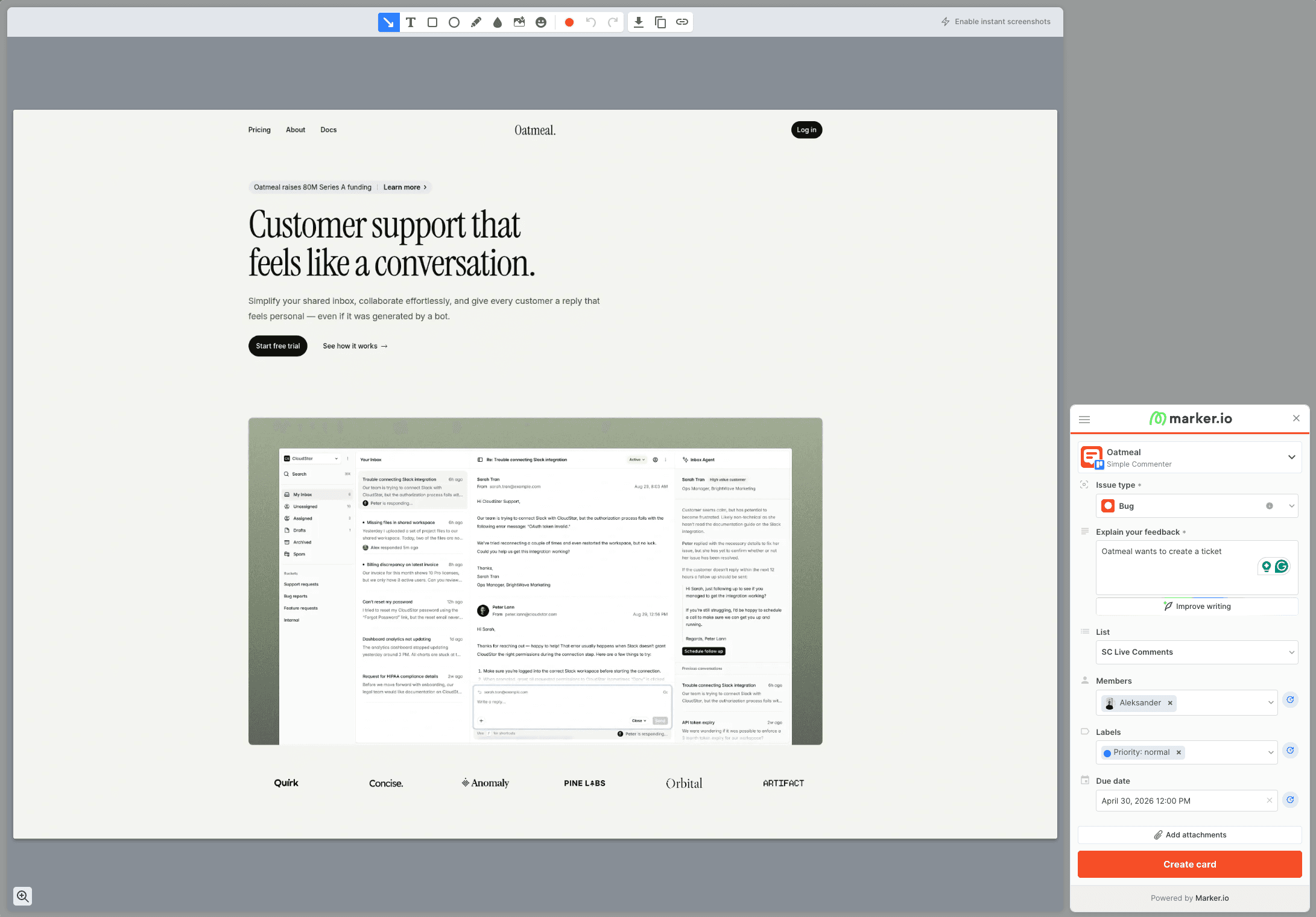
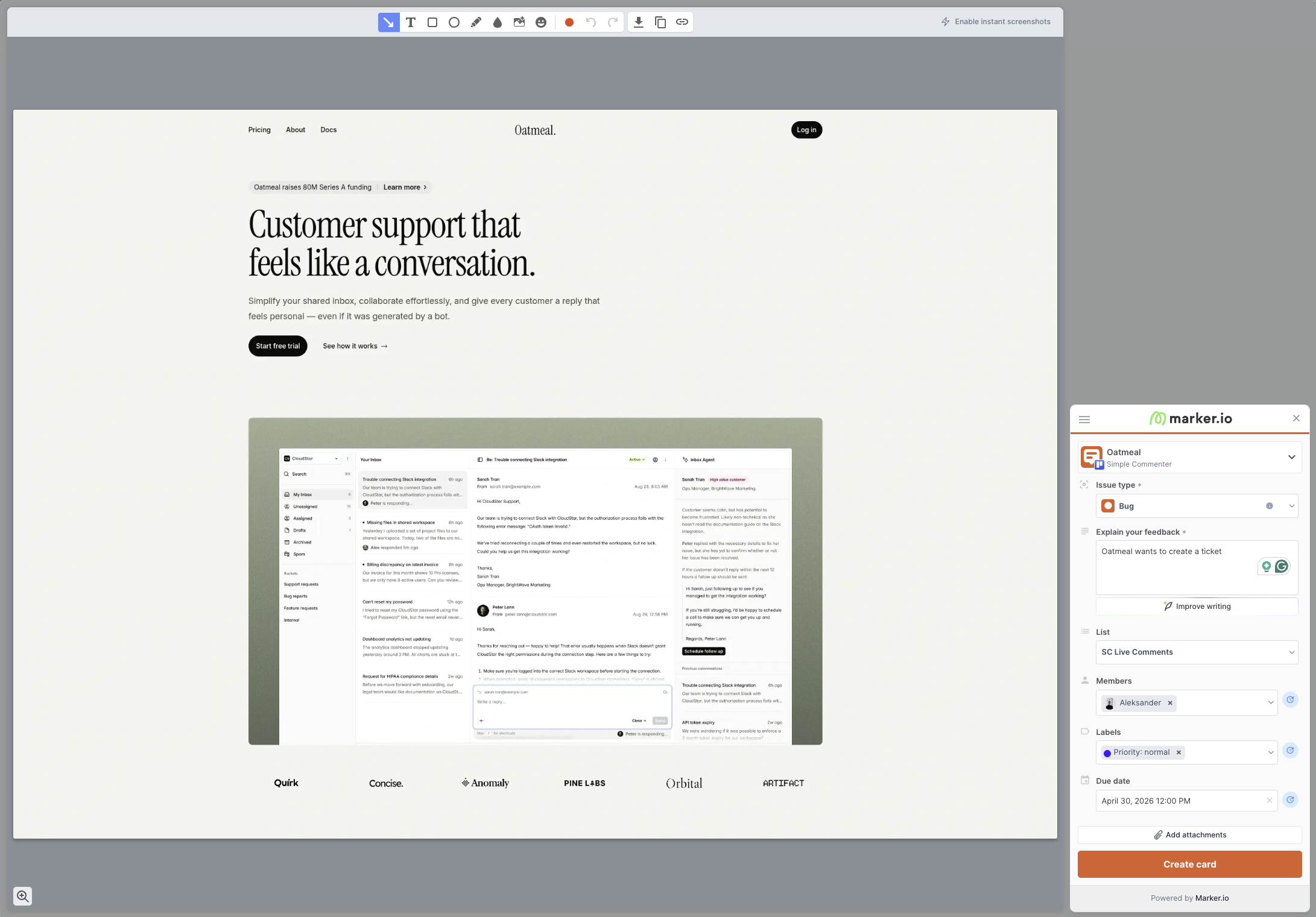
That framing matters because Marker.io is not really a "comment on a website" product. Every piece of feedback is a screenshot that lands as a card in Jira, Linear, Asana, or whichever tracker you have wired up. No pins on the page. No conversation threads anchored to a button. You open the widget, capture the screen, fill out a ticket-shaped form, and it routes to the tracker. That is the entire flow.
The strength is in what gets attached to that ticket. Every report automatically captures console logs, network requests, browser details, and reproduction steps. When a non-technical marketer says "this page is broken," the developer gets the failed API call, the JavaScript error, and the exact browser environment in a single bundle. That is the real pitch: Marker.io exists to produce bug reports developers actually want to receive.
The target audience reflects that. Marker.io is built for larger brands and in-house product teams — the kind with one centralized dev team supporting hundreds of pages across multiple markets. Their case studies lean on names like L'Oréal, which makes sense. When a regional marketing team flags a broken button, the alternative to Marker.io is a back-and-forth investigation that costs a day. Marker.io collapses that into a ticket with the logs already attached.
The flip side is that Marker.io is a poor fit for client-facing work. Every reviewer has to be logged in, and each separate client workspace counts as a billable team. Agencies juggling multiple clients burn through seats quickly. There is a dedicated Agency plan at $129/mo (or $99/mo billed annually) for 15 members, 50 active websites, and 50 guests, but it is buried on the pricing page. Reasonable to assume agencies are not their core target.
Custom theming is limited to button and widget color, and because reviewers cannot see existing tickets on the page, you lose the real-time visibility that would otherwise prevent duplicate reports. Asset feedback is not supported either — images, PDFs, videos, and other static files are out of scope. Marker.io is strictly for live web pages.
Key features:
- Automatic capture of console logs, network requests, and browser metadata on every ticket
- Two-way integrations with Jira, Linear, Asana, Trello, ClickUp, Monday, and more
- Installation via script, Chrome extension, npm package, and CMS plugins (WordPress, Drupal, Webflow, Shopify)
- Enterprise-grade security: SSO SAML, audit logs, sensitive data masking, SOC 2 Type 2
Pricing:
- Starter $39/mo (3 seats, 1 active website, basic integrations)
- Team $149/mo (15 seats, 3 active websites, Jira integration, session replay, custom branding)
- Business custom (unlimited seats and websites, premium integrations, SSO SAML, audit logs)
- Agency $129/mo or $99/mo billed annually (15 members, 50 active websites, 50 guests, conditions apply)
- 15-day free trial, no credit card required
Pros:
- Richest debugging data of any tool on this list (console logs and network requests out of the box)
- Integrations-first onboarding that does not try to replace your PM tool
- Installation plugins for almost every major CMS
- Strong screenshot and annotation tooling
- Serious enterprise features (SSO SAML, audit logs, SOC 2 Type 2, sensitive data masking)
Cons:
- Not built for client feedback: everyone has to log in, and every client workspace is a separate billable team
- No pinned comments on the page, every piece of feedback is a new ticket, not a conversation
- Reviewers cannot see existing tickets on the page, which leads to duplicate reports
- No asset feedback (images, PDFs, videos), live web pages only
- Custom branding limited to button and widget color
- Per-seat pricing gets expensive fast for multi-client setups unless you qualify for the Agency plan
Reviews:
Marker.io's published case studies are a clear window into who the target user is. L'Oréal credits it with making feedback dramatically easier across hundreds of websites — which matches the centralized-dev-team, many-markets pattern Marker.io is built around. G2 reviewers consistently praise the quality of the captured debugging data and how easily non-technical stakeholders can file bug reports developers can actually act on.
The recurring criticism is fit. Smaller teams and agencies describe it as overkill, and several reviews flag the lack of real-time issue visibility on the page. Because reviewers cannot see existing tickets, multiple people end up filing the same bug on the same page. For a team of three testing a landing page, that is friction. For a global brand with hundreds of sites, the trade-off pays back.
Pastel#
Built for: Freelancers
Best for: Solo creators reviewing static design deliverables. Hard to recommend for live-website feedback in 2026.
Pastel has been on the market since 2016, making it the senior tool on this shortlist. That tenure cuts in both directions. The product is mature and the UI is polished, but the workflow has not evolved alongside what website feedback actually means in 2026. Public reviews note that it works once you have a canvas configured, which is technically accurate. The harder question is whether the workflow Pastel forces you into is the one you actually want.
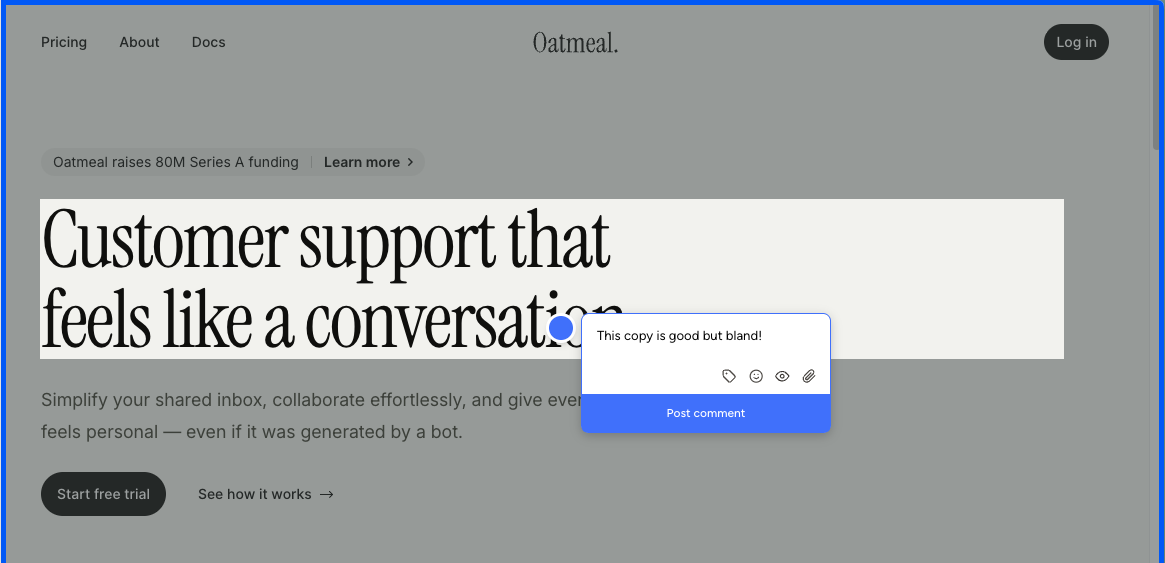
Setup is the easy part. Drop a script tag onto your site or use the Chrome extension, and Pastel spins up a "canvas" — a Pastel-hosted URL that frames a snapshot of the page. Reviewers leave comments inside that canvas rather than on your live site. The Chrome extension does not change that pattern; it only generates a new canvas from whatever page you happen to be on. There is no native on-page commenting like BugHerd or Simple Commenter offer.
The iframe model carries a cost most teams only discover after committing: you cannot submit feedback from a real mobile device. Mobile review runs through a desktop-emulated viewport inside Pastel, and anyone who has done QA work knows emulated mobile and actual mobile behave differently. Touch handlers fire on a different timing, fixed positioning misbehaves, modals jump around, and a meaningful share of the bugs you want clients to surface will never appear in the emulator. For a website feedback tool in 2026, that is a hard ceiling.
The free tier carries another constraint that tends to bite only after you have committed: a 72-hour commenting window. Once a canvas goes out, comments close automatically after three days. Some teams use it as a forcing function for clients who otherwise let review cycles run for weeks. Most teams just end up spinning up a fresh canvas every time a stakeholder needs an extra day.
Pricing reinforces the gap. Free Forever is generous on guest reviewers but capped at 1 active canvas alongside the 72-hour window. Pro at $35/mo bumps you to 3 canvases and 2 users — essentially the full feature set on that tier. No integrations, no webhooks, no Trello, Asana, Jira, or Zapier. All of those are locked to Team at $119/mo. At the $35/mo price point, you can find tools that include integrations, embed on the live site, and let reviewers comment from a real phone. Pastel is asking the same money for noticeably less in return.
Key features:
- Iframe-based feedback canvases hosted on Pastel
- Asset feedback on images and PDFs, not just live websites
- Script-tag installation
- Chrome extension to spin up new canvases
- File attachments and user mentions in comments
- Unlimited guest reviewers on every plan
- Project spaces, labels, and private comments
Pricing:
- Free Forever $0/mo (1 user, 1 active canvas, 72-hour commenting window, unlimited guest reviewers, 2 GB video)
- Pro $35/mo (2 users, 3 active canvases, CSV export, 100 GB video, no integrations)
- Team $119/mo (starts at 5 users, $24/user after, unlimited canvases, Trello/Asana/Jira/Zapier/webhook integrations, 500 GB video)
- Enterprise $450/mo (starts at 10 users, $45/user after, SAML SSO, SOC 2 report)
- 14-day free trial on all paid plans
Pros:
- Pin comments on images and PDFs, not just live sites
- Mature product, around since 2016
- Fast setup with a simple script tag
- Unlimited guest reviewers on every plan
Cons:
- Iframe-only feedback: reviewers comment on a Pastel-hosted snapshot, not your live site
- No real-device mobile feedback. Mobile review is a desktop-emulated viewport, which behaves differently from an actual phone
- 72-hour commenting window on the free tier closes comments automatically after three days
- Chrome extension only creates new canvases; it is not an on-page commenting tool
- Integrations are locked to the $119/mo Team tier; nothing on Pro
- Pro tier feels thin at $35/mo against tools at the same price that include integrations and live-site embedding
- Hard 3-canvas cap on Pro means active projects compete for slots
Reviews:
Pastel reviews lean positive on the basics. Setup is quick, the canvas concept is easy to grasp, and once reviewers are inside a canvas the commenting itself is fine. Criticism arrives at the edges of that workflow. Clients balk at opening a separate tool to leave feedback. Stakeholders who skip past the 72-hour window on Free hit a closed canvas and need a fresh link. Anyone trying to QA on a real phone is funneled into a desktop-emulated viewport instead. None of these are dealbreakers for solo creators reviewing static deliverables, but they pile up quickly for teams running live-site review cycles in 2026.
Userback#
Built for: In-house product teams · QA teams · SaaS teams
Best for: General visitor feedback on live websites, or internal QA on staging sites at larger companies. A weak fit for client review rounds.
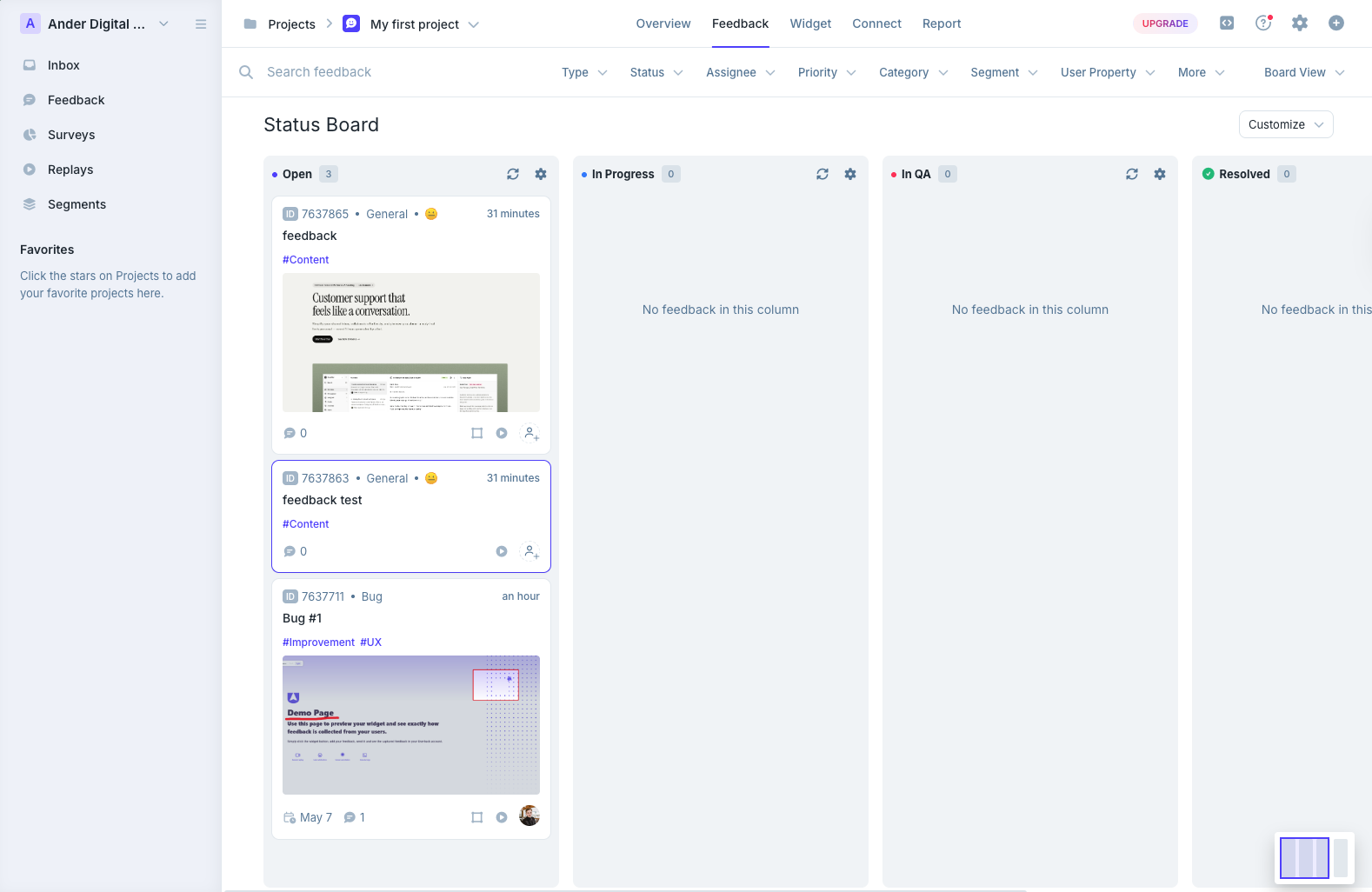
Userback lands in the same category as Marker.io and BugHerd — a layer between your website and your project management tool, anchored by a heavy dashboard built around kanban boards and mailbox-style inboxes. Installation is clean. The depth becomes apparent the moment you start working inside the dashboard itself.
That depth cuts in both directions. The integration list is long, the triage views give you more options than most of the tools we have tested, and once a team is settled in, the workflow is genuinely powerful.
The flip side is that it can feel like a lot for what most teams actually need. The dashboard stacks a mail-style inbox, a status board for tracking feedback, a project overview, and session replays into a single surface — and the breadth is overwhelming on day one. This is not a tool you pick up and immediately know how you want to use.
The bigger gap surfaces in screenshot handling. Not every comment gets a screenshot attached automatically, and when one does get captured, it does not include a marker showing where the comment was placed. Pin placement requires the reviewer to attach a screenshot in the same step. Compared to BugHerd or Feedbucket, where the pin and the screenshot location come tied together by default, that is a real shortfall for visual feedback work.
Like Marker.io, Userback does not show existing comments on the page either. Reviewers can drop feedback in, but they cannot see what others have already flagged without opening the dashboard. On a live public site collecting passive feedback that is fine — visitors are not comparing notes. On a staging site with a handful of reviewers, expect the same broken button to be filed three times.
That choice shapes who Userback actually fits. There are two profiles where it works. The first is live websites collecting general user feedback about content. The second is larger companies running internal QA on staging sites, where the volume of feedback and the depth of integrations earn the dashboard real estate. It is a poor fit for agencies and client review rounds, where the friction of a complex tool slows down exactly the reviewers you want most comfortable.
A small brand note: it is easy to confuse Userback with Usersnap. They are different products. Landing on one while searching for the other is a common mistake.
The WordPress plugin follows the pattern we have seen across most tools on this list — a script installer with no in-WP feedback management. If deeper WordPress integration is on your shortlist, this is not the tool to deliver it.
Key features:
- Long integration pool with major PM tools and Zapier
- Kanban-style boards and mailbox-style inbox for triaging feedback
- Session replay, user surveys, and behavioral targeting on Business and above
- AI Feedback and Insights on Business and above
- Mobile SDK, SSO, and REST API on Business Plus
Pricing:
- Free Forever (2 projects, 7-day feedback availability, max 2 seats, core features only)
- Team $7 per seat / month annually or $9 monthly (unlimited feedback availability, PM integrations, Zapier, customizable widgets)
- Business $15 per seat / month annually or $19 monthly (25 projects, session replay, JavaScript SDK, custom branding, AI Feedback and Insights)
- Business Plus $23 per seat / month annually or $29 monthly (unlimited projects, mobile SDK, SSO, REST API, webhooks, remove Userback logo)
Pros:
- One of the longest integration lists in this category
- Strong dashboard with kanban and inbox views for triaging
- Session replay and user surveys ship inside the same tool
- Free Forever tier exists, even if narrow
Cons:
- Per-seat pricing scales fast on real-world team sizes
- Not every comment gets an automatic screenshot
- Screenshots do not show a marker where the comment was placed
- Pin placement requires attaching a screenshot in the same step
- No on-page visibility of existing comments, which leads to duplicate reports on staging
- Feature depth makes it feel heavy for small teams or quick client reviews
- WordPress plugin is a script installer only, no in-WP feedback management
- REST API access is locked to the top Business Plus tier
- Easily confused with Usersnap, which is a different product
Reviews:
Public reviews trend strongly positive on the headline numbers — 4.8 for ease of use and 4.9 for customer service are the recurring averages. Reviewers describe the tool as user-friendly and praise how efficiently it lets QA teams test registration flows and website components before launch. The simplicity of project setup and the routing menu show up repeatedly as strengths, and customer service is singled out as one of the best in the category.
The recurring criticism is price and fit. Reviewers flag the seat-based pricing as expensive, and the most common technical complaint is that REST API access is gated behind the top tier — putting it out of reach for smaller teams that want to script around the tool. A handful of reviews also note that the feature surface is more than they actually need, and that the simpler tools on this list end up being a better day-to-day fit.
Which one should you pick?#
If the WordPress story is what drew you to ProjectHuddle in the first place, Simple Commenter is the only tool here with full in-WP comment management — the rest are script installers wearing a plugin badge. If you want script-based install with the deepest integration pool today, Feedbucket is the closest functional swap. If you want kanban out of the box with a settled, mature product, BugHerd is the safer pick. If QA depth matters more than client workflow, Marker.io ships the richest debugging metadata in the category. Pastel is still the polished pick for static design canvases, and Userback is the dashboard-heaviest option if integration pool depth is what you actually want.
Found this useful? Add us as a preferred source and Google will show you more of our guides in Search and AI Overviews.