How to Build a SaaS in 2026: The Parts Nobody Warns You About
A working guide to building a SaaS with modern AI tooling: the stack, user roles, the feedback loop with clients, launch, and SEO. From an actual build.

TL;DR#
Building the software is no longer the hard part. With Claude Code or Cursor, a solo developer can ship a working SaaS MVP in weeks. The parts that still cost real time are the ones nobody makes tutorials about.
Here is the short version of what matters, in the order it bites you:
- Stack: pick boring, well documented tools. Next.js, one database, Stripe, one email provider, one file store. AI agents write good code in popular frameworks and bad code in obscure ones, so popularity is now a technical requirement.
- Build order: plan, design, demo, then build. Design every screen before coding, and have the AI build throwaway demos of the risky parts first, so feasibility problems surface in an hour instead of three weeks in.
- Auth and roles: build authentication early and design your permission model before you have users. Retrofitting roles into a live app is the most expensive refactor you will do.
- The feedback loop: this is the real bottleneck. Every round of "the button is broken" that arrives as prose has to be translated back into a location in your codebase. With AI agents, that translation is now the slowest and most expensive step in your whole process, measured in both hours and tokens.
- Launch: ship earlier than feels safe, to a smaller group than feels worthwhile.
- SEO: start writing before you launch. Content takes months to rank, so it is the one thing that cannot be parallelised later.
If you take one thing from this post: the cost of building software fell off a cliff, and the cost of communicating about software did not. That gap is where your project will get stuck.
Who this is for, and my bias up front#
This is for developers and technical founders building a SaaS product either solo or in a small team, using modern AI coding tools. It is not a business plan template and it is not a no-code tutorial.
Full disclosure: I build Simple Commenter, a website feedback tool. That is the product I use as the running example throughout, because it is the one I know the internals of. The feedback section later in this post is genuinely where my own product solves my own problem, and I say so plainly rather than pretending I stumbled onto it. Everything before and after that section has nothing to do with it.
Step 1: What is the best stack to build a SaaS on?#
The best stack in 2026 is the most popular one. Not the most popular one you know. Whether you personally know it barely matters anymore, because the AI writes it either way. What matters is whether the AI knows it.
Here is why. When an AI agent writes your code, it is drawing on everything it has read. Next.js, Postgres, MongoDB, Stripe, Tailwind: these have enormous public footprints, so an agent writes them fluently and its mistakes are conventional mistakes you can spot. A niche framework with 400 GitHub stars produces confident nonsense that looks fine until it does not. Popularity used to be a hiring consideration. Now it is a code quality consideration.
What I actually run#
| Layer | Choice | Why |
|---|---|---|
| Framework | Next.js (App Router) | One codebase for marketing site, dashboard, and API routes |
| Database | MongoDB or Postgres | Either. It genuinely does not matter whether you know it, the AI writes it anyway. Pick one and stop thinking about it |
| Payments | Stripe | Subscriptions, webhooks, customer portal, tax handling |
| SendGrid, but any provider works | Transactional email is a commodity. Pick on price and deliverability | |
| Files | Hetzner object storage | S3-compatible, so the code is standard S3 code. S3 is the name everyone knows; Hetzner is the one I trust |
| CSS | Tailwind | Though this matters less than it used to: AI writes plain CSS just as well now |
| Hosting | Vercel, to a point | Fastest way to ship. When the bill grows, self-host, or move just the high-demand parts off |
There is nothing clever in that table and that is the point. Every line is a decision I have not had to revisit, with one exception. Vercel is the right answer until your traffic makes it the wrong answer. The move at that point is not necessarily a full migration: often one or two routes generate most of the load, and you can self-host just those while everything else stays where it is.
The one rule worth following#
Do not build anything a vendor will sell you for less than a day of your time. Payments, email delivery, authentication primitives, file storage, error tracking. All of these look simple and none of them are. Every hour you spend on them is an hour not spent on the thing that makes your product different.
The corollary: be very reluctant to add a vendor for anything that is your differentiator. If it is the reason people pay you, own it.
Where AI coding tools genuinely help, and where they do not#
They are excellent at scaffolding, boilerplate, tests, migrations, refactors across many files, and anything with a clear specification. They are unreliable at architecture, at knowing which of two valid approaches fits your existing codebase, and at deciding what to build at all.
The practical shape that works for me: I decide the architecture and write it down, the agent implements it, I review. When I skip the "write it down" step and just describe things loosely, I get code that works and does not fit. Vibe coding is real and it is genuinely fast, but it produces a codebase you do not have a mental model of, and you pay that debt back with interest the first time something breaks in production.
Keep a CLAUDE.md or equivalent in your repo from day one. Architecture, conventions, the gotchas that bit you. It is the single highest leverage file in the project because every agent session starts by reading it.
Step 2: How do I actually start building?#
The temptation with AI tooling is to open the editor and start generating. Resist it. The order that works for me is plan, design, demo, then build, and every one of those stages exists because skipping it cost me time on a previous project.
Plan the things that make your product yours#
Before any code, write down the handful of things that make your product what it is. The core loop, the thing people will pay for, the one interaction that has to feel right. Everything else in the build derives from this list, including things that look purely technical. Your auth setup and your roles are not generic infrastructure decisions: they fall straight out of who touches the product and what they are allowed to do, which is exactly what this plan tells you.
One structural preference that has paid off for me: keep everything in one app. One codebase, one deployment, and roles to differentiate what people see. My admin access is not a separate internal tool, it is my own account with an admin role that unlocks the internal screens. Every separate app you spin up is a second thing to deploy, secure, and keep in sync, and roles already solve the problem.
Design before you build, dashboard first#
I design the product before building it, using Claude to generate the designs, and I always start with the dashboard rather than the marketing site. The dashboard is the product; the marketing site is easier to get right once the product's look exists to borrow from.
The underrated payoff of designing every screen up front is not the visuals. It is that the process surfaces everything you have not thought about. You design the dashboard and suddenly the questions appear: what does a brand-new user see on first login, before they have any data? How does someone invite a teammate, and what does the invite email and accept flow look like? What happens on the empty states, the error states, the onboarding path? None of these are in your head when you start, and all of them are cheaper to discover in a design tool than halfway through the build.
Build demos before you build the product#
This is the step I would push on hardest. Before starting the real build, ask the agent to build throwaway demos of your idea. Not the product, a disposable sketch of the risky part: the core interaction, the tricky integration, the thing your whole concept depends on.
The point is feasibility feedback while it is still cheap. A demo takes an hour and tells you whether the idea works, whether the interaction feels right, whether the technical approach holds. The alternative is discovering the same thing halfway into the real build, with a data model and three weeks of work already shaped around the wrong assumption. AI made demos nearly free to produce. Use that.
Do the keyword research now, not after launch#
While the product is still in the design phase, I do the keyword research: which topics in the space are worth writing about, what people actually search for, where a small site can realistically win. Out of that comes a content plan, not a vague intention to blog.
And if the build is going to take a while, launch the blog before the product. A blog needs nothing from your app: no auth, no billing, no dashboard. Content takes months to rank, and those months pass whether or not your product exists yet. Shipping the blog first means your launch lands on a site that already has some traffic instead of a domain Google met yesterday. Step 6 covers what to write; the point here is that the clock starts now.
How I structure the code: services and helpers#
Once the real build starts, structure is the thing that decides whether the codebase stays workable at month six. Mine reduces to one rule: routes and components stay thin, and everything with actual logic in it lives in services and helpers.
The layout, simplified:
src/
  app/            # pages and API routes, thin by design
  components/
    web/          # marketing pages
    app/          # dashboard
    common/       # shared UI
  services/       # client-side state, one file per concept
  helpers/        # shared utilities, safe to import anywhere
    api/          # server-only: repos, models, auth middleware
      functions/  # one job per file
Services own client-side state. One file per concept: user.service.js, comment.service.js, alert.service.js. A service holds the data, exposes it as something components can subscribe to, and is the only place that mutates it. Components render what the service gives them and call service methods when the user does something. The moment two components share state directly, you have a bug factory; the service layer is what prevents it.
Helpers are the shared brain. Formatting, status definitions, URL utilities, pricing logic: pure functions with no side effects, importable from anywhere. The discipline that matters here is single source of truth. My status definitions live in exactly one file, and everything from the dashboard to the API reads from it. The day the same concept is defined in two places, they will drift, and the drift will be a customer-visible bug.
Server code is fenced off in its own layer. Under helpers/api/ live the things only the server may touch: database repositories, models, the auth middleware. Two conventions do most of the work. First, repositories are the only code that talks to the database. An API route never writes a query; it calls usersRepo or commentRepo. When the data model changes, the change happens in one file instead of forty routes. Second, every route goes through one API handler wrapper that does auth, method routing, and error handling, so an individual route is just its handler function and nothing else.
Function files do one job and say so in the name. fetchSlack.js, S3functions.js, checkAndUpdateRequestLimit.js. Boring names, zero cleverness. You can find any behavior in the codebase by reading a directory listing.
That last point is really the theme of the whole structure, and it matters double with AI agents. An agent dropped into a codebase with clear layers and boring names extends your patterns: it finds the repo, adds the method, wires the route through the handler like every other route. Dropped into a codebase where logic is smeared across components, it improvises, and every session improvises differently. Combined with the CLAUDE.md from step 1, a predictable structure is what turns an agent from a code generator into something closer to a team member who has read your conventions.
Step 3: How do I build a SaaS app with auth and user roles?#
Two separate problems get bundled here. Authentication is proving who someone is. Authorization is deciding what they can do. The first is a solved problem. The second is where your product design leaks into your data model.
Authentication: offer fewer methods than you think#
I support three, and they cover effectively everyone:
- Magic link. A signed token emailed to the user, exchanged for a session. This is the primary method and the default I push people towards. No password to forget, no password to leak, no reset flow to build.
- Password. Some users want one, and some corporate environments strip links out of email. Support it, hash properly, do not build your own scheme.
- Google OAuth. One click, and it removes the "did the email arrive" failure mode entirely.
Everything issues the same JWT, so the rest of the app has one concept of a session. That last part matters more than which methods you pick. If each auth path produces a slightly different shape of session, every downstream permission check becomes a special case.
Store the token in a cookie, not localStorage#
This is a mistake I actually made, so learn from it here instead of in production. I stored the session token in localStorage because it was the easy path: read it with one line, attach it to requests, done. It works, which is exactly the problem, because it keeps working right up until you understand why it is wrong.
Anything in localStorage is readable by any JavaScript running on your page. One compromised npm package, one injected script, one XSS hole anywhere in your app, and the attacker walks away with your users' sessions. An httpOnly cookie is invisible to JavaScript entirely: the browser attaches it to requests itself, and script on the page cannot read what it cannot see. Set httpOnly, secure, and SameSite and you have closed off the whole class of token-theft attacks, at the cost of writing a small amount of CSRF thinking that the cookie flags mostly handle for you.
The reason to get this right on day one is that migrating later is miserable. By the time I understood the problem, token reads were scattered across the app, and moving to cookies meant touching auth flows, API middleware, and every place that assumed it could see the token. Ten minutes of setup at the start, or days of careful surgery later, on the single most security-sensitive part of your product.
Authorization: design the roles before you have users#
This is the part to get right early, because changing it later means touching every query and every UI surface at once.
Think about who actually touches your product. In my case there are four kinds of people, and only one of them is the customer:
| Role | Who they are | What they can do |
|---|---|---|
| Workspace Admin | The account owner | Everything: billing, projects, members, settings |
| Team Lead | Someone on the owner's team | Manage the work, but not billing, members, or deletions |
| Client | The owner's external client | Leave feedback on projects they were invited to, nothing else |
| System Admin | Internal only | Never assigned to a real user, and the API rejects it |
Three lessons out of that table, all learned the slow way.
Model the external stakeholder explicitly. My clients are not a downgraded team member with fewer checkboxes. They are a genuinely different kind of user with their own record, their own access rules, and their own reduced view of the data. Trying to express them as "a member with permissions turned off" produced permission checks that were impossible to reason about.
Decide what each role can see, not just what they can do. A client seeing an internal status like "won't fix" or an internal note is a trust problem, not a permissions bug. Visibility rules belong in your data layer, not in your components, because sooner or later someone will add a new component and forget.
Watch what the token actually carries. A team member's session in my system carries the account owner's ID, because that is whose data they are working in. Every single query therefore has to scope by the acting person as well as the account, or a team lead quietly sees the owner's whole workspace. This class of bug is silent, it does not throw, and you find it in a screenshot from a customer. Write the tests.
Step 4: The real bottleneck is the feedback loop#
Everything above is a solved problem with a known shape. This section is the one I would actually go back and fix first, and it is the part almost no "how to build a SaaS" guide covers.
Once you have something running, other people start looking at it. Your co-founder, your designer, your client, your first users. They find things. Those things have to get from their head into your codebase. That pipeline is now your bottleneck, and if you are using AI agents it is a much bigger bottleneck than it used to be.
Why Notion stopped working for me#
I documented everything in Notion. Feedback, feature requests, bugs, a running list per project.
Notion is a genuinely excellent tool and I still use it every day. It is the right shape for documents, specs, roadmaps, and anything with structure I control. It is the wrong shape for feedback about a visual interface, and the reason is simple: a Notion page has no idea where your app is.
So a comment arrives as a sentence. "The spacing on the pricing cards looks off." Now the work begins, and none of it is the work you wanted to do:
- Which page? There are three pages with pricing cards.
- Which card, and at what screen width?
- Was this before or after Tuesday's change?
- Is this the same thing as the note four items above, or a different thing?
- Did I already look at this one?
Multiply that by thirty items and you have lost a day to archaeology. It is not intellectually hard work, which is exactly why it is so demoralising. And it happens on both sides: the person writing the feedback is also spending time describing something they are literally looking at, which is absurd when you think about it.
What a feedback loop actually needs#
Three properties, and most tools have one or two:
It has to work behind a login. This is where most feedback tools fall apart for SaaS. Your product is an authenticated dashboard. Screenshot tools and page-annotation services that render your URL from a server see a login screen. The feedback has to be captured in the reviewer's own browser, in their own session, on the real page with their real data. Anything else means your reviewers cannot comment on the actual product, which is the only part that matters.
It has to carry the screenshot. Not because the developer cannot navigate there, but because the state matters. The dropdown was open. The form had a validation error. It was 1180px wide. That state is often the entire bug, and it is gone the moment the reviewer closes the tab.
It has to be anchored to an element, not a page. "On the settings page" is a paragraph of guessing. A specific element with a specific position is a single unambiguous fact. This is the difference between a comment you can act on and a comment you have to interview someone about.
Once feedback has those three properties, it stops being prose and becomes structured data. And structured data is the thing that changes what happens next.
The token cost of vague feedback#
Here is the part that surprised me, and the reason I now think of this as a technical problem rather than a project management one.
When you hand a vague comment to an AI agent, the agent does exactly what you would do. It searches. It greps for "pricing", opens six files, reads a component tree, checks a stylesheet, asks you a clarifying question, tries again. All of that is context, and context is tokens, and tokens are money and latency. You are paying an agent to do archaeology, at a much higher hourly rate than you would pay a junior developer to do the same archaeology.
When the comment arrives with the element, the URL, and the screenshot attached, the agent skips all of it. It knows where to go. The work goes straight to the actual fix.
The same shift changes what you can ask for. If every comment is self-locating, you stop working through them one at a time and start batching:
>
Pull the open feedback and fix everything tagged as a content or translation issue.
>
Read the open feedback on the settings page and tell me what the underlying problem is, because I think these six comments are one bug.
>
Group the open feature requests by theme and draft a plan for the top two.
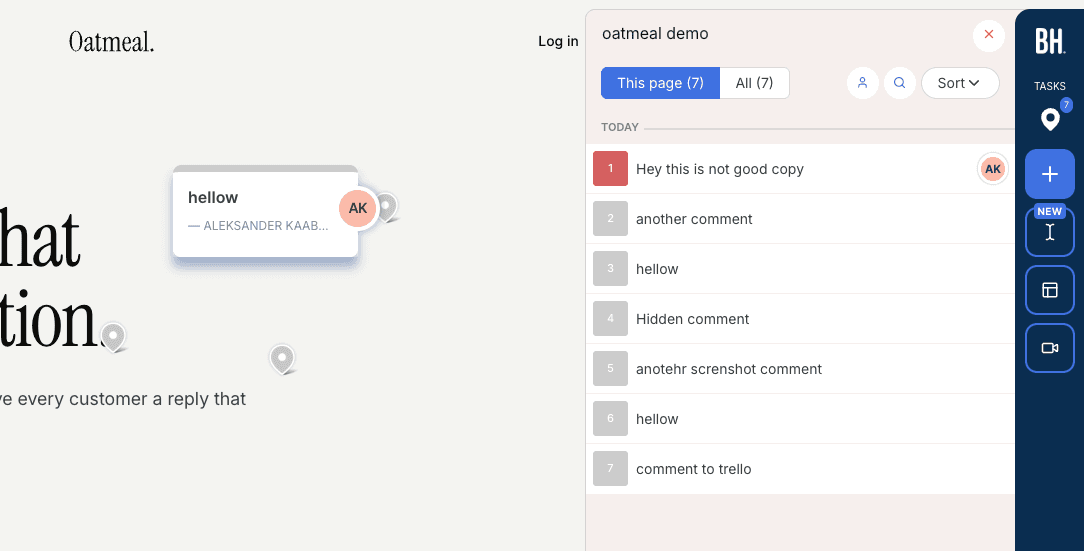
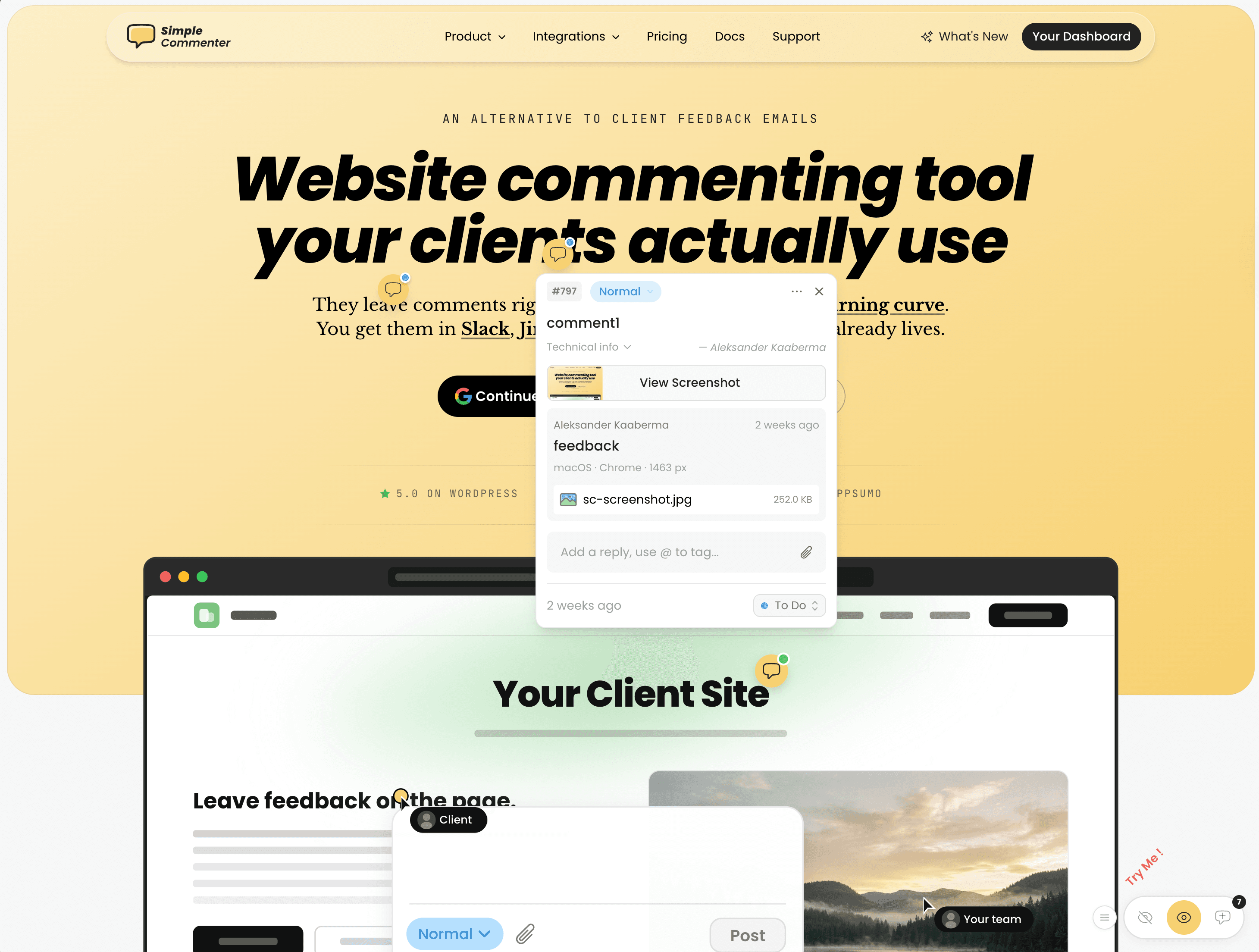
That is a genuinely different way to work, and it is only available once the feedback is structured. This is the workflow I built Simple Commenter for: a widget that sits on your app (including behind a login), captures the element, position, screenshot, and URL when someone comments, and exposes all of it to your AI agent over MCP so Claude Code or Cursor can read and resolve feedback directly. I wrote up the agent side of that in connecting an AI agent to a real site.
I am obviously not neutral here. There are several good tools in this category, and I compared the main ones honestly in the best website feedback tools, including where mine is the wrong choice. The specific thing to check before you pick any of them is whether it genuinely works behind your login, because that is where most of them quietly do not.
The same story from the other side#
I asked one of my customers to describe this switch in their own words, because their version is more useful than mine. Kristina Kaaberma, CEO of Healtworks OÜ, is building a SaaS product and working with a developer:
I'm currently building a SaaS product, and I can honestly say that Simple Commenter has completely transformed the way I collaborate with my developer.
Before discovering Simple Commenter, I used Notion to document feedback and feature requests. Notion is an incredible tool, and I still use it every day for many different purposes. However, when it came to communicating changes with my developer, it wasn't the ideal solution. I constantly found myself searching through notes, trying to remember where I had left off, which comment referred to which part of the application, and what had already been reviewed. My developer faced the same challenge, trying to interpret my notes while simultaneously locating the correct places in the application. Information was easily lost, unnecessary back-and-forth became common, and the entire process was slower and more frustrating than it needed to be.
Instead of describing issues in a separate document, I can simply click directly on the part of the application I want to change, improve, remove, or add to. My developer immediately knows exactly what I'm referring to, without having to guess or spend time searching. Nothing gets lost in translation anymore.
It has also made it much easier for me to keep track of my own progress. I always know what I've already reviewed, what still needs attention, and exactly where I left off.
As a result, our entire workflow has become significantly faster, more efficient, and much more enjoyable. Perhaps the biggest improvement isn't just the time we've saved, it's that giving feedback no longer feels like a chore. The chaos is gone, everything is organised, and the whole process feels clean, intuitive, and productive.
It's one of those products that makes you wonder how you ever managed without it.
Kristina Kaaberma
The line I keep coming back to is "giving feedback no longer feels like a chore." That is not a productivity metric, it is a behavioural one. When reviewing is painful, people batch it up, do it late, and do it shallowly. When it takes four seconds, they do it as they go, and you get better feedback because you get it while they are still annoyed about the thing.
The other detail worth noticing: half of what they describe is about their own experience, not the developer's. Knowing what you have already reviewed. Knowing where you left off. I built the tool thinking about the developer receiving feedback. It turns out the person giving it was carrying just as much overhead, silently.
Step 5: Launching#
Two mistakes are available and most people pick both. Launching too late, and launching to too many people.
Ship earlier than is comfortable. Not broken, but narrower than you planned. One core flow that works end to end, including signup and payment, beats five half-finished ones. If you cannot describe your product in one sentence without an "and", cut until you can.
Launch in stages. Ten users you can talk to individually will teach you more than a Product Hunt spike, and they will do it while you can still change the fundamentals. The order that works: a handful of people you know, then a small paying cohort, then the public launch once you have stopped changing the data model every week.
Practical things that are worth doing before you tell anyone:
- Charge from the first paying user. Free users tell you what they like. Paying users tell you what they need. Those are different sentences.
- Set up error tracking and read it daily. Most users will not report bugs. They will just leave.
- Watch a real person use it without helping them. Uncomfortable, and worth more than any amount of internal QA.
- Write the onboarding email sequence before launch. You will not want to do it after, and activation is where most of your churn actually happens.
Step 6: Marketing and SEO#
The uncomfortable truth: distribution takes longer than building now, and the gap is widening. You can build in weeks. You cannot rank in weeks.
This is why the keyword research happened back in step 2, while the product was still in the design phase. Ranking has a delay you cannot shorten with effort or money: a post published today might be earning traffic in four months, and a post published in four months earns nothing until eight. By launch, the content plan should already be partly executed.
What has actually worked for me, in order of return:
Comparison pages. People searching "X vs Y" are already looking for a tool in your category. The traffic is small and the intent is enormous. The condition is that you have to be genuinely honest, including about where a competitor is the better choice, because readers can tell and so can Google.
Specific how-to content over broad guides. "How to build a SaaS" is a competitive term I am unlikely to win outright. "How do I build a SaaS app with auth" is a real query with almost no good answers. Long, specific, boring queries are where a small site can win, and there are hundreds of them.
Write for AI answers as well as search results. A growing share of people ask an assistant instead of typing a query, and assistants quote sources that are easy to quote. In practice that means: answer the question in the first sentence under each heading, use question-shaped headings, include real numbers and specifics, and add a summary at the top. All of which also makes the page better for humans, which is why it is worth doing rather than a trick.
Be in the conversations already happening. Reddit and forum threads outrank most company blogs in this category. Answering a real question properly, with your affiliation stated, sends better traffic than most of what you will publish.
One thing that has not worked: writing for keywords I cannot serve. Every post that existed to rank rather than to be read got traffic that bounced.
Frequently asked questions#
How long does it take to build a SaaS product?#
For a solo developer with AI tooling and a clear scope: a usable MVP in two to six weeks, and something you would charge money for in two to four months. The build is genuinely that fast now. Getting the first ten paying customers usually takes longer than getting to a working product, which catches people out because it reverses the old order.
How much does it cost to build a SaaS?#
If you are building it yourself, the infrastructure is close to free until you have real usage. Hosting, database, and file storage all have free or low tiers that comfortably cover a pre-launch product, so you are typically looking at tens of dollars a month rather than hundreds, plus domain costs and your AI tooling subscription.
The costs that actually show up are the ones people forget: payment processing takes its percentage from day one, transactional email needs a paid plan the moment you send anything at volume, and AI agent usage is a real line item that scales with how much context you feed it. If you are paying an agency instead, you are into five or six figures, which is exactly the gap AI tooling has opened up.
Can I build a SaaS without coding?#
You can build a real product without writing code, and people do. No-code platforms handle the common shape well: forms, records, dashboards, payments.
Where it breaks down is anything unusual. If your product's value is in a specific interaction or a specific piece of logic, you will hit a wall, and the wall arrives without warning. The honest middle path in 2026 is to use AI agents on a real codebase rather than a no-code platform, because the ceiling is higher and the escape hatch is always available. It requires you to be able to read code, which is a lower bar than being able to write it.
Do I need a co-founder or a team?#
You can build alone. What you cannot do alone is see your own product clearly. You need at least one person who looks at it with fresh eyes and tells you what is confusing, and you need that early, before you have rationalised every rough edge.
That is also the moment the feedback problem in step 4 appears. The day a second person starts reviewing your product is the day you need somewhere for their feedback to go that is not a chat message you will lose.
What is the most common mistake?#
Building for six months without showing anyone. Every single time, the person comes back having built something well engineered that nobody asked for. The feedback loop is not a thing you set up after launch. It is the thing that determines whether what you launch is any good.
What I would do differently#
Three things, in the order I wish I had done them.
Design the permission model before writing the first feature. I retrofitted roles into a working app and it touched every query in the codebase. A day of thinking would have saved weeks.
Set up structured feedback the day the second person joined. Not the month I got frustrated enough to build a tool for it. Every round of feedback before that was slower than it needed to be, and I have no way of getting those hours back.
Publish the first blog post before writing the first line of product code. Everything else in a modern build can be compressed. Search cannot.
The rest of it, honestly, went fine. The tooling in 2026 is extraordinary, and a single person with an AI agent and a clear idea can now build something that would have needed a team of four a few years ago. The constraint has just moved. It used to be "can I build this." Now it is "can I communicate clearly enough about it, fast enough, with everyone involved."
That is a better problem to have. It is also a much less discussed one, which is why I wrote this.
Found this useful? Add us as a preferred source and Google will show you more of our guides in Search and AI Overviews.